
MainWP Vulnerability Checker Extension
Find known core, plugin and theme vulnerabilities on every child site with the MainWP NVD API or WPScan.

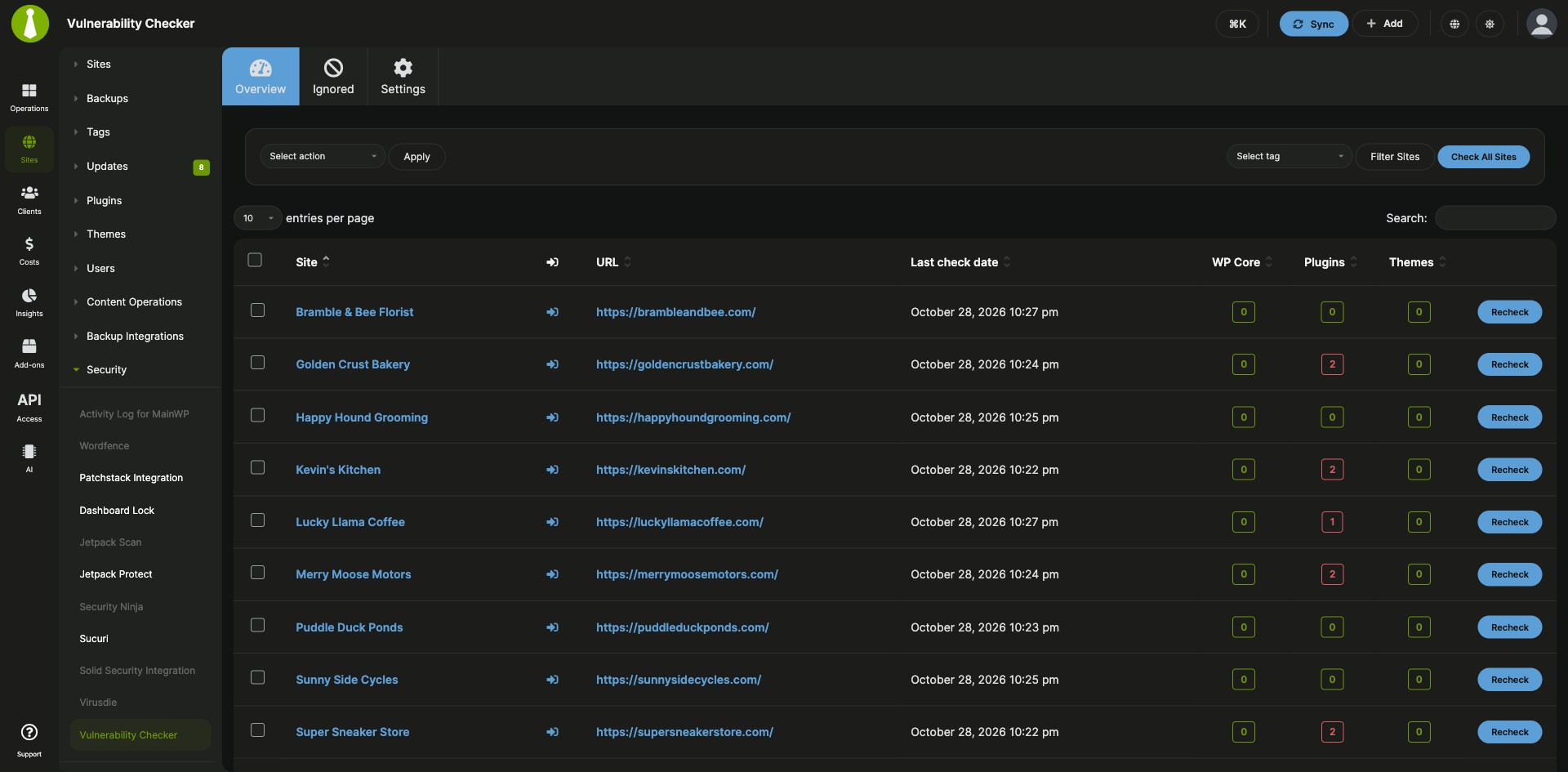
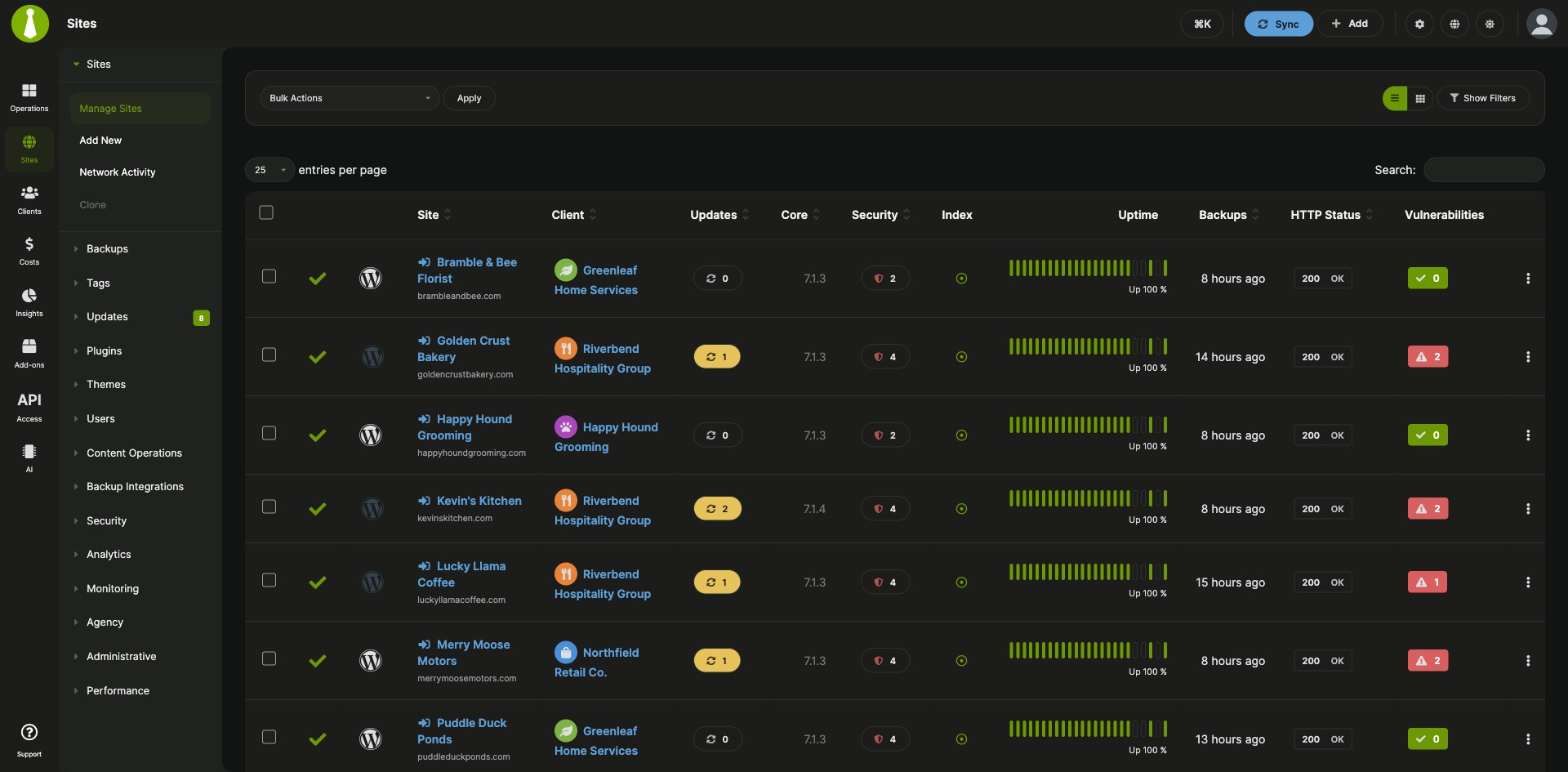
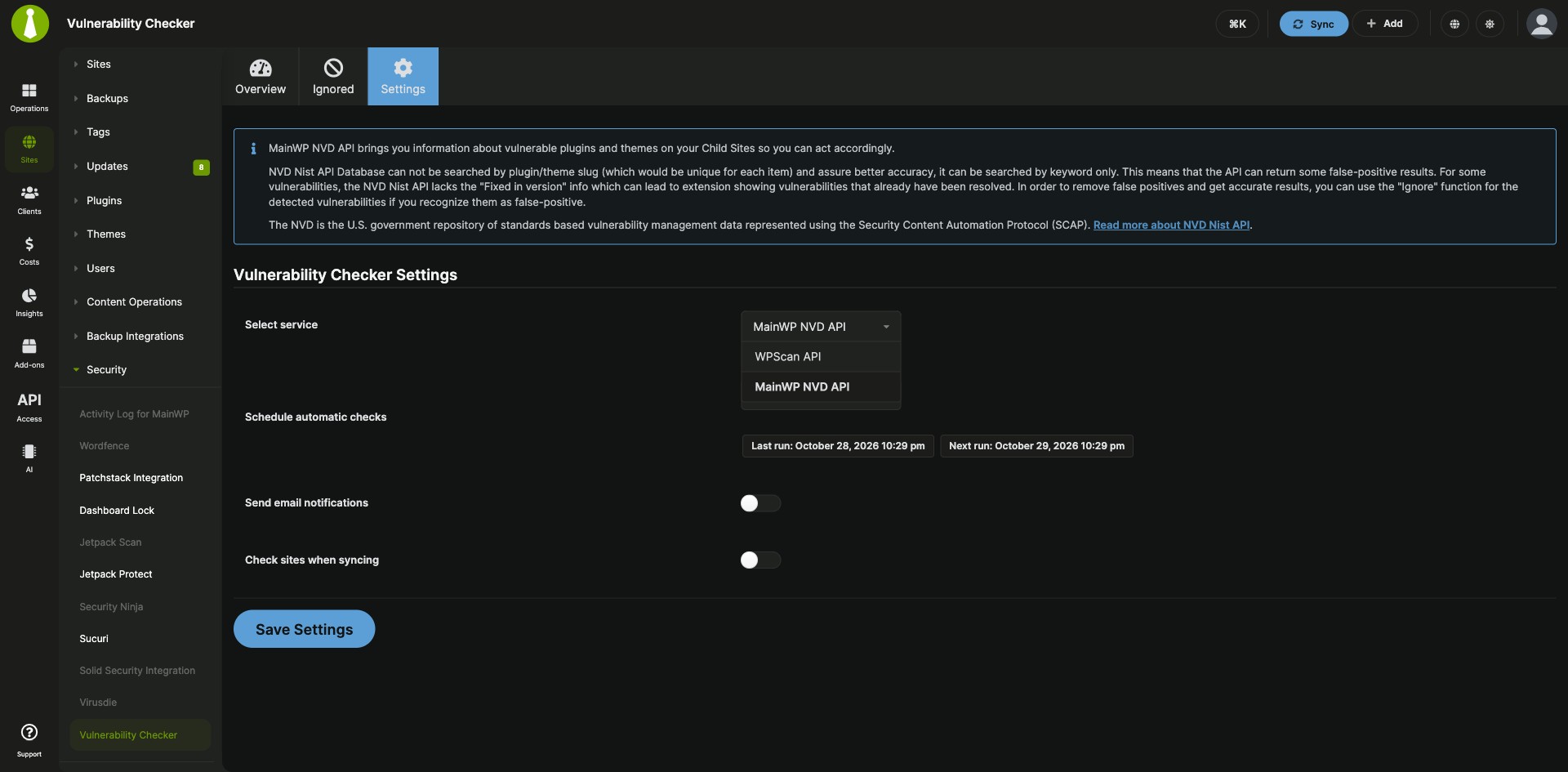
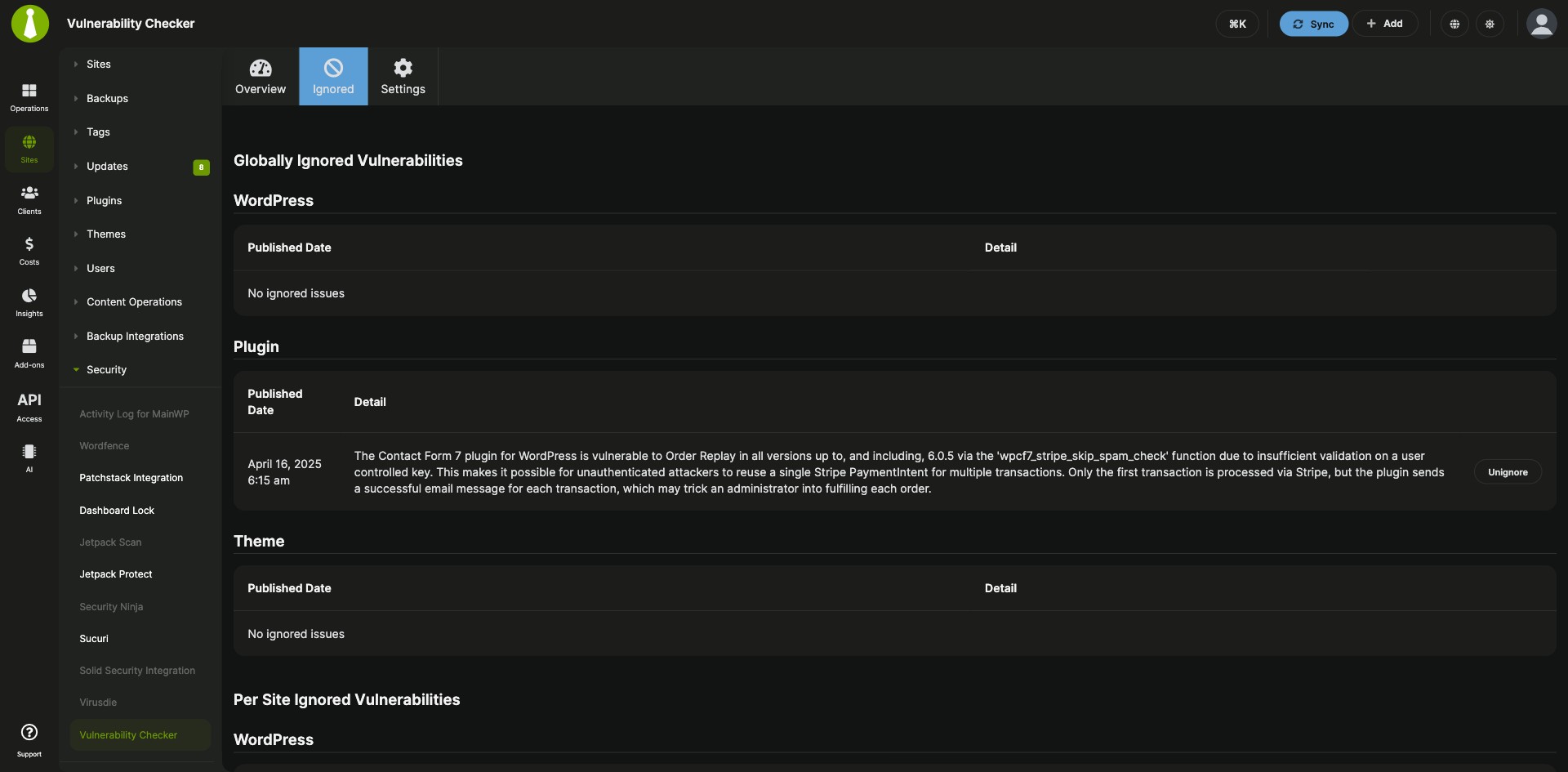
Vulnerability checks for core, plugins and themes on a schedule
The MainWP Vulnerability Checker Extension is a free MainWP add-on that finds known vulnerabilities in WordPress core, plugins and themes on all your child sites. Pick the free MainWP NVD API or the WPScan Vulnerability Database API as the source, then review the details, update or delete vulnerable plugins and themes, and get results by email after scheduled checks.
Checking versions against vulnerability reports by hand
Checking each site’s plugins, themes and WordPress version against vulnerability reports yourself means going site by site, and a known vulnerability stays in place until you reach that site. The MainWP Vulnerability Checker Extension checks all your child sites at once, on demand, on a schedule or during sync, and shows the results in your MainWP Dashboard, where you can act on them.
Features
The MainWP Vulnerability Checker Extension gives you a choice of data source, three ways to run checks, and direct actions on what it finds.
| Feature | What it means for you |
|---|---|
| Two vulnerability sources | Use the MainWP NVD API, which is free and needs no API token, or the WPScan Vulnerability Database API with your WPScan API token. |
| Core, plugin and theme checks | Find known vulnerabilities in WordPress core, plugins and themes on your child sites, and review the details in your MainWP Dashboard. |
| Check all sites on demand | Click Check All Sites on the Overview tab and the add-on checks your sites right away. |
| Automatic checks | Schedule checks daily, weekly or monthly, or turn on Check sites when syncing to check sites every time you sync them. |
| Email notifications | Get the results by email after each scheduled check cycle, sent to your Daily Digest Email recipients. |
| Update or delete vulnerable items | Update a vulnerable plugin or theme when a fixed version is available, or delete it. |
| Ignore false positives | Use Ignore on a result you recognize as a false positive. |
| Report tokens | With Pro Reports, add [vulnerable.plugins], [vulnerable.themes], [vulnerable.checkdate] and [vulnerabilities.count] to client reports. |
Requirements
The MainWP Vulnerability Checker Extension works with the MainWP Child plugin your sites already run, plus a WPScan account if you choose WPScan.
| Item | Requirement |
|---|---|
| License | Free, included in MainWP Essentials and MainWP Pro |
| Child sites | The MainWP Child plugin. Third-party WordPress plugins: none. |
| MainWP NVD API | MainWP Dashboard and MainWP Child 4.1.7 or higher. Free, no API token. |
| WPScan Vulnerability Database API (optional) | A WPScan account and the API token from your WPScan profile. The free tier allows 25 API requests per day, and paid API access raises the daily limit. |
| Scheduled checks | WP Cron running on your MainWP Dashboard site. Adding your Dashboard as an Uptime Robot monitor keeps scheduled events running. |
| Report tokens (optional) | The Pro Reports add-on |
Setup: pick a source, check, then schedule
Setting up the MainWP Vulnerability Checker Extension takes four short steps, and the API token step applies to WPScan users.
Install the add-on
- In your MainWP Dashboard, go to MainWP > Add-ons and click Install Add-ons.
- Select the MainWP Vulnerability Checker Extension and click Install.
- Click Activate Add-ons.
Choose the vulnerability service
- To use WPScan, register with WPScan and enter the API token from your WPScan profile in the add-on settings.
- Click Save Settings.
Check your sites
- Go to MainWP > Add-ons > Security > Vulnerability Checker and open the Overview tab.
- Click Check All Sites.
Schedule automatic checks
- Open the Settings tab.
- Under Schedule automatic checks, select Daily, Weekly or Monthly.
- Optionally, turn on Send email notifications to get the results by email, and Check sites when syncing to check sites on every sync.
- Click Save Settings.
Full instructions for each service and setting: MainWP Vulnerability Checker Extension documentation.
How each service matches your plugins and themes
The MainWP Vulnerability Checker Extension checks the WordPress core, plugins and themes on your child sites against the service you choose, and scheduled checks run on WP Cron on your Dashboard site. The MainWP NVD API matches items by CPE and keyword searches instead of WordPress.org slugs, so review its results and ignore any false positives.
Vulnerability Checker FAQ
Should I use the MainWP NVD API or WPScan?
In the MainWP Vulnerability Checker Extension, use the MainWP NVD API if you want a free service with no API token. It needs MainWP Dashboard and MainWP Child 4.1.7 or higher, and it searches by CPE and keyword, so some results can be false positives. Use WPScan if you have a WPScan API token and enough daily API requests for your sites; its free tier allows 25 requests per day.
What should I do about a false positive?
Use the Ignore function on the result in the MainWP Vulnerability Checker Extension. For some vulnerabilities the NVD API leaves out the Fixed in version information, so a vulnerability you already resolved can still show up until you ignore it.
When does the Vulnerability Checker send email?
The MainWP Vulnerability Checker Extension emails results after each scheduled automatic check cycle finishes. Manual checks from the Overview tab and checks during sync show their results in your Dashboard. Emails go to the Daily Digest Email recipients set under MainWP Settings > Email Settings, or to the WordPress Administration Email Address until you save those settings.
Where do I get support?
The WPScan team handles issues with WPScan accounts and API tokens; see wpscan.com. MainWP support handles issues with the MainWP Vulnerability Checker Extension.