
MainWP Regression Testing Extension
Catch unexpected HTML changes on your child sites after updates or on a schedule, with email alerts.

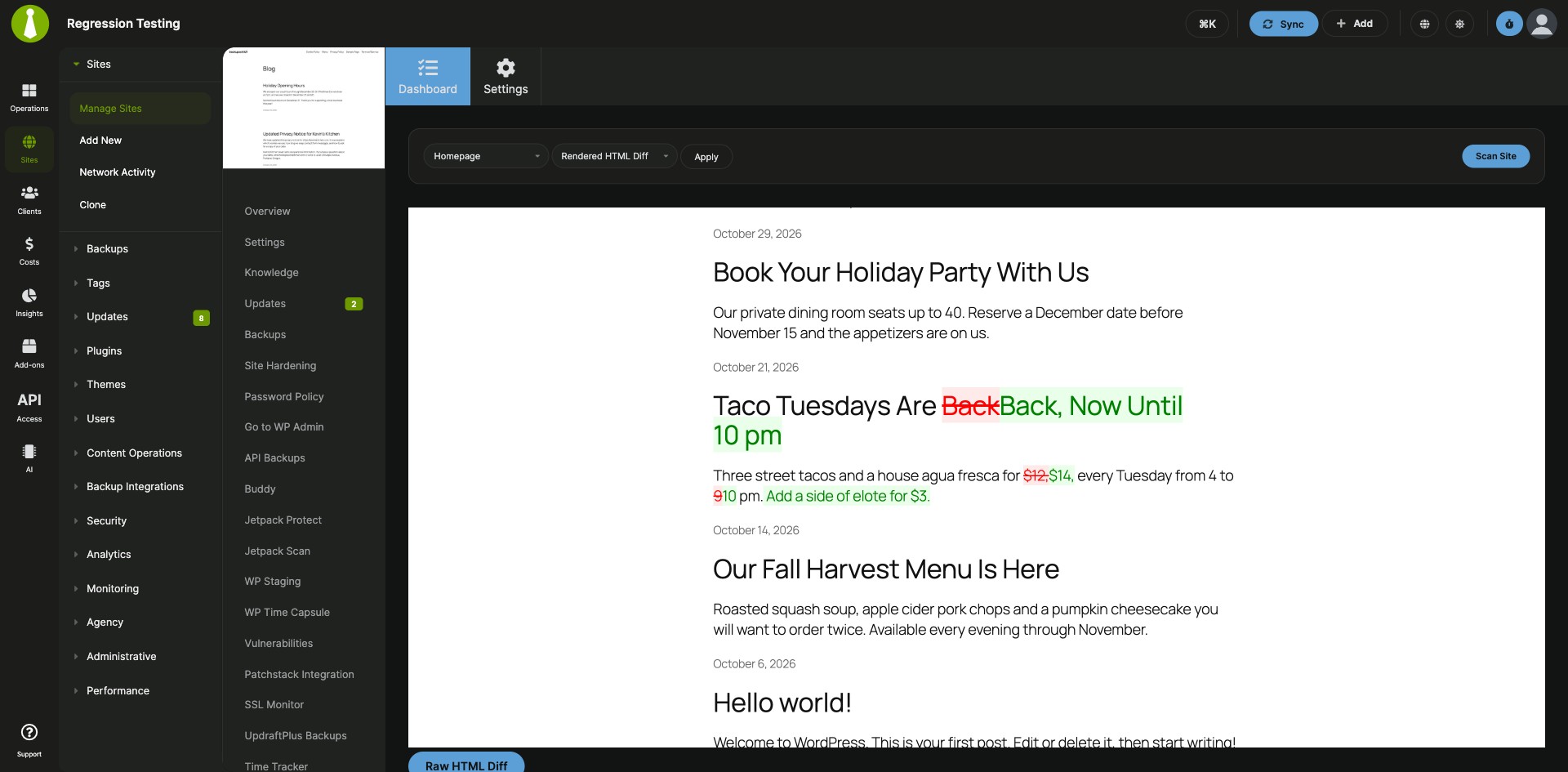

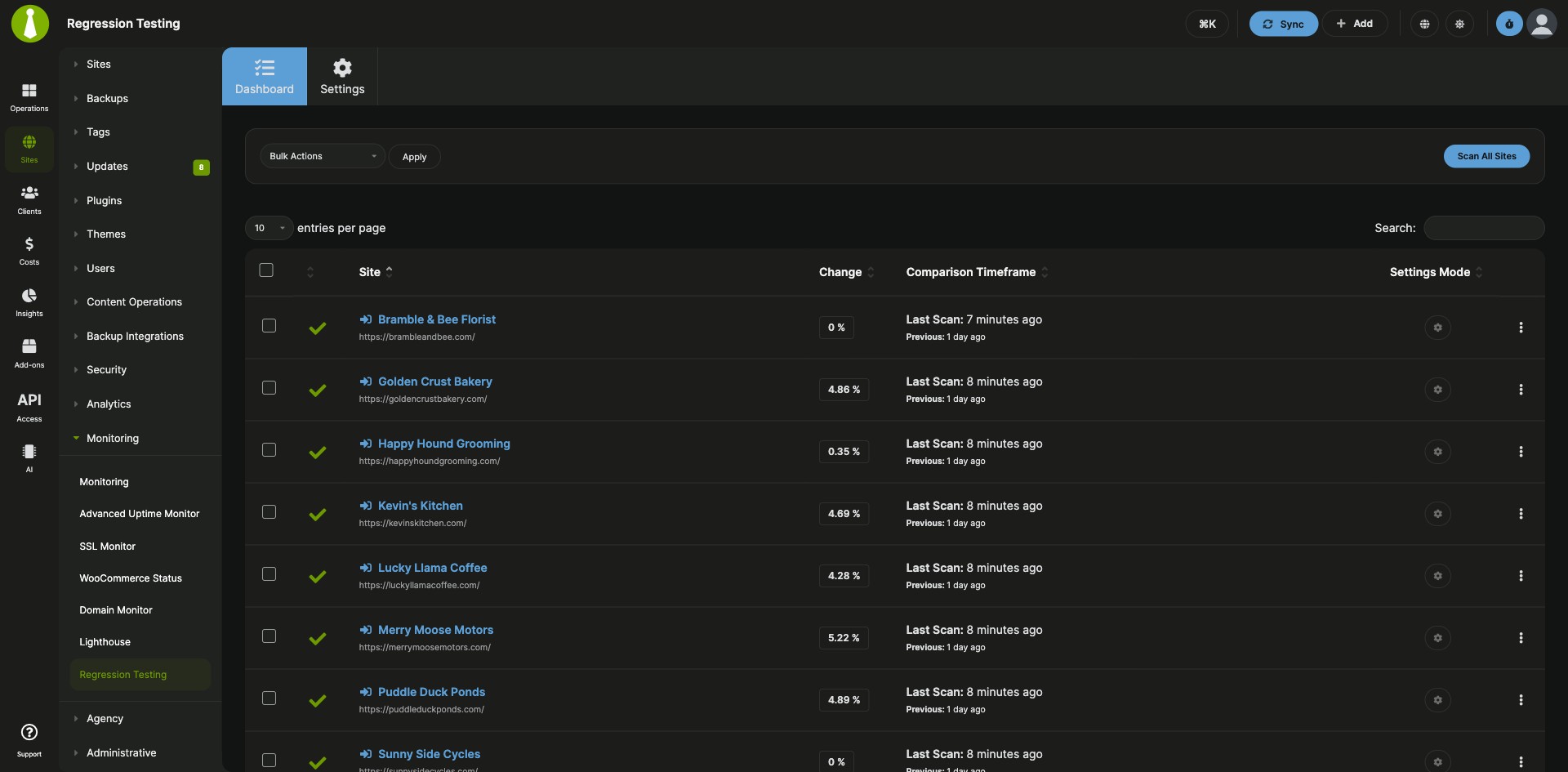
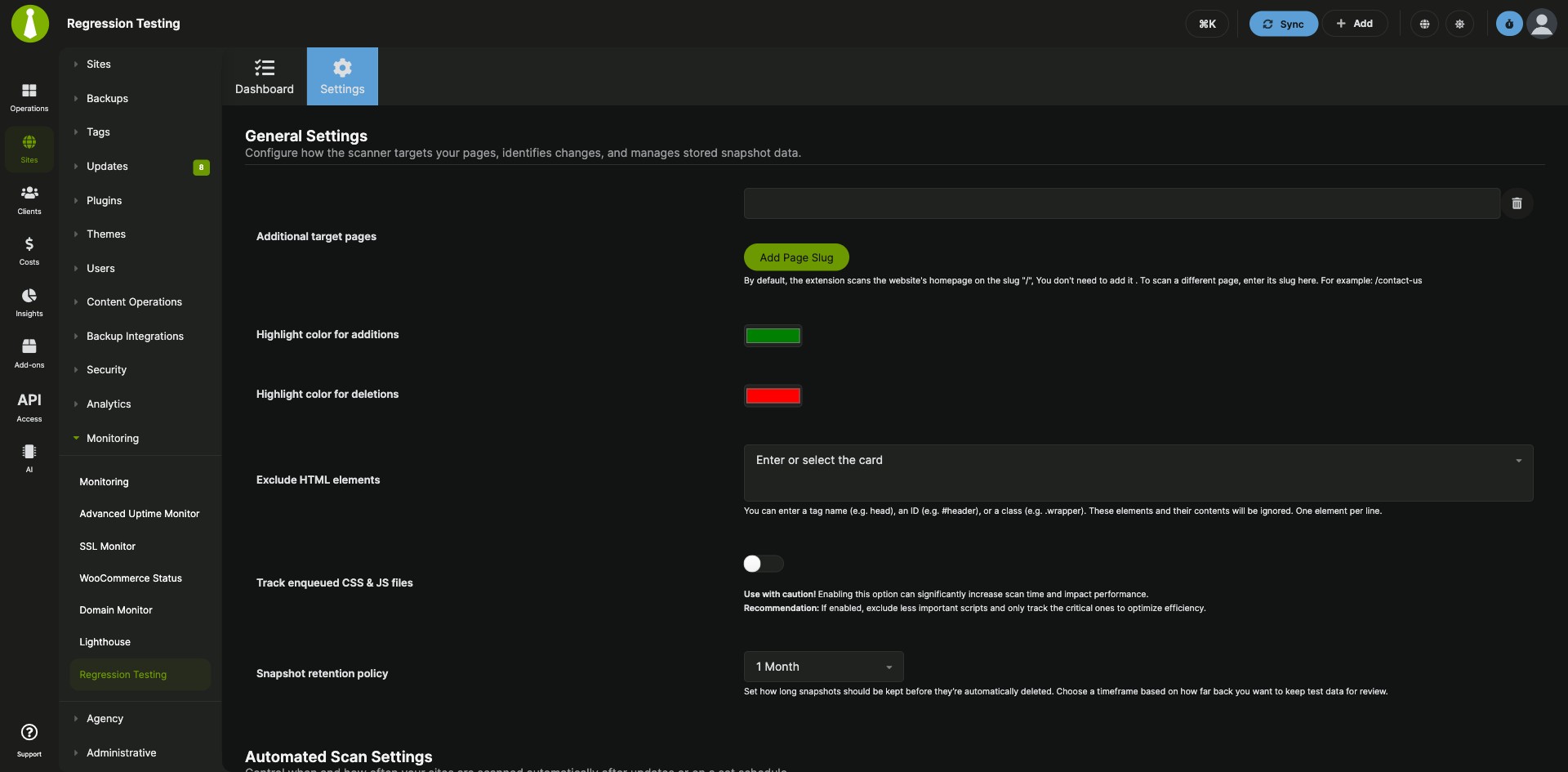
See which child sites changed after an update, and by how much
The MainWP Regression Testing Extension is a Pro MainWP add-on that catches unexpected HTML changes on your child sites by comparing each scan of a site with the previous one. It scans on a schedule or after plugin, theme and WordPress core updates, shows how much each site changed, and can email you when the change passes a threshold you set.
Checking sites by hand after every update
A plugin update, a theme change or a manual edit can change a site’s HTML in ways that are easy to miss, and finding them by hand means opening each site and looking. Catching those changes early protects each page’s layout, functionality and SEO. The MainWP Regression Testing Extension has your MainWP Dashboard scan the sites, compare the last two scans, and list every site’s change percentage on one page.
Features
The MainWP Regression Testing Extension gives you a change score for every site, three ways to see the difference, and control over when and what it scans.
| Feature | What it means for you |
|---|---|
| Regression Testing Dashboard | See every connected child site with its Change Percentage, the time of its last two scans, and whether it uses global or per-site settings. The row menu has Overview, Edit, Scan Site and the diff views. |
| Three diff views | Raw HTML Diff shows the HTML of the last two scans side by side, with removed elements on the left and added content on the right. Rendered HTML Diff shows a visual before-and-after of the page. Enqueued Files Diff shows changes to CSS and JavaScript files when tracking is on. |
| Scheduled scans | Run scans once a day, once a week, twice a month or once a month. |
| Scans after updates | Scan a site automatically after a plugin, theme or WordPress core update. You can delay the scan by 1 to 60 minutes so caches, CDNs and background tasks settle first. |
| Email alerts | Get an email when a site’s change passes the Change score threshold you set. A site with its own notification recipients sends its alerts to them. |
| Scan settings | Scan more pages than the homepage, exclude HTML elements such as #header, track enqueued CSS and JS files, set the highlight colors for additions and deletions, and keep snapshots from 1 day to unlimited (30 days by default). Turn on Overwrite General Settings to give one site its own settings. |
| Widgets | The MainWP Overview page widget lists sites with significant changes. The widget on each child site’s Overview page shows the latest Change Percentage, the Target URL, the Last Scan time and a chart of past changes. |
Requirements
The MainWP Regression Testing Extension is standalone: it runs on your MainWP Dashboard with no third-party plugin or service.
| Item | Requirement |
|---|---|
| License | MainWP Pro |
| MainWP Dashboard | The MainWP Regression Testing Extension installed and activated on your Dashboard site |
| Third-party plugins | None |
Setup: scan settings, site overrides and your first scan
Most MainWP Regression Testing Extension setup happens on one settings page, and any site that needs different rules gets its own settings.
Choose your scan settings
- Go to MainWP > Add-ons > Monitoring > Regression Testing > Settings.
- The homepage is scanned by default. To scan more pages, enter their slugs in Additional target pages, such as /contact-us.
- Turn on Post-update automatic scans. If your sites use caching or a CDN, also turn on Delay regression scans after updates and set a delay of 1 to 60 minutes.
- Turn on Automated scans and choose the Automated scans frequency.
- Turn on Enable notification emails and set the Change score threshold.
Give one site its own settings
- Go to MainWP > Sites > Manage Sites and click the site’s name.
- Click Regression Testing in the sidebar on the left, then open the Settings tab.
- Enable Overwrite General Settings and click Save.
- Set the site’s preferences and click Save Settings at the bottom of the page.
Run a scan and review the changes
- Go to MainWP > Add-ons > Monitoring > Regression Testing.
- To scan a site now, open its ellipsis menu and choose Scan Site.
- From the same menu, choose Raw HTML Diff, Rendered HTML Diff or Enqueued Files Diff to see what changed.
Full instructions for settings, diff views and widgets: MainWP Regression Testing Extension documentation.
How scheduled scans are spread across your sites
The MainWP Regression Testing Extension saves an HTML snapshot of each target page at every scan and compares it with the previous snapshot. Scheduled scans run in phases: the extension starts with three sites, scans up to three pages per site at a time, and moves on to the next three sites after five minutes, so the load on your server and your child sites stays spread out.
Regression Testing FAQ
How does the MainWP Regression Testing Extension detect changes?
The MainWP Regression Testing Extension compares the HTML from a site’s most recent scan with the scan before it and shows the difference as a Change Percentage. Open the Raw HTML Diff or Rendered HTML Diff to see exactly what was added or removed.
Can I scan a site automatically after updates?
Yes, the MainWP Regression Testing Extension scans a child site after its plugin, theme or WordPress core updates finish when you turn on Post-update automatic scans. You can delay that scan by 1 to 60 minutes so caches and CDNs have time to refresh.
Can I scan pages other than the homepage?
Yes, the MainWP Regression Testing Extension scans any page you add by slug in Additional target pages, alongside the homepage it scans by default. Add the pages that matter most, such as a pricing or checkout page.
How do I get an email when a site changes?
Turn on Enable notification emails in the MainWP Regression Testing Extension settings and set a Change score threshold. You get an email when a site’s change passes that percentage. A site with its own notification recipients in its per-site settings sends its alerts to them instead.