
Burst Statistics for MainWP
See visitors, top pages and live traffic for every client site in your MainWP Dashboard, without logging in to each one. Burst Statistics keeps the data privacy-friendly and on each site.


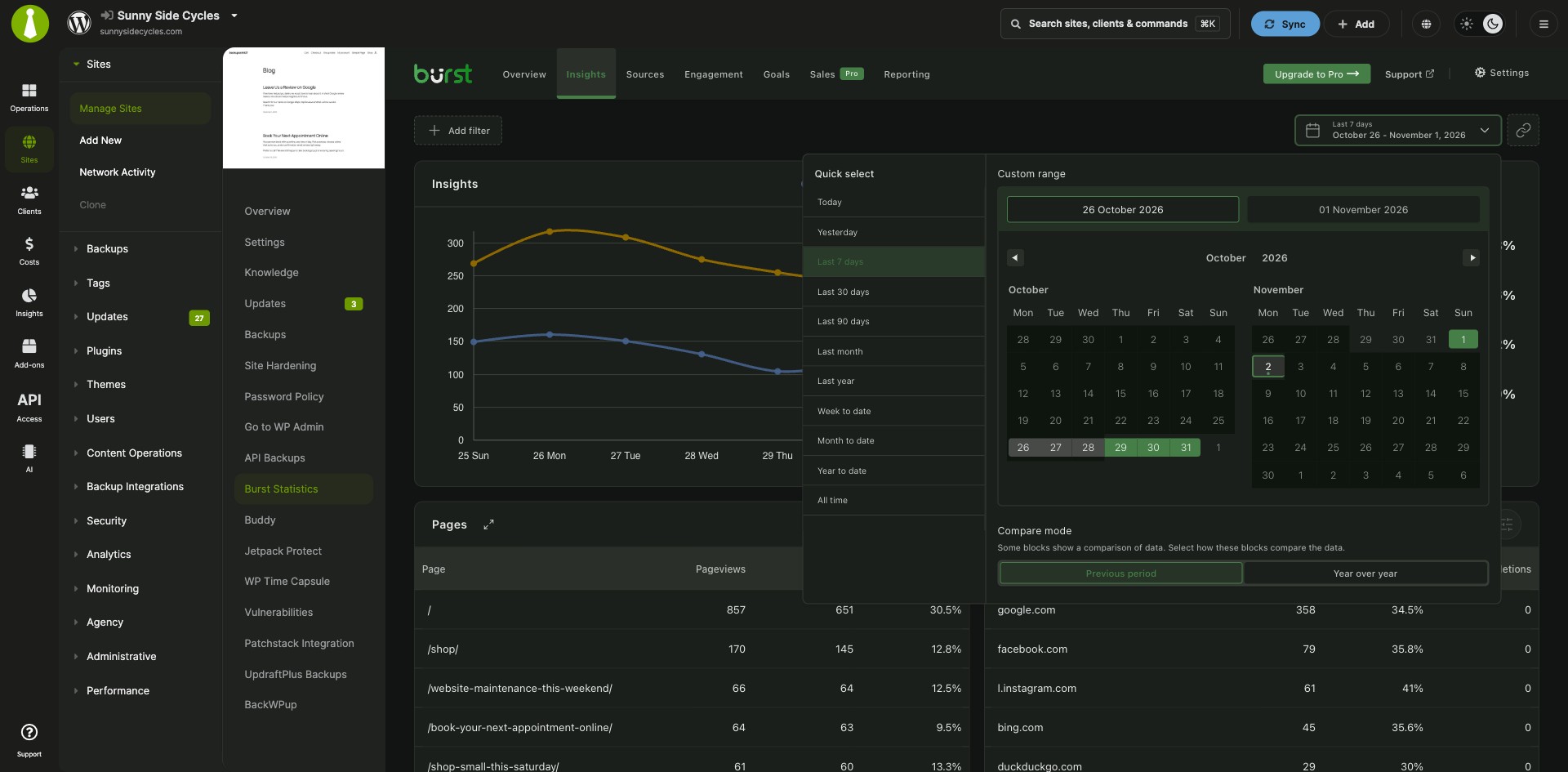
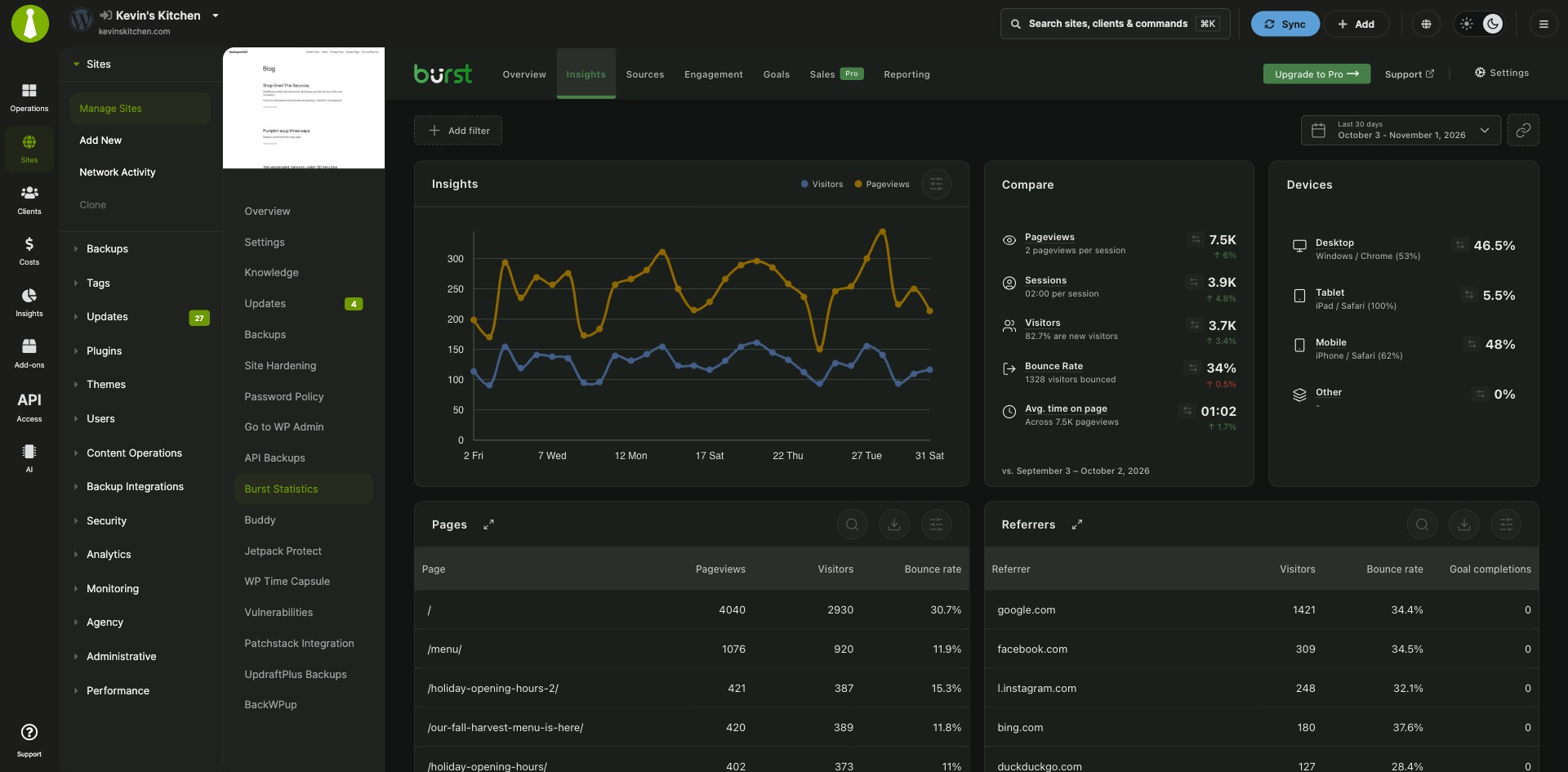
Visitors, top content and live counts from Burst Statistics
Burst Statistics for MainWP is a free MainWP add-on from the Burst Statistics team that shows privacy-friendly Burst Statistics analytics for all your child sites in your MainWP Dashboard. Visitors, pageviews, top content and live visitor counts for every child site are in your MainWP Dashboard, so you can move from one client site to the next without another login.
One login for every client site’s traffic
Each child site’s Burst Statistics data lives in that site’s WordPress admin, so checking traffic means logging in to each site in turn. Burst Statistics for MainWP reads those statistics through the MainWP connection and brings every site into your MainWP Dashboard.
Features
Burst Statistics for MainWP shows the core Burst numbers for each child site, plus sales data on newer Burst versions.
| Feature | What it means for you |
|---|---|
| Visitors and pageviews | Monitor visitors and pageviews across all your child sites from MainWP. |
| Top pages and posts | See the top performing pages and posts for each site. |
| Site comparison | Compare how your sites perform at a glance. |
| Live visitor counts | See the live visitor count for each site. |
| Goals and conversions | See each site’s goal completions and conversion rate next to its traffic. |
| Ecommerce, sales and subscriptions | Burst Statistics 3.5.1 and later also send ecommerce, sales and subscription data to your MainWP Dashboard. |
| Free and Pro | Works with the free and Pro versions of Burst Statistics. Pro features are available on child sites where Burst Pro is active. |
| Privacy-first | All data stays within your own MainWP and child site infrastructure. |
Requirements
Burst Statistics for MainWP needs Burst Statistics on each child site you want to see, with its MainWP setting turned on.
| Item | Requirement |
|---|---|
| License | Free (partner add-on from Burst Statistics) |
| MainWP Dashboard | MainWP Dashboard on your main site |
| Child sites | Burst Statistics (free or Pro) on each child site |
| Burst Statistics version | 3.4.0 or later, the release that added MainWP support. Ecommerce, sales and subscription data needs 3.5.1 or later. |
| Burst Statistics setting | Enable MainWP Dashboard Integration turned on in the Burst advanced settings on each child site (Burst Statistics 3.4.2 and later) |
| Accounts | None for the add-on itself. A Burst Pro license, if you use one, is managed on the child site. |
Setup: enable the MainWP setting on each site
Burst Statistics for MainWP is set up on the child sites, in Burst Statistics itself.
Set up Burst Statistics on your child sites
- Install Burst Statistics for MainWP on your MainWP Dashboard site.
- Install Burst Statistics (free or Pro) on each child site.
- In the Burst advanced settings on each child site, turn on Enable MainWP Dashboard Integration. When MainWP Child is active and this setting is off, Burst shows a “MainWP integration disabled” task as a reminder.
For help with Burst Statistics itself, see the Burst Statistics documentation.
Where the statistics live
Burst Statistics for MainWP reads the statistics that Burst Statistics collects on each child site and shows them in your MainWP Dashboard through the MainWP connection. All statistics stay on your child sites, and nothing is sent to third parties. Burst Statistics also offers cookieless tracking.
Burst Statistics FAQ
Does Burst Statistics for MainWP work with Burst Pro?
Yes, Burst Statistics for MainWP supports both the free and Pro versions of Burst Statistics, and Pro features are available on child sites where Burst Pro is active.
Does Burst Statistics for MainWP cost anything?
No. The add-on is free, works with the free version of Burst Statistics on your child sites, and needs no outside account. Viewing sales reports in MainWP requires a paid Burst Statistics license that includes sales tracking. See Burst Statistics pricing.
Where do I get support?
The Burst Statistics team supports this add-on. Contact them through Burst Statistics support. MainWP’s support policy for third-party add-ons explains how support works for add-ons that other developers build.