
WPsigner for MainWP
Send, remind and track WPsigner e-signature contracts linked to your MainWP Clients and Sites.


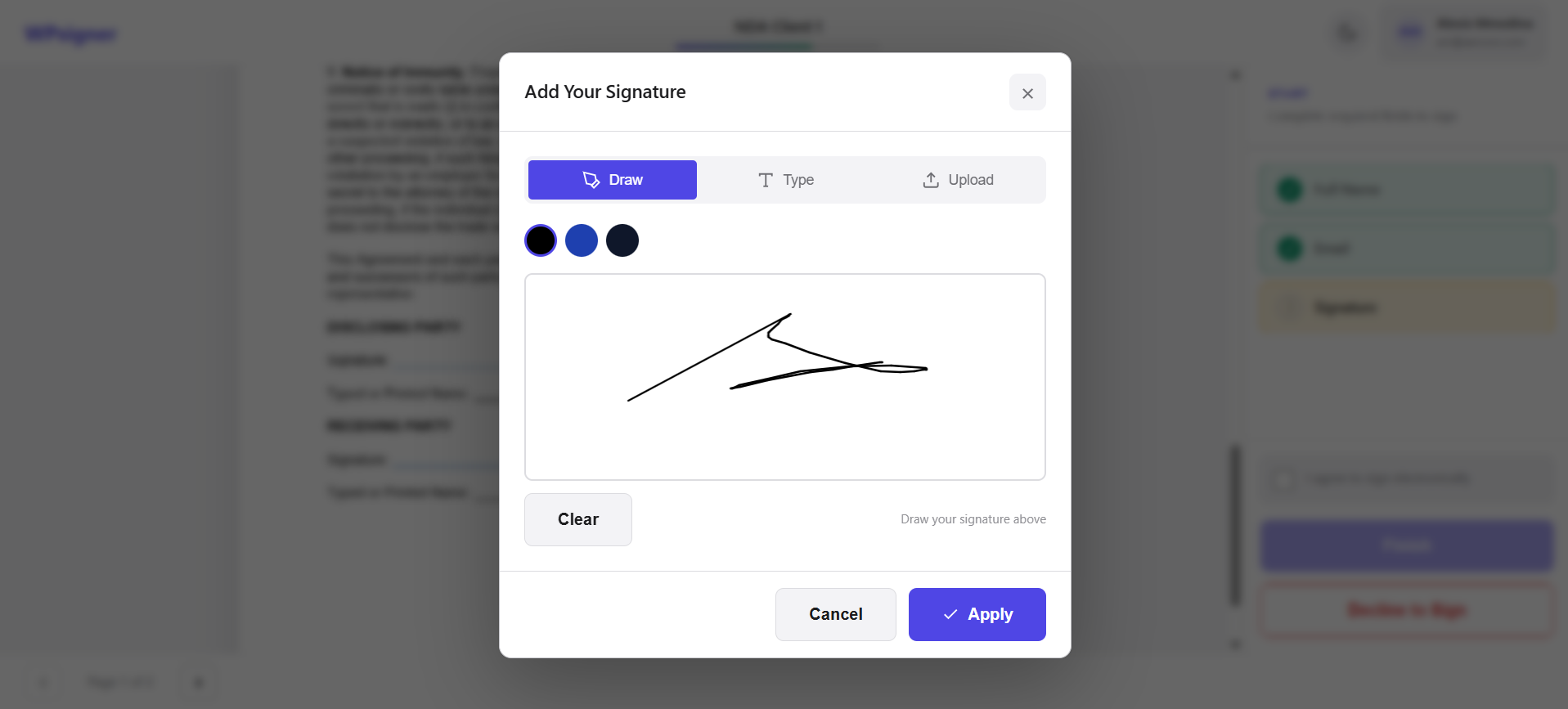
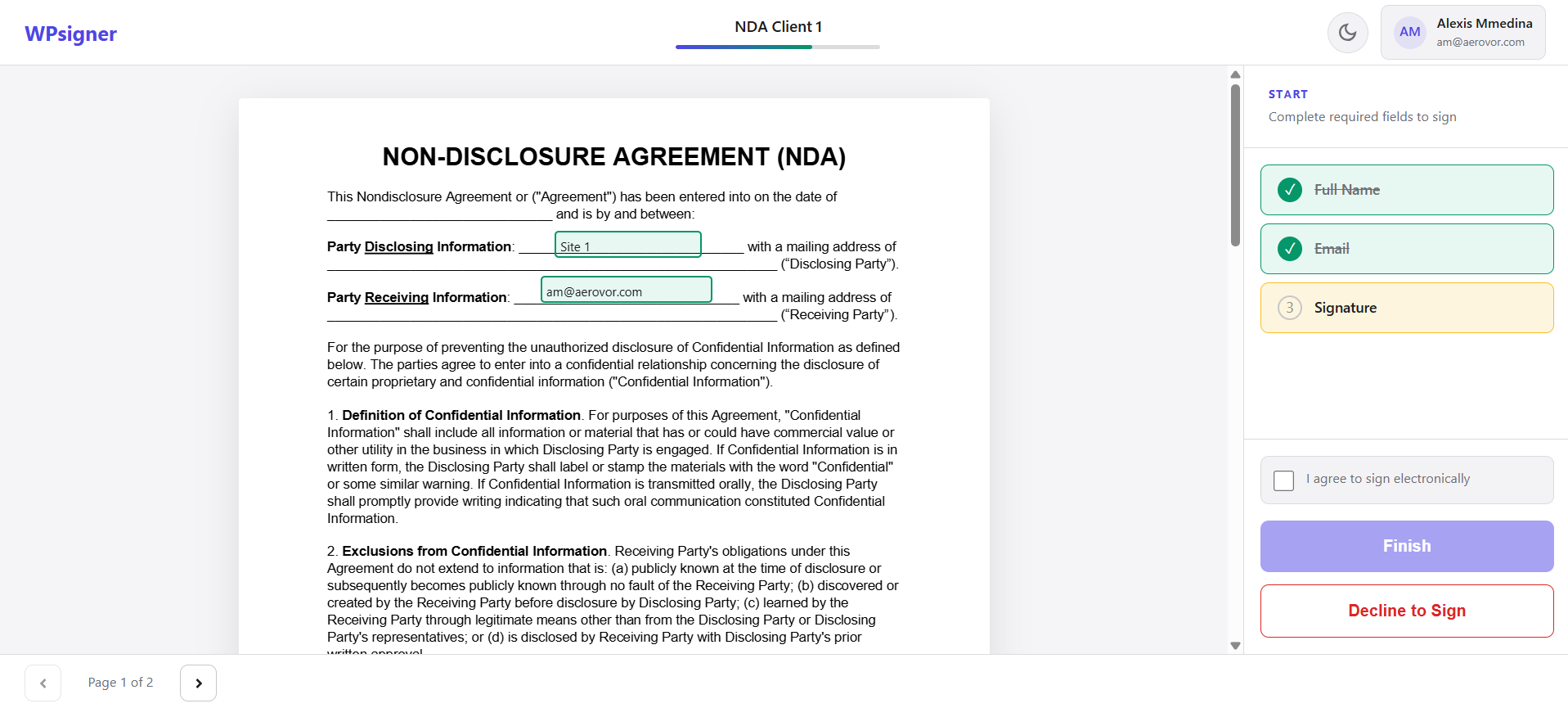
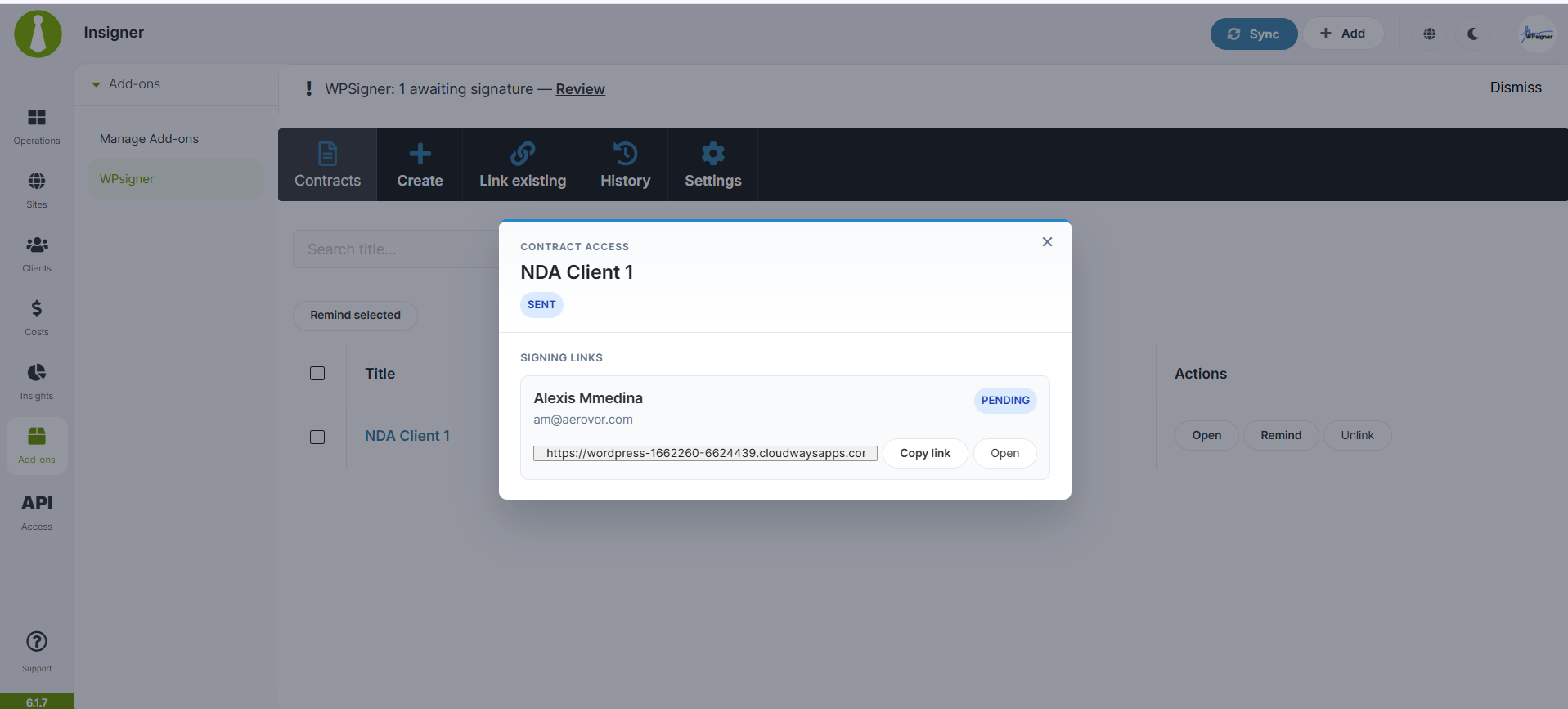

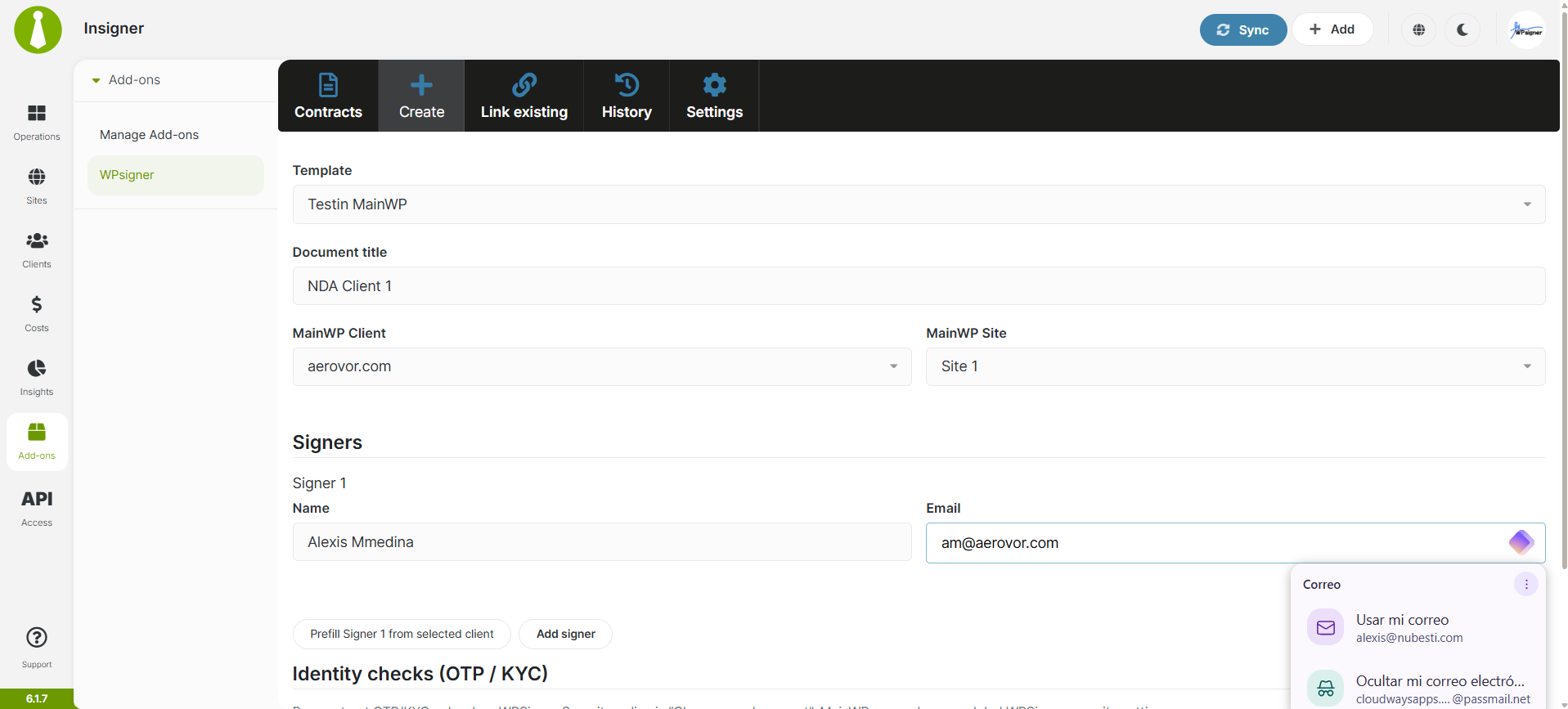
WPsigner contracts from template to signature, run from MainWP
WPsigner for MainWP is a free MainWP add-on that lets you create, send, remind and track WPsigner e-signature contracts from your MainWP Dashboard, linked to the Clients and Sites you already manage there. Contracts stay on your Dashboard site, so your child sites need nothing extra.
Contracts kept next to your client records
Contract work in WPsigner happens in its Documents screen, apart from the client and site records in MainWP. WPsigner for MainWP brings that work into MainWP: you create, send and remind from there, each contract is tied to a MainWP Client, Site or both, and widgets and alerts show which signatures are still pending.
Features
WPsigner for MainWP covers the contract work from creation to signature, with WPsigner doing the signing on your Dashboard site.
| Feature | What it means for you |
|---|---|
| Agency-owned contracts | Documents live in WPsigner on your Dashboard site, and the signing happens there too. |
| Client and Site linking | Link each contract to a MainWP Client, a Site, or both, or link an existing document. |
| Create from templates | Create a contract from a WPsigner template with Client and Site fields filled in, with one or more signers. |
| Send and remind | Send signing requests and reminders from MainWP, for one contract or in bulk. WPsigner sends the emails. |
| Quick create | Create and send a contract in one click from a Client or Site card once you set a default template. |
| PDF and signing link access | Open a contract’s PDF and, when allowed, its signing link from inside MainWP. |
| History | See who created, sent, reminded or linked a contract from your Dashboard. |
| Contracts widget, columns and alerts | The Contracts widget, Client and Site cards, columns on Manage Sites and Clients, and pending-signature banners show what is waiting. |
Requirements
WPsigner for MainWP, WPsigner and the MainWP Dashboard plugin all go on your MainWP Dashboard site, and child sites need nothing.
| Item | Requirement |
|---|---|
| License | Free (partner add-on from WPsigner) |
| MainWP Dashboard | MainWP Dashboard, WPsigner (Lite or Pro) and WPsigner for MainWP, all active on the same Dashboard site |
| Child sites | Nothing to install. WPsigner stays on your Dashboard site. |
Setup: install, pick a template, send
Setting up WPsigner for MainWP takes three plugins on your Dashboard site, a default template and your first contract.
Install the plugins on your Dashboard site
- On your MainWP Dashboard site, install and activate MainWP Dashboard, WPsigner and WPsigner for MainWP.
- Enable the extension under MainWP > Extensions.
Choose your defaults
- Open MainWP > Extensions > WPsigner.
- Go to Settings, choose a Default template, and optionally set a Default agency signer.
Send your first contract
- Open Create and pick a Client or Site.
- Confirm the Signer rows and send.
Full instructions from the developer: WPsigner for MainWP documentation.
Where contracts and signing data live
Contracts, PDFs, signers, identity checks and emails all run on your MainWP Dashboard site. WPsigner for MainWP stores the links between contracts and your Clients and Sites, and logs the actions taken from your Dashboard.
WPsigner FAQ
Where do I find my contracts in MainWP?
The WPsigner for MainWP main page is MainWP > Extensions > WPsigner, with Documents, Create, Link, History and Settings tabs. To see one site’s contracts, go to Sites, open the site, and click WPsigner. The Contracts widget is on your Dashboard, and each client’s Client Overview has a Contract card.
Can I create and send a contract in one click?
You can create and send a contract in one click once you set a Default template in the add-on’s Settings. Quick create then creates and sends a contract from a Client or Site card.
What do I need to pay for?
WPsigner for MainWP is free, and it works with WPsigner Lite, the free WordPress.org edition of WPsigner, or with WPsigner Pro, installed on the same site as MainWP Dashboard. Sending and templates run through WPsigner. Some WPsigner features need WPsigner Pro, and the WPsigner changelog marks which edition each change needs.
Where do I get support?
WPsigner, the developer, supports this add-on. Start with the WPsigner for MainWP documentation, which includes a troubleshooting guide. MainWP’s support policy for third-party add-ons explains how support works for add-ons that other developers build.