Set up MainWP Locally
For better security and privacy, you can even install the “MainWP Dashboard” plugin on a locally hosted WordPress site using WAMP or any other suitable setup that allows you to run WordPress locally.

MainWP is two free WordPress plugins. The MainWP Dashboard plugin goes on one WordPress site that becomes your control panel, and the MainWP Child plugin goes on each site you manage. Agencies, freelancers and developers who look after many WordPress sites install both from WordPress.org and connect every site to their MainWP Dashboard.
Over 20,000 MainWP Dashboards manage over 700,000 child sites, and MainWP has over 2,200 five-star reviews on WordPress.org.
Your MainWP Dashboard has no site limit. The MainWP system requirements help you size your server for the number of sites you plan to manage.

You can also download MainWP Dashboard from WordPress.org and add it with Upload Plugin.

Enable Demo Mode with Guided Tours to get Sample Data and get a sneak peek at how MainWP works, or start MainWP Quick Setup Wizard.
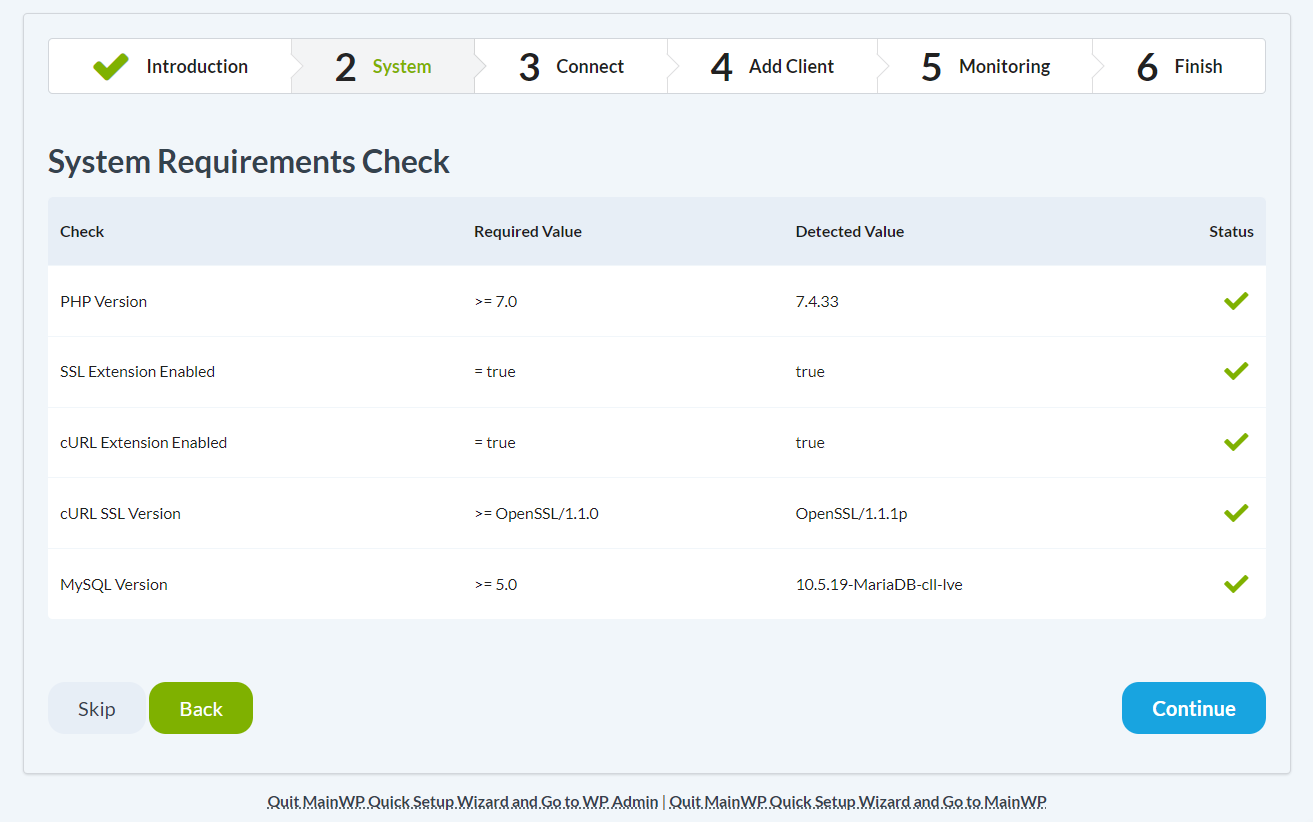
Make sure all system requirements are passed. If any of the system requirements fail to pass, please see this help document before you proceed to the next step.
Click the Continue button

To connect your first Child Site to your MainWP Dashboard, make sure the MainWP Child plugin is installed on the Child Site and then fill in the required fields.
Click the Connect Site button

Here, you can add your client information, or simply click Continue to skip this step.
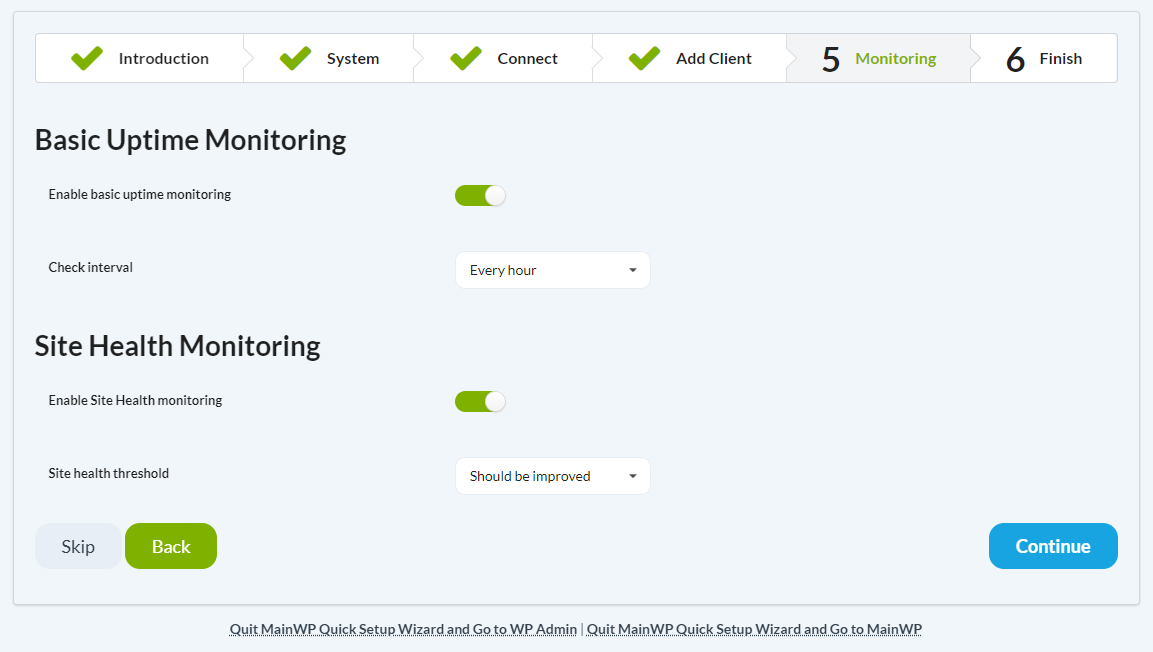
If you want to use the Basic Uptime and Health monitoring features to check your sites, here you can enable it and set how often to check.
Congratulations! Your MainWP Dashboard is Ready!
Now you can start managing your WordPress sites with ease.
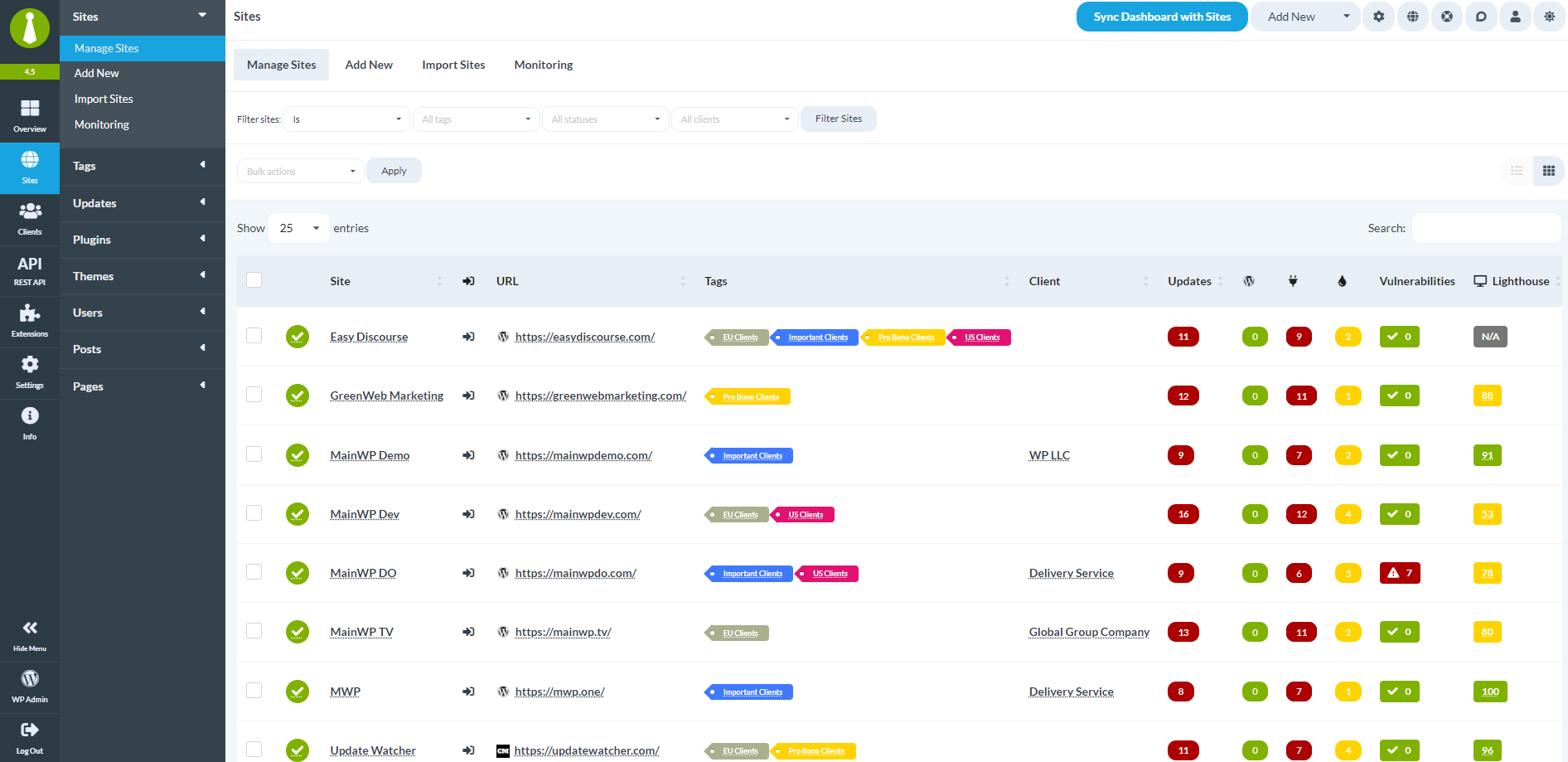
Go to the Sites > Manage Sites page to start adding more Child Sites to quickly manage them from the MainWP Dashboard.
Set up MainWP Locally
For better security and privacy, you can even install the “MainWP Dashboard” plugin on a locally hosted WordPress site using WAMP or any other suitable setup that allows you to run WordPress locally.