
Atarim Integration
Bring Atarim client requests into your MainWP Dashboard and send site status back to Atarim.


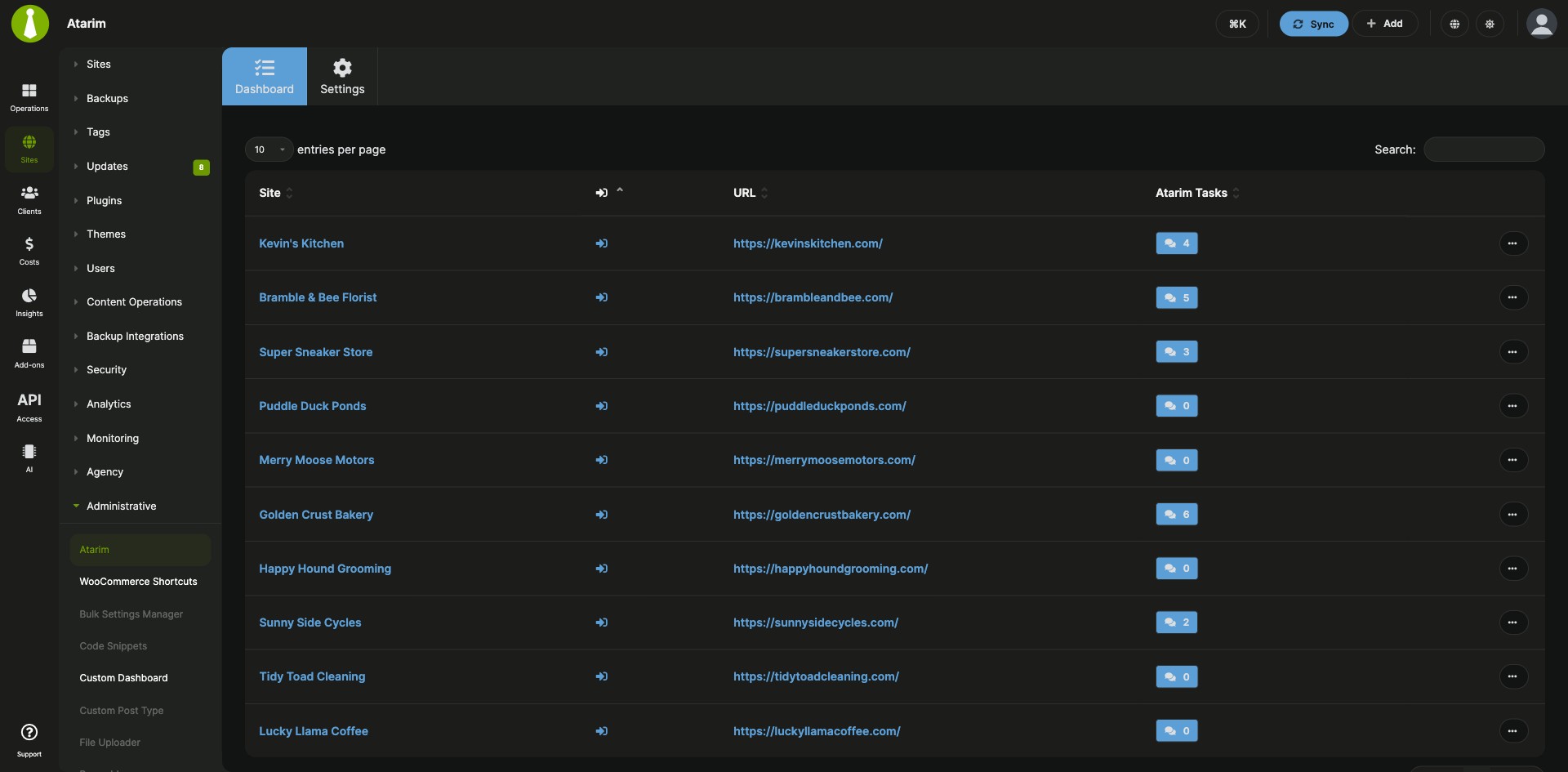

Atarim client requests next to your site maintenance
The Atarim Integration is a Pro MainWP add-on that lets your team see client requests and site maintenance status together, in your MainWP Dashboard and in Atarim. Each site in your sites list shows its open Atarim task count, and your Atarim Dashboard shows available updates, security issues and uptime status for each site.
Client feedback and site maintenance in two tools
Client feedback in Atarim and site maintenance in MainWP mean checking Atarim for what clients asked for, checking MainWP for which sites need updates, and copying task lists into each client report by hand. The Atarim Integration connects the two in both directions: MainWP shows your Atarim tasks, Atarim shows your site status, and Pro Reports pulls task data straight into client reports.
Features
The Atarim Integration puts client requests where you already work on your MainWP Dashboard and sends site status back to Atarim.
| Feature | What it means for you |
|---|---|
| Atarim Tasks column in the Manage Sites and Monitoring tables | Open requests for each site appear in the list you already work from, so you can prioritize from one screen. |
| Task details on click | Read what the client asked for directly from the sites list before you start the work. |
| Atarim Tasks widget on the main Overview and each site’s Overview | Client requests sit next to update and uptime data, giving you one view of what each site needs. |
| Atarim data in Pro Reports | Add Atarim tasks to client reports from the Report Data section instead of copying them in by hand. |
[atarim.all.tasks] report token |
Lists every task for a site within the report’s date range, so clients see the work you completed. |
[atarim.billable.tasks] report token |
Lists the billable tasks for a site within the report’s date range, ready to reference when you invoice. |
| Site status in your Atarim Dashboard | Anyone working in Atarim sees update counts, security issues and uptime for each site right there in Atarim. |
Requirements
The Atarim Integration needs accounts and keys on both sides, because data flows from Atarim to MainWP and back.
| Item | Requirement |
|---|---|
| License | MainWP Pro |
| Atarim account | Paid Atarim plan: Starter, Expert or Agency |
| Child sites | Sites connected to Atarim. MainWP adds nothing to your child sites for this integration. |
| Atarim API key | From Atarim Dashboard > Settings > Integrations Settings, with the MainWP Integration enabled |
| MainWP REST API key | Needed for Atarim to read site status. Created in MainWP Dashboard > API Access > API Keys with MainWP REST API v1 Compatibility enabled |
| Dashboard permalinks | Any setting except Plain (a WordPress REST API requirement) |
| Pro Reports (optional) | Version 4.0.11 or newer to include Atarim data in reports |
Setup: tasks in MainWP, site status in Atarim
The Atarim Integration has two connections to set up, one for each direction.
Show Atarim tasks in MainWP
- Install the Atarim Integration on your MainWP Dashboard.
- In Atarim, go to Settings > Integrations Settings, enable the MainWP Integration, and copy the API key.
- In MainWP, go to Add-ons > Administrative > Atarim > Settings, paste the key, and click Save Settings.
Show site status in Atarim
- On your MainWP Dashboard site, go to WP Admin > Settings > Permalinks and choose any setting except Plain.
- Go to API Access > API Keys > Add API Keys, create a key, and enable MainWP REST API v1 Compatibility.
- Click Show Legacy API Credentials, copy the Consumer Key and Consumer Secret, and click Save Key.
- In Atarim, go to Settings > Integrations Settings, find the MainWP Integration section, and paste the Consumer Key, Consumer Secret and your MainWP Dashboard URL.
Full walkthrough with screenshots: Atarim Integration documentation.
Where tasks and site status come from
The Atarim Integration runs on your MainWP Dashboard. Task data comes from Atarim through your Atarim API key, and site status goes to Atarim through the MainWP REST API. As of version 5.0.2, uptime data in the sites list is cached so the table loads faster.
Atarim FAQ
What do I need to pay for?
The Atarim Integration is part of MainWP Pro, and you also need a paid Atarim plan (Starter, Expert or Agency). See Atarim pricing.
What does Atarim need to connect to my MainWP Dashboard?
Atarim connects to your MainWP Dashboard through the MainWP REST API, so set your Dashboard’s permalinks to any option except Plain and enable MainWP REST API v1 Compatibility on your MainWP API key. Atarim uses the legacy Consumer Key and Consumer Secret from that key.
Can I hide the Atarim column in the Manage Sites table?
Yes, you can hide the Atarim column from Sites > Manage Sites: click the cog icon in the top right, deselect Atarim under Show Columns, and save. To remove the column completely, the documentation includes a code snippet you can add with the Custom Dashboard Extension.
Where do I get support?
The Atarim support team handles issues with Atarim. Email support@atarim.io or use the live chat in your Atarim Agency Dashboard. MainWP support handles issues with the integration.