
MainWP Boilerplate Extension
Write standard pages like a Privacy Policy once and publish them to your child sites with each site’s details.


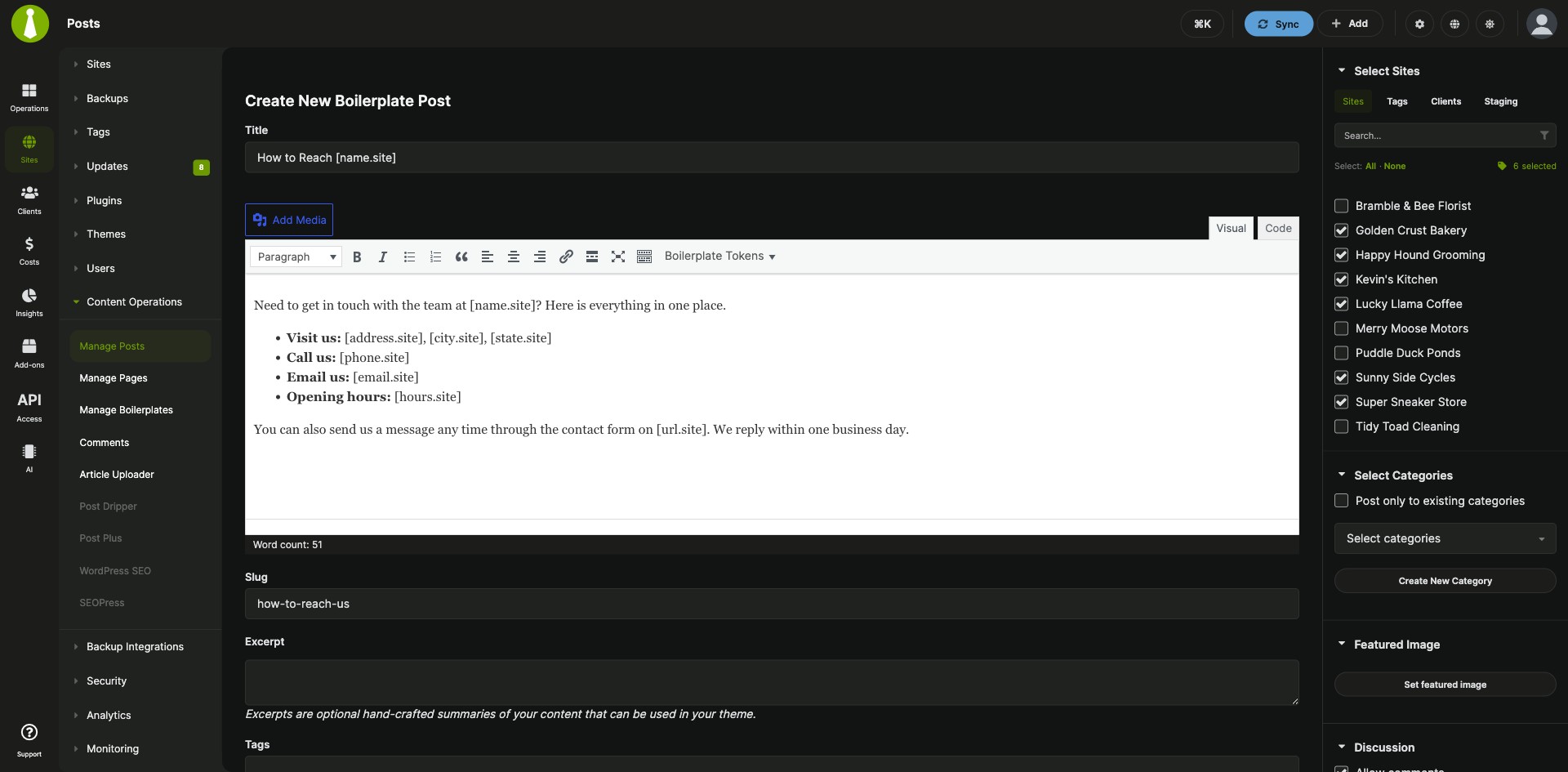
One About Us or Privacy Policy page, personalized per site
The Boilerplate Extension is a Pro MainWP add-on that publishes repeated pages and posts, such as a Privacy Policy, About Us, Terms of Use or Support Policy page, to your child sites from one source. Tokens in the text fill in each site’s own details, and an edit to the source reaches every site that has it.
Standard pages typed out for every site
Putting the same standard page on many client sites means creating it on each site by hand and typing that site’s name, URL and address into the text. The Boilerplate Extension lets you write the page once with tokens, enter each site’s token values once, and publish it to the sites you pick. Later edits, new sites and removals are handled from the same place in your MainWP Dashboard.
Features
The Boilerplate Extension covers writing, personalizing, publishing and maintaining shared posts and pages.
| Feature | What it means for you |
|---|---|
| Boilerplate posts and pages | Write a post or page once and publish it to the child sites you select. On each child site it is a regular WordPress post or page. |
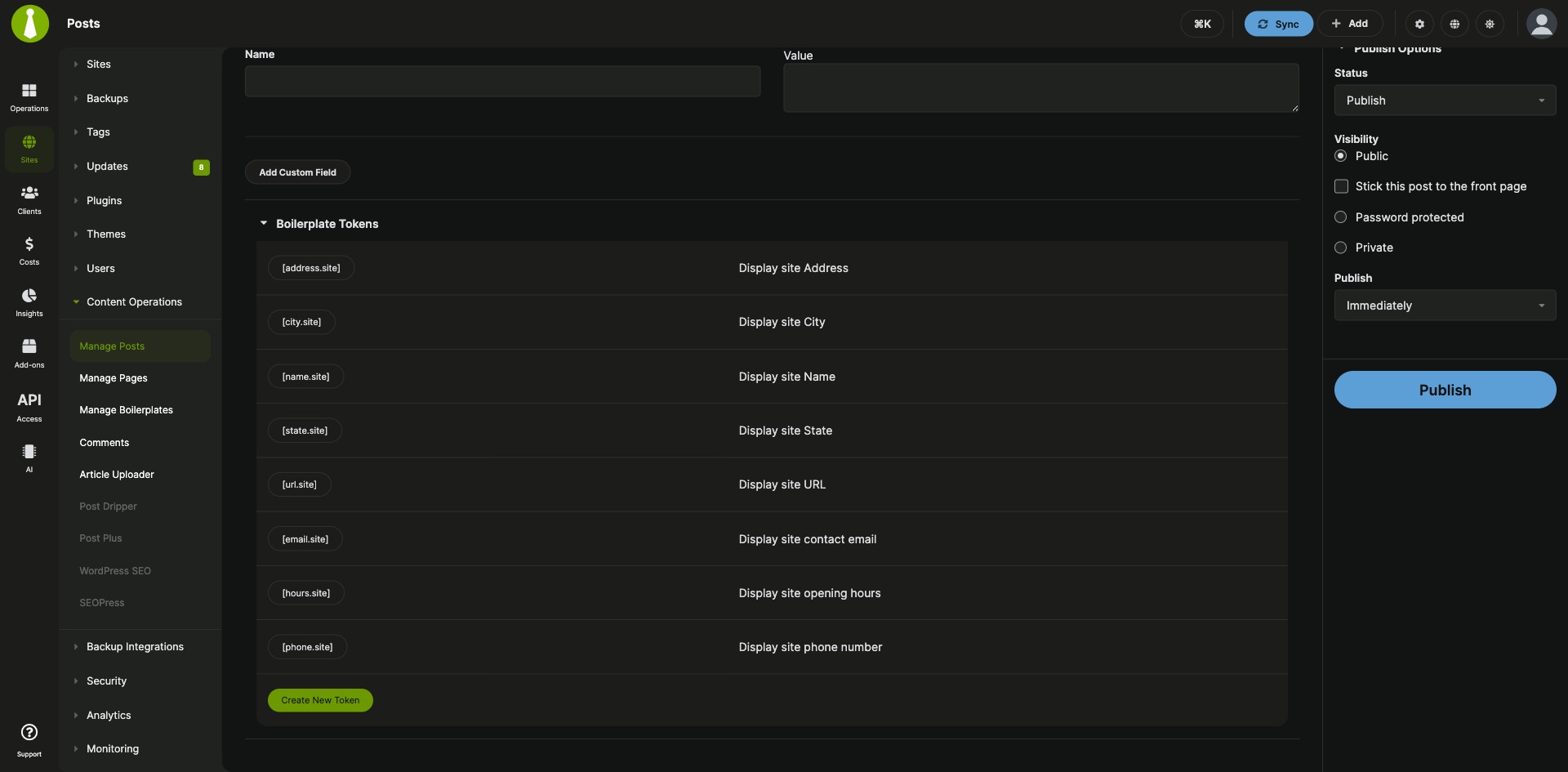
| Default tokens | Use [url.site], [name.site], [state.site], [city.site] and [address.site] to show the site URL, name, state, city and address. |
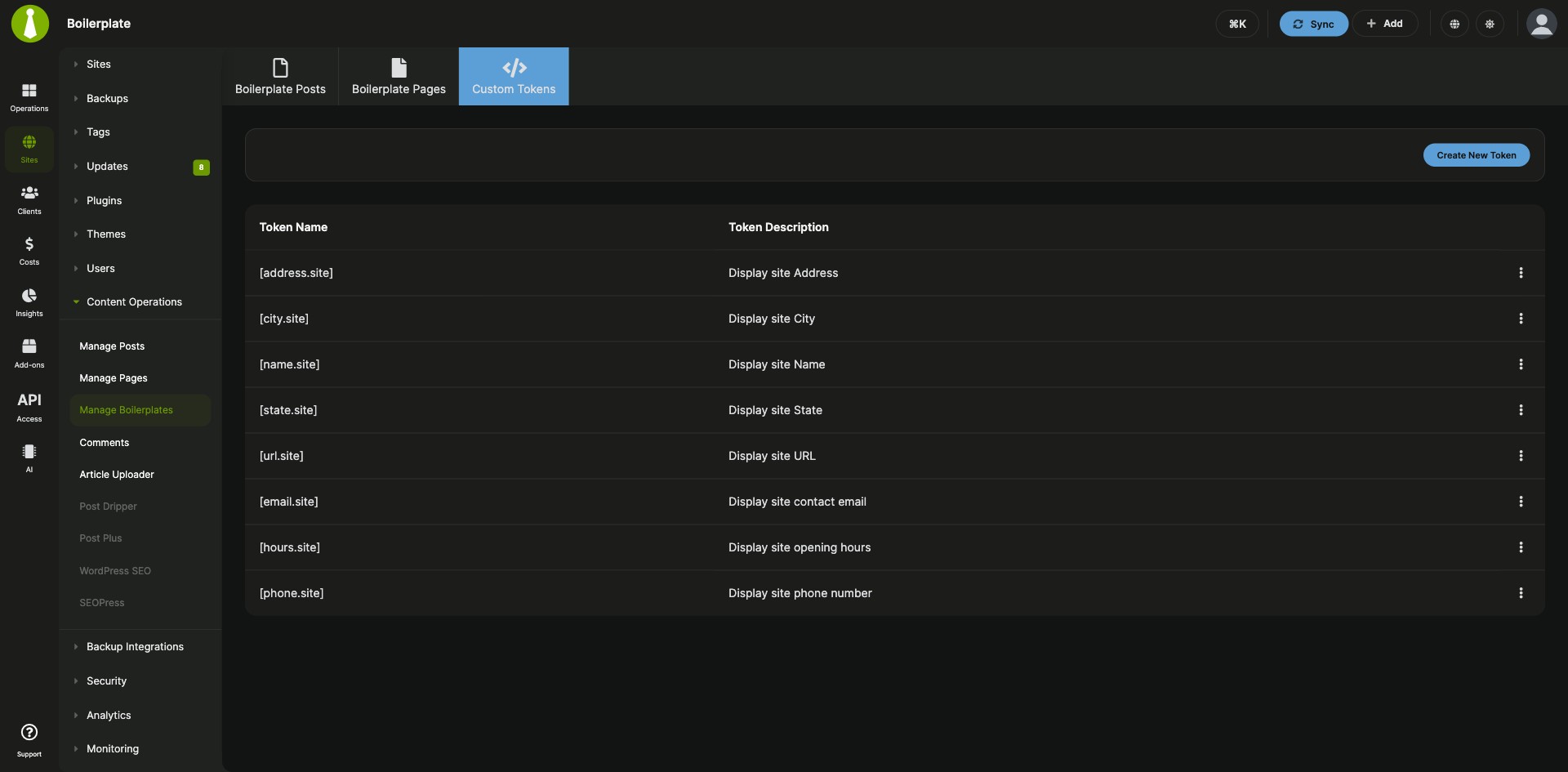
| Custom tokens | Create your own tokens with a name and a description on the Custom Tokens tab, then edit or delete them from the Tokens table. |
| Per-site token values | Enter each site’s values in the Boilerplate Tokens section of that site’s Edit page. They replace the tokens when you publish. |
| Tokens in titles and body text | Use tokens in the post or page title and body. Type a token or click it in the token list to insert it. |
| Edit once, update every site | Change a boilerplate post or page and click Update. The change goes to all child sites that have it. |
| Add or remove sites later | Select or unselect sites in the Select Sites section to publish a boilerplate to a new child site or take it off a site. |
| One place to manage it all | The Manage Boilerplates page has three tabs, Boilerplate Posts, Boilerplate Pages and Custom Tokens, with edit and delete actions for each item. |
Requirements
You install the Boilerplate Extension on your MainWP Dashboard site only, and each site needs a value for every token you use.
| Item | Requirement |
|---|---|
| License | MainWP Pro |
| MainWP Dashboard | The Boilerplate Extension installed and activated on your Dashboard site |
| Child sites | Nothing to install. Each site needs values for the tokens you use. |
| Third-party plugins | None |
Setup: site values, custom tokens, first boilerplate
Setting up the Boilerplate Extension starts with each site’s token values, then any custom tokens, then the first post or page.
Enter token values for each site
- Go to Sites > Manage Sites, find a site and click its Edit action.
- In the Boilerplate Tokens section, enter values for the tokens you plan to use.
- Click Update Site, then repeat for your other child sites.
Create a custom token
- Go to Sites > Content Operations > Manage Boilerplates > Custom Tokens.
- Click Create New Token.
- Enter a Token Name and a Token Description, then click Save Token. The extension adds the [ ] brackets, so type the name alone.
- Enter the new token’s value for each site, the same way as for the default tokens.
Pick names that differ from the tokens the Clients feature and the Pro Reports Extension already use, such as [client.name] or [client.site.url].
Publish a boilerplate post or page
- Go to Sites > Content Operations > Manage Boilerplates and open the Boilerplate Posts or Boilerplate Pages tab.
- Click Create Boilerplate Post or Create Boilerplate Page.
- Write it like any other WordPress post or page, with tokens in the title and body where you need them.
- Select the child sites to publish to and click Publish.
Full instructions for tokens, posts and pages: Boilerplate Extension documentation.
How tokens become each site’s details
The Boilerplate Extension keeps your boilerplate posts, pages and tokens on your MainWP Dashboard. When you publish, each token is replaced with the value set for that child site, so a token such as [name.site] shows each site’s own name and every site gets its own version of the text.
Boilerplate FAQ
If I edit a boilerplate page, do my child sites update?
Yes, when you edit a page from the Boilerplate Pages tab under Sites > Content Operations > Manage Boilerplates and click Update, the Boilerplate Extension applies the change to all child sites that have it. Boilerplate posts work the same way.
How do I add a boilerplate page to a newly connected child site?
Edit the boilerplate page in the Boilerplate Extension, select the new site in the Select Sites section and click Update. To take a page off a site, unselect that site and click Update.
What happens to the pages on my child sites if I delete a boilerplate?
The pages stay on your child sites. Deleting a boilerplate in the Boilerplate Extension removes it from the extension’s database and leaves the published posts and pages in place.