
MainWP Cost Tracker Assistant Extension
Get renewal emails for Cost Tracker subscriptions and record plugin and theme costs as you install them.


Stay ahead of subscription renewals in your Cost Tracker
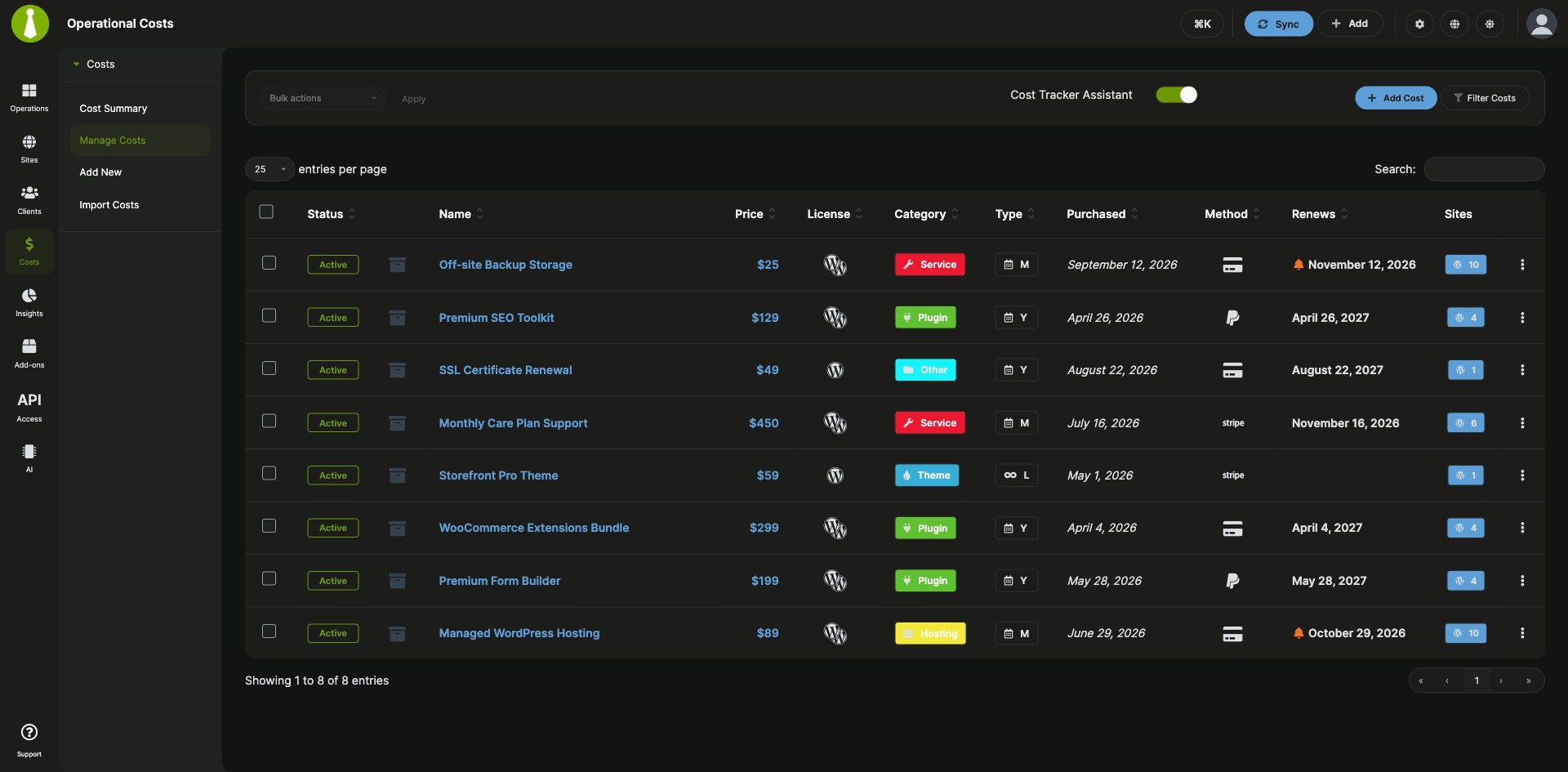
The MainWP Cost Tracker Assistant Extension is a Pro MainWP add-on that emails you before recurring subscriptions in your Cost Tracker expire and lets you record plugin and theme costs during ZIP installs. It takes over from the spreadsheets and calendar reminders often used to track renewal dates, and from the separate trip to the Cost Tracker after you upload a paid plugin or theme. Both work from the cost entries you already keep for clients and child sites in the Cost Tracker built into your MainWP Dashboard.
Features
The MainWP Cost Tracker Assistant Extension adds reminder emails and an install-time shortcut to the built-in Cost Tracker.
| Feature | What it means for you |
|---|---|
| Renewal reminder emails | Get an email before an active recurring subscription in the Cost Tracker expires, so you have time to renew it or find an alternative. |
| Expiration notification threshold | Set the threshold that decides how early a reminder goes out. Reminders cover active recurring subscriptions whose expiration date is still ahead and inside that window. |
| Editable email | Change the recipients, subject and email template under Email Settings > Cost Tracker Assistant Notification. |
| Add to Cost Tracker on ZIP installs | After you install a plugin or theme from a ZIP file, click Add to Cost Tracker in the install modal and fill in the name, product URL, type, product type, license type, price, purchase date, and the sites, tags or clients it belongs to. |
| Recurring items at install time | For a recurring purchase, set the renewal frequency and subscription status in the same form, so the new item is ready for renewal reminders. |
Requirements
The MainWP Cost Tracker Assistant Extension and the built-in Cost Tracker both live on your MainWP Dashboard, and child sites need nothing beyond MainWP Child.
| Item | Requirement |
|---|---|
| License | MainWP Pro |
| MainWP Dashboard | The Cost Tracker feature enabled |
| Extension | The MainWP Cost Tracker Assistant Extension activated and enabled on your Dashboard |
| Child sites | Nothing to install beyond the MainWP Child plugin they already use to connect |
| Third-party plugins | None |
Setup: reminders and install-time costs
The MainWP Cost Tracker Assistant Extension has two things to set up: the reminder emails and the cost entry after a ZIP install.
Turn on renewal reminders
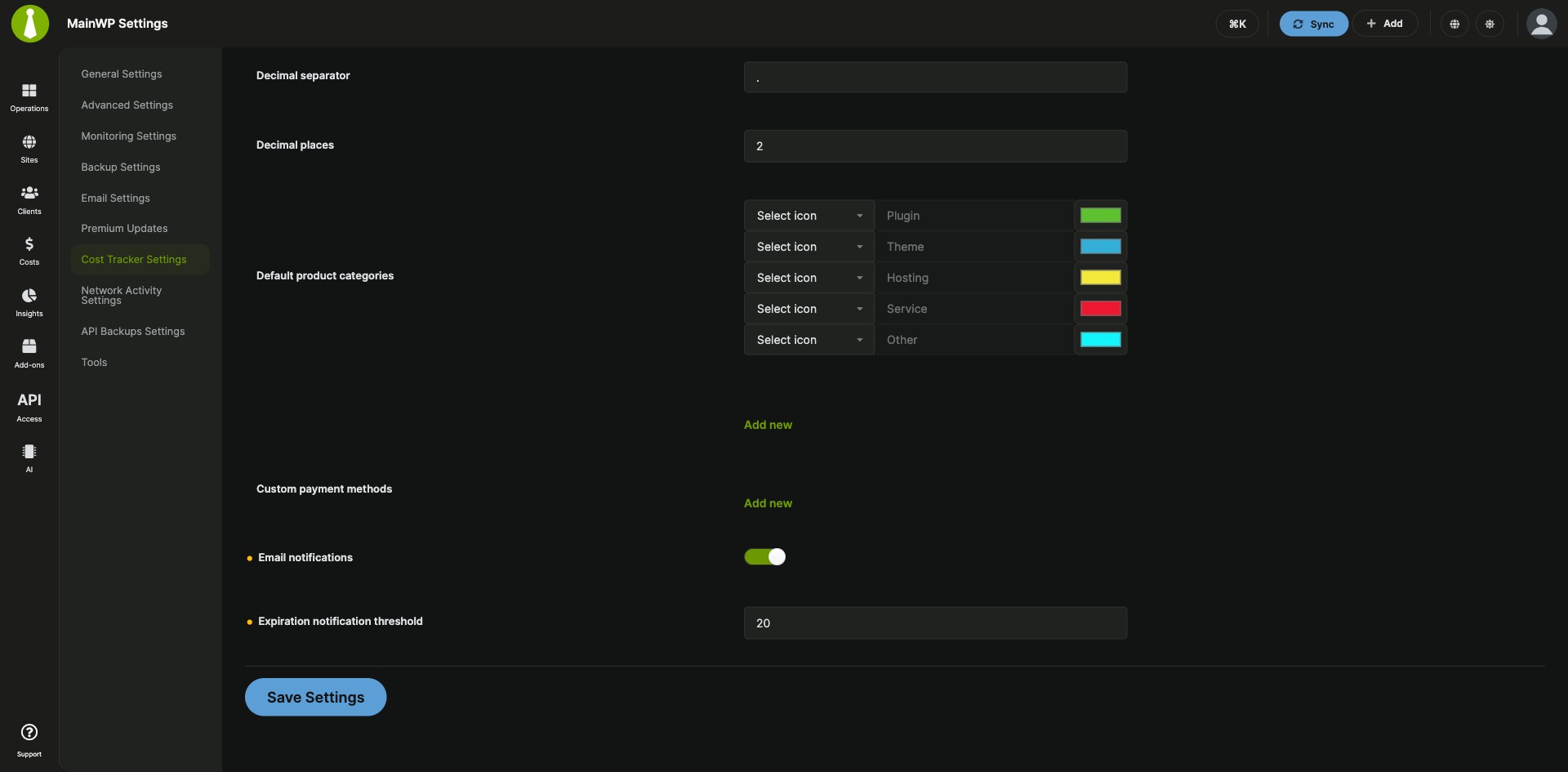
- Go to top-right user menu > MainWP Settings > Cost Tracker Settings.
- Enable Email notifications.
- Set the Expiration notification threshold.
- Optional: go to top-right user menu > MainWP Settings > Email Settings and open Cost Tracker Assistant Notification to change the recipients, subject or email template.
Record a cost when you install from a ZIP file
- Upload a plugin or theme ZIP file from Sites > Manage Plugins > Install Plugins or Sites > Manage Themes > Install Themes.
- Complete the installation.
- In the install modal actions, click Add to Cost Tracker.
- Fill in the cost fields and the sites, tags or clients the item belongs to.
- For a recurring item, set the renewal frequency and subscription status, then click Save Cost Tracking Item.
Full instructions: MainWP Cost Tracker Assistant Extension documentation.
How the reminders are sent
The MainWP Cost Tracker Assistant Extension uses a scheduled task on your MainWP Dashboard that checks your active subscriptions and sends the renewal emails when one is within the notification window. Since version 5.0.7, that task appears in your Dashboard’s cron schedules list with your other automated tasks.
Cost Tracker Assistant FAQ
Which costs get a renewal reminder?
The MainWP Cost Tracker Assistant Extension sends a reminder for each active recurring subscription whose expiration date falls within your expiration notification threshold. Reminders go out by email, and you turn them on with Email notifications under MainWP Settings > Cost Tracker Settings.
Can I change who receives the renewal reminder email?
Yes, the MainWP Cost Tracker Assistant Extension lets you change the recipients, the subject or the email template under top-right user menu > MainWP Settings > Email Settings > Cost Tracker Assistant Notification.
Which plugin and theme installs can I add to the Cost Tracker from the install screen?
The MainWP Cost Tracker Assistant Extension adds Add to Cost Tracker to the install modal for plugins and themes you install from a ZIP file. Click it after the upload finishes. You can add any other cost from Costs > Add New in the Cost Tracker.