
MainWP Database Updater Extension
Run WooCommerce, Elementor and Elementor Pro database updates on every child site without opening WP Admin.

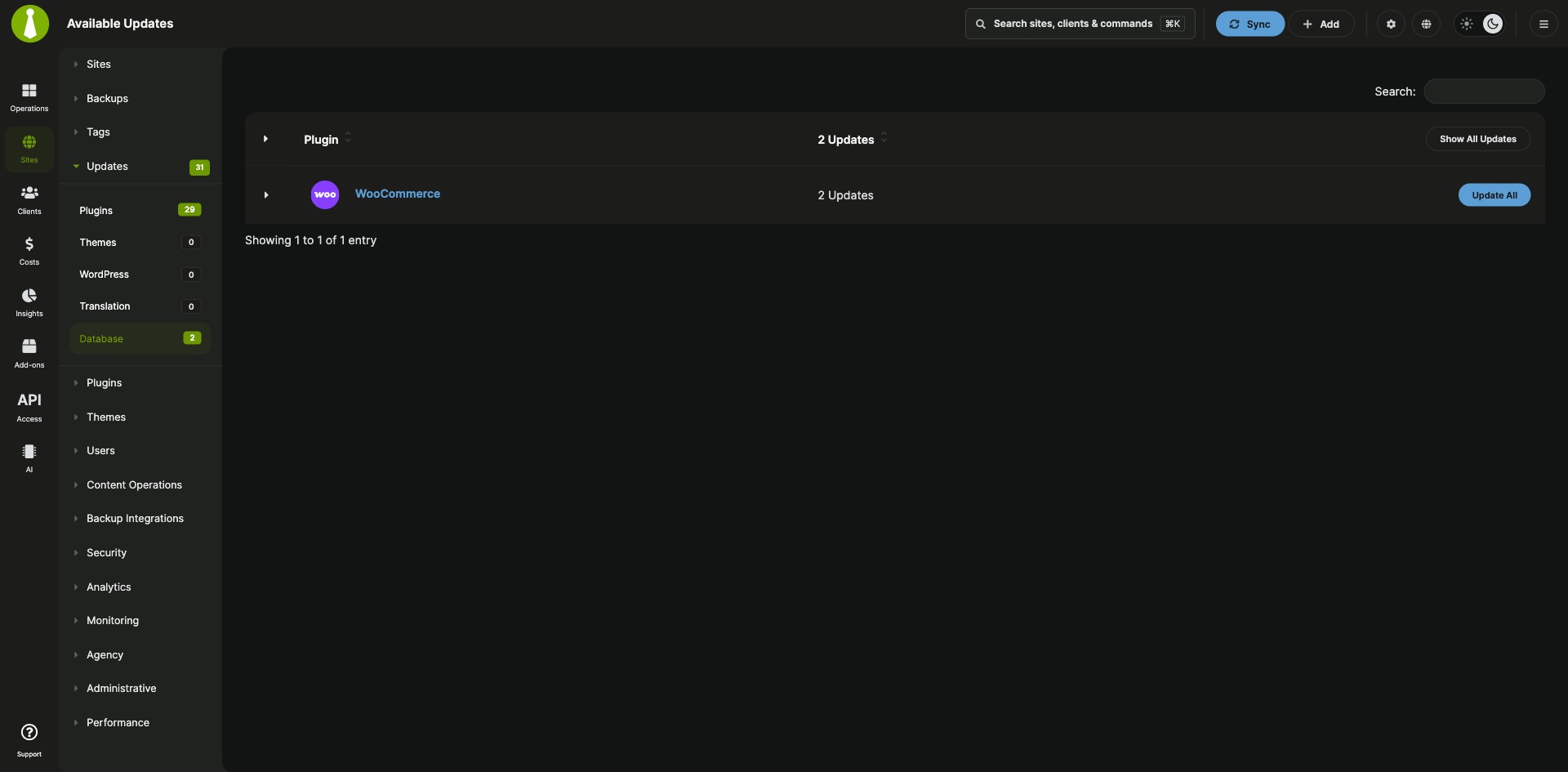
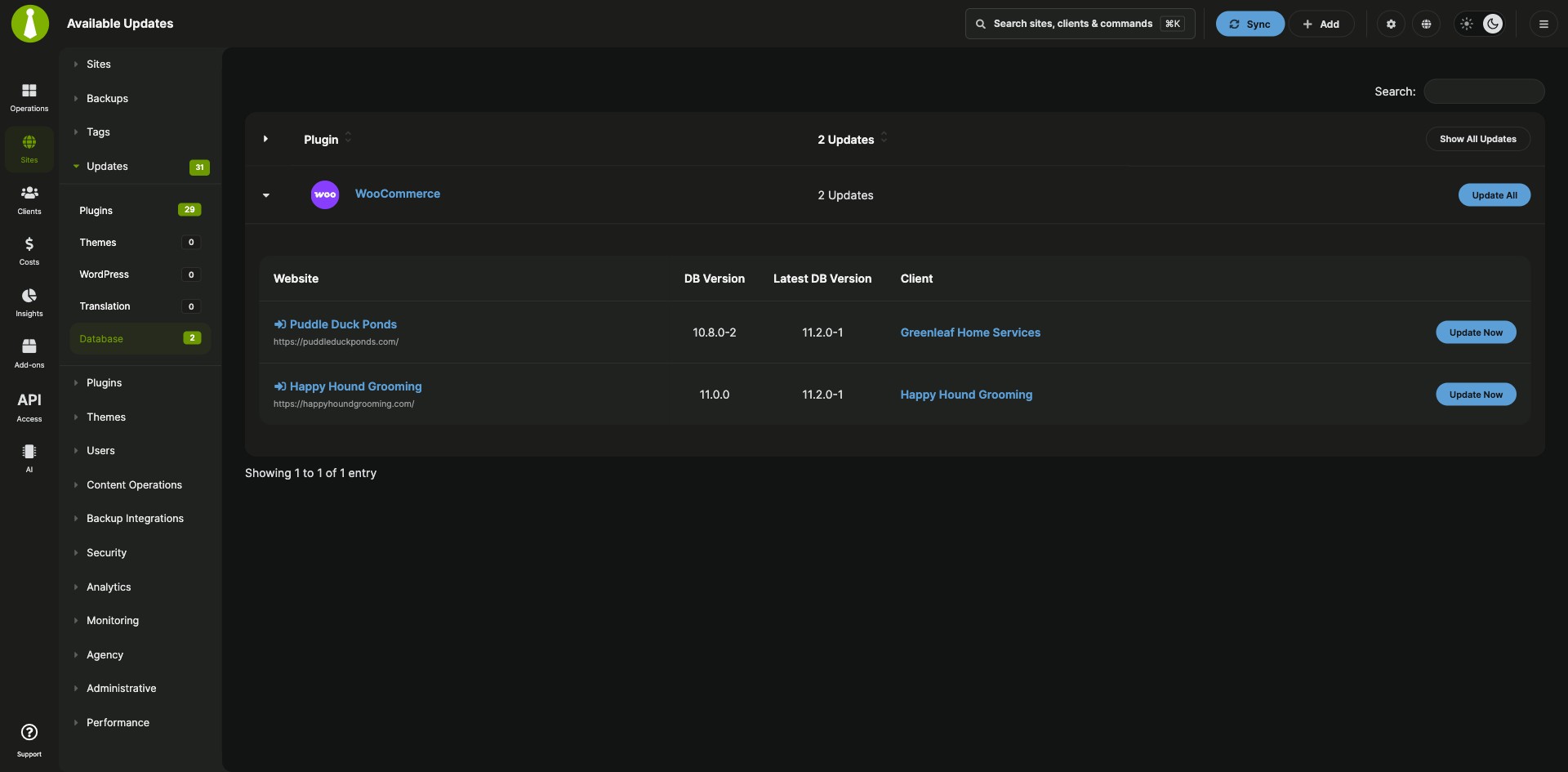

Pending WooCommerce and Elementor database updates, in one list
The MainWP Database Updater Extension is a Pro MainWP add-on that finds pending database updates for WooCommerce, Elementor and Elementor Pro on your child sites and runs them from your MainWP Dashboard. After you update WooCommerce, Elementor or Elementor Pro, the plugin can also need a database update, which normally starts in each site’s WP Admin. Here, the pending updates for all your child sites show up in one list, and you run them on every site at once or one site at a time.
Features
The MainWP Database Updater Extension shows each pending database update next to your other updates and runs it on the sites you choose.
| Feature | What it means for you |
|---|---|
| Database update detection | See which child sites have a pending database update for WooCommerce, Elementor or Elementor Pro. |
| Database Updates tab | Find every pending database update under Sites > Updates > Database. Add-ons > Database Updater opens the same view. |
| Update All | Run a plugin’s database update on all child sites that need it with one click. |
| Per-site updates | Expand a plugin’s row, find the site, and click Update Now to update that site alone. |
| Updates Overview widget and site Updates pages | Pending database updates also show in the Updates Overview widget and on each child site’s own Updates page. |
| Ignored plugin updates | As of version 5.1, ignoring a plugin update keeps its related database update visible, so you can still run it. |
Requirements
The MainWP Database Updater Extension goes on your MainWP Dashboard, and the database update support it uses is already built into MainWP Child on your sites.
| Item | Requirement |
|---|---|
| License | MainWP Pro |
| MainWP Dashboard | The MainWP Database Updater Extension installed and activated on your Dashboard site |
| Child sites | WooCommerce, Elementor or Elementor Pro installed on the child sites you want to update. The database update support ships in the MainWP Child plugin, so there is nothing else to install. |
Setup: update all sites or one
The MainWP Database Updater Extension gives you two routes. Both start from Sites > Updates > Database.
Update databases on all child sites
- Go to Sites > Updates > Database.
- Click Update All for the plugin you want to update.
Update the database on one child site
- Go to Sites > Updates > Database.
- Expand the plugin row and find the site in the table.
- Click Update Now next to the site.
Full instructions: Database Updater documentation.
Database Updater FAQ
Which plugins does the Database Updater support?
The MainWP Database Updater Extension supports WooCommerce, Elementor and Elementor Pro. It detects pending database updates for these plugins on your child sites and runs them from your MainWP Dashboard.
Where do I see pending database updates in MainWP?
The MainWP Database Updater Extension lists pending database updates under Sites > Updates > Database, and Add-ons > Database Updater opens the same view. They also show up in the Updates Overview widget and on each child site’s Updates page.
Do database updates still show if I ignore a plugin update?
Yes, as of version 5.1 the MainWP Database Updater Extension keeps the related database update in the Database Updates list when you ignore a plugin update.