
MainWP Early Access Extension
Test pre-release MainWP Dashboard and MainWP Child builds on the sites you choose, then roll back to stable.


Run upcoming MainWP releases on your test sites, then roll back
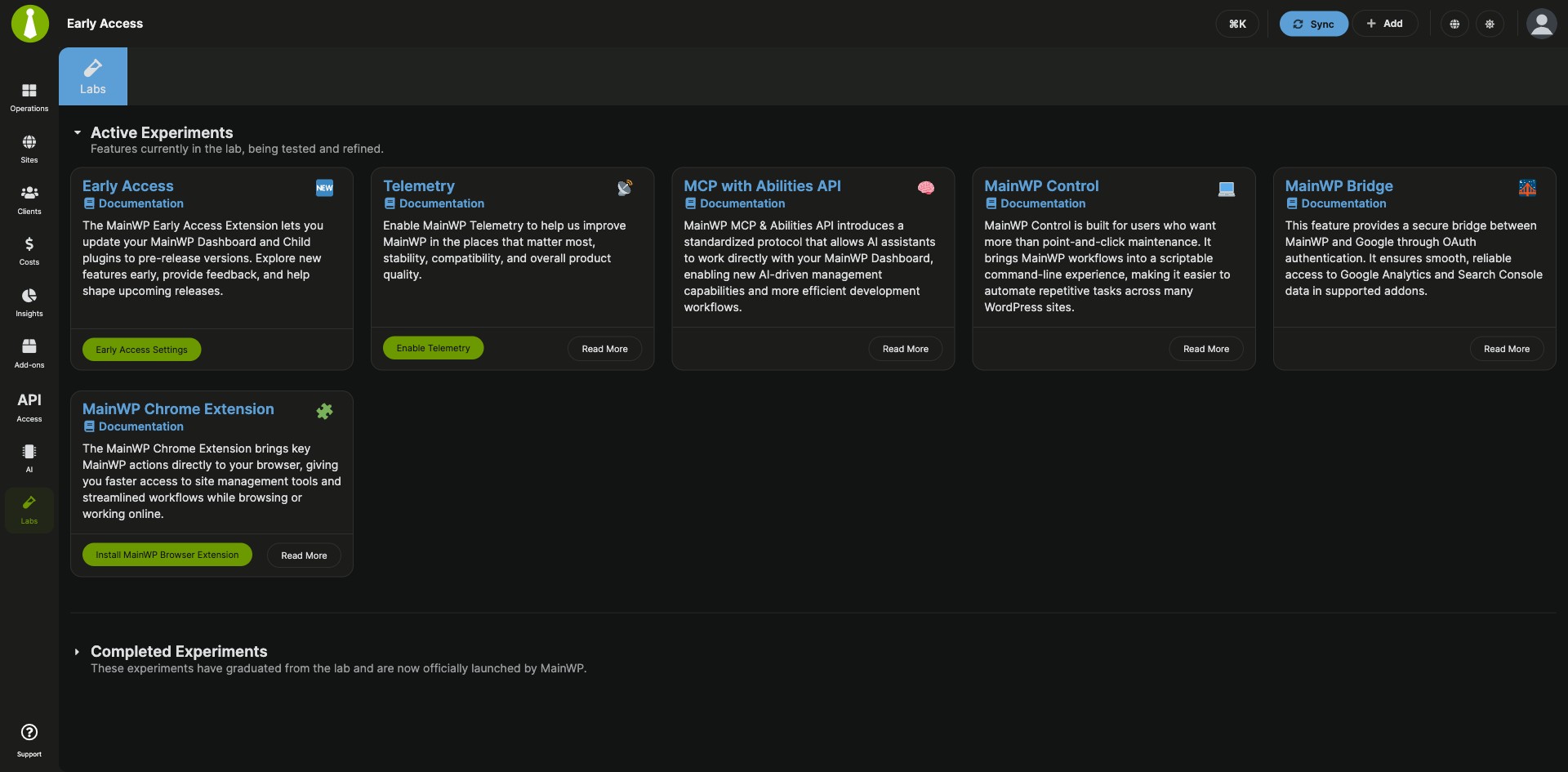
The MainWP Early Access Extension is a free MainWP add-on that lets you test Early Access versions of the MainWP Dashboard and MainWP Child plugins on the sites you choose before they reach WordPress.org. You update child sites to pre-release builds in bulk and roll back to the stable WordPress.org release when you’re done testing. The Labs page lets you try MainWP experiments before they are released.
Getting an upcoming MainWP version onto test sites
MainWP Dashboard and MainWP Child update from WordPress.org, which carries the stable releases, so testing an upcoming version means getting a pre-release build onto each site and reinstalling the stable version afterwards. The MainWP Early Access Extension turns on Early Access for your Dashboard and child sites from one settings page, pushes the pre-release MainWP Child build to every eligible site at once, and rolls back the same way.
Features
The MainWP Early Access Extension decides which sites get pre-release builds and moves them back to stable when you’re done.
| Feature | What it means for you |
|---|---|
| Early Access for MainWP Dashboard | Turn on one toggle and your Dashboard’s update checks include MainWP Dashboard releases marked as prereleases on GitHub. |
| Early Access for MainWP Child on all sites | Put every child site on the Early Access track with one setting. Any site can override it. |
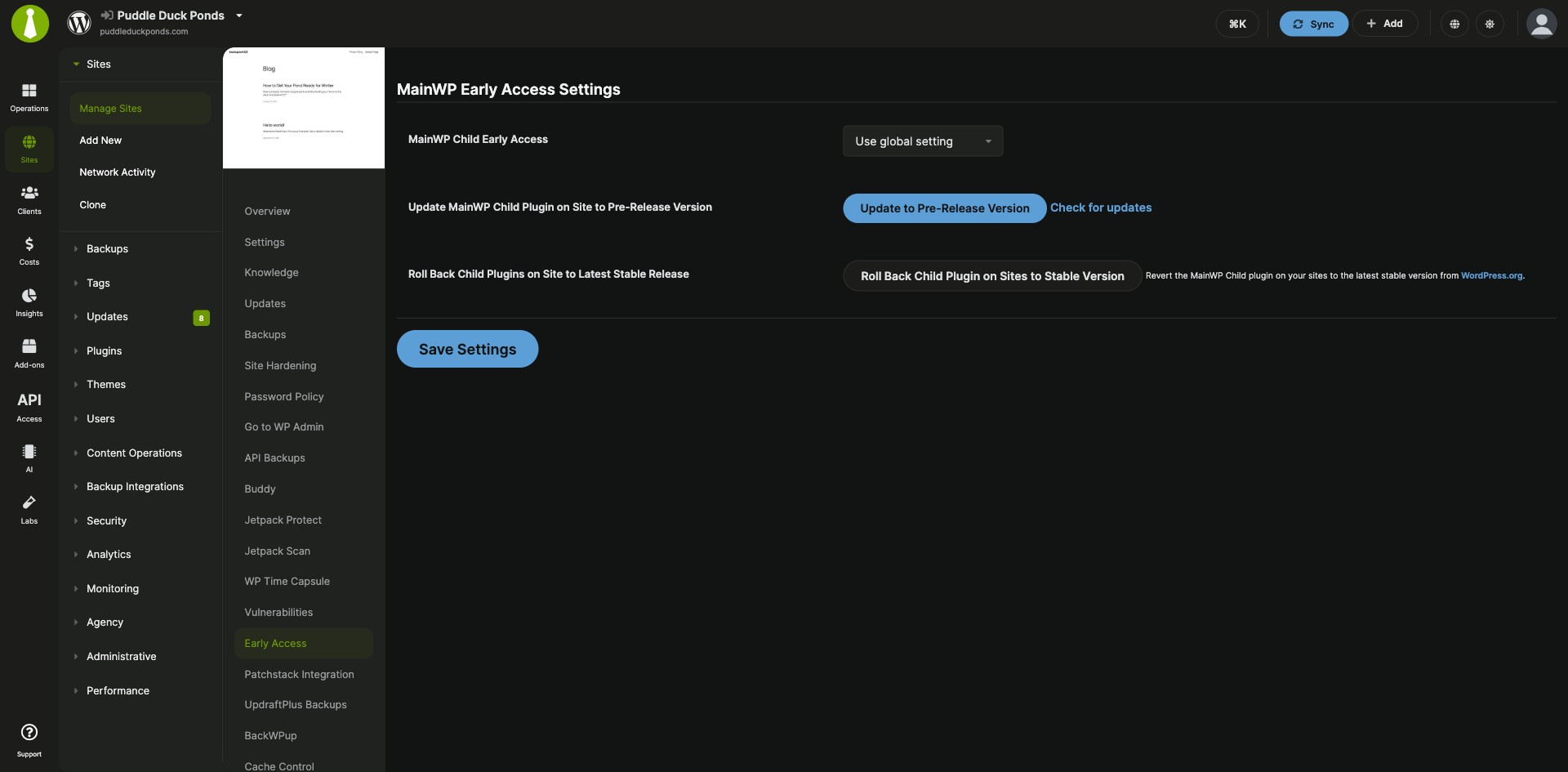
| Per-site control | In a site’s MainWP Early Access tab, choose Use global setting, Enable or Disable. A per-site choice always takes priority over the global setting. |
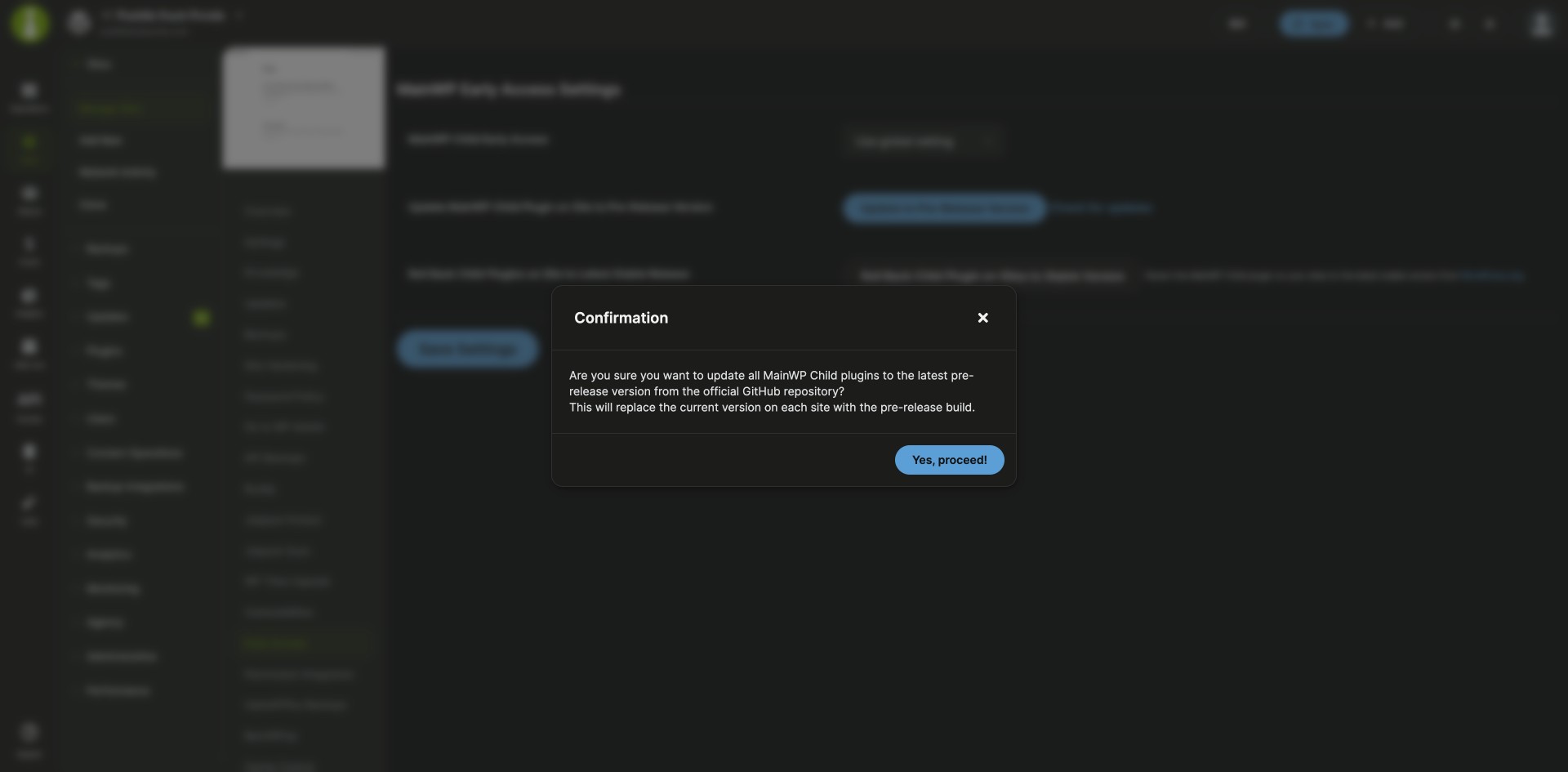
| Bulk pre-release updates | Update MainWP Child to the pre-release version on all eligible sites, with a modal that shows progress and site-by-site results. You can also update one site, and use the Check for updates links to look for a new build right away. |
| Roll back to stable | Reinstall the stable WordPress.org version of MainWP Dashboard, of MainWP Child on all eligible sites, or of MainWP Child on one site. |
| GitHub token for many sites | Add a GitHub Personal Access Token to raise the GitHub limit for update checks from 60 to 5,000 requests an hour. Your Dashboard stores the token encrypted. |
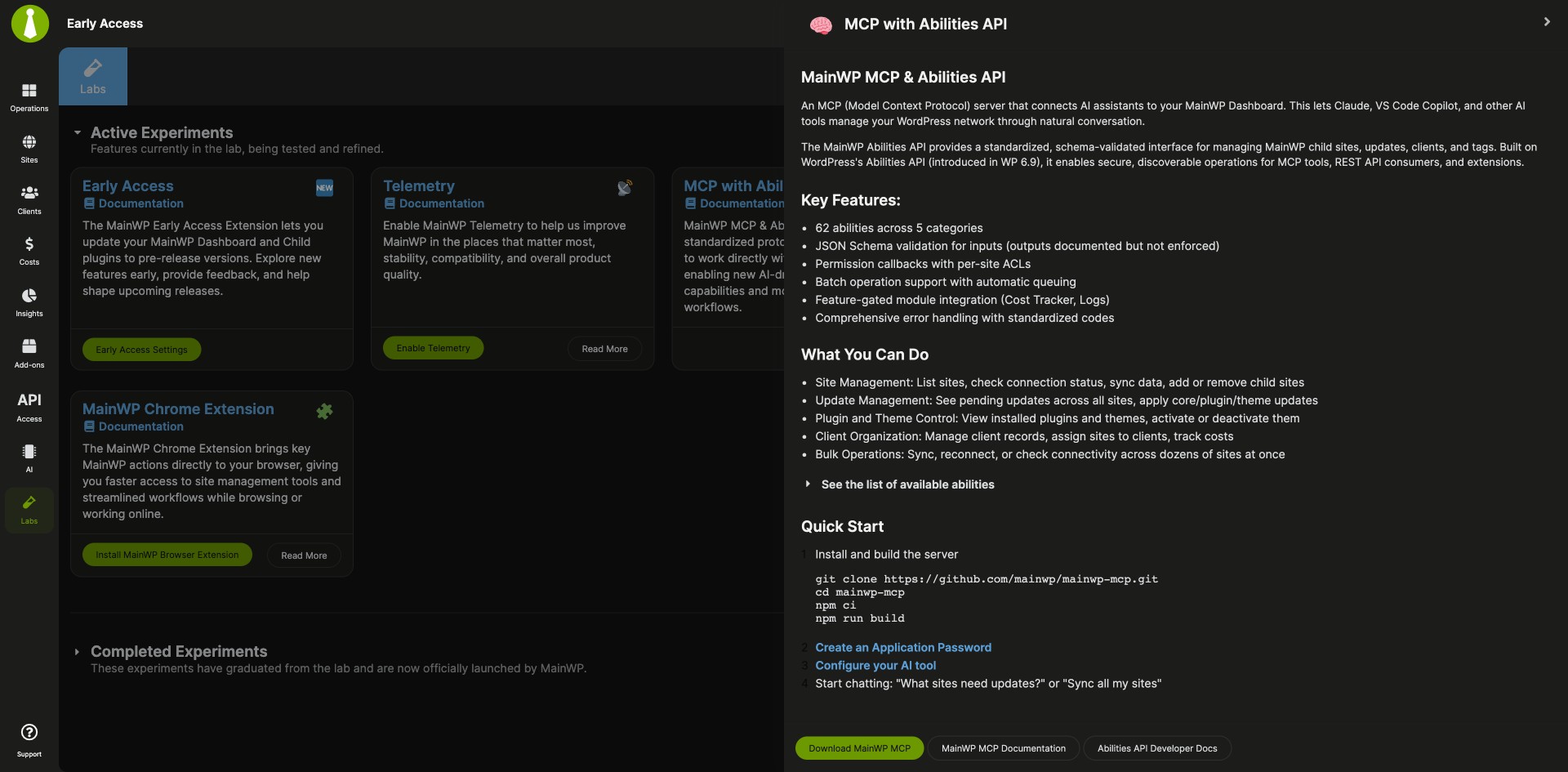
| Labs | Try MainWP experiments, such as Telemetry and the MainWP Control experiment, from the Labs page, grouped into Active Experiments and Completed Experiments. |
Requirements
Install the MainWP Early Access Extension on your MainWP Dashboard, and point it at staging or testing sites rather than production sites.
| Item | Requirement |
|---|---|
| License | Free, included in MainWP Essentials and MainWP Pro |
| MainWP Dashboard | The MainWP Early Access Extension installed on your Dashboard site |
| Child sites | Nothing to install. The extension updates the MainWP Child plugin they already run. |
| Test sites | Staging or testing sites for Early Access builds, rather than production sites |
| GitHub token (optional) | A fine-grained GitHub Personal Access Token with the default public repositories access, if you want higher rate limits for update checks |
Setup: turn on Early Access, adjust sites, add a token
The MainWP Early Access Extension is set up from Add-ons > Early Access, with per-site choices on each site’s own tab.
Turn on Early Access updates
- Go to Add-ons > Early Access, or click Early Access Settings on the Labs page.
- Turn on Enable Early Access for MainWP Dashboard, Enable Early Access for MainWP Child Plugin, or both.
- To move your child sites to the pre-release build now, use Update MainWP Child Plugin on Sites to Pre-Release Version and follow the progress in the modal.
Set one site on its own
- Go to Sites > Manage Sites and select the site.
- Open the MainWP Early Access tab.
- Under MainWP Child Early Access, choose Use global setting, Enable or Disable.
Add a GitHub token (optional)
- In GitHub Developer Settings, go to Personal access tokens > Fine-grained tokens and click Generate new token.
- Name the token, for example “MainWP Early Access”, and pick an expiration longer than the default 30 days.
- Keep the default access (public repositories, no extra permissions), click Generate token, and copy it.
- Paste the token into the Early Access settings field and save.
Full instructions: MainWP Early Access Extension documentation.
Where the builds come from
The MainWP Early Access Extension runs on your MainWP Dashboard. With Early Access on, Dashboard update checks include GitHub prereleases, and child sites on the Early Access track get pre-release MainWP Child builds. Rollbacks always use the stable version from WordPress.org.
Early Access FAQ
Where should I use Early Access builds?
Use the MainWP Early Access Extension’s builds on staging or testing sites, and test them there before you roll them into production.
How do I go back to the stable versions?
The MainWP Early Access Extension has rollback options in its settings. Roll Back to Latest Stable Release reinstalls MainWP Dashboard from WordPress.org, Roll Back Child Plugins on Sites to Latest Stable Release does the same for MainWP Child on all eligible sites, and each site’s MainWP Early Access tab has its own rollback. Turn off the Early Access toggles to stay on stable releases.
Do I need a GitHub Personal Access Token?
The GitHub Personal Access Token is optional in the MainWP Early Access Extension. If you manage many sites, GitHub rate limits can slow update checks, and a token raises the limit from 60 to 5,000 requests an hour.
How do I retry an Early Access update on a child site?
To retry an Early Access update, check the site’s connection status in your MainWP Dashboard, then run the update again from the MainWP Early Access Extension’s modal.