
SEOPress for MainWP
Edit SEOPress settings on many child sites at once, or copy one site’s configuration to others.


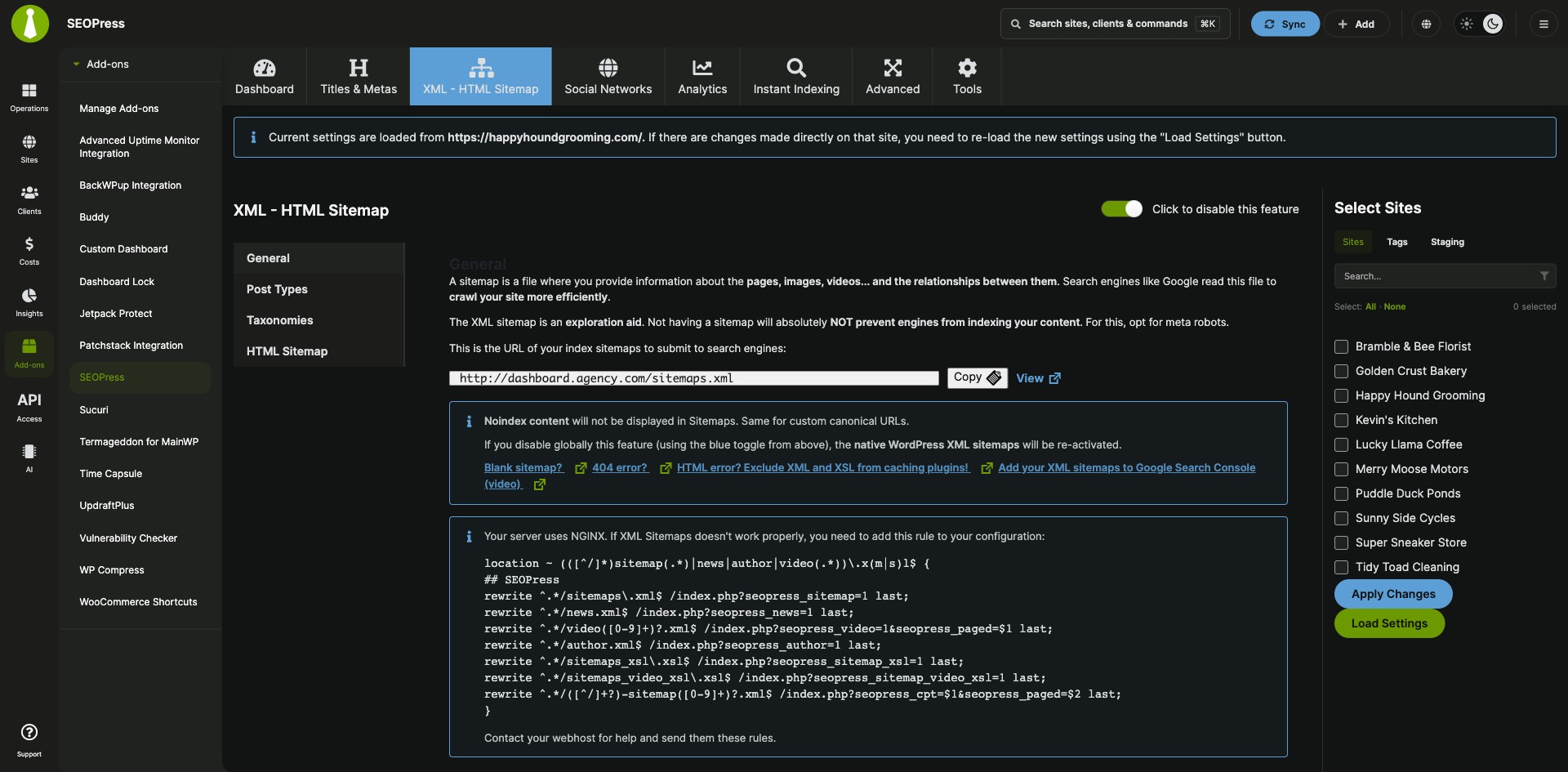
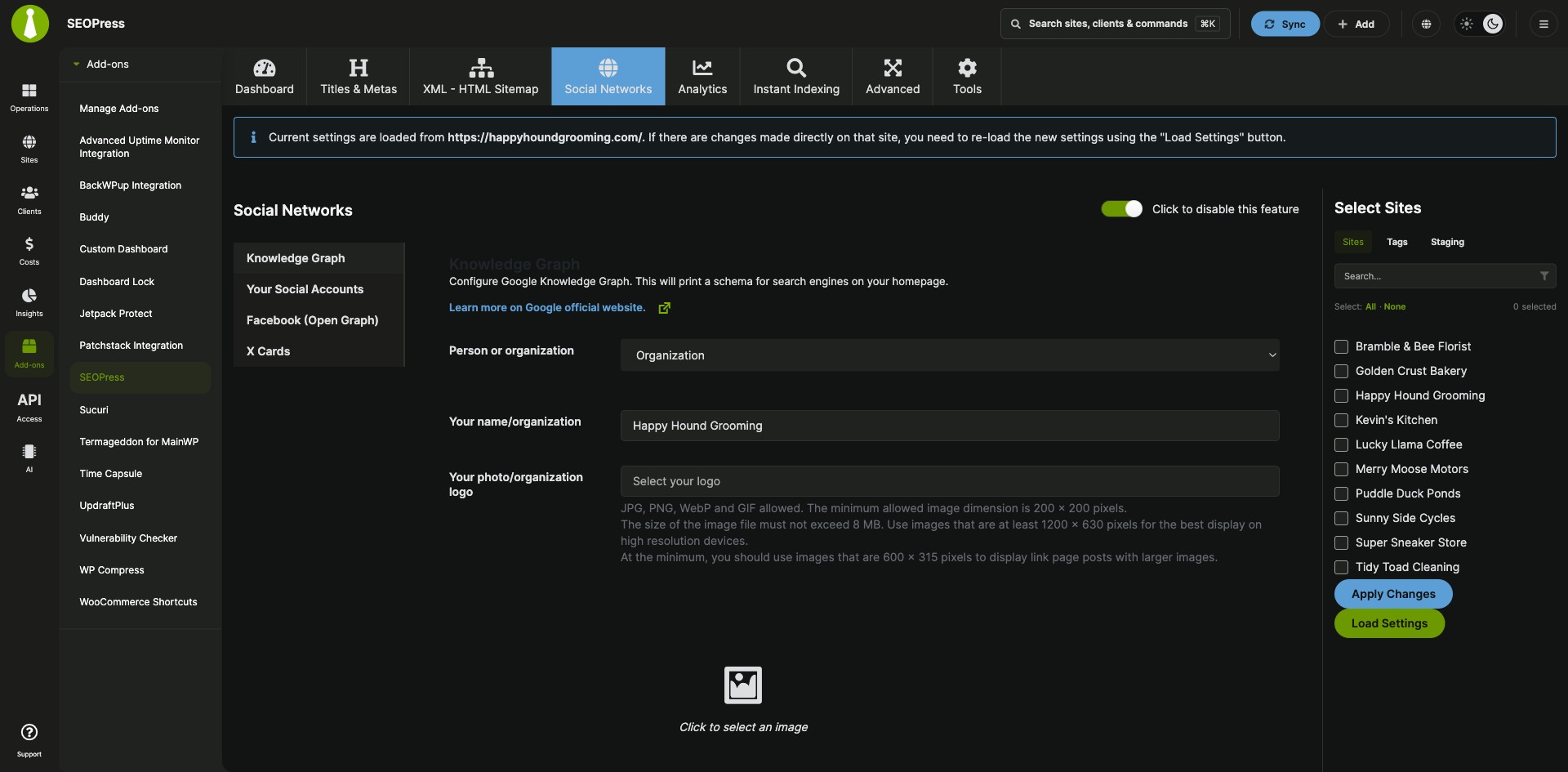

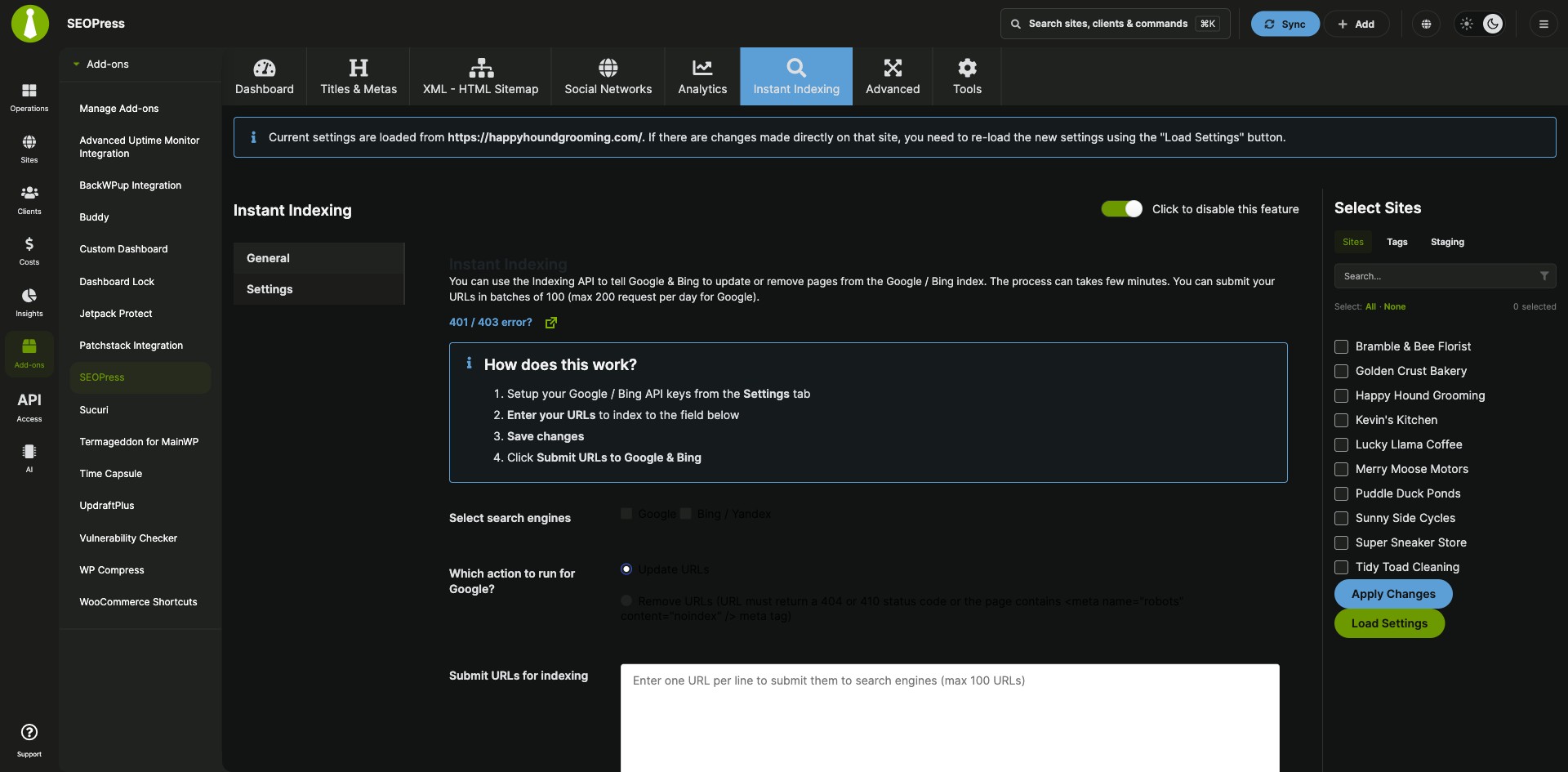


Push SEOPress settings to many client sites in one step
SEOPress for MainWP is a free MainWP add-on that lets you change SEOPress settings on many child sites at once from your MainWP Dashboard. SEOPress keeps its settings on each site, so in place of a login to every site’s WP Admin, you load one site’s SEO settings and edit them, apply the same settings to a group of sites, or copy a configuration from one site to others. The SEOPress team develops it.
Features
SEOPress for MainWP gives you one SEOPress screen in your MainWP Dashboard for every child site that runs the plugin.
| Feature | What it means for you |
|---|---|
| One page for every site | Manage SEOPress from Add-ons > Posts/Pages > SEOPress in your MainWP Dashboard, with a site selector for the child sites you want to change. |
| Settings for one child site | Select a single child site and click Load Settings to pull its SEOPress settings into your Dashboard. Change them across the SEOPress tabs, then click Apply Changes to send them back to that site. |
| Global settings for selected sites | Set the SEOPress options you want, select the child sites that should get them, and click Apply Changes to update all of them at once. |
| Export and import configurations | Export one child site’s SEOPress settings as JSON from the Tools page, then import them into one or more other child sites. |
| SEOPress Free and SEOPress PRO | Works with the free SEOPress plugin. If you use SEOPress PRO, install it on your Dashboard site and child sites as well. |
Requirements
SEOPress for MainWP is a plugin from the WordPress plugin directory that you install on your MainWP Dashboard site, and SEOPress itself runs on each site, your Dashboard site included.
| Item | Requirement |
|---|---|
| License | Free (partner add-on from SEOPress) |
| MainWP Dashboard | 4.2.7 or later, with SEOPress for MainWP installed and activated |
| MainWP Child | 4.2.6 or later on at least one child site |
| WordPress | 6.0 or higher |
| PHP | 7.4 or higher |
| SEOPress Free | SEOPress 5.9 or later, installed and activated on your MainWP Dashboard site and on at least one child site |
| SEOPress PRO (optional) | 5.9 or later, installed and activated on your MainWP Dashboard site and on at least one child site |
Setup: install, then load, apply or copy settings
SEOPress for MainWP installs from the WordPress plugin directory, and each of its three jobs takes four steps.
Install the add-on on your Dashboard
- Make sure SEOPress is installed and activated on your MainWP Dashboard site and on the child sites you want to manage.
- In the WP Admin of your MainWP Dashboard site, go to Plugins > Add New.
- Search for “SEOPress for MainWP”, then install and activate it.
- In your MainWP Dashboard, go to Add-ons > Posts/Pages > SEOPress.
Change the settings of one child site
- Go to Add-ons > Posts/Pages > SEOPress.
- Select exactly one child site in the site selector and click Load Settings.
- Go through the SEOPress tabs and change the settings you need.
- Click Apply Changes to send the settings to that child site.
Apply settings to several child sites
- Go to Add-ons > Posts/Pages > SEOPress.
- Go through the SEOPress tabs and set the options you want to apply.
- Select the child sites that should get the new settings.
- Click Apply Changes.
Copy settings from one child site to others
- Go to Add-ons > Posts/Pages > SEOPress > Tools.
- Click Export, select a child site, and click Export Settings.
- Copy the JSON settings from the export panel.
- Click Import, paste the settings, select one or more child sites, and click Import Settings.
Full instructions: SEOPress for MainWP documentation.
SEOPress for MainWP FAQ
Does SEOPress need to be installed on my MainWP Dashboard site?
Yes, SEOPress for MainWP needs SEOPress installed and activated on your MainWP Dashboard site and on at least one child site. If you use SEOPress PRO, the same applies to PRO.
Can I copy SEOPress settings from one child site to another?
Yes, SEOPress for MainWP exports one child site’s settings from Add-ons > Posts/Pages > SEOPress > Tools, and you import them into one or more other child sites.
Does SEOPress for MainWP work with SEOPress PRO?
Yes, SEOPress for MainWP works with the free SEOPress plugin and with SEOPress PRO, which is optional. PRO needs its own license from SEOPress, one PRO license covers all your child sites, and you install and activate PRO 5.9 or later on your MainWP Dashboard site and on at least one child site.
Where do I get support?
The SEOPress team supports this add-on. Contact them through SEOPress support. MainWP’s support policy for third-party add-ons explains how support works for add-ons that other developers build.