
MainWP SSL Monitor Extension
Track SSL certificate expiration dates on your HTTPS child sites and get an email before one expires.


See which SSL certificates are due for renewal in one table
The MainWP SSL Monitor Extension is a Pro MainWP add-on that checks the SSL certificates of your HTTPS child sites and emails you when a monitored certificate is close to expiring. One table shows each certificate’s expiration date, issuer and common name, so you can spot the sites due for renewal from one screen.
Keeping track of renewal dates by hand
Checking each site’s certificate by hand and keeping track of renewal dates yourself makes an expiration easy to overlook, and renewing on time keeps each site secure for its visitors. The MainWP SSL Monitor Extension checks certificates on a schedule you set, keeps the results in one table, and emails you when a certificate’s remaining validity drops below your notification threshold.
Features
The MainWP SSL Monitor Extension shows certificate status across your MainWP Dashboard, from its own table to widgets, site tables, WP-CLI and client reports.
| Feature | What it means for you |
|---|---|
| SSL Monitor Dashboard | See the expiration date, issuer and common name for every HTTPS child site in one table. Search by site name or URL, sort columns, and page through large site lists. |
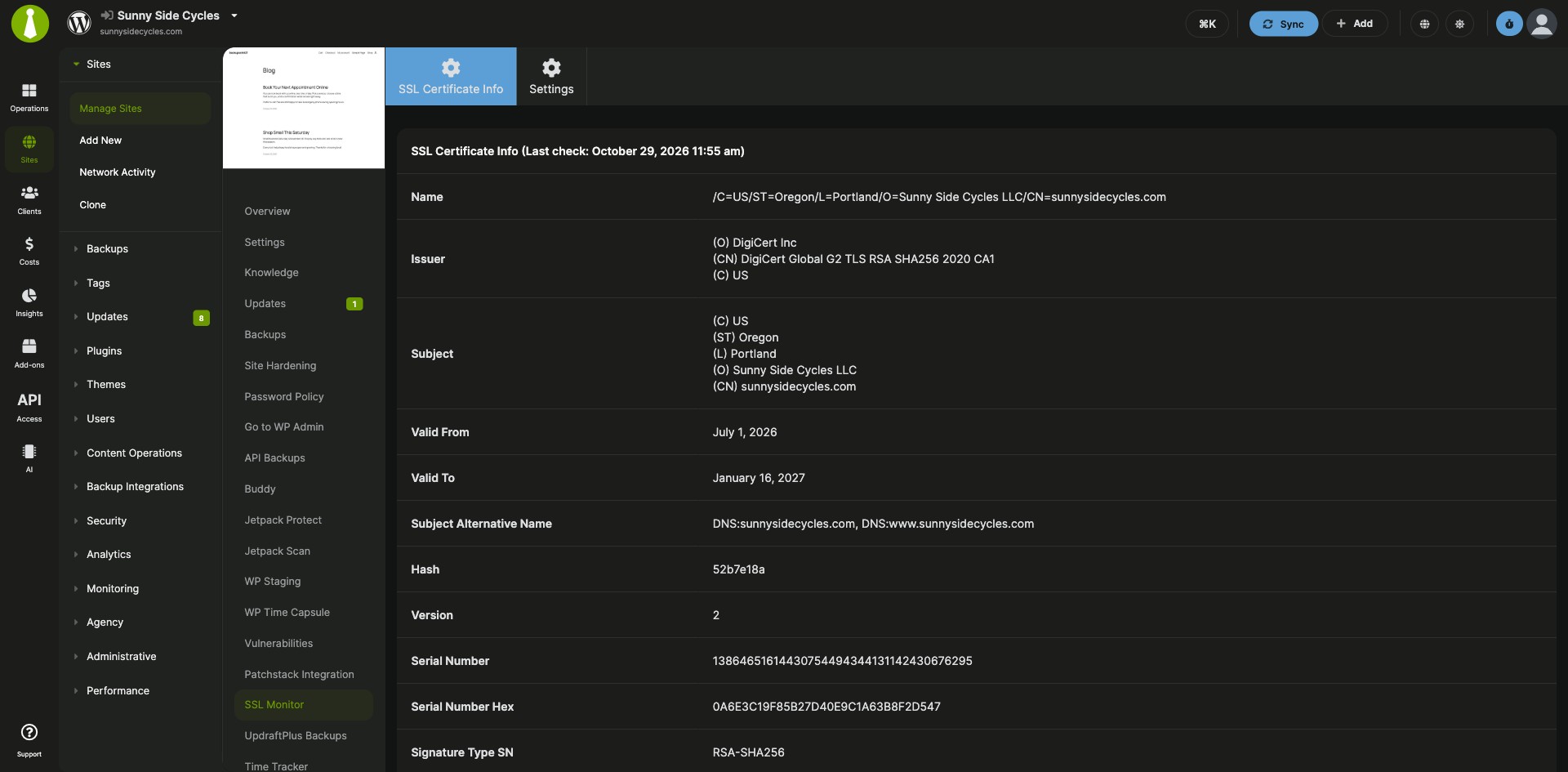
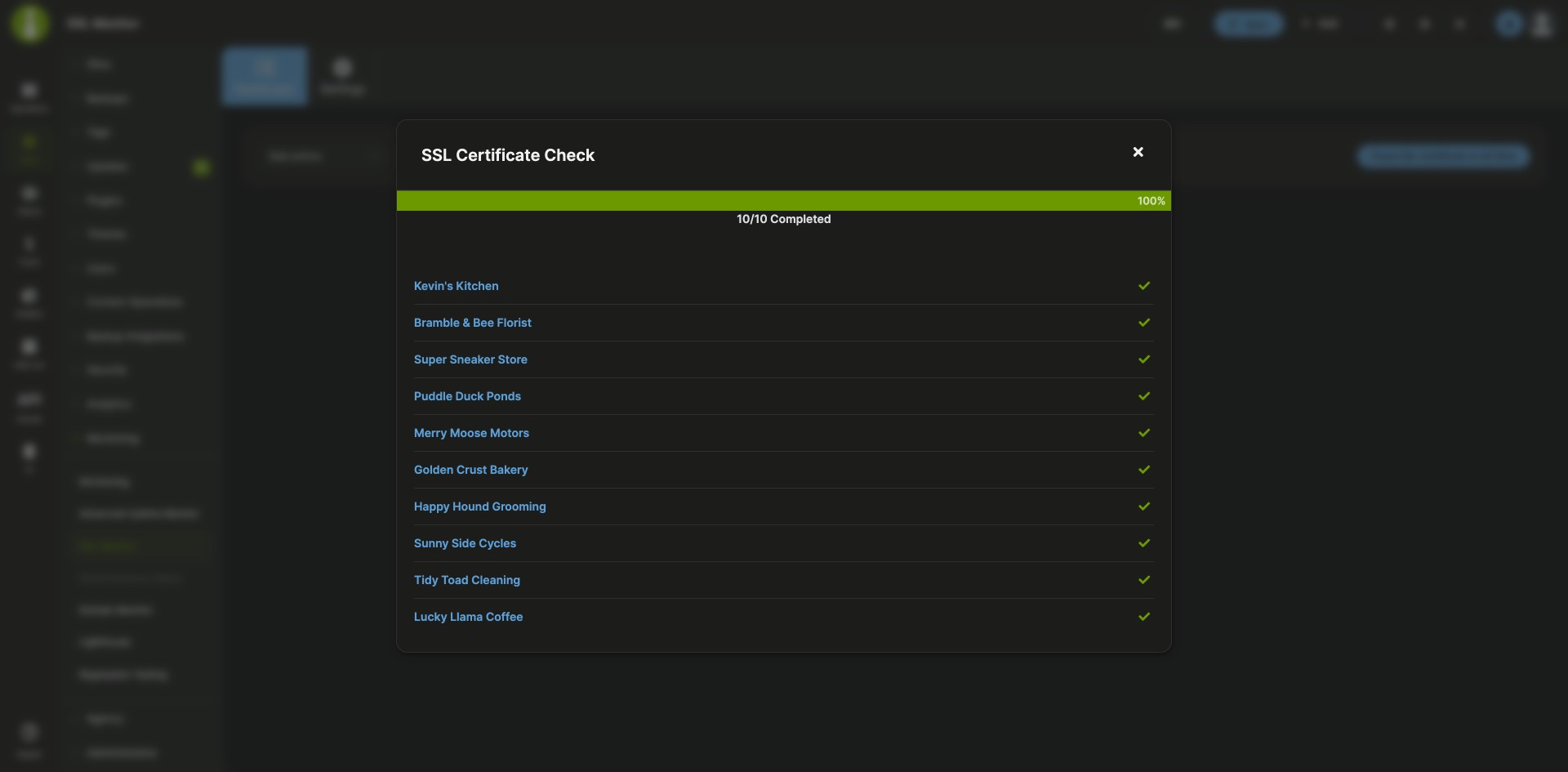
| Checks on demand | Click Check SSL Certificate on All Sites, or use the Check SSL Certificate action for one site. Open the SSL Certificate Info action to see the full certificate details. |
| Expiration email alerts | Set the Notifications threshold in days, and you get an email when a certificate on any monitored site reaches it. |
| Automated checks | Turn on Automated Checks and set how often they run. Since version 5.3, newly connected HTTPS sites are added to monitoring automatically, and the scheduler runs their first check. |
| Per-site settings | Turn on Overwrite general settings for a site to give it its own notification threshold or to turn automatic checks on or off for that site alone. |
| Widgets and site tables | The SSL Monitor widget on the main Overview page supports search, sorting and paging, and links to the full table. Each site’s Overview widget shows its saved certificate details, and the Manage Sites table shows an SSL Status column. |
| WP-CLI and REST API | Check certificates or read saved results with wp mainwp-ssl-monitor check and wp mainwp-ssl-monitor info, using site IDs or --all, or work with SSL Monitor through the MainWP REST API. |
| Client report tokens | With Pro Reports, add certificate details to client reports with tokens such as [ssl.monitor.issuer], [ssl.monitor.valid.to], [ssl.monitor.expires] and [ssl.monitor.status]. |
Requirements
The MainWP SSL Monitor Extension is standalone and works with any child site that has an HTTPS URL.
| Item | Requirement |
|---|---|
| License | MainWP Pro |
| Child sites | An HTTPS site URL. Automatic checks apply to sites whose saved URL starts with https://. |
| Third-party plugins | None |
| Client report tokens (optional) | MainWP Pro Reports Extension |
Setup: alerts, automated checks and a first scan
After you install the MainWP SSL Monitor Extension, you set the alert threshold and check schedule once, run a first check, and adjust single sites where needed.
Install the extension
- In your MainWP Dashboard, go to MainWP > Add-ons > Manage Add-ons and click Install Add-ons.
- Select the SSL Monitor extension and click Install.
- When the installation is complete, click Activate Add-ons.
Set alerts and automated checks
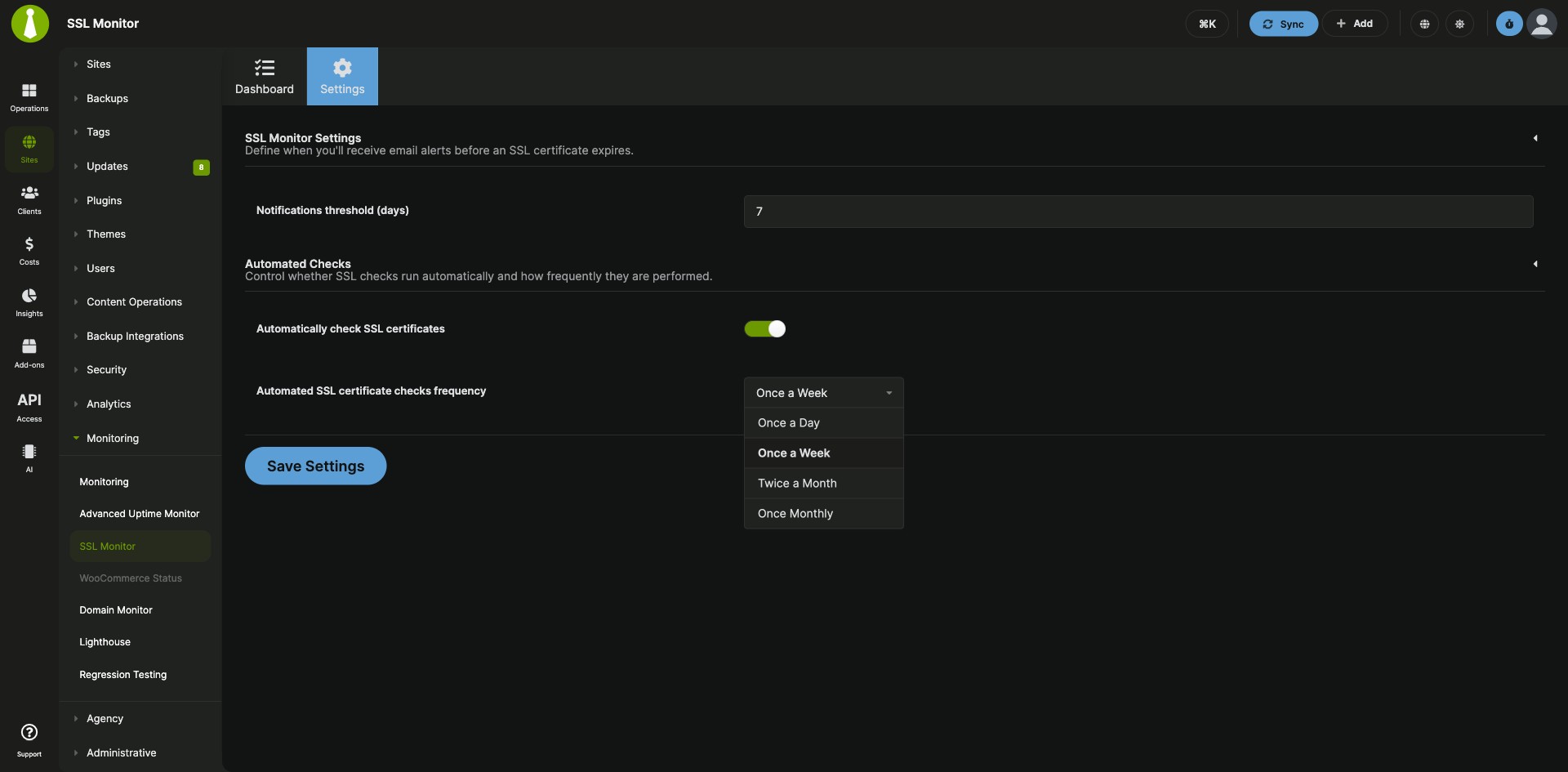
- Go to MainWP > Add-ons > Monitoring > SSL Monitor > Settings.
- Set the Notifications threshold (days).
- Enable Automated Checks and set their frequency.
- Click Save Settings.
Run your first check
- Go to MainWP > Add-ons > Monitoring > SSL Monitor > Dashboard.
- Click Check SSL Certificate on All Sites in the top right.
Change the settings for one site
- Go to MainWP > Sites > Manage Sites, open the child site’s Dashboard, and go to SSL Monitor > Settings.
- Enable the Overwrite general settings toggle.
- Set the Notifications threshold (days) and choose whether to check this site’s certificate automatically.
- Click Save Settings.
Full instructions, including WP-CLI commands: MainWP SSL Monitor Extension documentation.
How fresh the certificate data is
The MainWP SSL Monitor Extension checks the certificate of each HTTPS child site on demand or at the frequency you set. The table and widgets show the results saved from the last check, so run Check SSL Certificate when you need fresh data. Since version 5.2, the SSL Monitor Dashboard and Overview widgets page and search on the server to stay fast on large site lists.
SSL Monitor FAQ
How far ahead of expiration do I get an SSL alert?
The MainWP SSL Monitor Extension alerts you as far ahead as the Notifications threshold (days) you set under MainWP > Add-ons > Monitoring > SSL Monitor > Settings. A certificate becomes eligible for an alert once its remaining days drop below that threshold, and alerts follow the notification schedule.
Are new child sites monitored automatically?
Yes, since version 5.3 the MainWP SSL Monitor Extension adds a monitoring record for each new HTTPS child site you connect. With Automated Checks enabled, the scheduler runs the first check and later checks at your configured frequency. Sites whose saved URL starts with https:// are included.
What does N/A or Not checked mean for a site?
N/A or Not checked in the MainWP SSL Monitor Extension means certificate data for that site is unavailable or still to be collected. Run Check SSL Certificate for the site and review any reported error before you rely on its expiration date.