
MainWP Sucuri Extension
Scan client sites for malware and search engine blacklisting with Sucuri SiteCheck and keep every report.

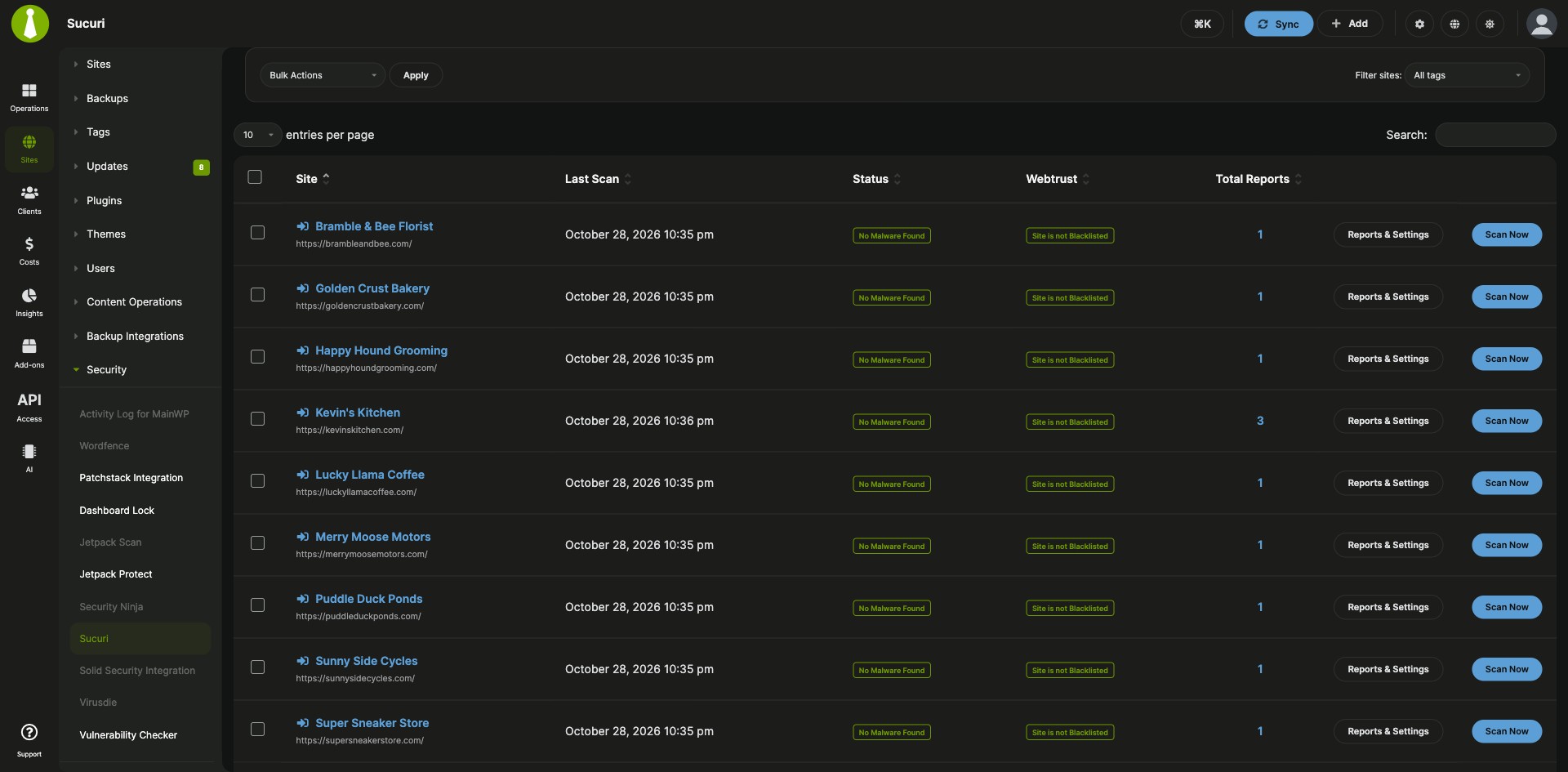
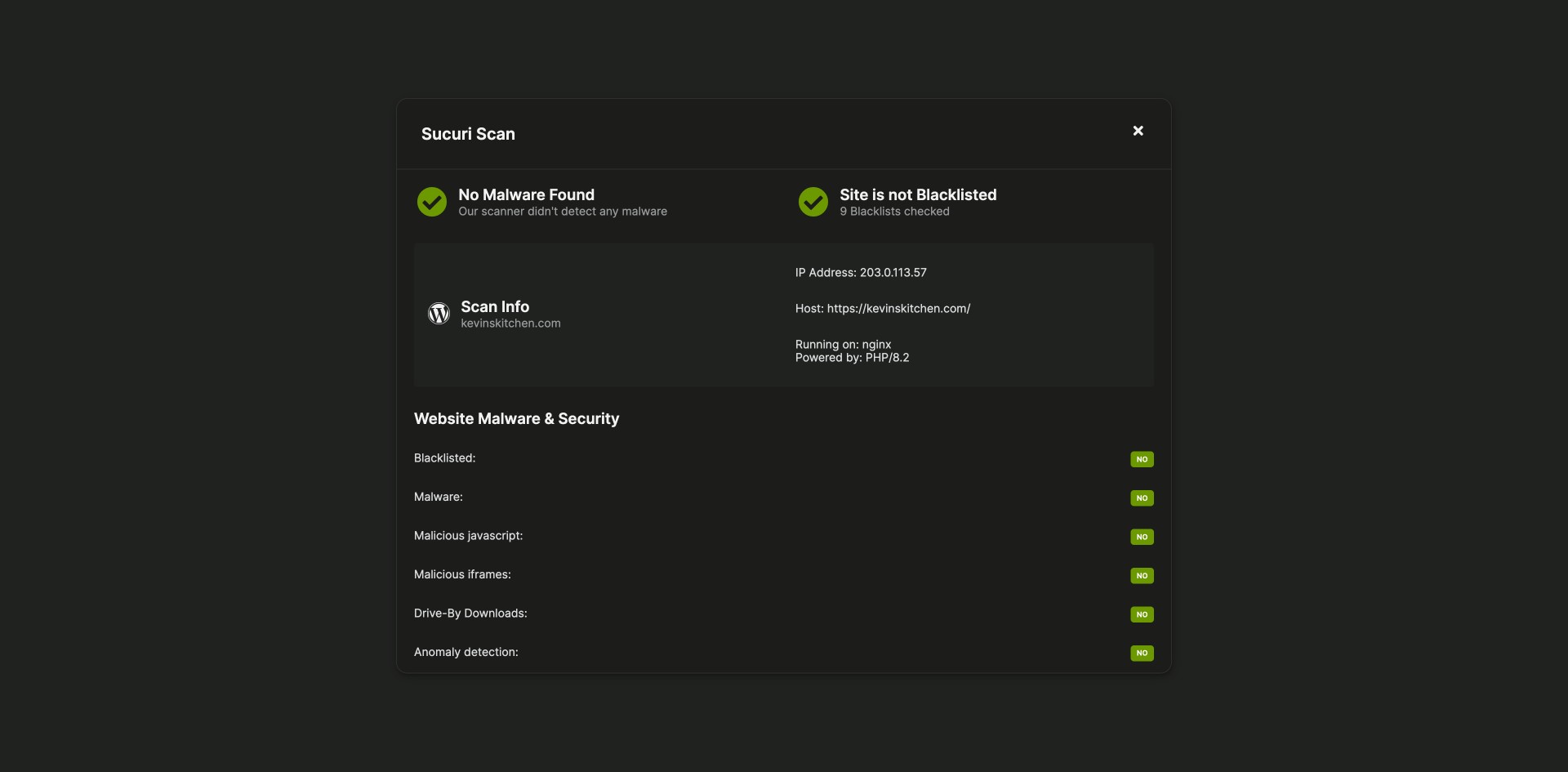
Sucuri SiteCheck scans and scan reminders for your child sites
The MainWP Sucuri Extension is a free MainWP add-on that checks your child sites for malware, out-of-date web applications and search engine blacklisting with Sucuri SiteCheck from your MainWP Dashboard. It replaces running SiteCheck outside MainWP and tracking each client site’s results and scan dates yourself: scans start from the Sucuri page, every report stays with its site, and a reminder tells you when a site is due for another scan.
Features
The MainWP Sucuri Extension keeps the scans, their reports and the reminders together on one Sucuri page.
| Feature | What it means for you |
|---|---|
| Sucuri SiteCheck scans | Scan a child site from your Dashboard to find out-of-date web applications, malware and search engine blacklisting. |
| Sucuri sites table | See your sites on one page, with a Scan Now and a Reports & Settings button for each, a sortable Last Scan column and a Total Reports column. |
| Saved scan reports | Open or delete any earlier report for a site. Clear all old reports for a site with Delete Reports, or for several sites at once with a bulk action. |
| Scan reminders | Pick a reminder interval of 1 day, 1 week or 1 month for each site, and you’re reminded when that site is due for a scan. Sucuri email notifications link straight to the child site’s Site Hardening page. |
| SSL certificate setting | Choose whether scan requests verify the SSL certificate. The setting applies to all sites. |
| Pro Reports tokens | Add scan results to client reports with Pro Reports: [sucuri.check.date], [sucuri.check.status], [sucuri.check.webtrust] inside [section.sucuri.checks][/section.sucuri.checks], and [sucuri.checks.count]. |
Requirements
The MainWP Sucuri Extension installs on your MainWP Dashboard and uses Sucuri’s free SiteCheck tool.
| Item | Requirement |
|---|---|
| License | Free, included in MainWP Essentials and MainWP Pro |
| MainWP Dashboard | The MainWP Sucuri Extension installed on your Dashboard site |
| Sucuri.net subscription | None needed |
| Child sites | Nothing to install. Scans run from your Dashboard through Sucuri SiteCheck. |
| Report tokens (optional) | The MainWP Pro Reports Extension |
Setup: scan a site and set reminders
A first scan with the MainWP Sucuri Extension takes two clicks, and reminders are set from each site’s Reports & Settings page.
Scan a child site
- Go to Sites > Security > Sucuri.
- Find the site you want to check and click Scan Now.
Review reports and set a reminder
- Go to Sites > Security > Sucuri, find the site, and click Reports & Settings.
- Scroll to the Sucuri Scanner section at the bottom of the page.
- Show or delete earlier reports, choose whether to Verify SSL Certificate, and pick a reminder interval: Never, 1 Day, 1 Week or 1 Month.
Full instructions: MainWP Sucuri Extension documentation.
What each scan shares and where reports are kept
The MainWP Sucuri Extension connects your MainWP Dashboard to Sucuri SiteCheck, Sucuri’s web-based malware scanner. When you click Scan Now, it sends the child site’s address to SiteCheck at sitecheck.sucuri.net and saves the scan report in your Dashboard’s database. You start each scan by hand, one site at a time, as Sucuri’s API terms require. See the Sucuri privacy policy for how Sucuri handles scan requests.
Sucuri Extension FAQ
Is the MainWP Sucuri Extension free, or do I need a Sucuri.net subscription?
The MainWP Sucuri Extension is free, included in MainWP Essentials and MainWP Pro, and works with no Sucuri.net subscription. It scans your sites with Sucuri’s free SiteCheck tool.
How do I make sure every site gets scanned regularly?
Set a scan reminder for each site in the MainWP Sucuri Extension under Sites > Security > Sucuri > Reports & Settings, in the Sucuri Scanner section. Choose 1 Day, 1 Week or 1 Month, and you get a reminder when that much time passes after the site’s last scan.
Can I include Sucuri scan results in client reports?
Yes, the MainWP Pro Reports Extension has tokens for MainWP Sucuri Extension scan results. [section.sucuri.checks][/section.sucuri.checks] loops through the security checks in the report’s date range, with [sucuri.check.date], [sucuri.check.status] and [sucuri.check.webtrust] inside it, and [sucuri.checks.count] shows how many checks ran.
Where do I get support?
The Sucuri team handles issues with Sucuri SiteCheck itself; see sucuri.net. MainWP support handles issues with the MainWP Sucuri Extension.