
MainWP White Label Extension
Put your agency’s branding on the MainWP Child plugin and WP Admin across your client sites.

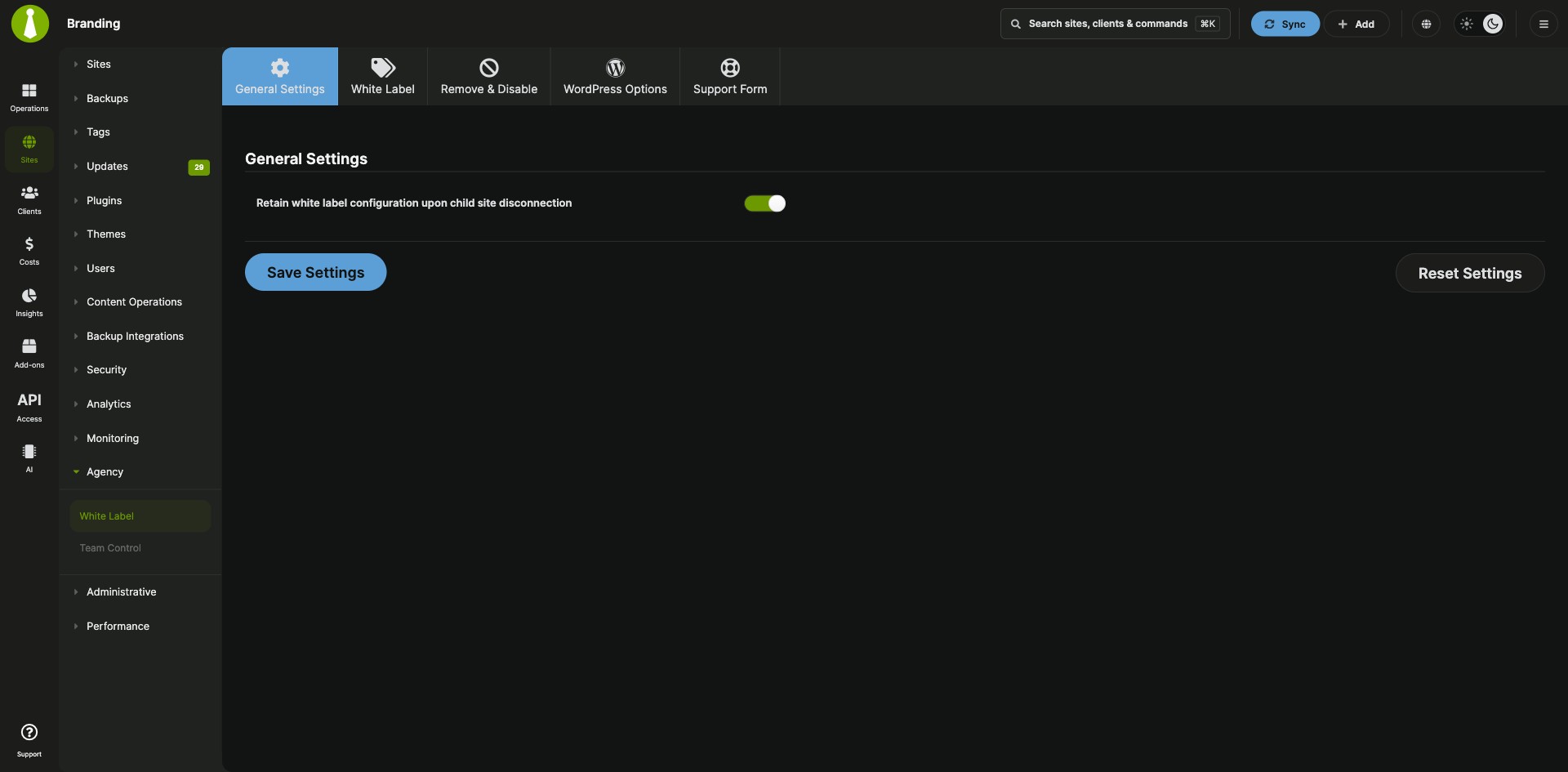


Rebrand MainWP Child, the WordPress login and the admin area
The MainWP White Label Extension is a Pro MainWP add-on that shows your agency’s name and details on the MainWP Child plugin across your client sites, or hides the plugin from the plugins list. Beyond the plugin, it customizes the WordPress login page and admin area, hides selected admin pages from clients, and adds a support form your clients can use to contact you from WP Admin.
What your clients see in WP Admin
On every client site, the MainWP Child plugin shows MainWP’s default branding in the plugins list your clients see. The MainWP White Label Extension takes your plugin name, author and links once under MainWP > Add-ons > White Label, saves them to all child sites, and lets any site override them. The same screen handles login page branding, admin restrictions and the client support form.
Features
The MainWP White Label Extension covers the plugin listing, the login page, the admin area and a client support form, for all sites or one at a time.
| Feature | What it means for you |
|---|---|
| Rebrand MainWP Child | Replace the plugin name, description, Plugin URI, author and Author URI shown in the WordPress plugins list. Leave a field empty, except Plugin name, to hide that information. |
| Hide the plugin | Turn on Visually hide the MainWP Child plugin to keep it out of your client’s plugins list. |
| Remove and disable options | Lock the current theme, hide the MainWP Child Settings, Server Information and Restore (Clone) pages, and hide the WordPress Tools, General settings and Permalinks pages. |
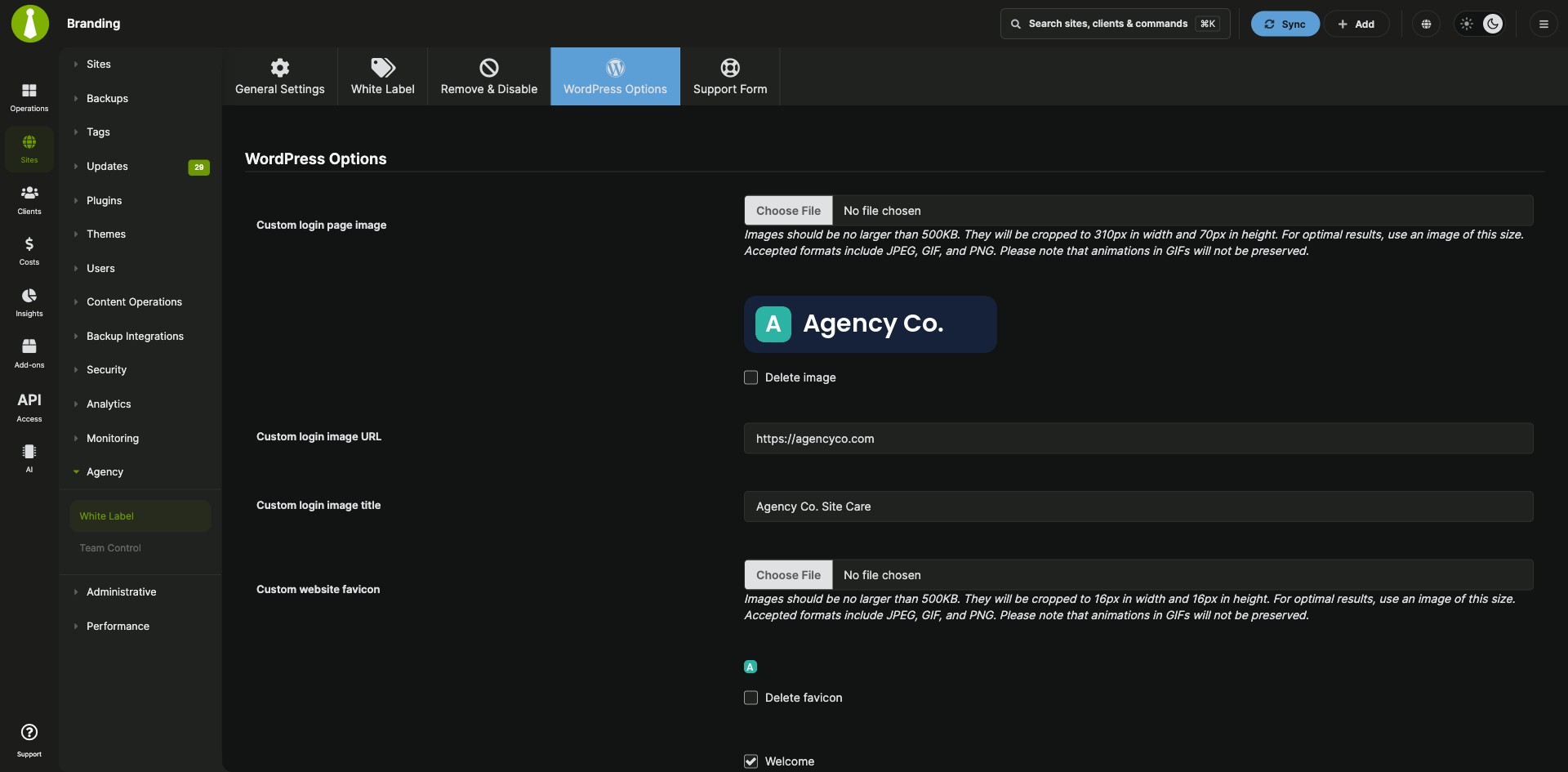
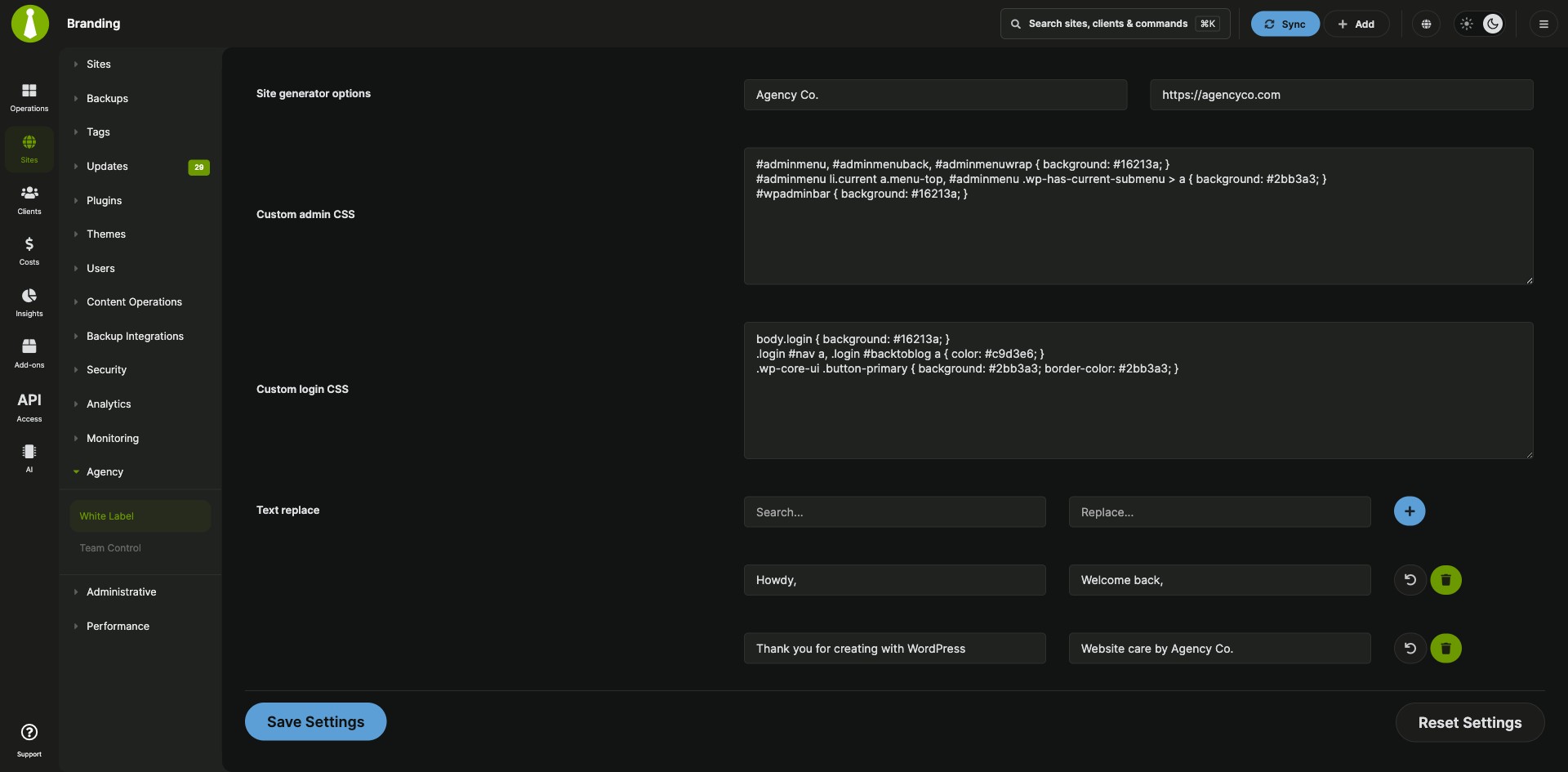
| Login and site branding | Set a custom login page image with its own link and title, a custom favicon, front-end footer content, generator text, and custom login CSS. |
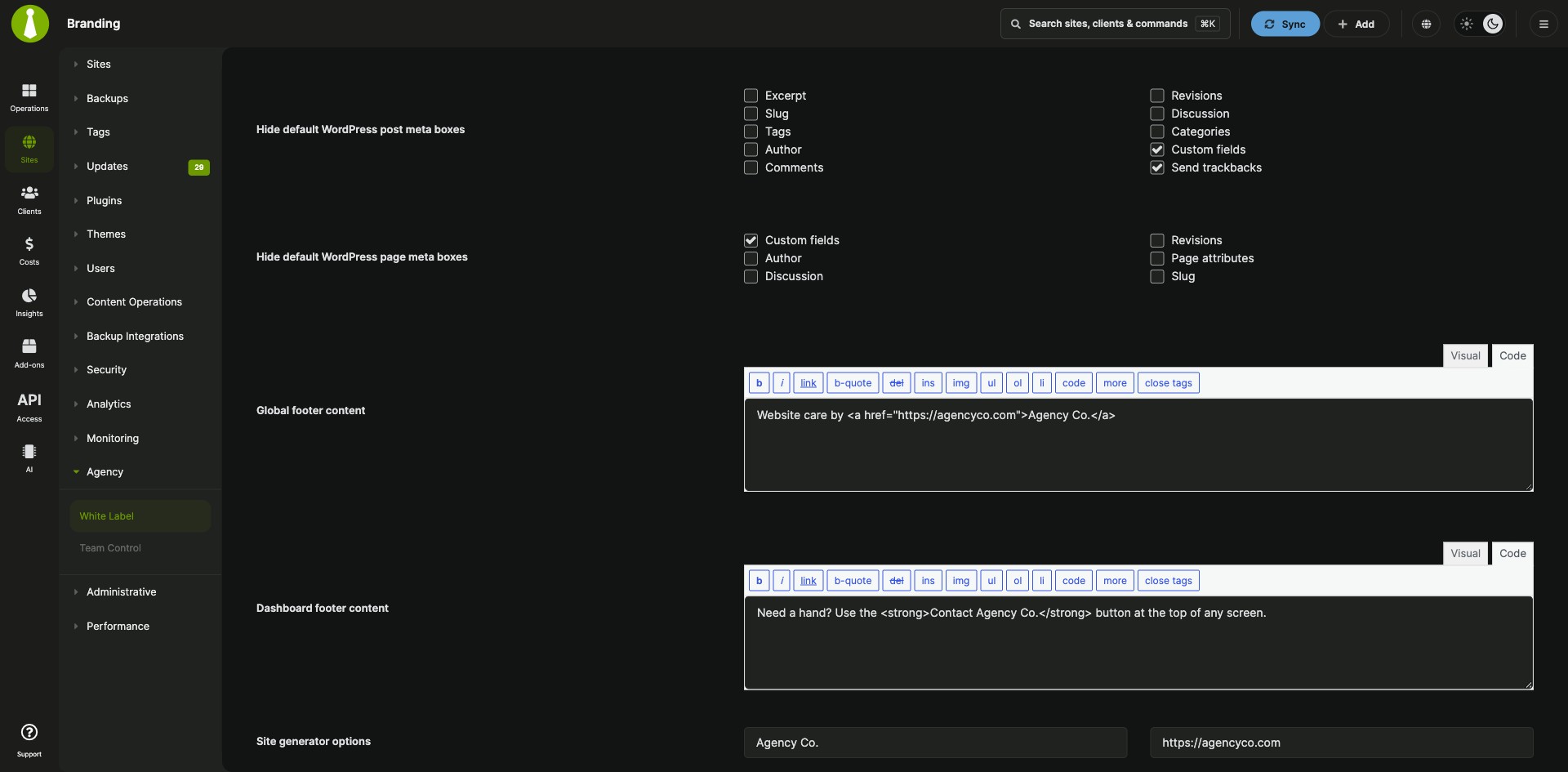
| Admin area customization | Hide default dashboard widgets, Screen Options, the Help tab and default post and page meta boxes. Replace the admin footer text, add custom admin CSS, and find and replace text strings across the admin area. |
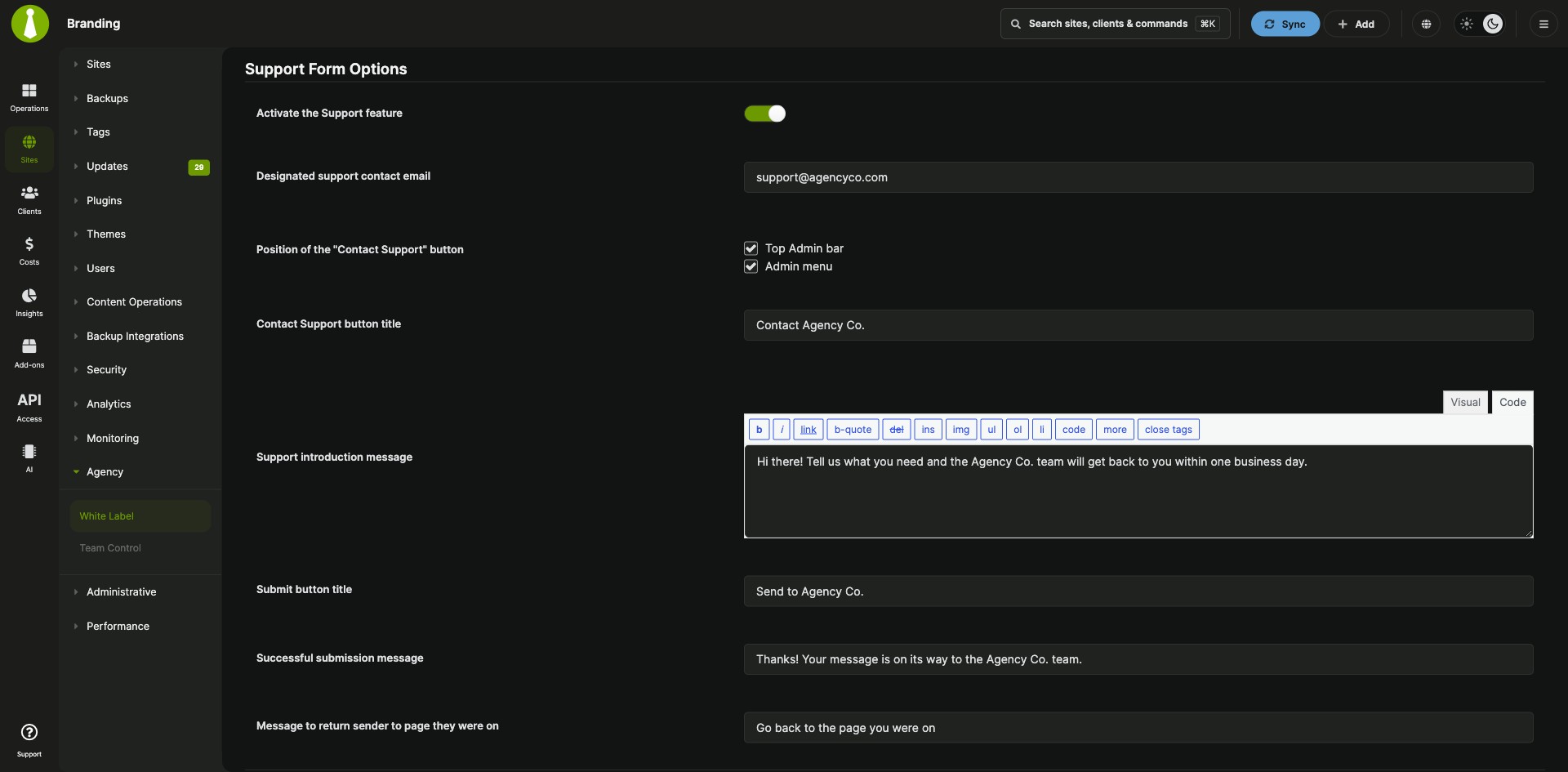
| Support form | Add a Contact Support button to the admin bar, the admin menu, or both. Messages go to the support email you set, with your own button title, introduction, and confirmation text. |
| Global and per-site settings | Apply your settings to all child sites at once, then turn on Override general settings in a site’s White Label tab to give that site its own branding, restrictions or support form. |
| Reset options | Reset all white label settings to their defaults from MainWP > Add-ons > White Label, then save to apply the reset to your child sites. |
Requirements
The MainWP White Label Extension rebrands the MainWP Child plugin your sites already run and needs nothing else on them.
| Item | Requirement |
|---|---|
| License | MainWP Pro |
| Child sites | The MainWP Child plugin, which the extension rebrands |
| Third-party plugins | None |
| Deploying user exclusions (optional) | MainWP Code Snippets Extension, also part of MainWP Pro, to add the exclusion filter to all child sites at once |
Setup: branding, site overrides and a support form
The MainWP White Label Extension applies your branding to all child sites in one save, and per-site overrides and the support form are optional extra steps.
Brand MainWP Child on all sites
- Go to MainWP > Add-ons > White Label and select the White Label tab.
- In MainWP Child White Label Settings, enter your Plugin name, Plugin description, Plugin URI, Plugin author and Author URI. Turn on Visually hide the MainWP Child plugin if you want to hide it as well.
- Click Save Settings to apply the changes to all child sites.
Give one site its own settings
- Go to MainWP > Sites > Manage Sites, find the site, and click Settings.
- Go to the White Label tab, find General Settings, and enable Override general settings.
- Enter the branding for this site in MainWP Child White Label Settings, or open Remove & Disable Options, WordPress Options or Support Form.
- Click Save Settings.
Add a support form for your clients
- Go to MainWP > Add-ons > White Label and select the Support Form tab.
- Turn on Activate the Support feature and enter the Designated support contact email. The form turns on once this email is set.
- Choose where the Contact Support button appears: the Top Admin bar, the Admin menu, or both.
- Set the button title and messages, then click Save Settings.
Full instructions, including reset options and filters: MainWP White Label Extension documentation.
How settings reach your child sites
The MainWP White Label Extension keeps your settings for all sites, or for one site, on your MainWP Dashboard. When you click Save Settings, the settings go to your child sites, and the MainWP Child plugin on each site applies the branding, restrictions and support form there.
White Label FAQ
How do I remove white labeling from my sites?
Delete the Plugin name on the MainWP White Label Extension’s White Label tab and save to remove the MainWP Child branding. To reset every white label setting, go to MainWP > Add-ons > White Label, click Reset Settings at the bottom, click Yes, then click Save Settings to apply the reset to your child sites.
How do I bring back a hidden MainWP Child plugin on a disconnected site?
To bring back a MainWP Child plugin hidden by the MainWP White Label Extension, install the Reset MainWP Child Plugin Settings plugin on that child site. It resets all MainWP Child settings and deactivates itself; remove it after use. The documentation also covers a manual code edit and a functions.php filter for the same reset.
Can I turn off white labeling for certain users?
Yes, the MainWP White Label Extension skips a user when a mainwp_child_branding_init_options filter on the child site sets cancelled_branding for that user ID or username. The documentation has both examples, and the MainWP Code Snippets Extension can deploy the filter to all child sites at once.