

Pressable Integration
Create, edit, backup, and delete Pressable websites from your Dashboard.


MainWP’s Pressable Extension: Your Solution for Simplified Hosting Management
MainWP Pressable Extension simplifies your Pressable hosting management experience, such as creating, disabling, and deleting websites, enabling/disabling CDN, managing backups, and more without the need to log in to your Pressable account.
Introducing MainWP’s Pressable Extension
Are you tired of switching between multiple Dashboards to manage your Pressable-hosted websites? MainWP’s Pressable Extension is designed to make your life easier. This robust tool lets you oversee various aspects of your Pressable sites directly from your MainWP Dashboard. Create, disable, and delete websites, manage backups, and more, all from a single location. Save time, reduce stress, and concentrate on what’s crucial – expanding your web development agency.
Why Pressable and MainWP Make a Great Team
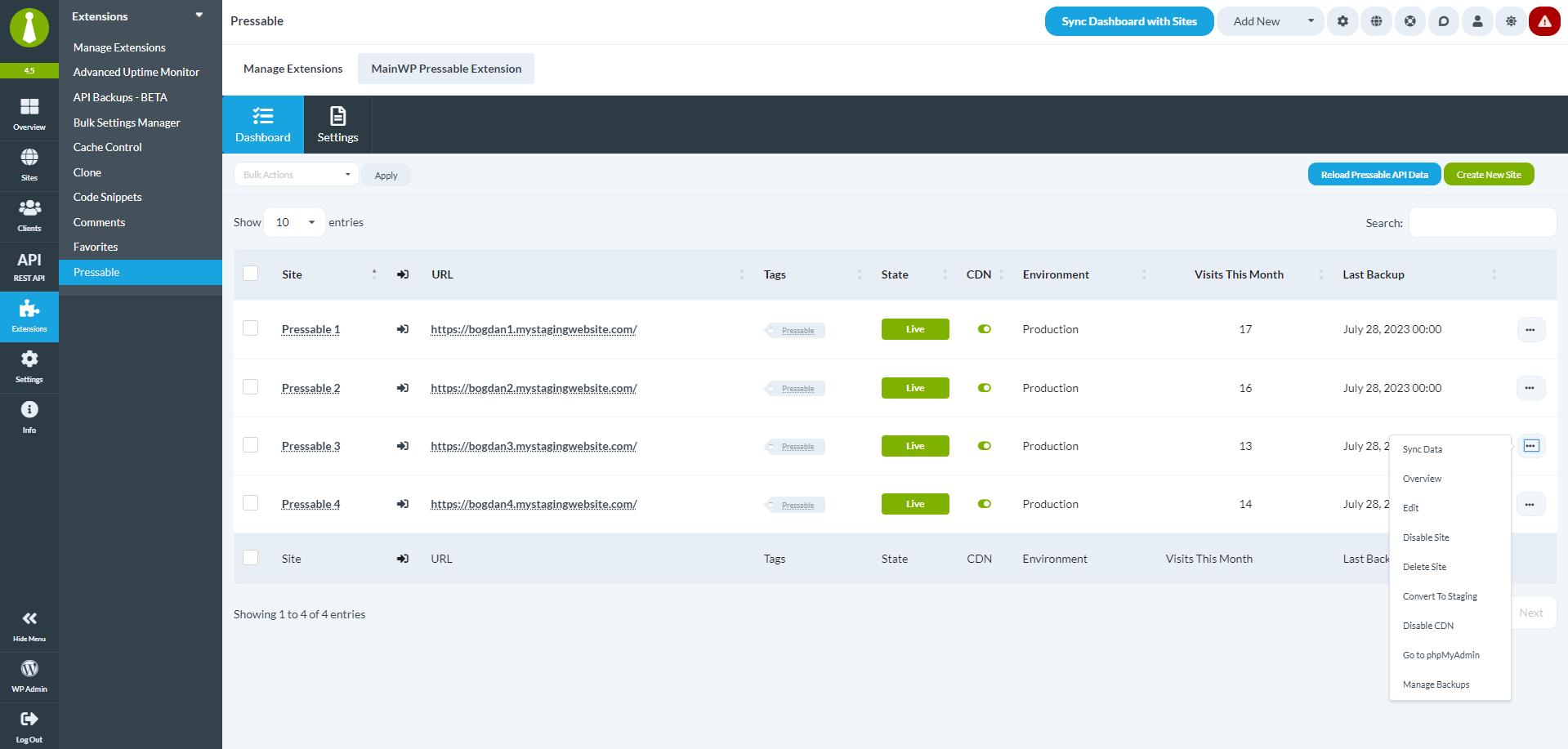
The Pressable Extension for MainWP serves as your central hub for managing Pressable-hosted websites. Here’s what you can accomplish:
- Connect Easily: Use your Client ID and Secret key to integrate your Pressable account effortlessly.
- Website Management: Create and delete websites, toggle their active status, and switch between production and staging environments.
- CDN Control: Turn CDN on or off with just a click.
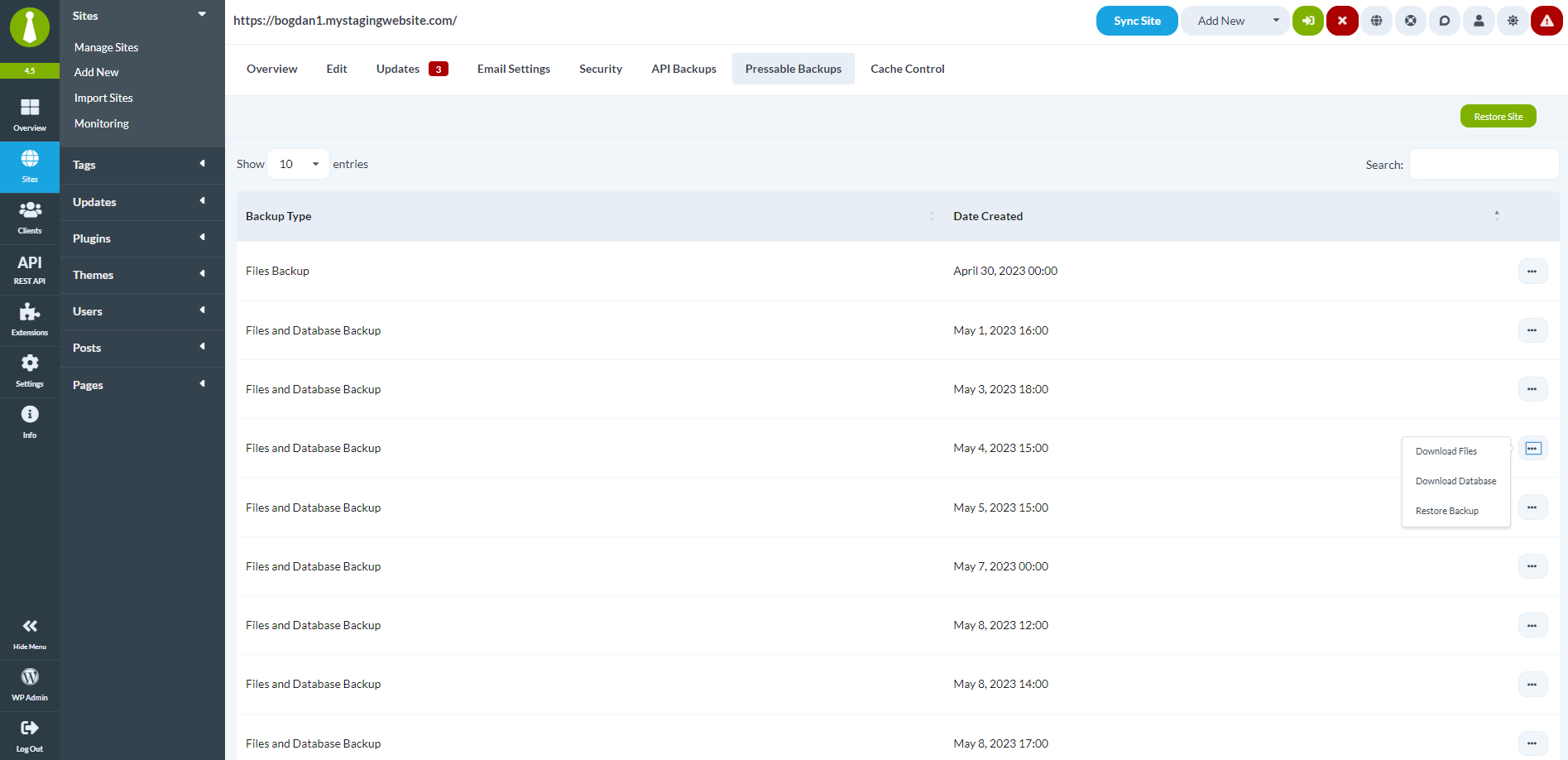
- Backup Management: Download, restore, or apply backups to other Pressable sites.
- Database Access: Directly access phpMyAdmin for each site.
- Quick Insights: Receive a summary of your websites and server status.
Create a Pressable Website from MainWP
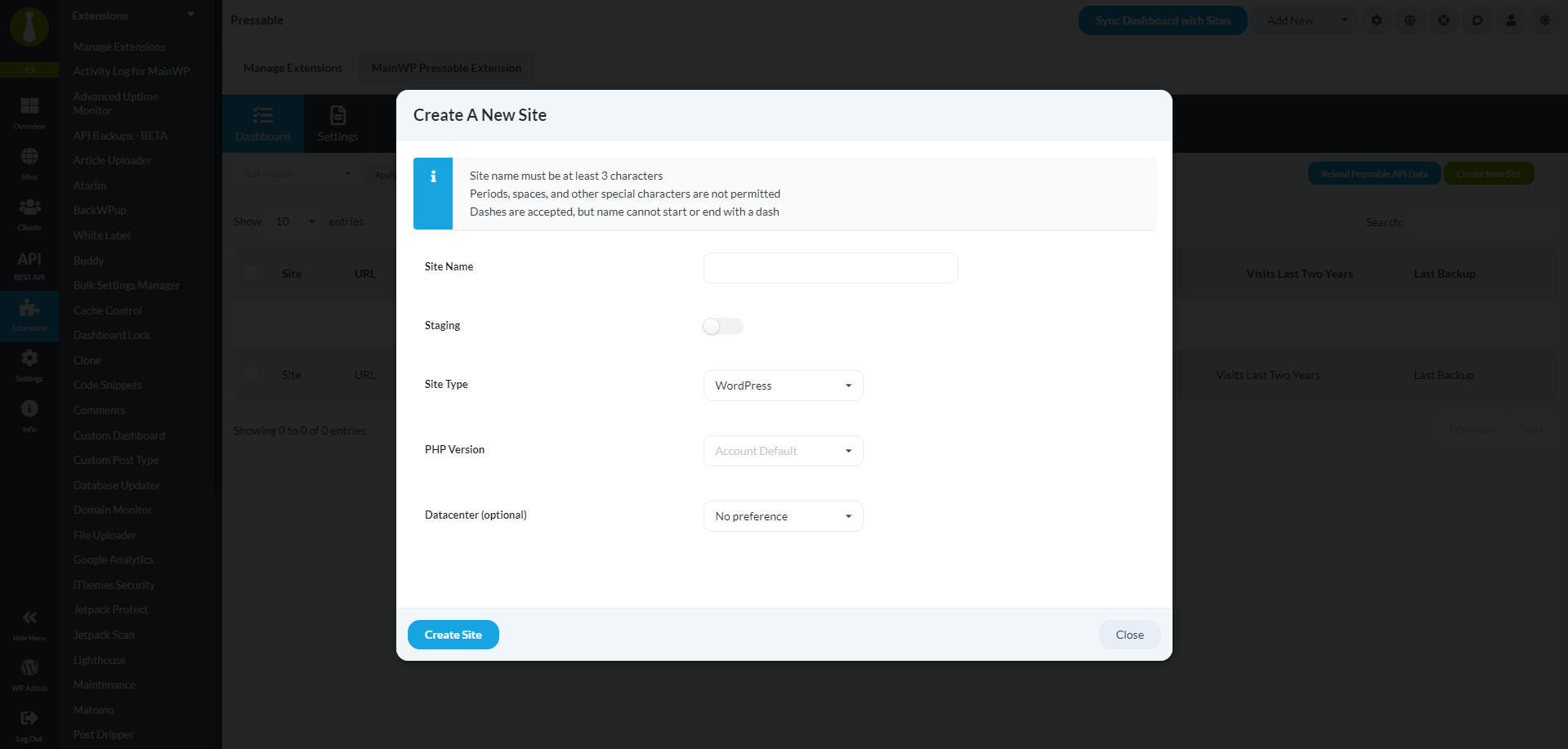
Setting up a new WordPress website on Pressable is straightforward with the MainWP extension. Just enter the site name, select the type (WordPress or WooCommerce), choose the PHP version, and if needed, pick a data center location. It’s that simple!
Manage Individual Pressable Sites with Ease
The extension enables you to manage various tasks for each Pressable site. Sync data, get a detailed overview, edit site settings, toggle access, delete a site, manage CDN, access the database, and handle backups – all through one convenient interface.
Manage Multiple Pressable Sites in Bulk
When it comes to managing multiple websites, efficiency is crucial. With the Pressable Extension, you can execute hosting-specific actions for several sites simultaneously, saving you precious time and effort.
Pressable Backup Management
Never worry about losing your website data again. The Pressable Extension offers a comprehensive list of your existing Pressable backups. Download files and databases, restore your website, or even apply a backup to another Pressable site with ease.
Experience the Benefits of MainWP’s Pressable Extension
Ready to streamline your Pressable hosting management?
FAQ for MainWP’s Pressable Extension
Can I manage multiple Pressable accounts with the MainWP Pressable Extension?
Yes! The extension allows you to connect and manage multiple Pressable accounts, providing you with a unified Dashboard for all your Pressable-hosted websites.
Does the Pressable Extension require any additional plugins or APIs to function?
No! The Pressable Extension integrates smoothly with your MainWP Dashboard and Pressable hosting account without needing any additional plugins or APIs.
Can I use the Pressable Extension to manage websites hosted on other platforms?
The Pressable Extension is specifically tailored for managing Pressable-hosted websites