Opens in a new tab

Save $50 Every Year with MainWP

Get $50 off the MainWP Yearly Plan this Black Friday. Your discount renews every year! Claim Your $50 Discount
← Back to blog

How to Update Plugins by a Site Group

This post may contain affiliate links. Read the disclosure.

If you want to update your plugins by a site group go to: MainWP > Sites > Manage tab. In the dropdown menu select wanted site group and click Display button:
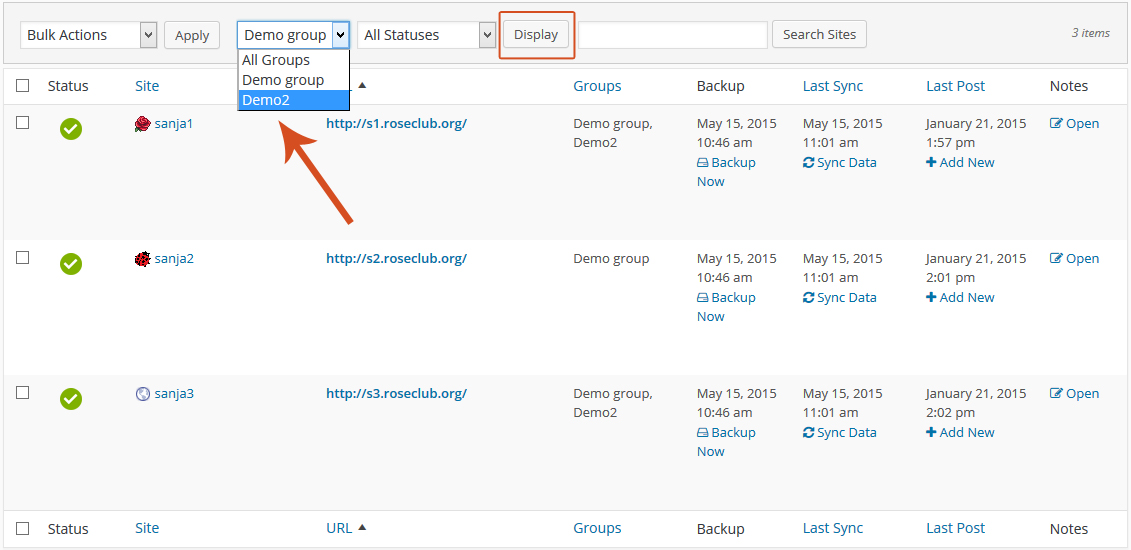
25-p1

Select wanted sites in the group, chose the Update Plugins bulk action in the dropdown menu and click Apply button:
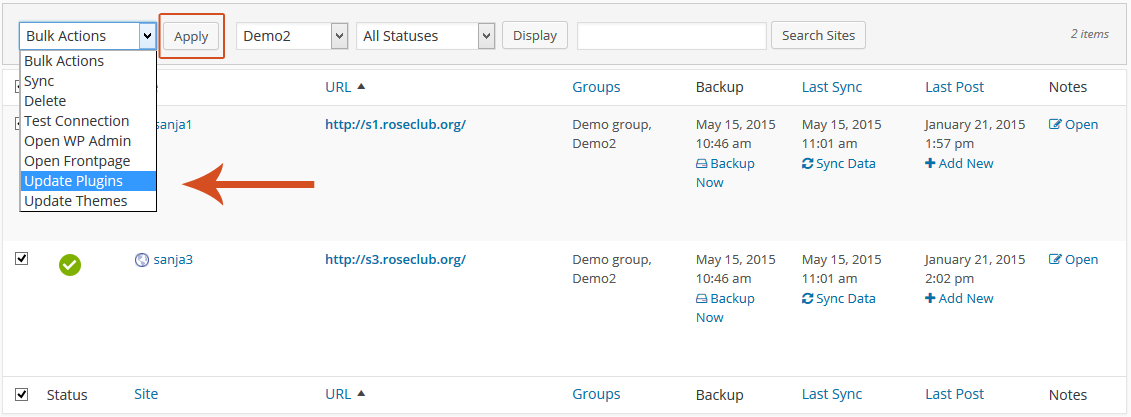
25-p2

Explore MainWP Pro
Get MainWP Pro
Topics: MainWP How To's