
If you want your Advanced Uptime Monitor widget to show only certain Child Sites, use the Display/Hide on Dashboard bulk actions in dropdown menu. If you choose Display on Dashboard, select wanted sites and click Apply button your sites will appear in the Advanced Uptime Monitor widget:
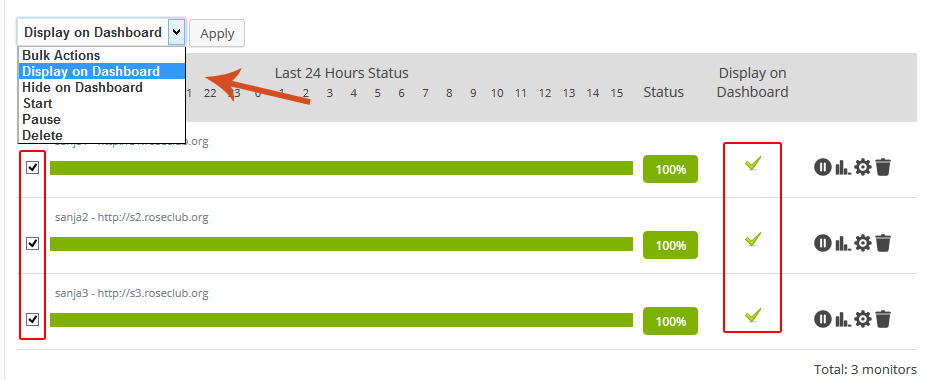 If you want to hide certain Child Sites chose Hide on Dashboard option in bulk actions dropdown menu, select wanted sites and click Apply button:

