
MainWP Bulk Settings Manager Extension
Set up WordPress, plugin or theme settings once on one site and apply them to many child sites at once.

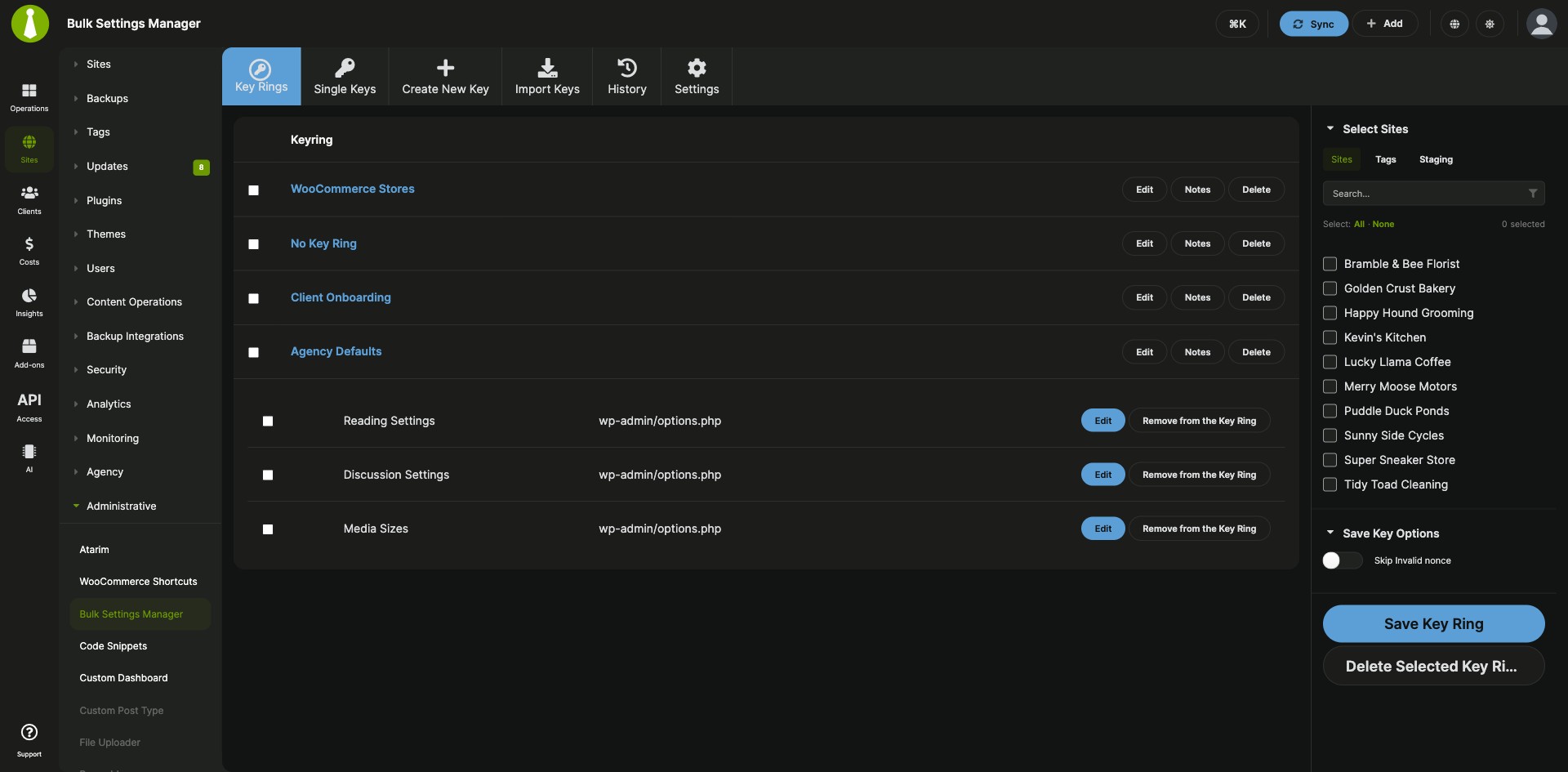
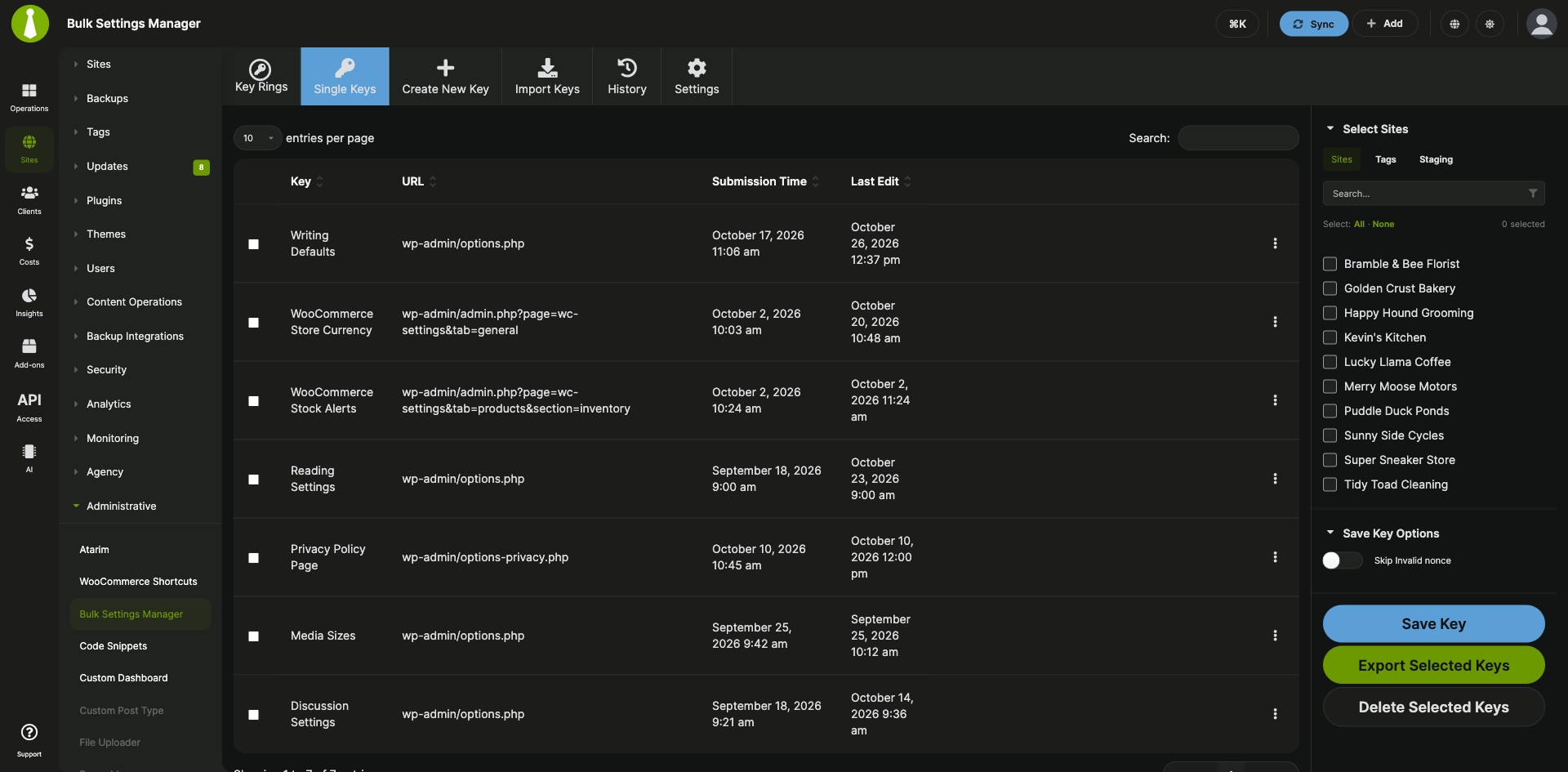
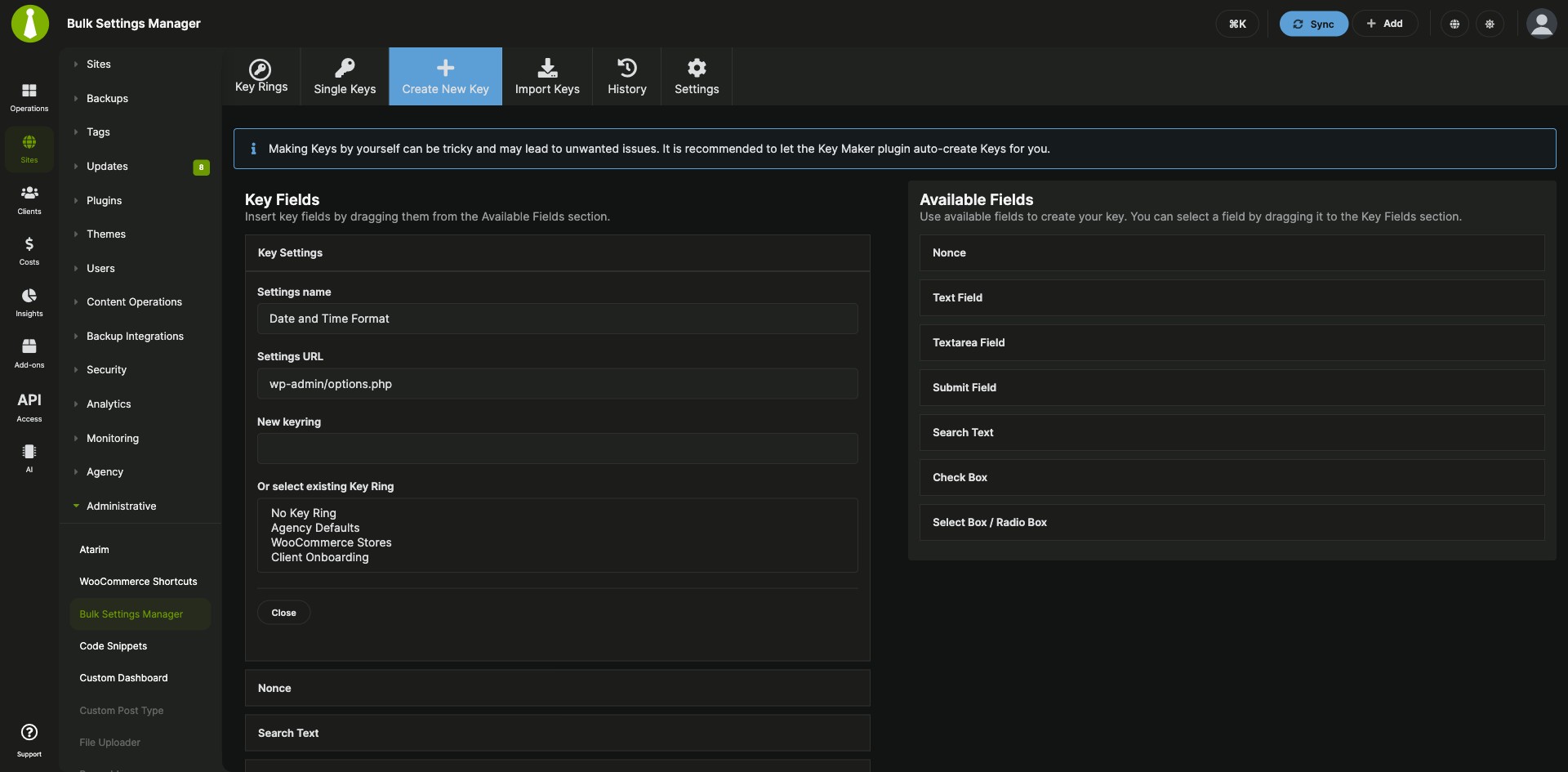
Copy plugin, theme and WordPress settings as reusable keys
The MainWP Bulk Settings Manager Extension is a Pro MainWP add-on that applies the same settings to many child sites at once. A plugin, theme or WordPress settings page is set up once on one site, recorded as a key with the free MainWP Key Maker plugin, and saved to the child sites you pick from your MainWP Dashboard.
The same settings form, site after site
Changing a setting across your sites means logging in to each site, opening the same settings page and filling in the same form again. The MainWP Bulk Settings Manager Extension lets you fill in the form once, turn it into a key, and send it to every child site that needs it. When a plugin spreads its settings over several pages, a Key Ring sends all of its keys together.
Features
The MainWP Bulk Settings Manager Extension turns a submitted settings form into a key you can edit, group and send to any of your child sites.
| Feature | What it means for you |
|---|---|
| Keys from MainWP Key Maker | Submit a settings form on one site, then import what the free MainWP Key Maker plugin recorded as a key in your Dashboard. |
| WordPress core, plugin and theme settings | Use keys for WordPress settings pages and for plugins and themes that use standard forms. |
| Site selection | Save a key to all your child sites or to the ones you select. |
| Key Rings | Group the keys for one plugin or theme and save them to child sites in one step, which helps when its settings are split over several forms. |
| Key editing | Open a key, expand any field, and change its value before you save it to child sites. |
| Key import | Import a key by pasting its code from MainWP Key Maker or by uploading a key file. Advanced users can also create keys by hand. |
| Boilerplate tokens | Put Boilerplate tokens in key fields so values that must differ per site, such as the site URL, stay unique on each child site. |
| Delay and history | Set a delay between submissions to reduce server load, and clear the extension’s history with one button. |
Requirements
The MainWP Bulk Settings Manager Extension needs the free MainWP Key Maker plugin on the site whose settings you copy.
| Item | Requirement |
|---|---|
| License | MainWP Pro |
| MainWP Dashboard | The MainWP Bulk Settings Manager Extension installed on your Dashboard site |
| MainWP Key Maker | The free MainWP Key Maker plugin installed and activated on the site where you set up the settings you want to copy |
| Settings pages | Plugin, theme or WordPress settings pages that save through a standard form submission |
| Per-site values (optional) | The MainWP Boilerplate Extension installed and activated on your Dashboard, with Use Boilerplate turned on in Bulk Settings Manager settings |
Setup: record, import and save a key
The MainWP Bulk Settings Manager Extension works in three steps: record the settings on one site, import them as a key, and save the key to your child sites.
Record the settings with MainWP Key Maker
- Install and activate the free MainWP Key Maker plugin on the site where the plugin or theme is set up the way you want.
- Open the settings page you want to copy, check the values, and submit the form.
- Click the MainWP Key Maker button in the WP Admin top menu.
- Select the Post-submission Request and click Copy to Clipboard.
Import the key
- In your MainWP Dashboard, go to Add-ons > Administrative > Bulk Settings Manager and open the Import Keys tab.
- In the Import from MainWP Key Maker section, give the key a name, paste the code in the Key code field, and click Import Key.
- On the Key Edit screen, check the form fields, update any values, and click Save Key.
Save the key to your child sites
- Open the Single Keys tab and select the key.
- Select your child sites.
- Click Save Key.
Full instructions, including Key Rings, key files and Boilerplate tokens: Bulk Settings Manager documentation.
How a key carries settings to each site
The MainWP Bulk Settings Manager Extension works together with the MainWP Key Maker plugin. Key Maker records the settings form you submit on one site, the extension on your MainWP Dashboard turns it into a key, and saving the key applies those values on each child site you select. A key covers every option on its settings page, so all selected sites end up with the same values on that page, apart from fields you fill with Boilerplate tokens.
Bulk Settings Manager FAQ
Does Bulk Settings Manager work with any WordPress plugin or theme?
Bulk Settings Manager works with plugins and themes whose settings pages use standard forms. To check a specific one, install MainWP Key Maker, submit its settings form, click the MainWP Key Maker button, select the Post-submission Request, and click Verify Form Fields and Values. If every field and value you need shows up, the key should work with Bulk Settings Manager.
How do I keep site-specific values, like the site URL, when I copy settings?
Bulk Settings Manager keeps site-specific values through Boilerplate tokens in the key. Turn on Use Boilerplate under Add-ons > Administrative > Bulk Settings Manager > Settings, edit the key, and replace the site-specific field values with tokens. This needs the MainWP Boilerplate Extension, also a Pro add-on, installed and activated on your Dashboard.
How do I save a key when a site reports “Invalid nonce”?
Turn on Skip Invalid nonce in the Bulk Settings Manager Save Key Options panel, then click Save Key or Save Key Ring again. If a child site still tells you to “Try to use:” a specific nonce action, edit the key and add a Text Field whose Name matches that action and whose Value is mainwp-bsm-unverify-nonce.