
MainWP Post Dripper Extension
Spread one post or page across your child sites over days or weeks, a few sites at each interval.


Publish a post to a few child sites at a time, on a schedule
The Post Dripper Extension is a Pro MainWP add-on that delivers a post or page to your child sites over a period of time instead of all at once. Rather than coming back on each date to publish the article to the next few sites, you set the schedule once when you publish from your MainWP Dashboard. You choose the sites and how many of them get the content at each interval, and the extension keeps publishing until every selected site has it.
Features
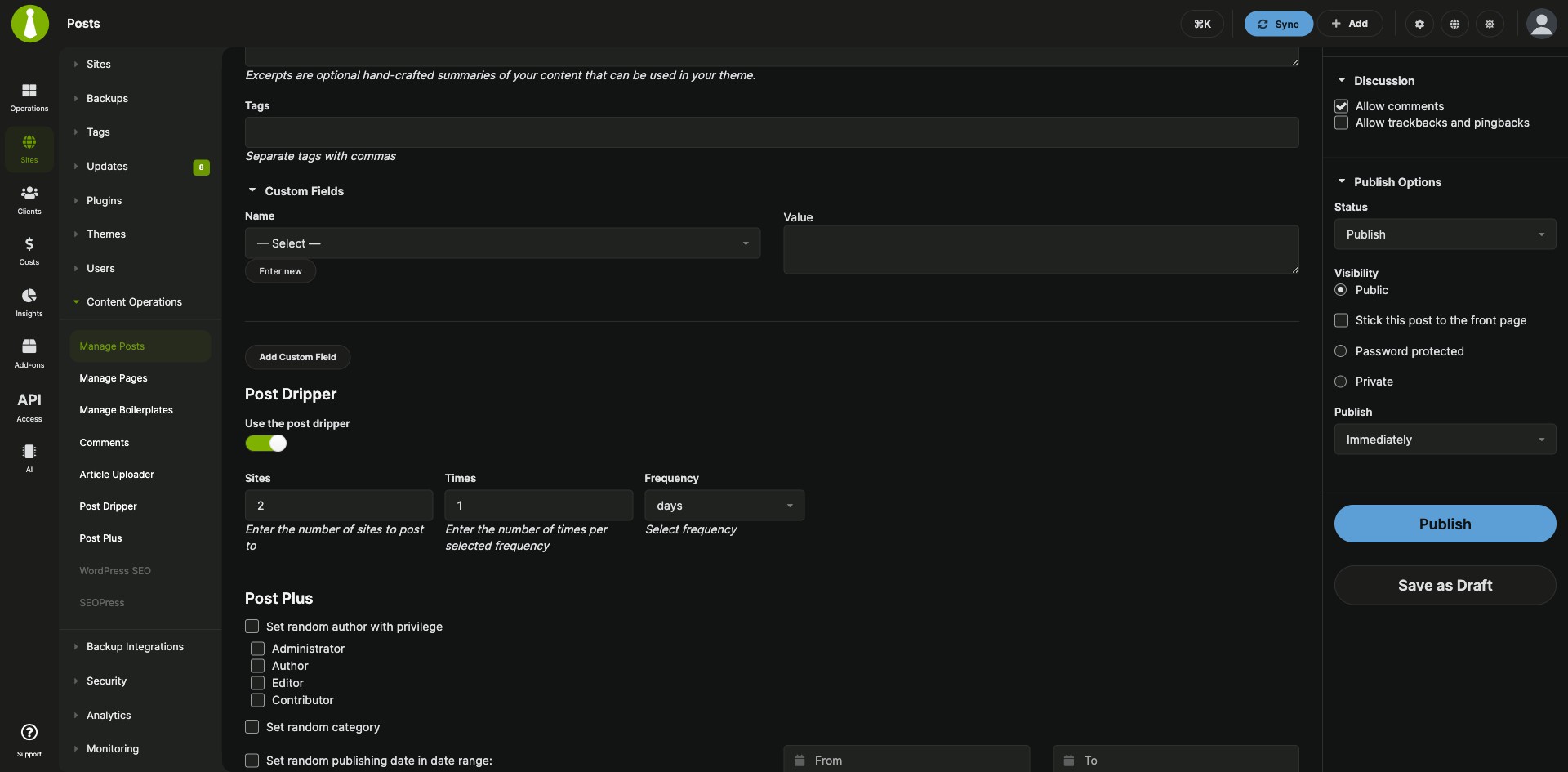
The Post Dripper Extension adds a Post Dripper section to the Add New post and page screens in your MainWP Dashboard and tracks each drip session until it finishes.
| Feature | What it means for you |
|---|---|
| Drip posts and pages | Send a post or page to your selected child sites a few at a time over a schedule you set. |
| Sites per interval | Set how many sites receive the content at each interval and how long the interval is, for example 3 sites every 2 days. |
| Boilerplate content | Drip boilerplate posts and pages too when the Boilerplate Extension is installed and activated. |
| One copy per site | Each selected site gets the content once. The drip session ends when the post or page is published on all selected sites. |
| Post Dripper section in the editor | Turn on Use the post dripper in the Post Dripper section of your Dashboard’s Add New post or page screen. |
| Drip session overview | See active sessions on the Post Drips and Page Drips tabs and stop one with the Cancel Drip action. |
Requirements
The Post Dripper Extension and the cron triggers it relies on both belong on your MainWP Dashboard site, because it publishes through scheduled tasks there.
| Item | Requirement |
|---|---|
| License | MainWP Pro |
| MainWP Dashboard | The Post Dripper Extension installed and activated on your Dashboard site |
| Child sites | Nothing extra to install. The extension publishes through the same connection your Dashboard uses for regular posts. |
| Cron | Regular cron triggers on your Dashboard site. If you rely on WordPress cron, keep Use WP Cron enabled in MainWP Settings > Advanced Settings. |
| Boilerplate content (optional) | The Boilerplate Extension, also part of MainWP Pro, installed and activated |
| Third-party plugins | None |
Setup: schedule a drip
Every drip starts from the normal post or page screen, and a running session stops with one click on the Post Dripper page.
Drip a post or page
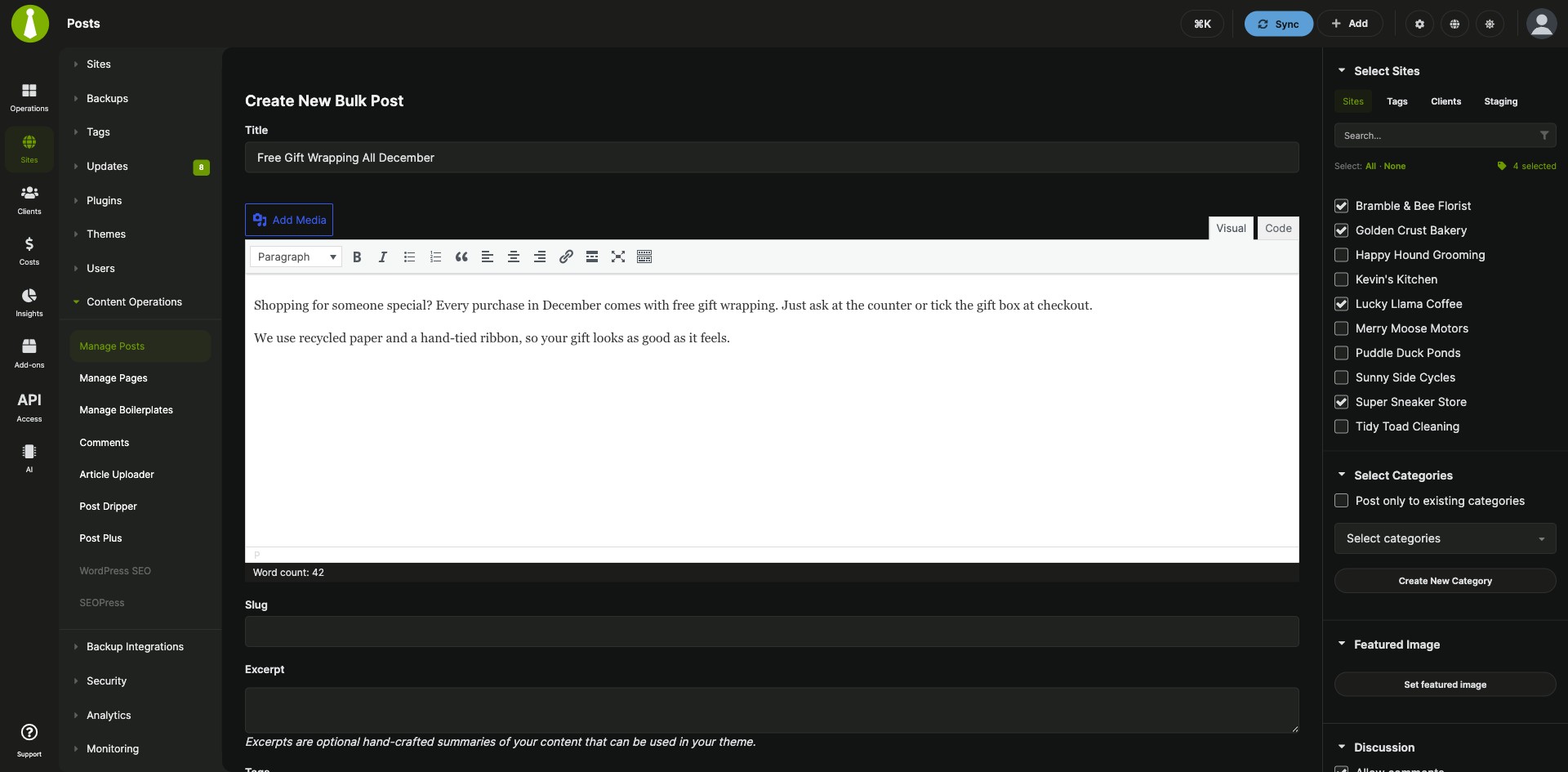
- Go to Sites > Content Operations > Add New (Post), or Add New (Page) for a page.
- Write the content and set its meta fields.
- In the Post Dripper section, select Use the post dripper and set how many sites get the content and how often.
- Select your child sites and click Publish.
Drip a boilerplate post or page
- Create a new boilerplate post or page with the Boilerplate Extension from Sites > Content Operations > Manage Posts or Manage Pages.
- Write the content and set its meta fields.
- In the Post Dripper section, select Use the post dripper and set your drip preferences.
- Select your child sites and click Publish.
Cancel a drip session
- Go to Sites > Content Operations > Post Dripper.
- Open the Post Drips tab, or the Page Drips tab for a page.
- Find the session and click its Cancel Drip action.
Full instructions and scheduling examples: Post Dripper Extension documentation.
Post Dripper FAQ
How does Post Dripper decide when each site gets the post?
The Post Dripper Extension publishes to the number of sites you set at each interval until every selected site has the post. For example, with 20 sites selected and a setting of 3 sites every 2 days, 3 sites get the post on day 1, 3 more on day 3, and so on, until the final 2 sites get it on day 13.
What keeps Post Dripper publishing on schedule?
Regular cron triggers on your Dashboard site keep the Post Dripper Extension on schedule, because it publishes through the mainwp_post_dripper_cronposting scheduled event at each interval. If you rely on WordPress cron, keep Use WP Cron enabled under the top-right user menu > MainWP Settings > Advanced Settings.
Can I stop a drip session after it has started?
Yes, the Post Dripper Extension lets you stop a running session with its Cancel Drip action. Go to Sites > Content Operations > Post Dripper, open the Post Drips or Page Drips tab, and click Cancel Drip for that session.