
MainWP UpdraftPlus Extension
Back up, schedule and restore all your child sites with free or Premium UpdraftPlus in one place.

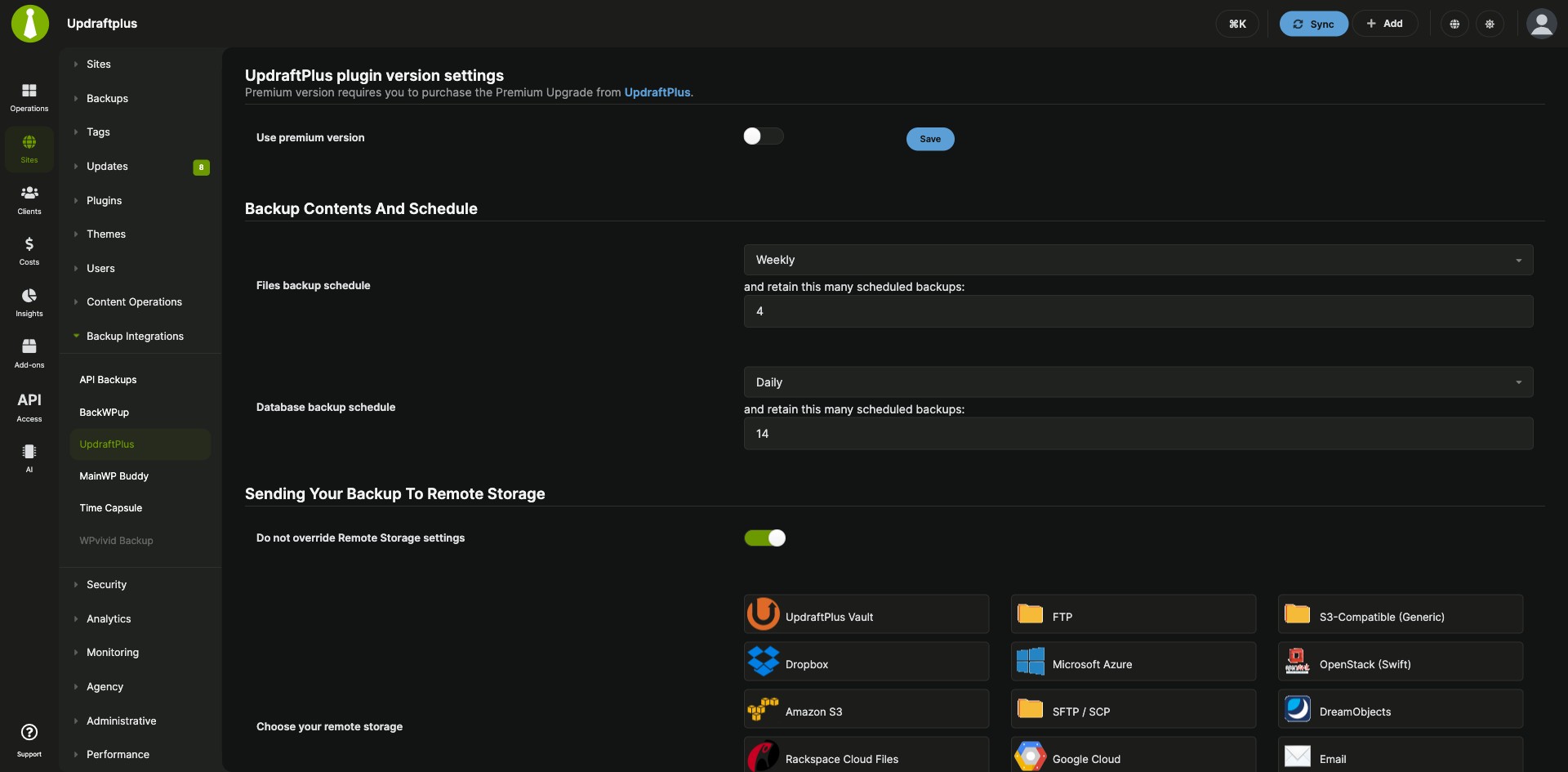
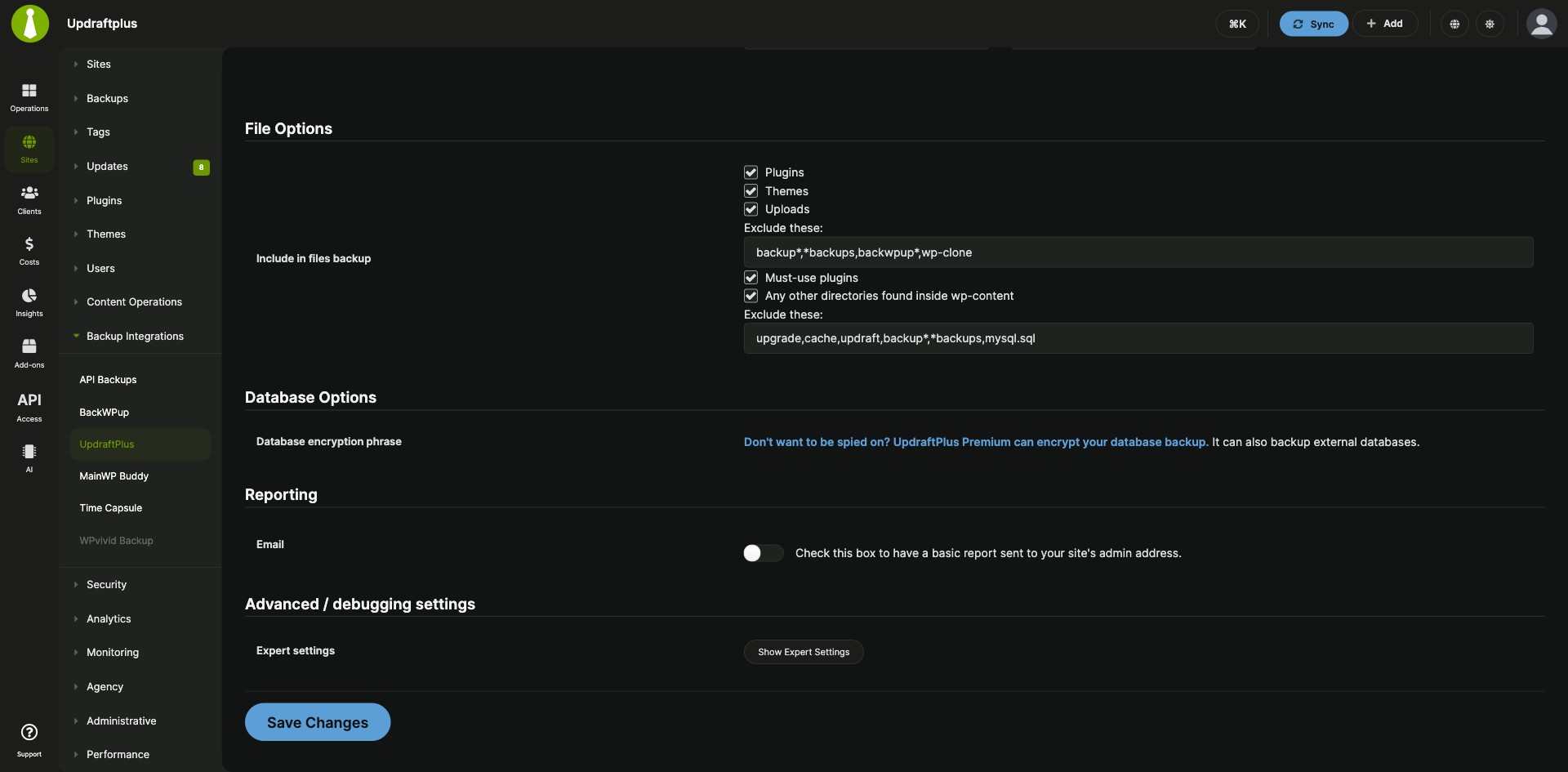

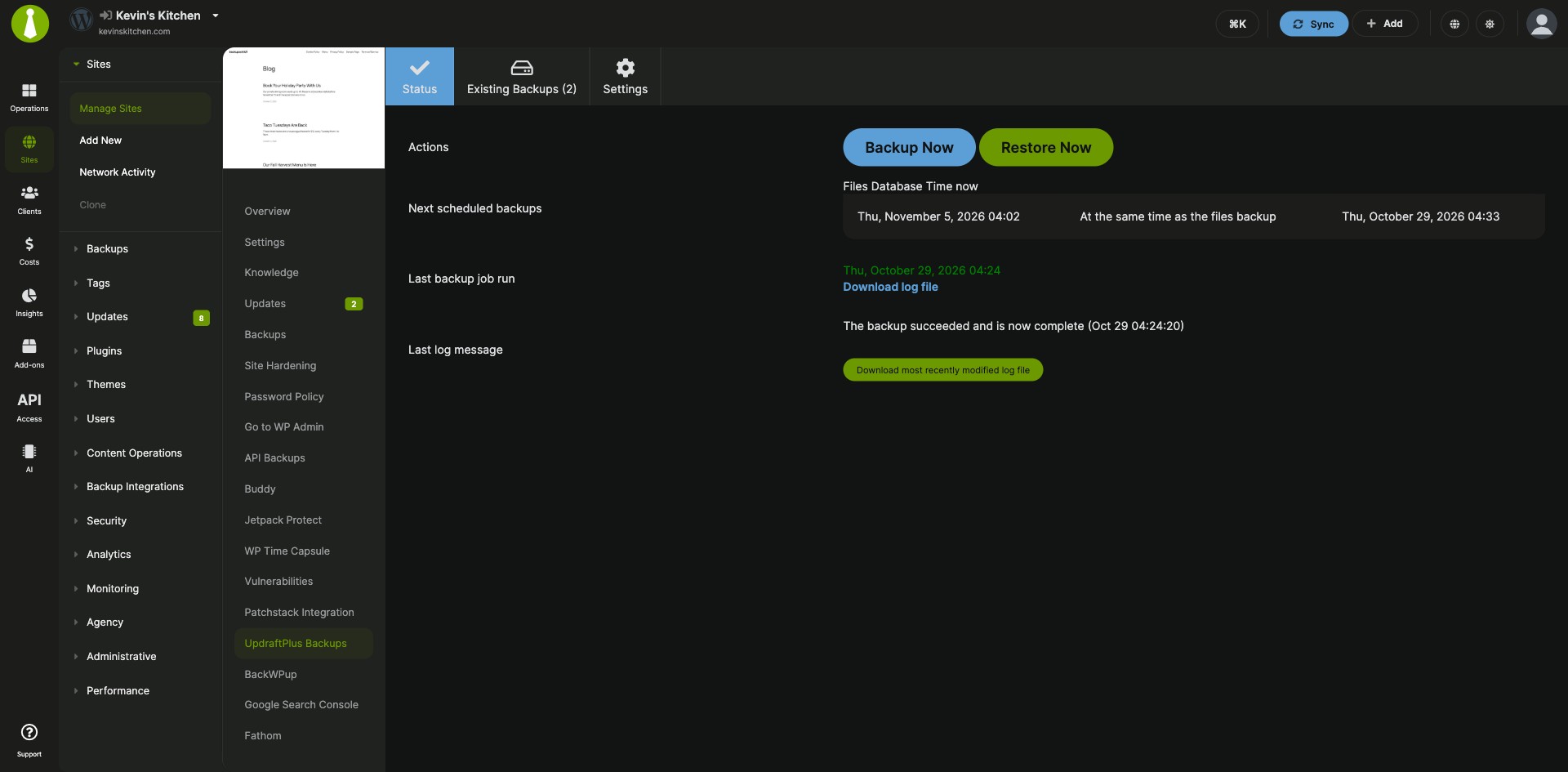


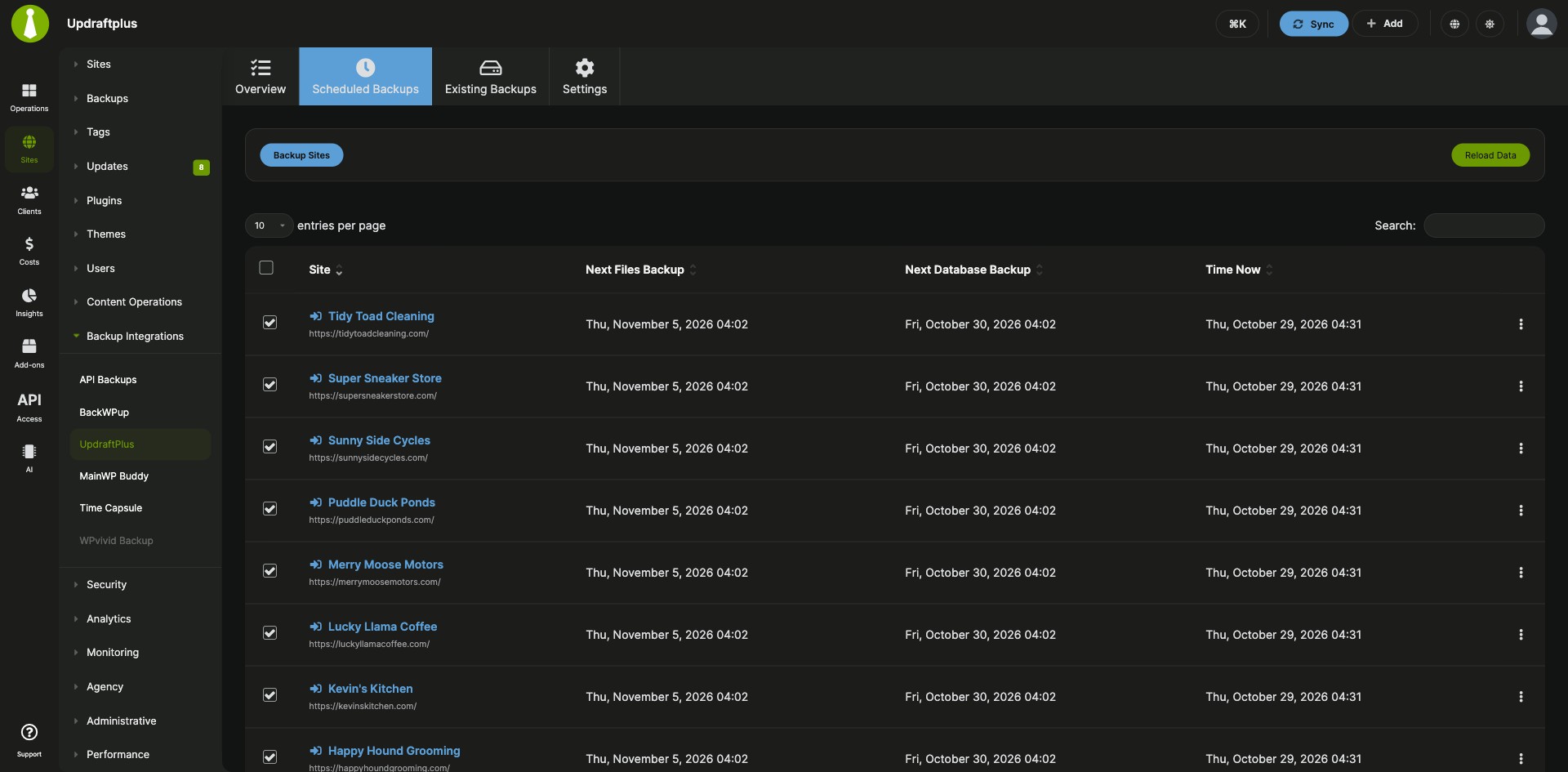
UpdraftPlus schedules, settings and restores across your child sites
The MainWP UpdraftPlus Extension is a free MainWP add-on that lets you back up, schedule and restore all your child sites with UpdraftPlus from one place. UpdraftPlus settings are managed from your MainWP Dashboard as well, with the free or the Premium version of UpdraftPlus.
Backup settings in every site’s WP Admin
With UpdraftPlus on many client sites, each site’s schedules, storage settings and backups live in that site’s WP Admin, so changing them means logging in to every site. The MainWP UpdraftPlus Extension sets schedules and settings once for all sites, gives a site its own settings when it needs them, and runs backups and restores from your MainWP Dashboard.
Features
The MainWP UpdraftPlus Extension reads each child site’s UpdraftPlus version and shows the options that site supports.
| Feature | What it means for you |
|---|---|
| UpdraftPlus Backups Dashboard | See every child site that has UpdraftPlus installed on the Add-ons > UpdraftPlus > Overview page. Sites with an update or a deactivated plugin get an Update or Activate action, and the actions menu lets you hide or unhide the plugin and open its settings or the site’s WP Admin. |
| Global UpdraftPlus settings | Set file and database backup schedules, files to include or exclude, database options, notifications, remote storage and advanced debugging options for your child sites. |
| Per-site settings | Turn on Override general settings for any site that needs its own UpdraftPlus settings. |
| Backup Now and restore | Back up the database, the files, or both, and choose whether the backup goes to remote storage. You can pick which file groups to include, exclude paths with wildcards, choose one destination when a site has several, and keep a backup until you delete it manually. Restore a site from the same page. |
| Scheduled backups | Set the Files backup schedule and the Database backup schedule, then check upcoming times on the Scheduled Backups tab. Reload Data fetches fresh times for the sites you select. Select several sites and click Backup Sites to back them all up at once. |
| UpdraftPlus Premium options | The Backup Now dialog shows the options the child site’s UpdraftPlus version supports. With Premium you can pick database tables, and the Incremental Backups, Anonymisation and Reporting add-ons add their own options. Bulk Connect confirms that Premium is fully active on each site, beyond the account connection. |
| Backups in Pro Reports | While the MainWP UpdraftPlus Extension is active, Pro Reports can show a Backups section in your client reports. |
| Database health check | On MainWP Dashboard 6.2 or later, the add-on’s settings table shows up in the Database section of Info > Server, so you can confirm its tables and columns are in place. |
Requirements
The MainWP UpdraftPlus Extension goes on your MainWP Dashboard and works with the UpdraftPlus plugin on each child site.
| Item | Requirement |
|---|---|
| License | Free, included in MainWP Essentials and MainWP Pro |
| MainWP Dashboard | The MainWP UpdraftPlus Extension installed on your Dashboard site |
| Child sites | The UpdraftPlus plugin, free or Premium, installed and activated on each child site you want to back up |
| UpdraftPlus Premium (optional) | Needed for Premium options such as database table selection. Paid UpdraftPlus features may need a license from UpdraftPlus. |
| Remote storage | Some storage providers need you to authenticate on the child site once before you set up the rest from MainWP |
| Protected backup downloads through one-click login | MainWP Child 6.3 or later on the child site. Open a fresh download link after you update. |
| Database health check (optional) | MainWP Dashboard 6.2 or later |
Setup: plugin, schedules and site overrides
Setting up the MainWP UpdraftPlus Extension starts with UpdraftPlus on your child sites, then shared schedules, per-site exceptions and your first backup.
Install the add-on and the UpdraftPlus plugin
- Install the MainWP UpdraftPlus Extension on your MainWP Dashboard, the same way as any other MainWP add-on.
- Go to Sites > Plugins > Install Plugins > Upload .zip file, click Upload Now, and upload the UpdraftPlus plugin.
- Select your child sites, keep Activate after installation selected, and complete the installation.
- Sync your sites so your Dashboard detects the plugin.
Set backup schedules and settings for all sites
- Go to Add-ons > UpdraftPlus and open the Settings tab.
- Set the Files backup schedule and the Database backup schedule, and any other options you need, such as remote storage.
- If your child sites run UpdraftPlus Premium, turn on Use premium version to show the Premium options.
- Click Save Changes. Check the times on the Scheduled Backups tab.
Give one site its own settings
- Go to Sites > Manage Sites and click the UpdraftPlus Backup/Restore link under the site’s URL.
- On the Settings tab, turn on Override general settings and click Save. Set the options, then click Save Changes.
Back up or restore a site
- Go to Sites > Manage Sites, click Edit on the site, and open the UpdraftPlus tab.
- On the Status tab, click Backup Now and choose what to include, or click Restore and follow the steps.
Full instructions, including remote storage and Premium setup: MainWP UpdraftPlus Extension documentation.
Where backups run and how passwords are stored
The MainWP UpdraftPlus Extension controls the UpdraftPlus plugin on each child site, which holds the settings and runs the backups. Backups go to the remote storage set up for each site, or stay on the child site. Version 5.2 encrypts newly saved account passwords and leaves the connect form’s password field blank, and older plaintext passwords are encrypted when you save the account again.
UpdraftPlus Extension FAQ
Should you use the MainWP UpdraftPlus Extension or MainWP Built-In Backups?
Use the MainWP UpdraftPlus Extension if your sites already run UpdraftPlus and you’d like to keep using it. For a new setup, MainWP Built-In Backups back up and restore every site from your MainWP Dashboard with no backup plugin on your child sites, and they’re part of the free MainWP Core.
Does the MainWP UpdraftPlus Extension work with the free version of UpdraftPlus?
Yes, the MainWP UpdraftPlus Extension works with both the free and the Premium version of UpdraftPlus, and the extension itself is free, included in MainWP Essentials and MainWP Pro. Options that need Premium or a paid UpdraftPlus add-on, such as database table selection, appear for child sites that can use them. Paid UpdraftPlus features may need a license from UpdraftPlus.
How does a child site with UpdraftPlus get onto the Overview page?
Sync your sites, and the MainWP UpdraftPlus Extension lists the child site on the Overview page. Your MainWP Dashboard learns that UpdraftPlus is installed and activated on a child site when that site syncs.
How do I check whether a backup or restore ran after a timeout?
Check UpdraftPlus on the child site, which runs every backup and restore the MainWP UpdraftPlus Extension starts, before you try again. Its current operation, backup history and log show whether the request took effect, even when it timed out on your Dashboard.
Where do I get support?
The UpdraftPlus team handles issues with the UpdraftPlus plugin itself; see updraftplus.com. MainWP support handles issues with the MainWP UpdraftPlus Extension.