
MainWP File Uploader Extension
Upload several files to all your child sites at once, without logging in to cPanel or FTP on each one.

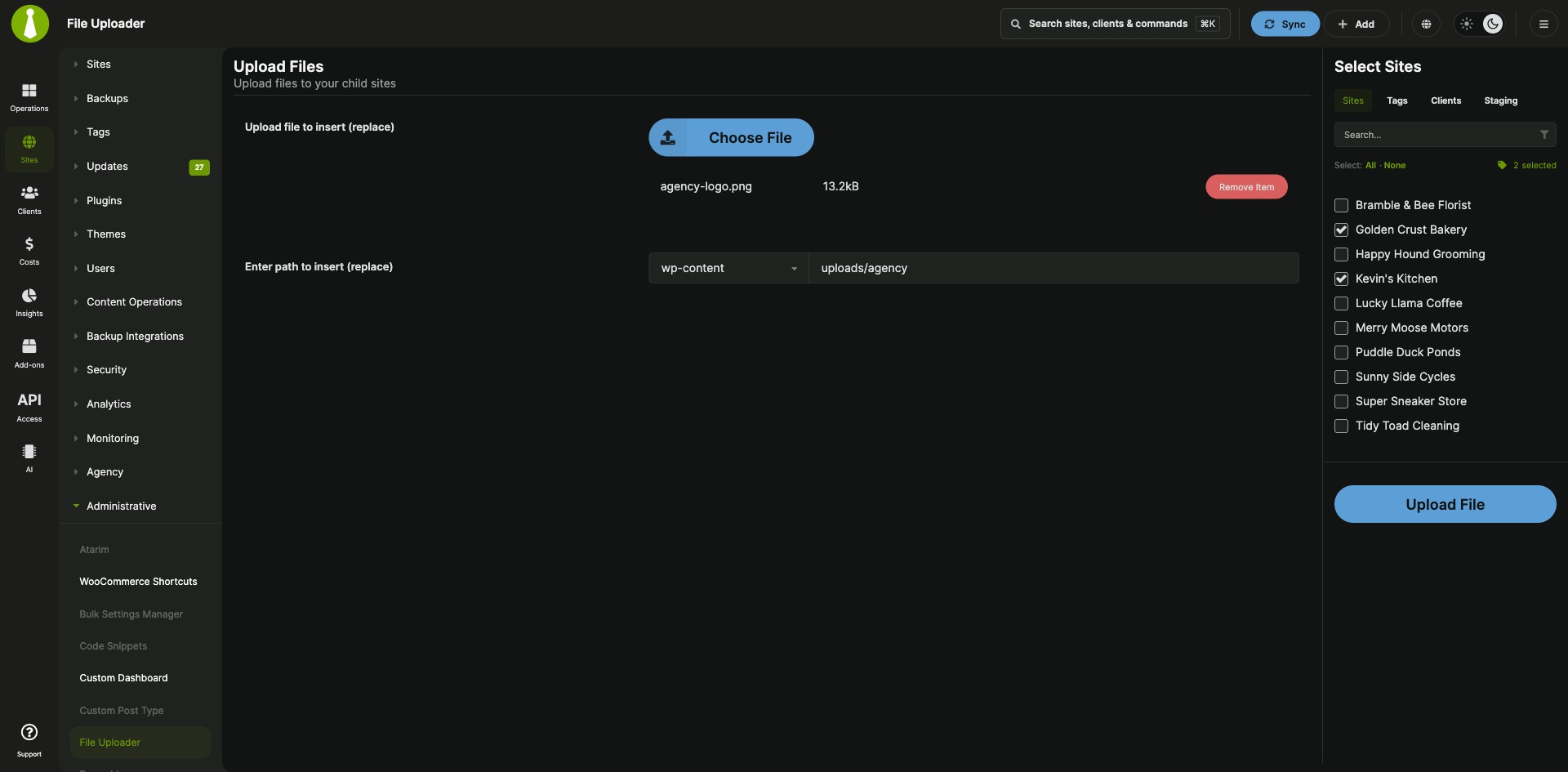
Send the same files to many child sites in one upload
The MainWP File Uploader Extension is a Pro MainWP add-on that uploads multiple files to all your child sites from one place. One upload takes the place of logging in to each site’s cPanel or FTP account: you pick the files, set the destination path, choose sites, tags or clients, and upload, and the extension creates the destination folder on any site that lacks it.
Features
The MainWP File Uploader Extension handles the file selection, the target sites and the destination path in one form.
| Feature | What it means for you |
|---|---|
| Multiple files, multiple sites | Upload several files to all of your child sites in one run from your MainWP Dashboard. Add them with the Choose File button or drag them onto the marked area of the upload page. |
| Destination path | Set the path the files go to on each child site. The extension creates the directory on any child site that lacks it. |
| Sites, tags or clients | Choose the target sites one by one, by tag, or by client. |
| Common file types | Upload code and config files (.php, .css, .js, .xml, .txt, .html, .po, .mo), archives (.zip, .rar), images, documents such as .pdf, .docx and .xlsx, and audio and video files such as .mp3 and .mp4. |
| Custom file types | Add any other file type with the mainwp_file_uploader_allowed_file_types filter, for example from the MainWP Custom Dashboard Extension. |
| Upload progress | A progress bar in the progress modal shows how far the upload has got. |
Requirements
The MainWP File Uploader Extension goes on your MainWP Dashboard, MainWP Child saves the files on each site, and file sizes follow your server’s PHP limits.
| Item | Requirement |
|---|---|
| License | MainWP Pro |
| Child sites | MainWP Child receives and saves the files, so no third-party plugin is needed |
| File size | Within the PHP Max Upload Filesize and PHP Post Max Size limits on your MainWP Dashboard server, and within your web host’s upload limits |
| Custom file types (optional) | The free MainWP Custom Dashboard Extension, used to add the filter |
Setup: upload files, add a file type
An upload with the MainWP File Uploader Extension takes five steps, and adding a custom file type takes three more.
Upload files to your child sites
- Go to MainWP > Add-ons > Administrative > File Uploader.
- Click Choose File and pick your files, or drag them onto the marked area.
- Set the path where the files should go. Enter it exactly as you want it created on the child sites.
- Select the sites, tags or clients to upload to.
- Click Upload File.
Add a custom file type
- Install and activate the MainWP Custom Dashboard Extension.
- Go to MainWP > Add-ons > Administrative > Custom Dashboard > PHP.
- Paste a snippet that adds the file extension through the
mainwp_file_uploader_allowed_file_typesfilter, then click Save Changes. The documentation has a ready example for JSON files.
Full instructions and the list of supported file types: MainWP File Uploader Extension documentation.
How files reach each site
The MainWP File Uploader Extension sends the files from your MainWP Dashboard to each selected child site, where MainWP Child saves them to the path you set. Files go straight to the server, so treat an upload with the same care as an FTP upload. File names are sanitized before upload, so spaces and some special characters can become dashes.
File Uploader FAQ
Where do uploaded files go on the child site?
The MainWP File Uploader Extension puts uploaded files in the path you set before uploading, and creates that directory on any child site that lacks it. A file with the same name in the same directory is overwritten.
What limits apply to file size and type?
The MainWP File Uploader Extension accepts the supported file types up to the PHP Max Upload Filesize and PHP Post Max Size limits on your MainWP Dashboard server. Web hosts also set their own rules for file types and large uploads, so check with your host when a file meets both conditions and the upload still stops.
Can I add file types to the supported list?
Yes, the MainWP File Uploader Extension accepts extra file extensions through the mainwp_file_uploader_allowed_file_types filter. The documentation shows how to add JSON files from the PHP section of the MainWP Custom Dashboard Extension.