

How to Cleanly Remove the Really Simple SSL Plugin
Heads up: This page may include affiliate links. Read the full disclaimer.

Really Simple SSL is a plugin that is used and installed on a number of sites that have a valid SSL cert to make the site load over HTTPS. But the plugin does not need to be used if the site database already has had a search-replace run from HTTP to HTTPS. If you have used WP-CLI then you can very easily run a search and replace in the sites database before baking a site database backup.
wp db export
wp search-replace 'https://sitedomain.com' 'https:/sitedomain.com' --recurse-objects --skip-columns=user_email,guid --all-tables
wp option update home 'https://sitedomain.com'

wp option update siteurl 'https://sitedomain.com'

wp rewrite flush
Really Simple SSL plugin can be cleanly removed when it has been uninstalled. The plugin has a setting to keep the site being HTTPS when deactivated;
Settings > SSL
Then from Settings.
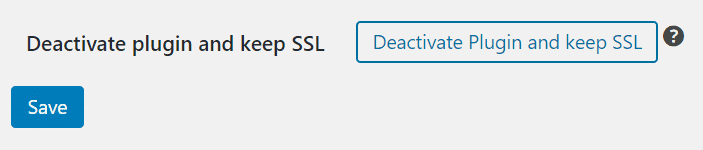
Then deactivate the plugin but keep the SSL button.
If the plugin is causing an issue when it can not be deactivated on a site then you can manually remove any of the changes it has made to the site.
First, you can rename the plugin folder name from really-simple-ssl-bk which would be in the wp-content/plugins folder on the site server. When you now reload the plugin list screen in wp-admin the site will show that the Really Simple SSL plugin PHP file could not be found and the plugin will be deactivated. If you have used WP-CLI before you can also easily deactivate the Really Simple SSL plugin.
wp plugin deactivate really-simple-ssl
Or you can uninstall and delete the plugin using this WP-CLI command;
wp plugin uninstall really-simple-ssl
Next, you will need to look for any Really Simple SSL entries made into the sites .htaccess file the lines to look for;
# BEGIN rlrssslReallySimpleSSL rsssl_version[3.2.6]

<IfModule mod_rewrite.c>

RewriteEngine on

RewriteCond %{HTTPS} !=on [NC]

RewriteRule ^(.*)$ https://%{HTTP_HOST}/$1 [R=301,L]

</IfModule>

# END rlrssslReallySimpleSSL
Now go check that the sites wp-config.php file has not had any changes made related to the Really Simple SSL.
Using the siteurl and home constants in the sites wp-config.php file can cause issues when you need to clone the site to create a staging or development site.
The Really Simple SSL plugin creates the following option names which you can search for a delete using phpMyAdmin from the options database table;
_transient_rsssl_mixed_content_fixer_detected
_transient_rsssl_plusone_count
_transient_rsssl_testpage
rlrsssl_options
rsssl_activation_timestamp
Removing the Really Simple SSL will remove the need for a plugin dependency for something as basic as having a site load over HTTPS when a valid SSL cert has been installed.

Share


Manage Unlimited WordPress Sites from One Dashboard!
- Privacy-first, Open Source, Self-hosted
- Easy Client Management
- 15+ & 30 + Premium Add-ons
- Bulk Plugins & Themes Management