

How to Preconnect 3rd Party Domains on Your Site
Heads up: This page may include affiliate links. Read the full disclaimer.

When you are testing your site’s front-end performance using an online tool such as GTmetrix or WebPageTest you will notice the 3rd party domains that are being connected to on the site.
One way to improve the front-end performance for site visitors is to set 3rd party domains to be preconnected by the visitor’s browser.
Third-party domains that are worth setting as being preconnected to would be CDNs, Image CDN, Web font-s, Facebook Connect, Google Analytics, etc.
Picking the most critical third-party domains should be the ones that you focus on first on your site.
Two easy plugin methods to be able to set 3rd party domains to be preconnected as Pre* Party Resource Hints and Autoptimize.

To use the Pre* Party Resource Hints plugin you need to install and activate the plugin from WP.org and it will add a new admin menu in wp-admin;
Pre* Party
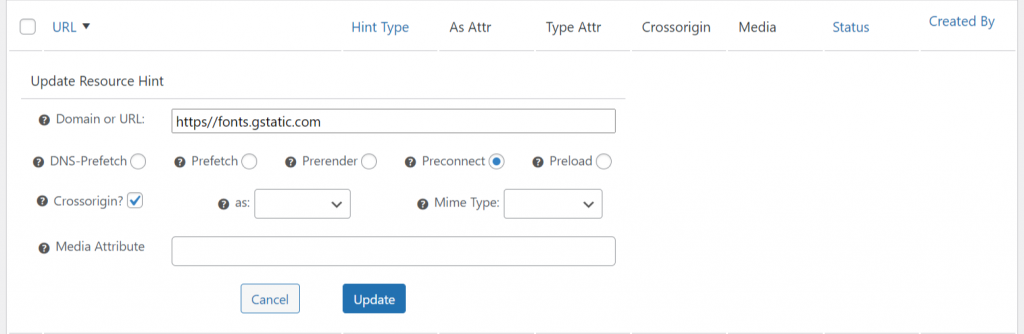
You can then set the 3rd party domain to be preconnected to in the settings.
The Autoptimize plugin includes a number of site performance optimization besides the preconnect 3rd party domains which can be found in the following admin menu on the site.
Settings > Autoptimize > Extra

Using either of the two plugin options will allow you to be able to preconnect to 3rd party domains on your site and will help improve the front-end load time for site visitors.
Useful Links

Share


Manage Unlimited WordPress Sites from One Dashboard!
- Privacy-first, Open Source, Self-hosted
- Easy Client Management
- 15+ & 30 + Premium Add-ons
- Bulk Plugins & Themes Management