

Robert Abela
I am the CEO and founder of WP White Security, developers of niche WordPress security and admin plugins.

WordPress activity logs are critical for the management of a WordPress website. They are even more critical to the management of a MainWP network and the child sites managed through it, where you have hundreds and possible thousands of users with different levels of technical knowledge, working and managing the websites and the network.
In this article, we will explain how you can use the WP Activity Log plugin and the Activity Logs for MainWP extension to keep a log of everything that happens on both the child websites on the MainWP network, and the MainWP dashboard itself.
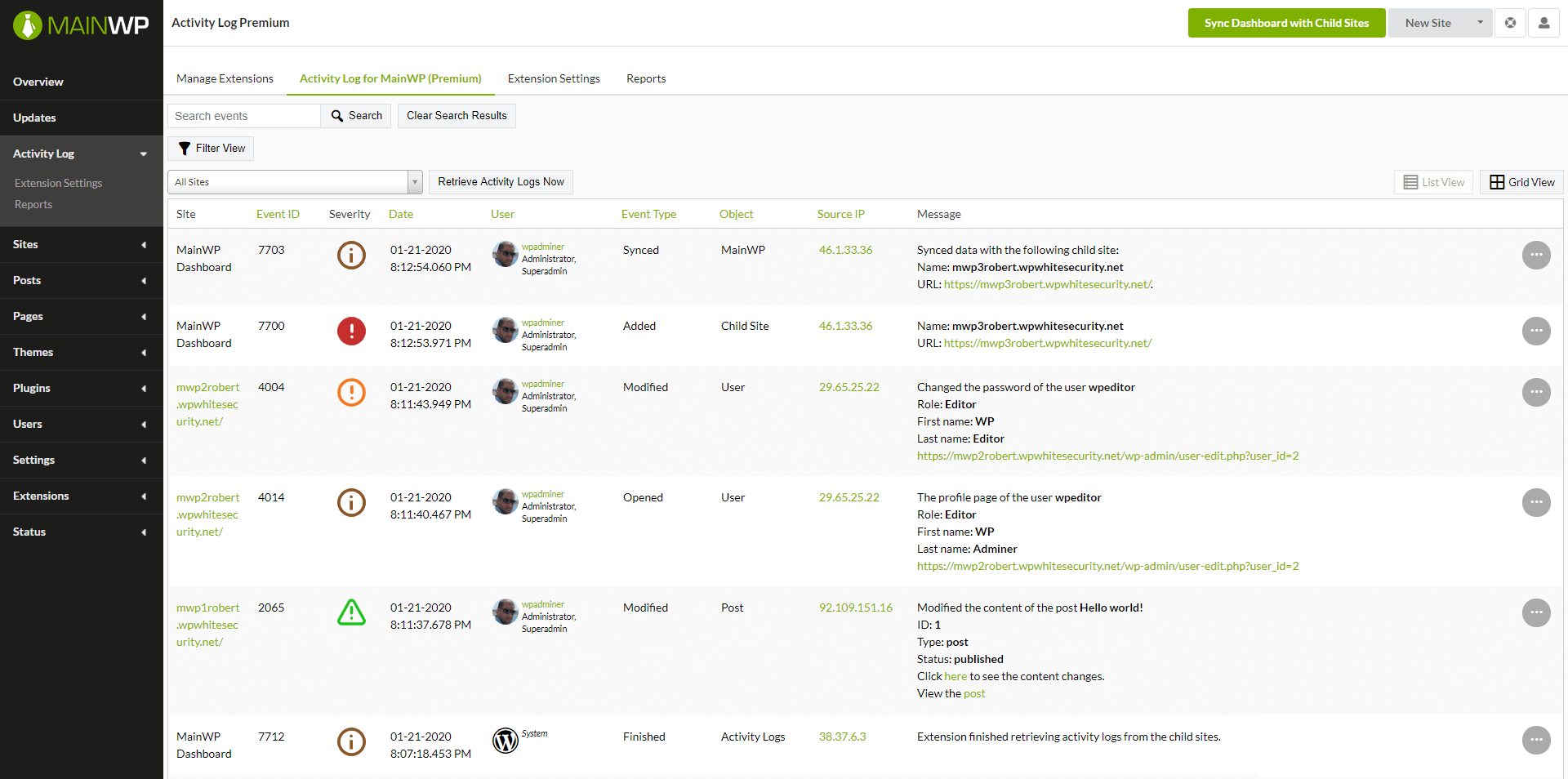
WordPress activity logs are typically associated with security and forensics. For example, they are used to find out what happened after a WordPress site hack attack. However, logs also have a place in the running and management of sites. Here are a few benefits of keeping an activity log on the MainWP network:
To keep a record of everything that happens on the MainWP dashboard and also on all the child sites you need a WordPress plugin and a MainWP extension:
WP Activity Log: this is the plugin that you install on all the child sites. It keeps a log of everything that happens on the child site, therefore install this one before installing the MainWP extension. The free edition of the activity log plugin is enough in this case since there are no limitations on the logs.
Activity Log for MainWP: this is the MainWP extension that you install on the MainWP dashboard site. This plugin keeps a log of changes that happen on the MainWP dashboard, for example, when someone adds new websites, edits it, installs an extension, etc. This extension also retrieves the WordPress activity logs from the child sites so you can see everything from one central place: the MainWP dashboard.
When you install the Activity Log for MainWP extension you can select from which child sites should the extension retrieve logs. Note that only the child sites that have the WP Activity Log plugin already installed on them are listed here.
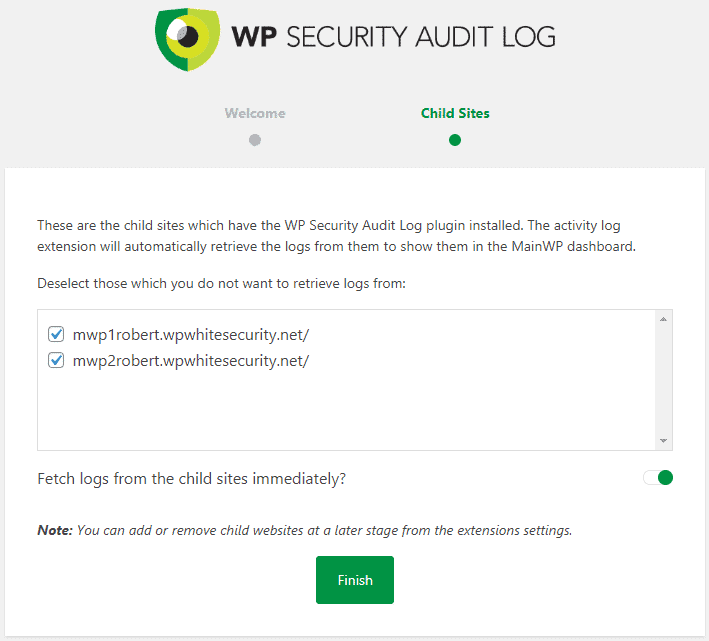
You can always add more child sites or remove them from the central logs from the extension’s settings later.
Once you install the plugins there are a few housekeeping tasks you need to do. They are all listed below:
By default, the WP Security Audit Log automatically deletes activity logs data that is older than six months. If you want to keep the activity logs data of a longer period of time configure this from the activity logs retention settings.
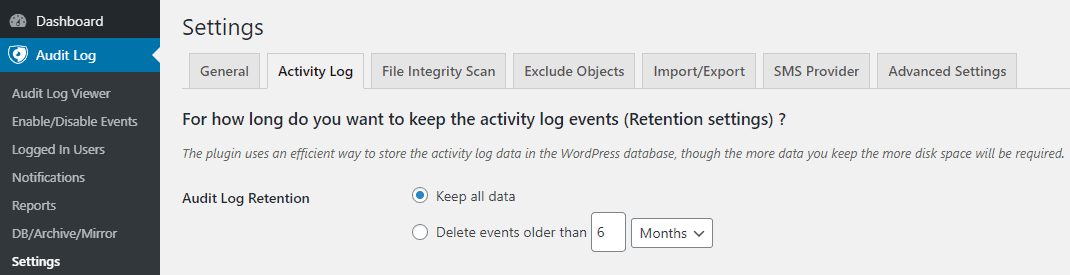
You can also store the activity logs of all child sites in one central external database, and archive old data in a separate archiving database. The external and archiving database features are premium features.
The WP Security Audit Log is known for it’s comprehensive activity log. However, not everyone requires to keep a log of so many details. So once you install the WP Security Audit Log on a child site allocate some time to see which site changes you want or do not want to keep a log of.
You can easily disable and enable specific event IDs from the Enable/Disable Events section of the plugin. Refer to the complete list of activity log event IDs for more information on what the plugin keeps a log of.
The Activity Logs for MainWP extension displays the logs of the child sites in the MainWP dashboard. It downloads a number of events from the child sites’ activity log to the MainWP site database. By default, it downloads the latest 100 events from every child site every three hours. Whenever it downloads new events it deleted the older ones.
You can configure how many events the extension retrieves from the child sites’ activity logs and how often from the extension’s settings.
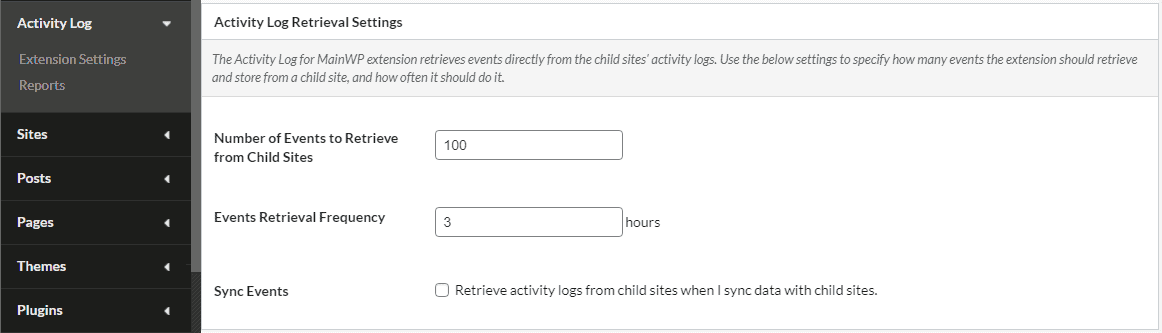
Note: the more events the plugin has to download the longer it takes to complete the operation.
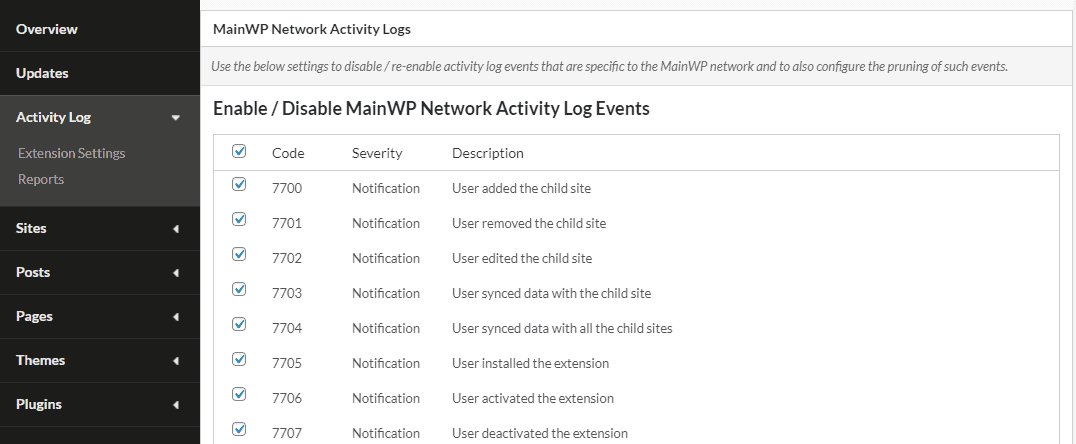
You can also choose which MainWP dashboard changes you want to keep a log of or not. To disable the logging of specific changes disable the event ID from the extension’s settings, which are shown in the below screenshot.
As this article highlights, it is very easy to keep a log of user and site changes that happen on both the child sites and the MainWP dashboard. Considering the benefits there are for you and your business when you keep a record of changes, and the fact that both the plugin and the MainWP extension are available for free, it’s a no brainer to get started!
However, once you get started it is very important to do basic fine tuning of the logs. This is the most important step, otherwise, you might have too much information and the whole thing might get overwhelming.

Manage Unlimited WordPress Sites from One Dashboard!


