

Data Return Options
Heads up: This page may include affiliate links. Read the full disclaimer.
When you search for posts or pages, by default MainWP Dashboard is set to show maximum 50 posts (pages) from each site. This limitation prevents overloading your servers. If you want to increase this go to the MainWP > Settings page and locate the Data Return Options box.
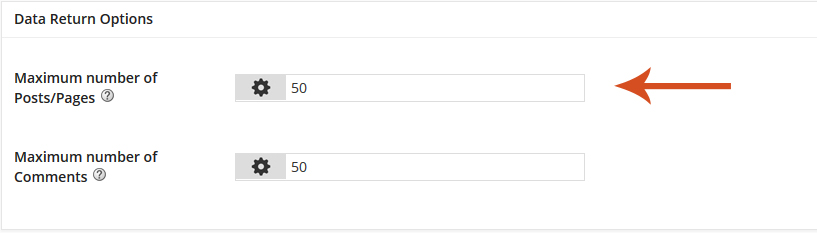
If you set Maximum number of Posts/Pages option, for example to 100, that means that your Dashboard will get only 100 posts (pages) from each site per search.
If you want to set this to unlimited, enter 0 and click the Save settings button.
[box]
CAUTION: transferring large amount of data can decrease your server speed and brake communication between Dashboard and Child sites.
[/box]
If you are using the MainWP Comments Extension, use the Maximum number of Comments option to set the maximum number of comments per search.


Share
Manage Unlimited WordPress Sites from One Dashboard!
- Privacy-first, Open Source, Self-hosted
- Easy Client Management
- 15+ & 30 + Premium Add-ons
- Bulk Plugins & Themes Management