

Pause/Start Monitors on your Child Sites
Heads up: This page may include affiliate links. Read the full disclaimer.
On the Advanced Uptime Monitor Extension settings page, you have the option to Pause your Monitors for wanted sites:
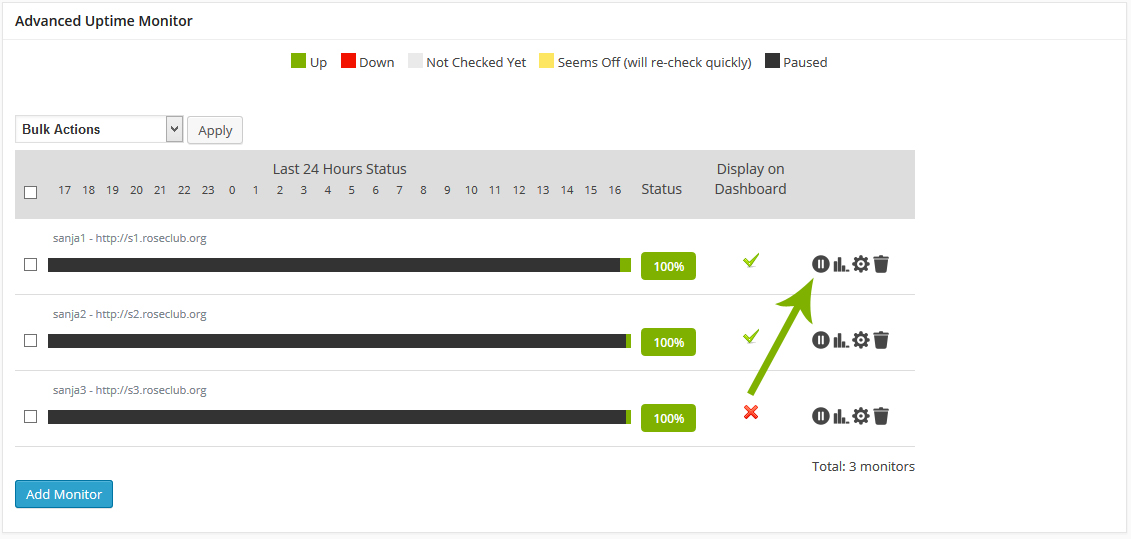
When your Monitor is paused the Status Monitor will become black. To Start again paused monitors just click Start icon:

[box]
If you want to Pause or Start multiple Monitor at once select wanted sites and use provided bulk action.
[/box]

Share
Manage Unlimited WordPress Sites from One Dashboard!
- Privacy-first, Open Source, Self-hosted
- Easy Client Management
- 15+ & 30 + Premium Add-ons
- Bulk Plugins & Themes Management