

Publishing Posts and Pages with SEO Settings
Heads up: This page may include affiliate links. Read the full disclaimer.
With the WordPress SEO extension, you can publish your Posts and Pages with your custom SEO settings. The SEO metabox from the WordPress SEO by Yoast plugin will be added to the MainWP > Posts/Pages > Add New page:
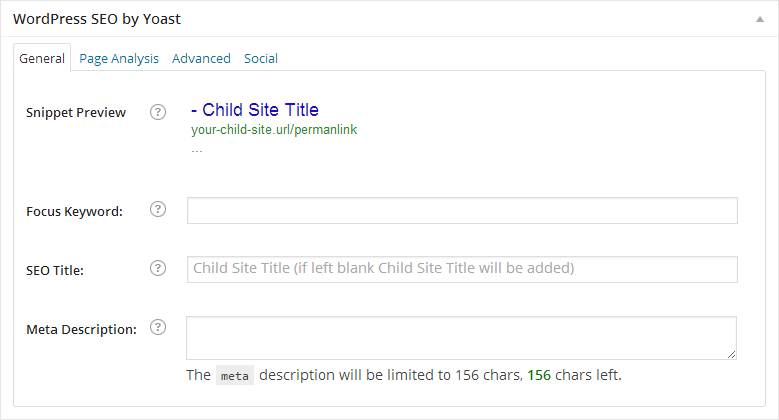
If you want to apply the custom SEO settings for the post/page
1. Enter your custom values in the metabox fields
2. Before publishing the content, click the Set the SEO Values button:

3. Click the Publish button.
[box]
In case you don’t click the Set SEO Values, either you forget or you do it on purpose, after clicking the Publish button, WordPress SEO Extension will ask you whether you like to Publish without of SEO settings or to Set SEO Values.
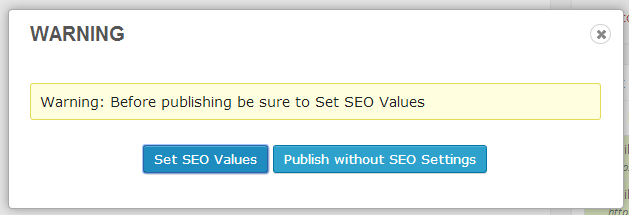
After you click Set SEO Values, make sure to click the Publish button again. In case you choose to publish without of SEO settings, just click the Publish without SEO Settings button.
[/box]

Share
Manage Unlimited WordPress Sites from One Dashboard!
- Privacy-first, Open Source, Self-hosted
- Easy Client Management
- 15+ & 30 + Premium Add-ons
- Bulk Plugins & Themes Management