

Quick way to remove Broken Link Checker plugin from your Child Sites
Heads up: This page may include affiliate links. Read the full disclaimer.

Recently, WP Scan disclosed the vulnerability in the current version (1.11.8) of the Broken Link Checker plugin. As per WP Scan: “The plugin is still affected and won’t be fixed according to the original advisory”. Since the fix is not expected, we strongly recommend removing the plugin for your WordPress sites and finding an alternative.
Here is how you can easily remove the plugin from your sites from your MainWP Dashboard:
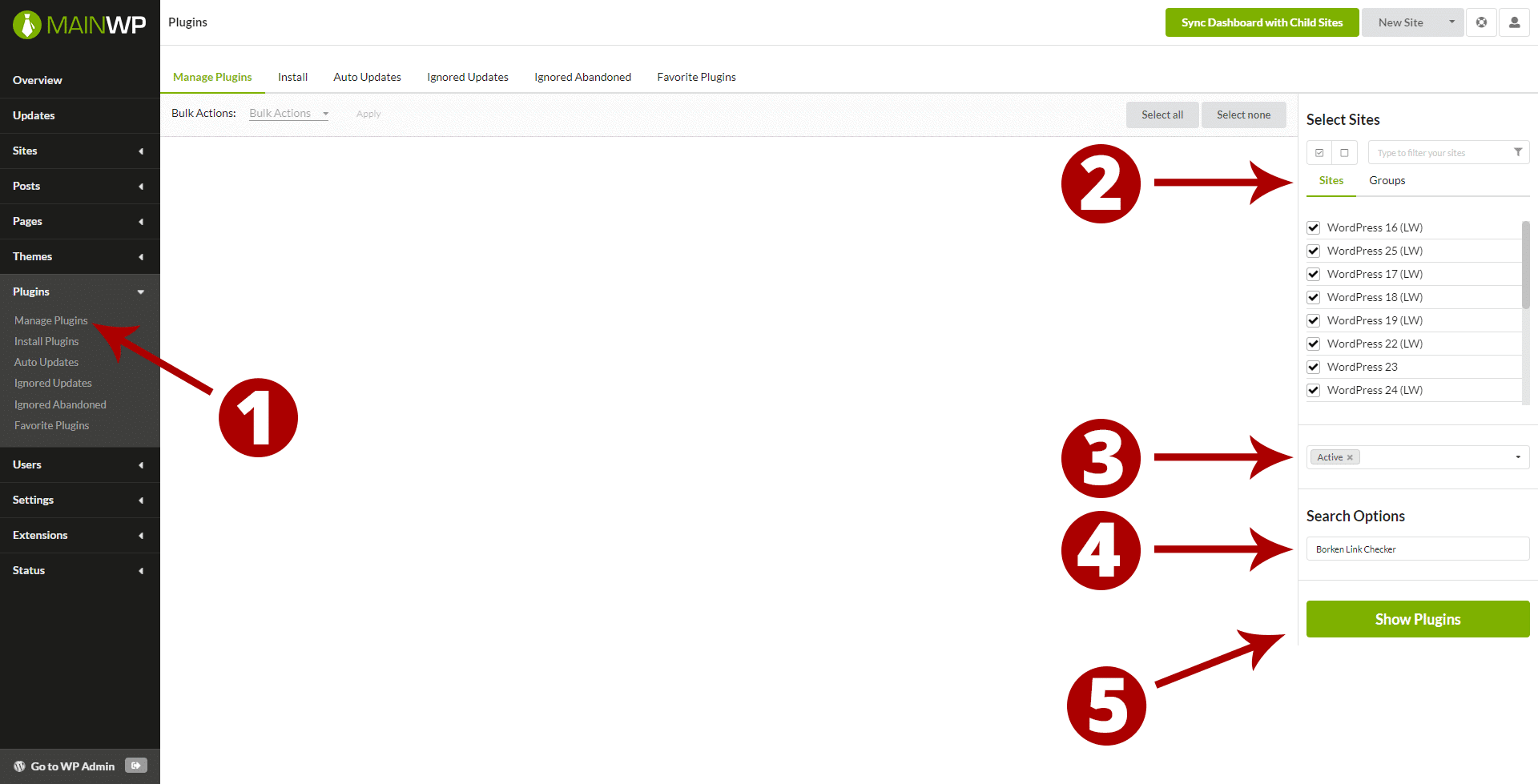
- Go to the MainWP > Plugins > Manage Plugins page
- Select All your Child Sites
- Select Active status
- In the Search Options field, enter “Broken Link Checker” keyword
- Click the Show Plugins button

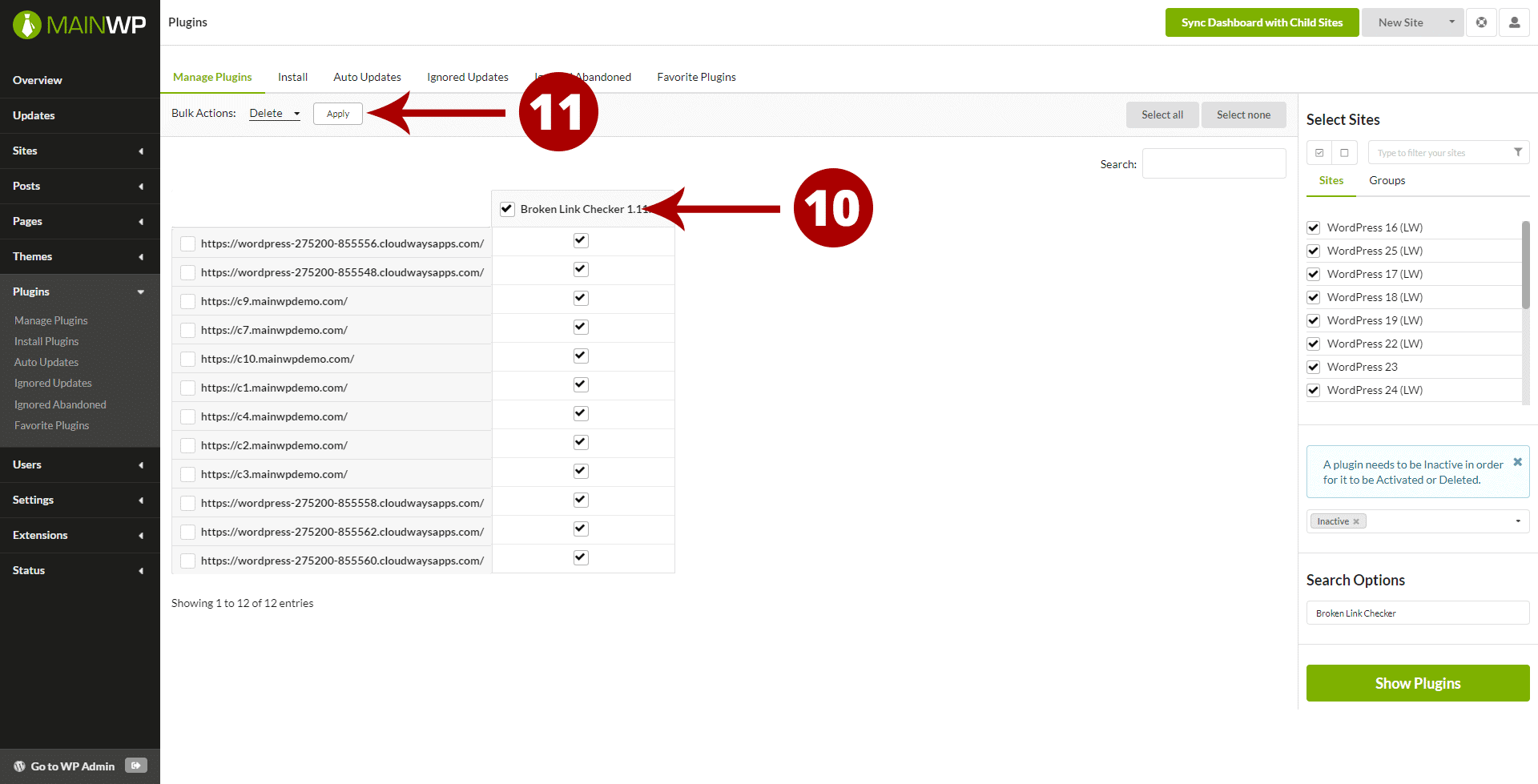
- Once the list of sites with the plugin appears, select the Plugin on all your sites
- Select the Deactivate action in the bulk actions menu and click Apply button
- Now change the Status section to Inactive
- Hit the Show Plugin button again
- Once the list shows, select the select the Plugin on all your sites
- Select the Delete action in the bulk actions menu and click Apply button


Now once the Broken Link Checker has been removed you can start looking for an alternative.
Remember, you can use this process for any plugin that you need to remove from your Child Sites.

Share


Manage Unlimited WordPress Sites from One Dashboard!
- Privacy-first, Open Source, Self-hosted
- Easy Client Management
- 15+ & 30 + Premium Add-ons
- Bulk Plugins & Themes Management
7 comments
Jos
I would say it’s fair to use it. Is WMPU DEV not to be trusted? Or what is the problem here?
Sebastian Moran
But does mean that WMPU DEV is now behind development of the plugin.
Sebastian Moran
Yep it does seem to be fixed.
https://wordpress.org/plugins/broken-link-checker/#developers
Niko
Seems to be fixed
https://wordpress.org/support/topic/important-announcement-2/
Sebastian Moran
https://wordpress.org/support/topic/delete-this-plugin-immediately/
https://wordpress.org/support/topic/is-it-true-wpmanage-is-no-longer-supporting-this-plugin/
Olivier
And if you use “Client Reports” delete this :
[brokenlinks.links.broken]
[brokenlinks.links.redirect]
[brokenlinks.links.dismissed]
[brokenlinks.links.all]
Olivier
Thank you !
After that we can delete “MainWP Broken Links Checker Extension” ?
Comments are closed.