

What is New in Advanced Uptime Monitor 3.0
Heads up: This page may include affiliate links. Read the full disclaimer.
Advanced Uptime Monitor 3.0 is out. This version contains a few interesting improvements and a few issues fixes.
That is not all, Extension went through a cleaning and refactoring process in order to improve the user experience.
New Features
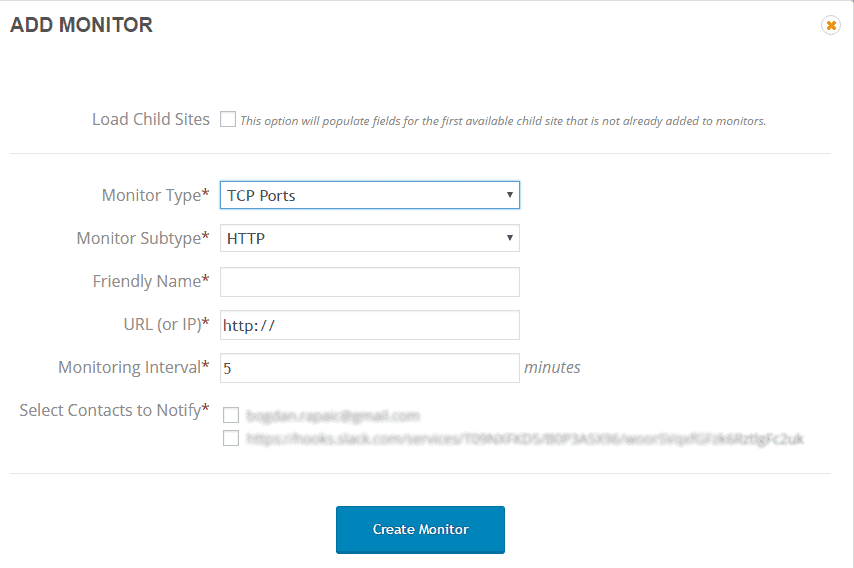
Add New Monitor form has been updated. Along with the design changes, Monitor Interval option has been added, so users can set monitor interval from the Advanced Uptime Monitor Extension. This option has been added to the Edit Monitor form also, so this can be changed at any time.
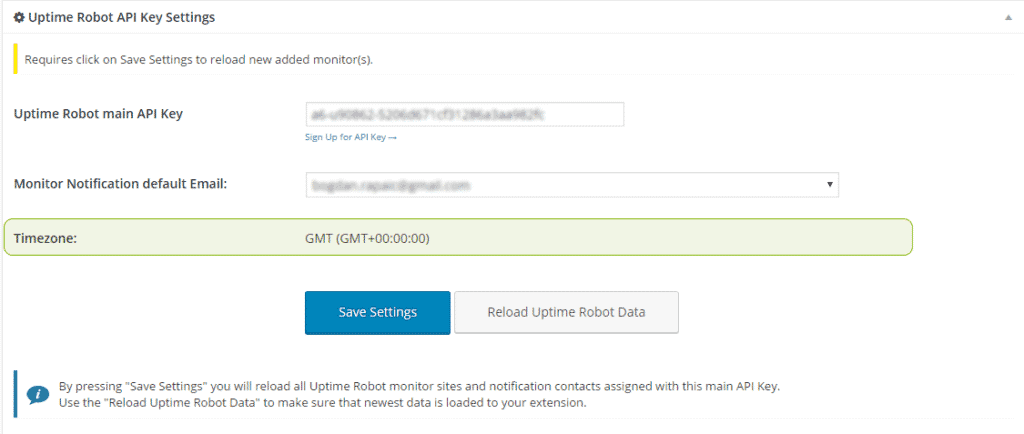
In the Uptime Robot settings section, Timezone display has been added so users are able to see that info without of logging into the Uptime Robot account.
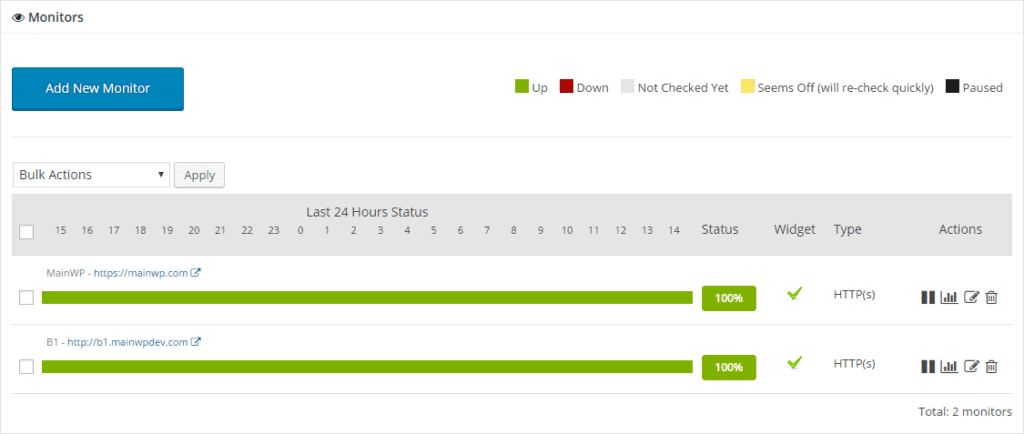
In the Monitors list, new data has been added. Now, you can see a type of your monitors along with Status
Overall Style Update
Besides matching up style to overall MainWP look, the point of this update was to improve User Experience. We implemented a few ideas suggested by our users.
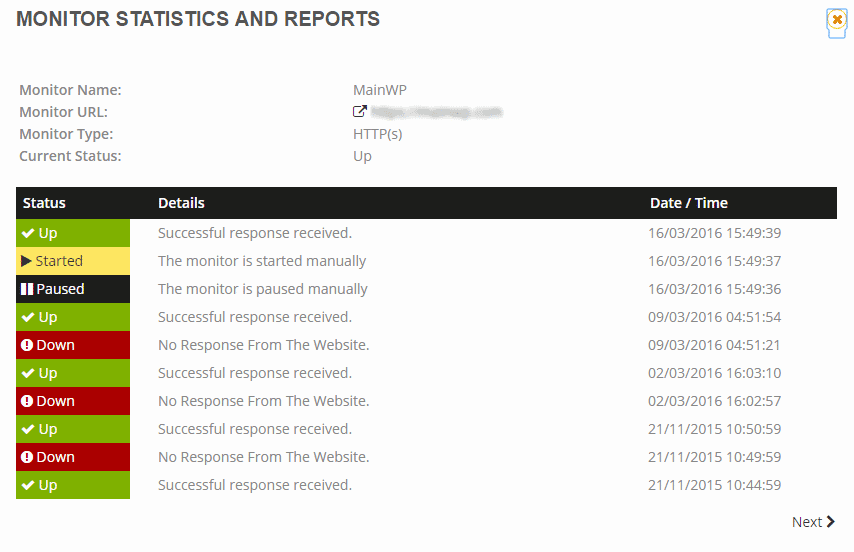
The Statistics screen has been updated so it’s easier to read
To see the full list of changes, please check the Advanced Uptime Monitor Changelog.

Share
Manage Unlimited WordPress Sites from One Dashboard!
- Privacy-first, Open Source, Self-hosted
- Easy Client Management
- 15+ & 30 + Premium Add-ons
- Bulk Plugins & Themes Management