

Different Monitor Types
Heads up: This page may include affiliate links. Read the full disclaimer.
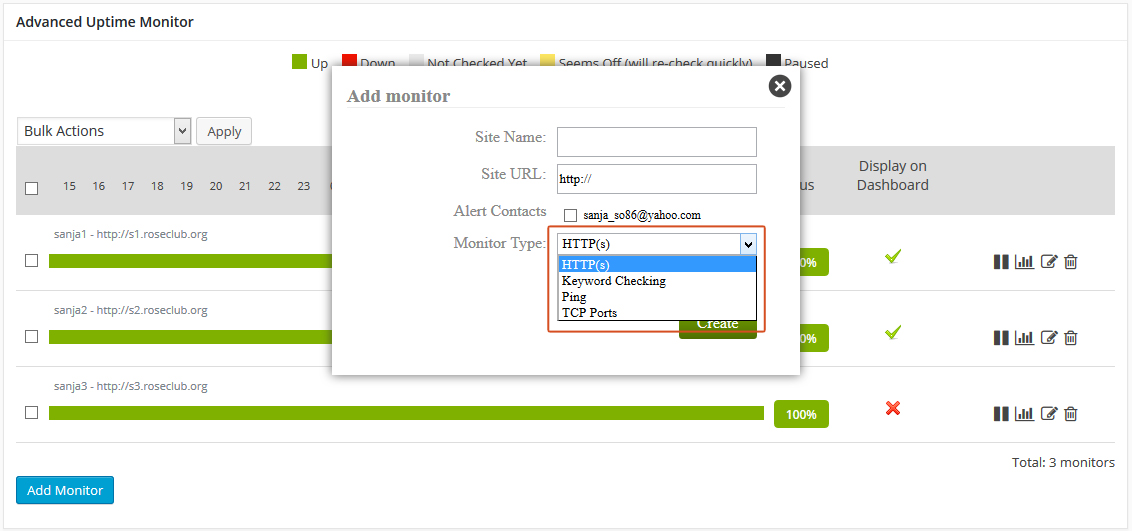
When you are adding monitor to your child sites, the Advanced Uptime Monitor Extension enables you to choose which Monitor Type you want. Here are short details about monitor types:
- http(s): that’s perfect for website monitoring. The service regularly sends requests (which are the same as if a visitor is browsing your website) to the URL and decides if it is up or down depending on the HTTP statuses returned from the website (200-success, 404-not found, etc.)
- ping: this is good for monitoring a server. Ping (ICMP) requests are sent and up/down status is decided according to the “if responses are received or not”. Ping is not a good fit for monitoring websites as a website (its IP) can respond to ping requests while it is down (which means that the site is down but the server hosting the site is up)
- keyword: checks if a keyword exists or not exists in a web page
- port: good for monitoring services like smtp, dns, pop as all these services run from a specific port and Uptime Robot decides their statuses if they respond to the requests or not.
On each child site you can add all four monitor types:

Share
Manage Unlimited WordPress Sites from One Dashboard!
- Privacy-first, Open Source, Self-hosted
- Easy Client Management
- 15+ & 30 + Premium Add-ons
- Bulk Plugins & Themes Management