

Using GridPane for Self-Managed WordPress Hosting
Heads up: This page may include affiliate links. Read the full disclaimer.
GridPane is an easy-to-use and reasonably priced service to self-manage servers. GridPane supports Digital Ocean, Vultr, Linode, Amazon Lightsail, UpCloud, and a custom VPS.
GridPane makes it simple to create WordPress sites that are highly performant and optimized for solid WordPress performance.
In this example, we use a free core account on GridPane to create and manage a server to host a WordPress site. The free core account will use an NGNIX server stack with server-side caching and Redis object caching.

In this example, we used Vultr as a cloud provider and GridPane to manage our server using GridPane. To create a server using GridPane, you will need to enable the API in your Vultr account and copy it into the GridPane settings in the integrations settings for cloud servers and then in Vultr.


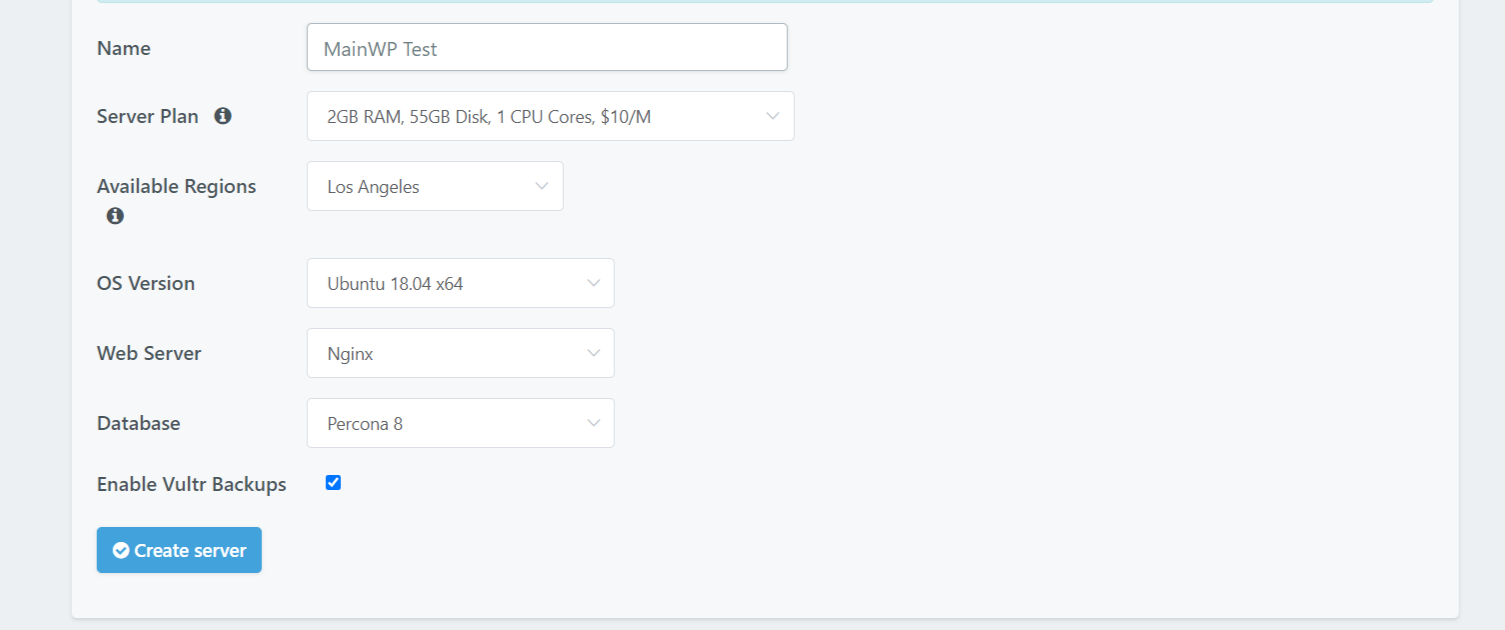
The next step will be to add the three GridPane IPs to your Vultr API settings in access control to whitelist those. Now you are ready to create your first server using GridPane; give the server a name, select the data center location, and select the server you want to use.
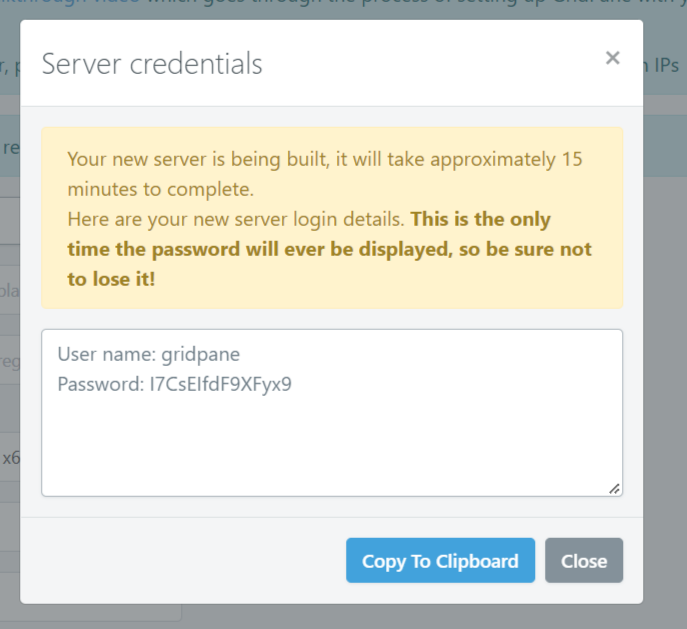
Provisioning the new Vultr server will take between 10-15 minutes. You can check on the progress in your GridPane account. Also, remember to keep a copy of your Vultr server credentials, which would have shown in a popup view as the server has been started to provision.
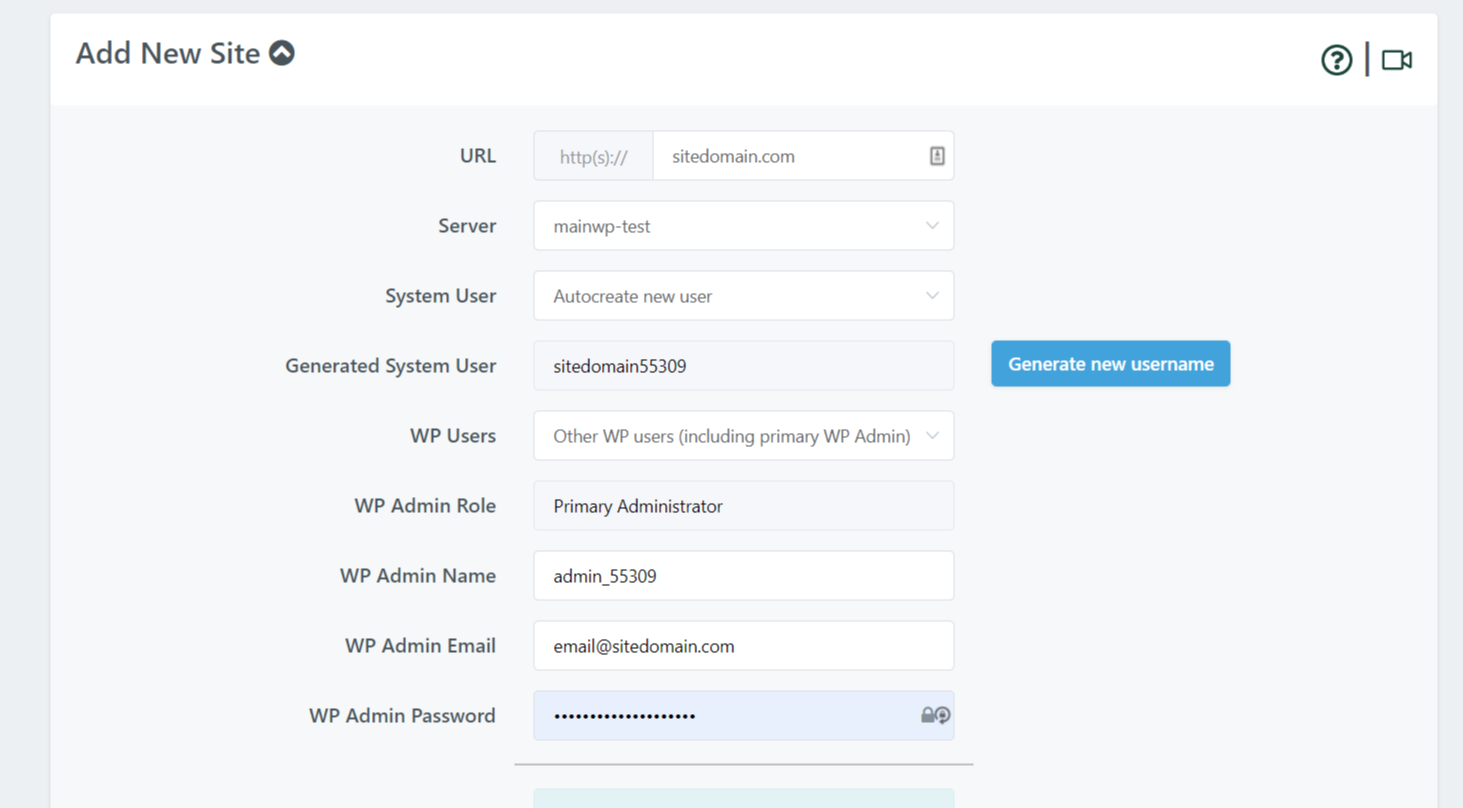


Now that the Vultr server has been provisioned, you can easily create a new WordPress site if you follow all the required information. Alternatively, there are many ways to migrate over an existing site.
GridPane makes it easy to set the default settings for your WordPress site and create bundles for new site creation.
If you want the power of a cloud hosting server with an easy-to-use control panel, GridPane is a good solution.
The MainWP Dashboard works perfectly on GridPane; just double-check the system requirements to run MainWP Dashboard.
Useful Links
- https://gridpane.com/pricing/
- https://gridpane.com/how-it-works/create-wordpress-vps-servers/
- https://gridpane.com/how-it-works/create-wordpress-websites/
- https://gridpane.com/kb/iaas-api-walkthrough/
- https://gridpane.com/kb/whitelisting-gridpane-at-your-server-providers/
- https://gridpane.com/kb/provision-a-vultr-instance-using-the-vultr-api/
- https://my.vultr.com/settings/#settingsapi

Share


Manage Unlimited WordPress Sites from One Dashboard!
- Privacy-first, Open Source, Self-hosted
- Easy Client Management
- 15+ & 30 + Premium Add-ons
- Bulk Plugins & Themes Management