Heads up: This page may include affiliate links. Read the full disclaimer.
We firmly believe there are three main reasons why 600k+ WordPress websites are being managed using MainWP.
Open Source & Self-hosted, ensuring your and your clients’ privacy.
Support is Make or Break!
Innovate, Innovate, Innovate…
Earlier this year, we released MainWP 4.2, which highly focused on privacy updates for us, you, and your clients.
💪 Since then, our team has been working on MainWP 4.3, a relatively big release that includes many UI/UX improvements, added features such as client management, fixes, a new and intuitive way of managing plugins, themes, updates, and a lot more.
📢 Today, I am happy to announce that the MainWP 4.3 has been released!
Here’s a glimpse of some MainWP 4.3 features:
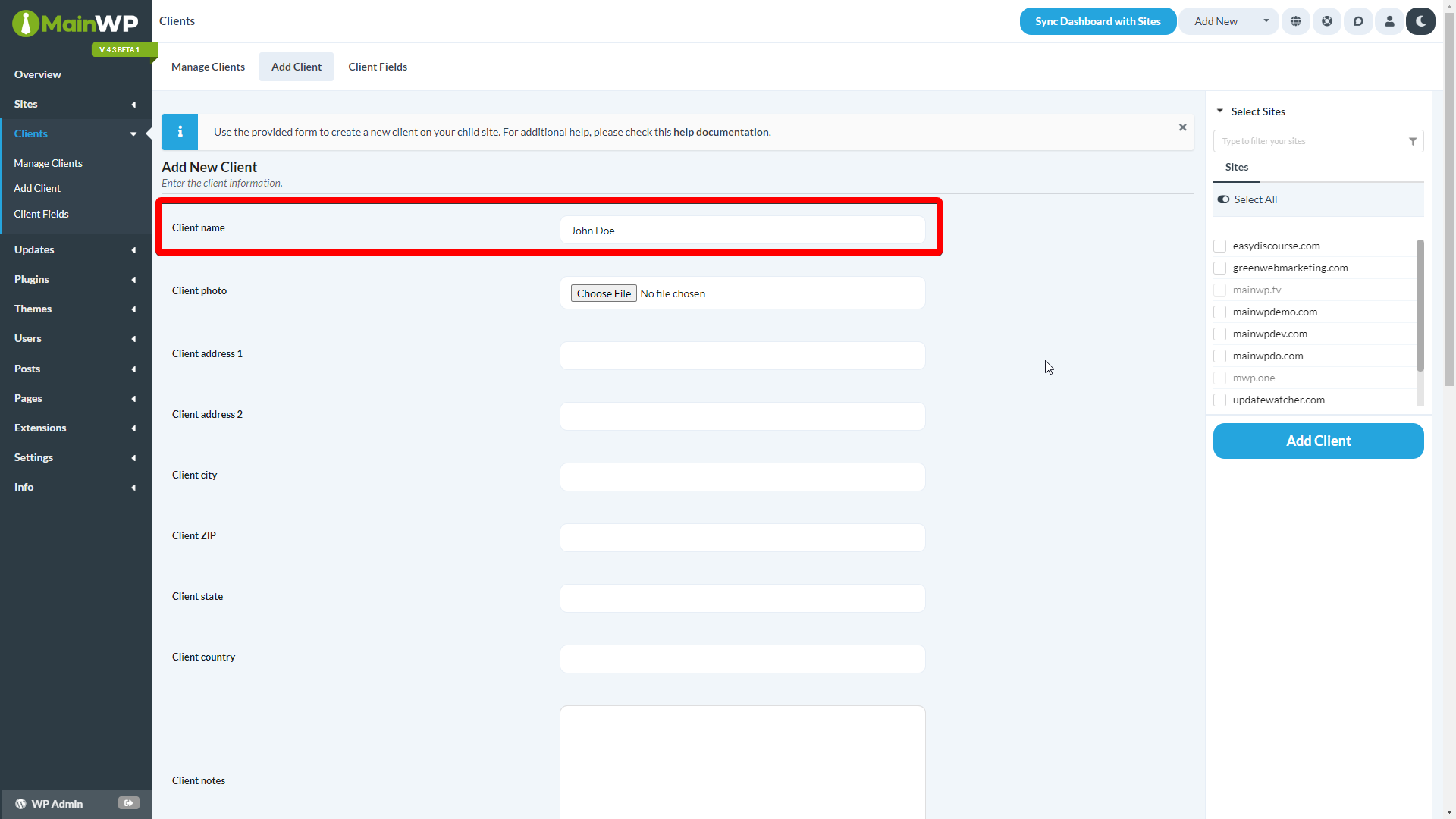
Client Management System: Organizing your clients is now easier than ever. Create profiles of your clients, add tags, assign Child Sites, Suspend clients, and more.[elementor-template id=”1257230″]
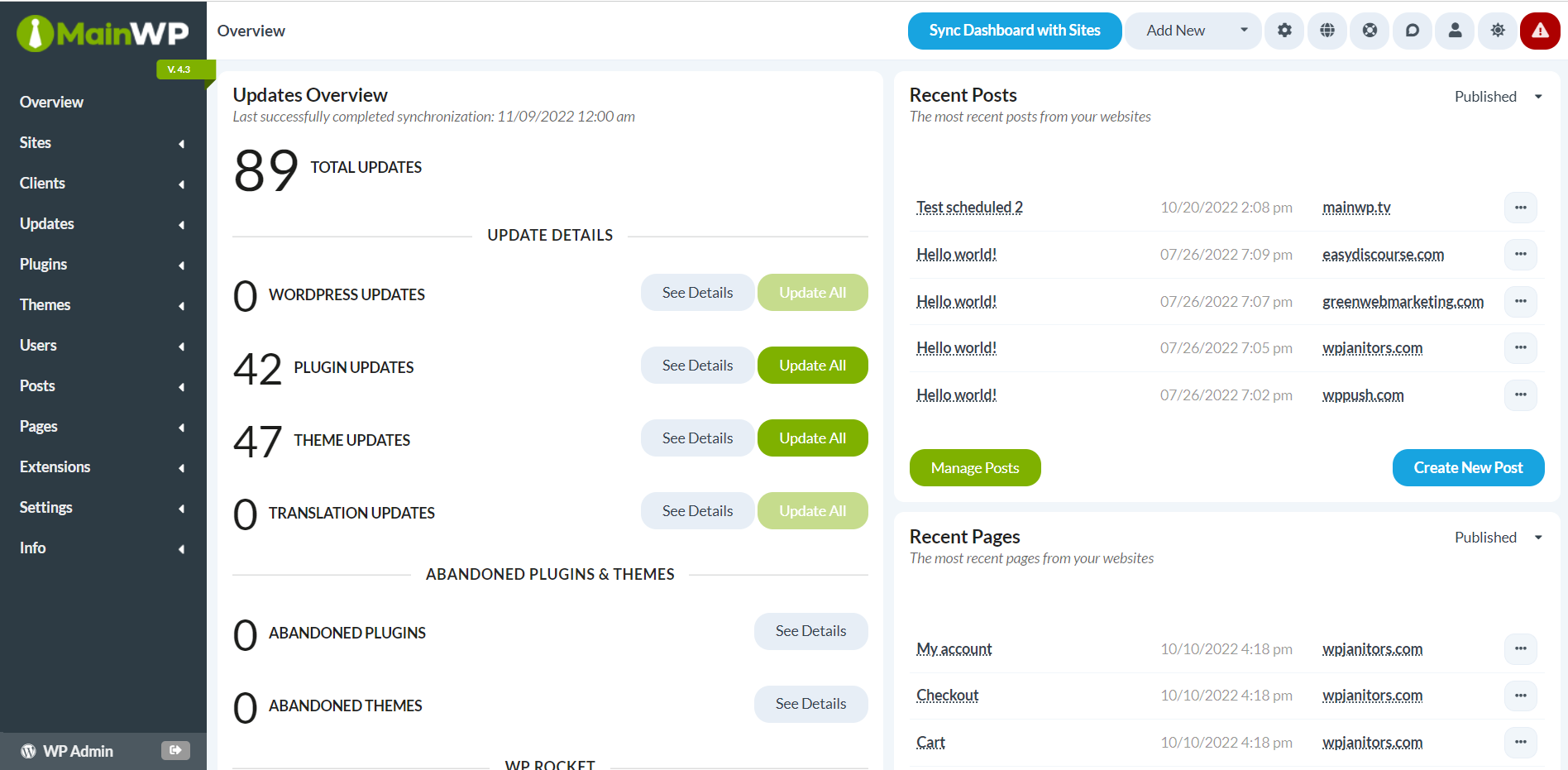
New Default Theme: A more appealing color palette for your MainWP Dashboard, which you can easily customize the way you want.[elementor-template id=”1257234″]
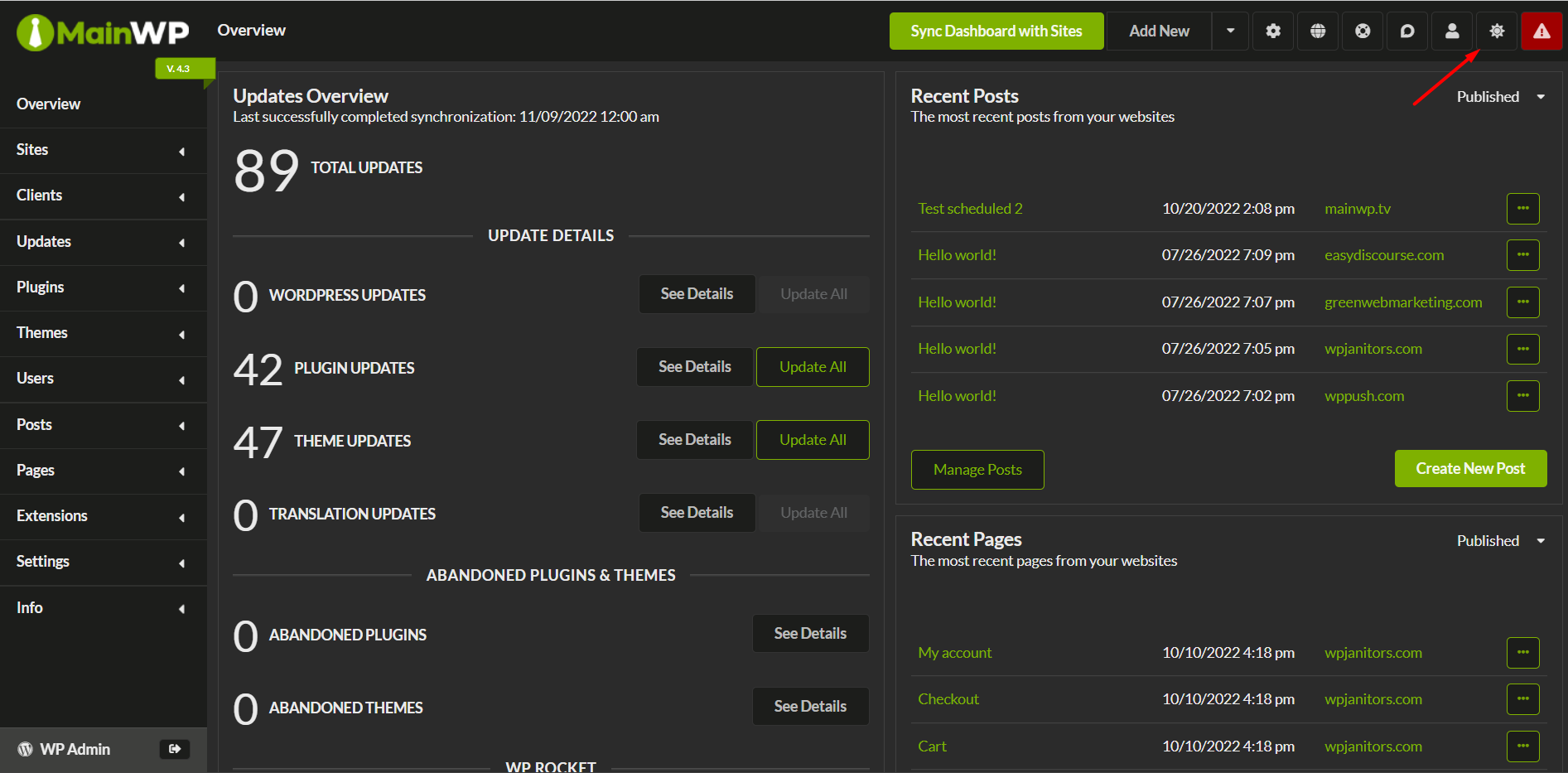
Switch Theme: Easily switch to the Dark mode or pre-built themes directly from the top-right of your MainWP Dashboard.[elementor-template id=”1257217″]
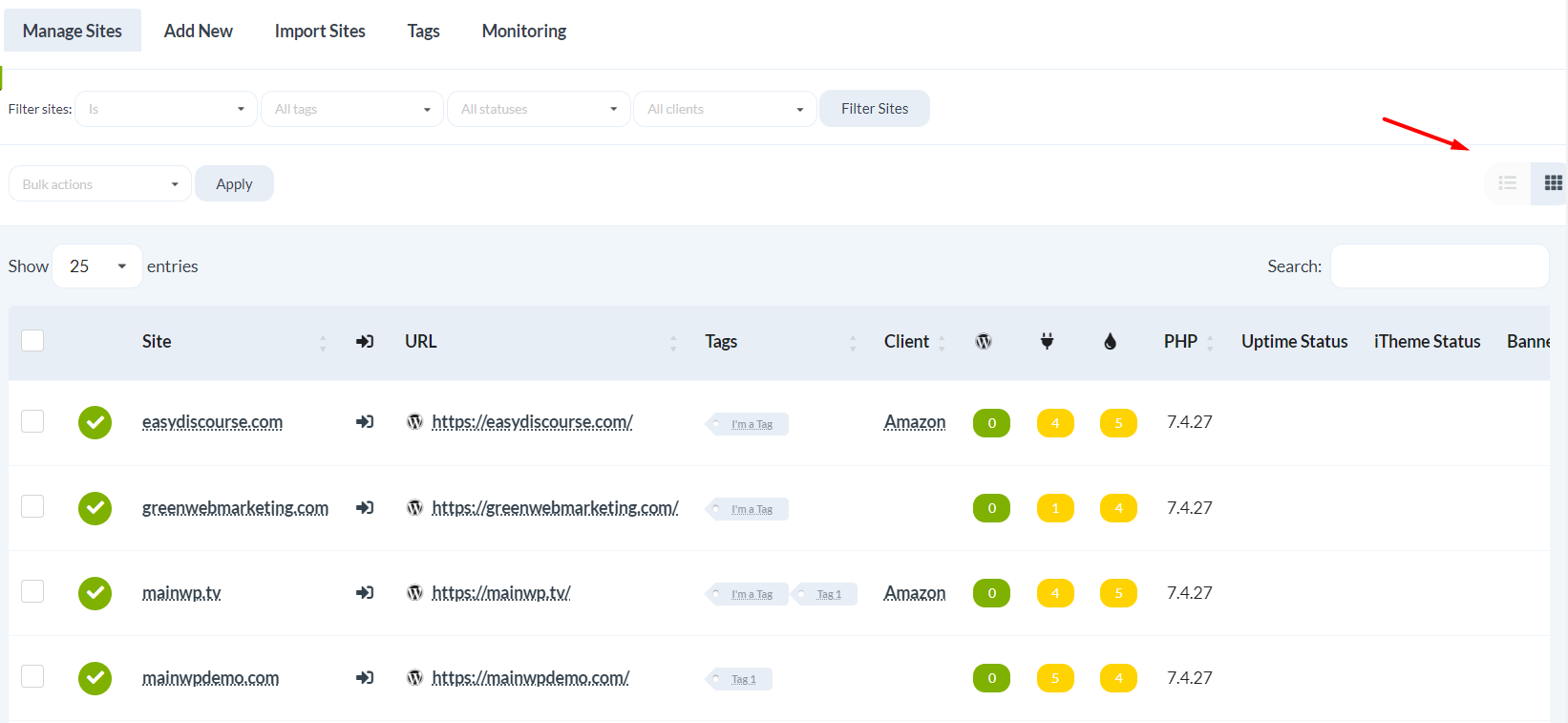
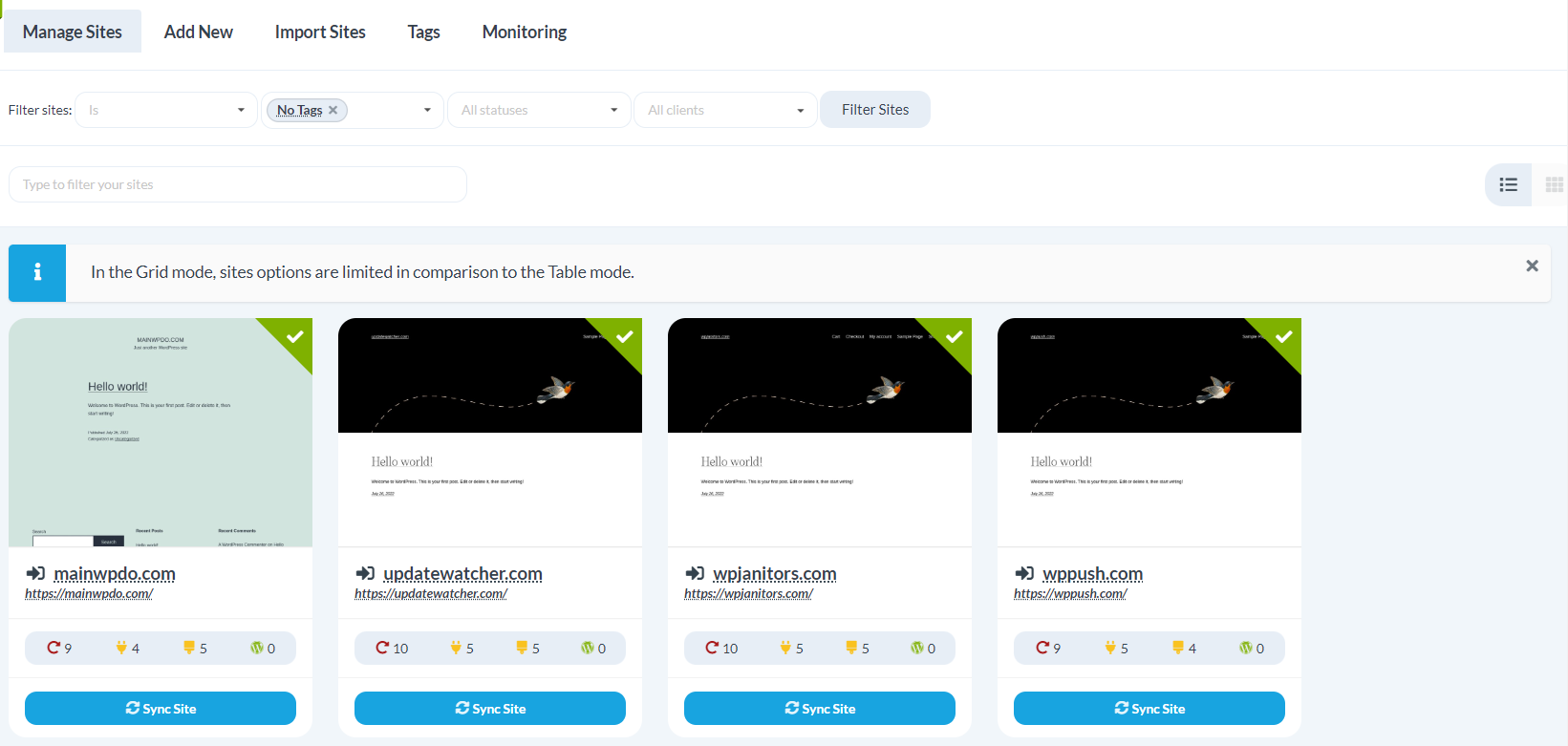
Grid/List View: 1-Click switch to Grid or List view on the Manage Sites screen.[elementor-template id=”1257237″]
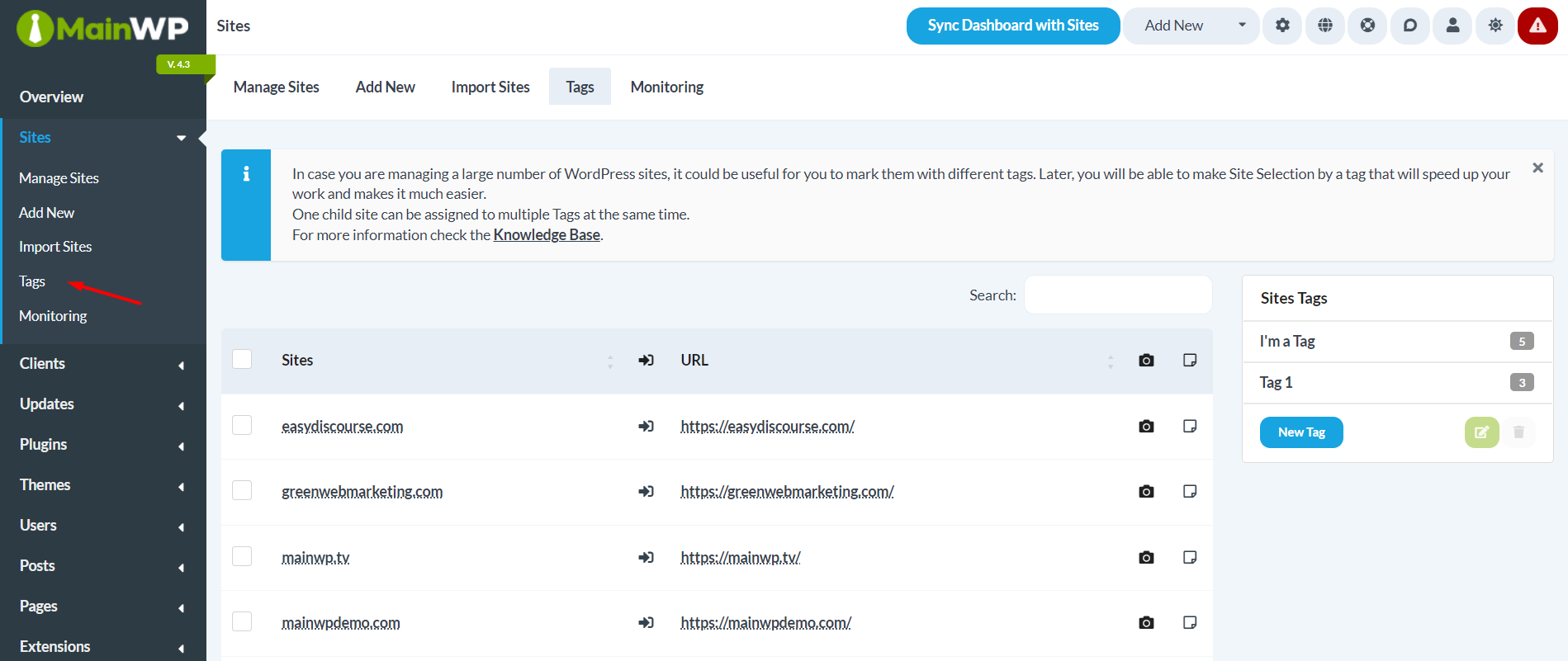
Tags: Groups are now tags. Assign tags to Child Sites, filter sites via tags, and more.[elementor-template id=”1257246″]
Plugin & Theme Icons: Now, you will see plugins and theme icons to recognize them visually.
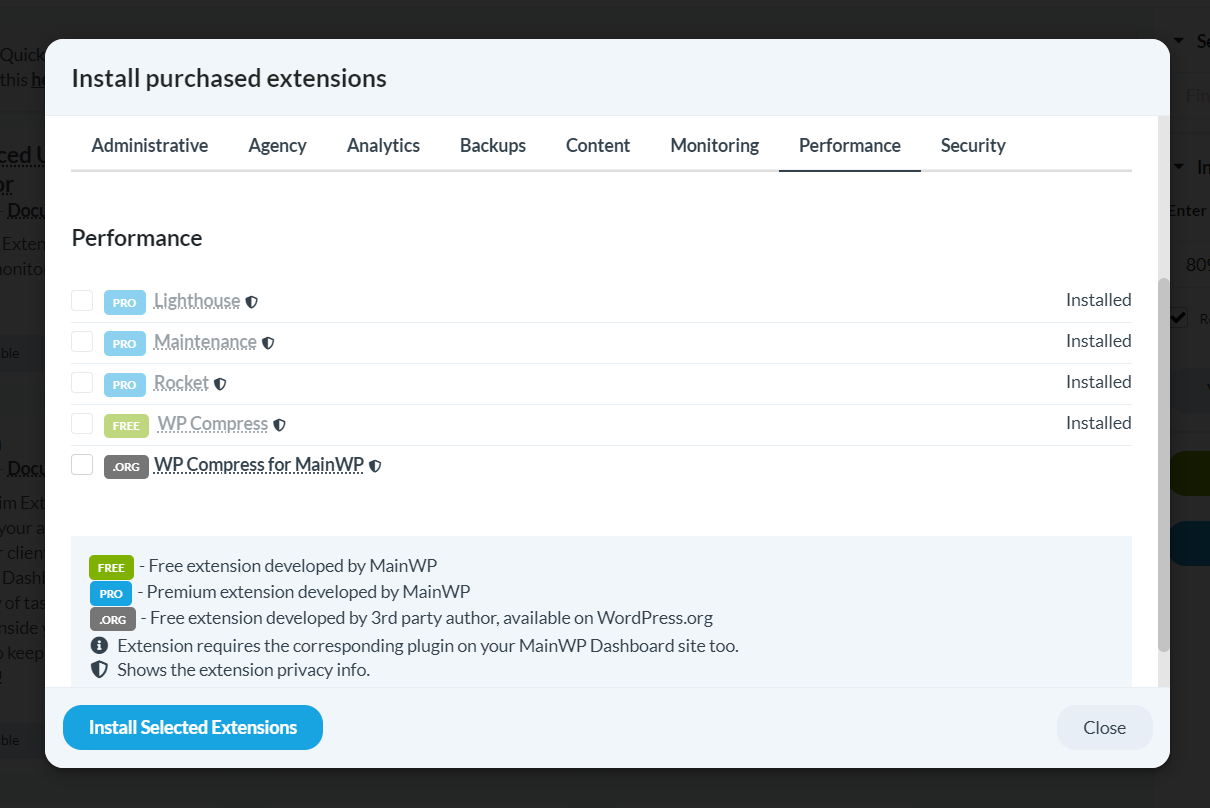
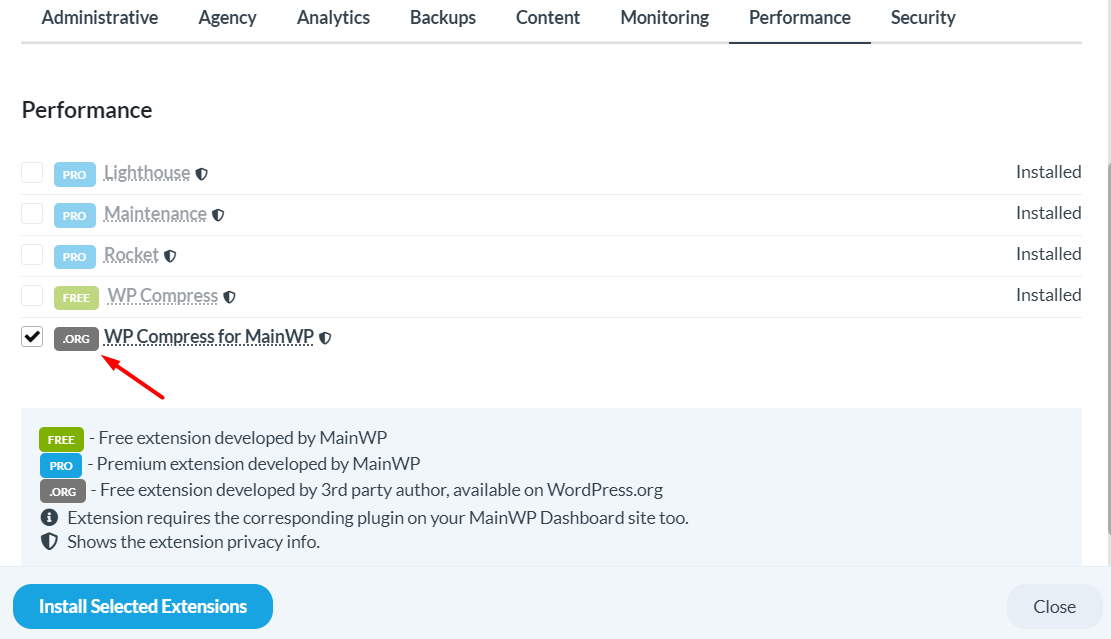
Extension Label: FREE, PRO, and ORG labels in the list of available extensions to differentiate them better.
Install Extensions: You can install the available MainWP Extensions directly from the WordPress.org repository.[elementor-template id=”1257255″]
Extensions Page: Ability to Enable, Disable, and Delete extensions from the Extensions page.[elementor-template id=”1257258″]
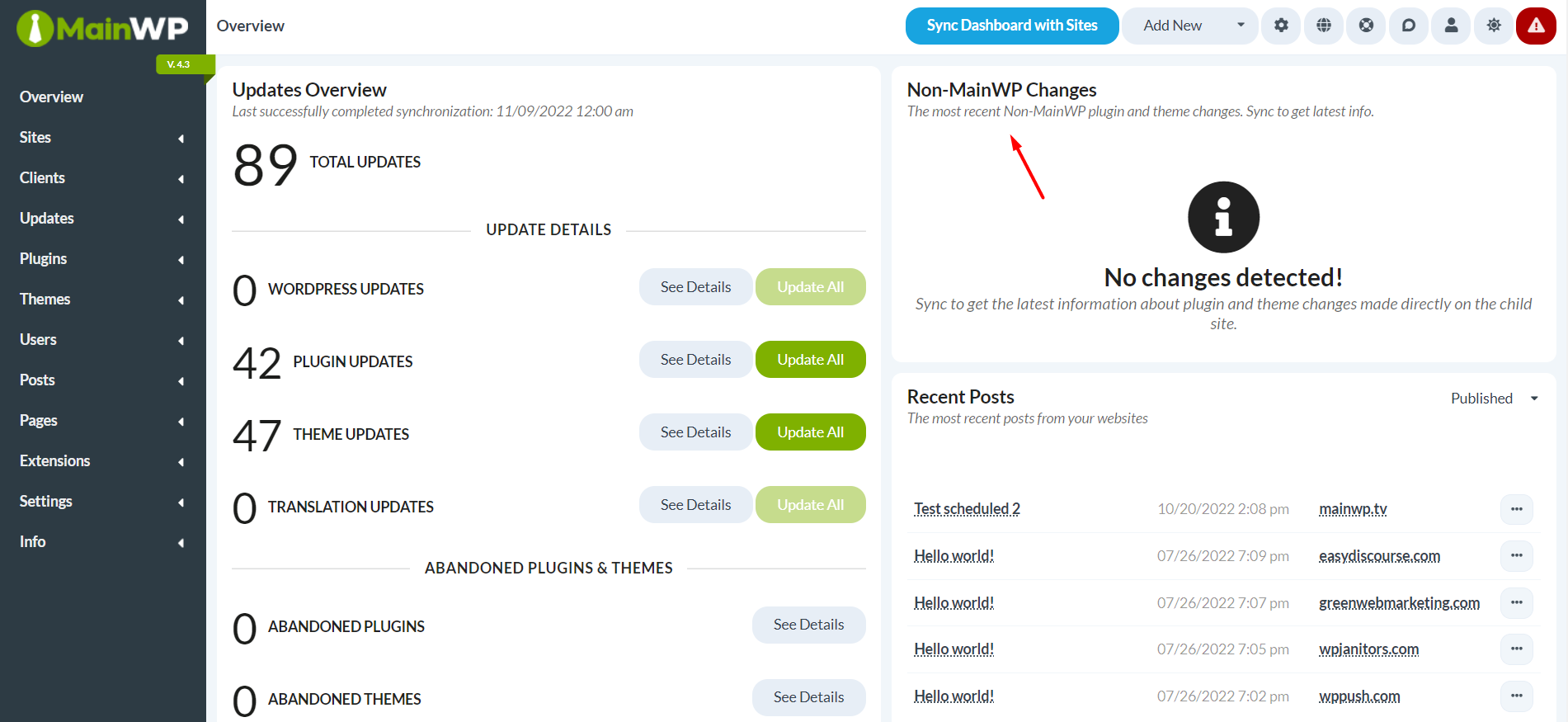
Non-MainWP Changes: Your MainWP Dashboard can now detect changes made outside the MainWP Dashboard.[elementor-template id=”1257261″]
Besides that, we also revamped the way of managing plugins, themes, and Child Sites by flipping items to Vertical instead of the long horizontal scrollbar.
Hi, I'm Dennis Dornon! As the creator and co-founder of MainWP, my team has helped thousands of web professionals streamline their WordPress maintenance workflow.
Looking really good – love the new design and the possiblities 🙂
However, It would still be nice to have a “copy – paste” function for adding new child sites.
1) Install the MainWP plugin on the child site and hit the copy button
2) Enter MainWP Dashboard. click on “Add new” and use Ctrl+V or click on a paste button.
3) DONE 🙂
Comments are closed.
Share
Manage Unlimited WordPress Sites from One Dashboard!







2 comments
Alex
Darkmode! 😍
Great work, I’m really enjoying the new interface so far!
WUCW
Looking really good – love the new design and the possiblities 🙂
However, It would still be nice to have a “copy – paste” function for adding new child sites.
1) Install the MainWP plugin on the child site and hit the copy button
2) Enter MainWP Dashboard. click on “Add new” and use Ctrl+V or click on a paste button.
3) DONE 🙂
Comments are closed.