


Todd Jones
Along with being the resident writer for MainWP and content hacker at Copyflight, I specialize in writing about startups, entrepreneurs, social media, WordPress and inbound marketing topics.

Last year, I started noticing Lesley on Twitter. She interacted with people, including many of my WordPress connections.
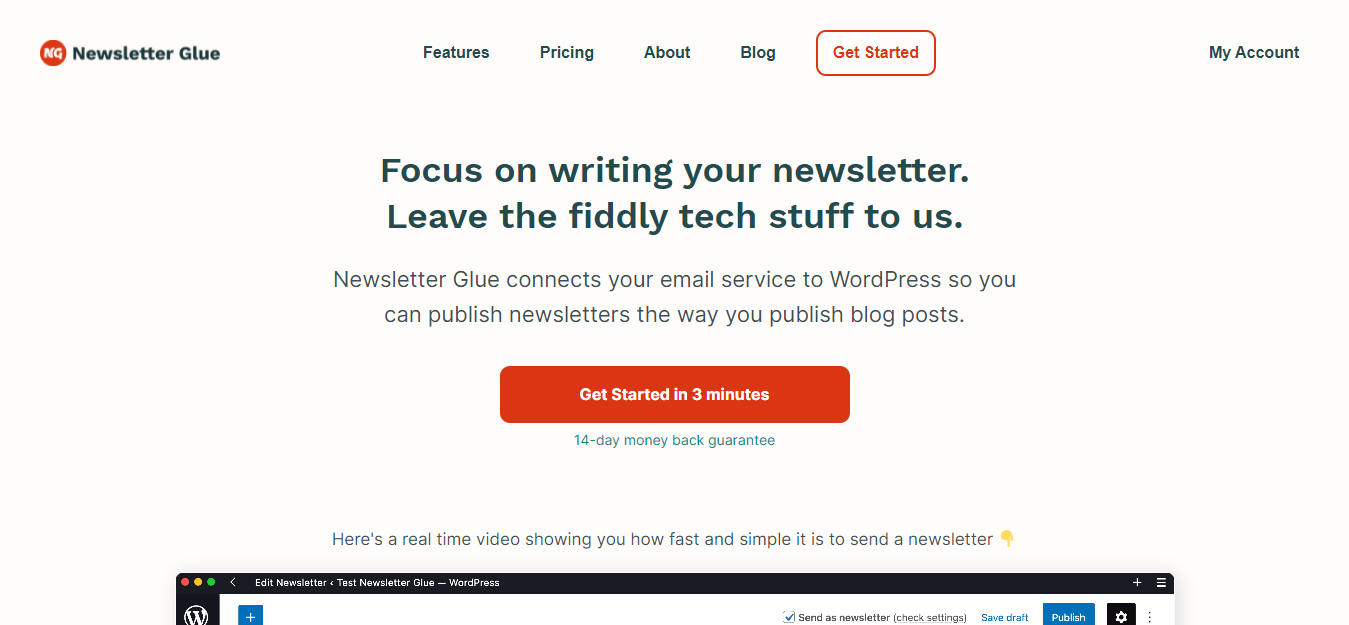
I noticed she had some kind of plugin. I didn’t really notice what it really was for a while. I did realize it had something to do with email newsletters.
Over time I realized it was something I might use. So, I decided to give it a try for a new newsletter idea.
I found it easy to use, and I was pleasantly surprised with how it worked.
So today, I get to chat with Lesley Sim of Newsletter Glue to learn more about her product and her time running Newsletter Glue.
Haha! It’s because, like many others, I love looking at interesting domains and top-level domains. I noticed lesley.pizza was available and cheap and decided to buy it. From that point on, I tried to use lesleypizza or lesley.pizza or lesley_pizza for all my online handles. I like that it’s immediately identifiable.
I started in 2016 creating websites for myself and for clients. I still vividly remember how overwhelming the WordPress admin dashboard felt to me. It’s second nature now, but retaining that memory helps me empathize with people just starting out in WordPress.
I was scratching my own itch! I wanted a better publishing workflow and experience for my personal newsletter. Early iterations of my newsletter archive had me pasting Mailchimp’s javascript snippet onto my site and I didn’t like how that looked. I also didn’t have fun wrangling Mailchimp’s email builder.
I just wanted to be able to write a blog post and send that as a newsletter.
To my surprise, plugins like that didn’t really exist. So I decided to create one. I figured lots of other people would be interested in something like that too!
Think about how difficult it is to write email HTML. Then multiply that by 100. That’s how difficult it actually is.
This goes for all software but it’s amazing the million different things people do for email. Automations, dynamic content, ads, mergetags, segmentations… The most sophisticated email publishers are doing insanely impressive things. It’s so cool, and I have so much respect for email professionals.
Everything takes a million times longer than you think and the key isn’t to do it all as fast as you can. It’s to avoid burning out so that things can slowly but surely get done.
This is a difficult question as it depends on the user. So instead, let me talk about what I hope people are doing with NG:
I hope people are creating full layout patterns using our default header and footer patterns. And focusing on personalising patterns, rather than fiddling with things when writing their newsletter.
To break it down:
Default header and footer patterns: The latest NG version comes with header and footer patterns we’ve designed for you. You can run our patterns wizard, and that’ll magically personalize all the default patterns with your logo, social media handles, mailing address, and so forth. This saves you time and gives you beautiful headers and footers you can use out of the box.
Full layout patterns: You can then create a brand new pattern, add your preferred header and footer patterns into it. That’s right! Patterns inside patterns!
You can then add section headers, callouts, mergetags, and more, then save all of that as a full layout.
Doing this saves you a lot of time from manually recreating the same newsletter weekly. Adding a full layout pattern before writing a newsletter takes seconds, and then you can immediately get to work on writing.
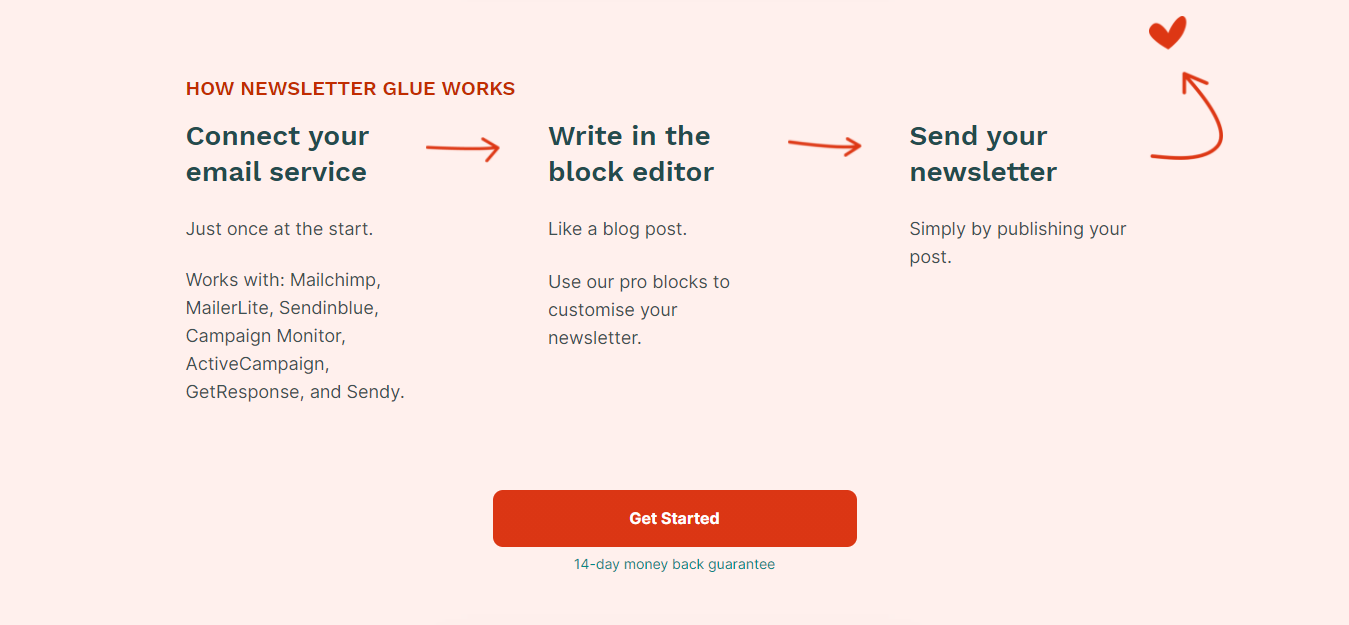
We built Newsletter Glue for publishing content.
And with that purpose in mind, I believe there isn’t much conceptual difference between web and email content. They’re both different channels delivering similar content, and you should have both so that people can read your writing in whichever medium they are most comfortable with.
I also believe newsletter content should have all the benefits of blogging like discoverability, links, and a well-designed online home. On the flipside, I believe blog posts should benefit from the more intimate nature of newsletters and all the personalisation that comes with it.
With that purpose in mind, it becomes easy to see how our plugin differs from the others:
When you use our plugin, it just feels like you’re using WordPress to write newsletters.
We use the native Gutenberg block editor, so people don’t have to familiarise themselves with a separate editor for their emails. They can write newsletters the way they write blog posts.
It also lets us leverage lots of the exciting new features in Gutenberg, like blocks and patterns.
In comparison, other WordPress newsletter plugins view blog posts and newsletters as mediums with fundamentally different purposes. Hence, they have their own email builders with their own user interface and settings, which often feels quite different from the WordPress admin.
To be clear, I don’t think either approach is wrong. There are many instances where newsletters are indeed completely different from blog posts. For example, in eCommerce, you might want to send a dynamically generated coupon code for checkout recovery. You can’t do that with us because that’s not why we built Newsletter Glue.
Ultimately, people should consider why a plugin was made and who it’s made for before using it. Because they’ll realise there are a thousand tiny product decisions that stem from that underlying purpose that could either result in a seamless “it’s like they’re reading my mind!” experience, or one where a user is constantly fighting with a plugin trying to force a round peg into a square hole.
Hmm, I don’t think anything has surprised me in a shocking kind of way. But here’s a story about how my expectations of Twitter have changed:
When I first started using Twitter, I thought the objective was to build a massive audience and sell them my plugin. I’ve found this to be impossible due to my personality, the product I’m selling, and my target market.
Instead, I’ve found Twitter to be an excellent way to get to know fellow plugin owners and WordPress professionals. From there, I’ve been on multiple podcasts, written guest posts, been featured in newsletters, and more. That, in turn, has allowed me to gain credibility and sell the plugin.
I’m not sure if that nuance is clear, so let me use a common Twitter meme to explain myself!
How it started: Grow massive audience → Sell lots of plugins
How it’s going: Make friends with fellow WordPress professionals → Become known to their audiences → Sell some plugins
Don’t get me wrong, there are lots of people who were able to build a massive audience and sell products/services directly to them, but that just hasn’t been my experience and that’s 100% fine by me!

I think my surprise stems from my own ignorance more than anything! I went into this thinking my user base would be platform agnostic and looking for a better newsletter publishing solution, which is kind of silly in hindsight.
That is, my initial plan was to find newsletter writers unhappy with their existing newsletter platform and convince them to use WordPress and my plugin.
In reality, I don’t think I converted a single one of those disgruntled people. Nobody has started using WordPress because of my plugin. And again, this makes total sense in hindsight. Platform familiarity and lock-in are a big deal and I completely underestimated this.
These days, most of my users are seasoned WordPress professionals. They write WordPress newsletters, have jobs in WordPress, or run agencies building WordPress sites. Incidentally, this has made support a breeze. I’ve never once had to explain to any customer the basics of WordPress.
I think this will change as the plugin grows. But for now, as a fellow WordPress professional, I really enjoy chatting with and befriending customers. I find them to be kindred folk and often gain valuable insight about how to improve the plugin from them.
CleanShot is my FAVOURITE piece of software. It’s for screenshots and screen recordings. I can quickly mark up screenshots and either embed them or create shareable links. It’s made explaining things a million times easier. I cannot recommend this highly enough. In case you’re thinking of getting it, you should know it’s only available for Mac users.
We also just started using Linear, and I love it. The UI is amazing, it’s fast, and it has everything we need. Their editor is so intuitive. I often try random keyboard shortcuts and am not that surprised when it works! I have come to expect great things from them, and they always deliver.
Having said that, I think we’re still small enough (just 2 people) that it’s fairly easy for us to switch tools quickly.
For example, we use Slack for our informal communication. But if Slack were to close tomorrow, I think we could be up and running with Discord within 15 minutes. This wouldn’t be possible if we were a 100 person company.
Finally, here’s a non-exhaustive list of the tech we use:
Follow Lesley on Twitter and check out her plugin, Newsletter Glue. With the free license, you can use it with MailChimp. The pro license is very reasonable.
Thank you, Lesley, for answering my questions!
Manage Unlimited WordPress Sites from One Dashboard!


