


Dennis Dornon
Hi, I'm Dennis Dornon! As the creator and co-founder of MainWP, my team has helped thousands of web professionals streamline their WordPress maintenance workflow.

Late last week we released version 3.0, a major updates to both the MainWP Dashboard and MainWP Child plugins.
On first glance MainWP 3.0 may not visually appear much different than previous versions but under the hood it contains over 8000 lines of code changes!
All of those code changes are meant to not only enhance security but to also bring the MainWP code base in line with WordPress coding standards. This includes proper formatting and documentation of the code so other developers can more easily work with MainWP.
Before we dive into some of the changes I want to take a moment to thank the hundreds of people we had participate in the month long Beta test. With these huge changes in the code base your help was greatly needed . User input is what has always shaped MainWP and I am pleased that tradition has continued into 3.0.
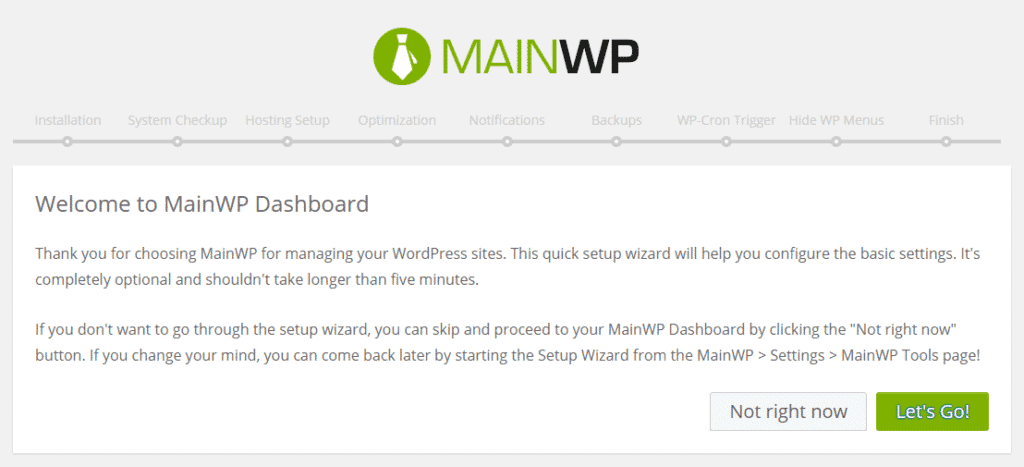
The major visual change in 3.0 is the all new onscreen quick start guide which will help new users easily setup their MainWP Dashboard. The setup uses the same layout of WooCommerce’s quick start which should help the setup feel relatively familiar to a large portion of the WordPress user base.
If you are not a new user you can check out the guide by entering this URL on your MainWP Dashboard site – YourMainWPDashboard.com/wp-admin/admin.php?page=mainwp-setup
The ability to switch from http to https without having to remove the site and re-add it to your Dashboard. Now you can simply switch the sites protocol in the site edit screen

The Dashboard broadcasts a new user agent to the Child sites. Before MainWP 3.0 the Dashboard sent useragent “Mozilla/4.0 (compatible; MSIE 5.01; Windows NT 5.0)” which was causing some issues with different firewall plugins . The Dashboard now identifies itself as “Mozilla/5.0 (compatible; MainWP/3.0; +https://mainwp.com) “
You can see the rest of the over 100 changes and fixes in MainWP 3.0 in the Dashboard Changelog or Child Changelog
Updating the Dashboard
The Dashboard update should already be showing on your Dashboard site in the standard WordPress plugin area. Just update as you would any normal plugin.
Updating your Child sites
Once you have updated your Dashboard Plugin you should Sync Data your from your MainWP Dashboard page. This will show that your MainWP Child plugin needs updating then just press the Upgrade button to update the Child sites across your network.
In order to provide more consistent branding and a better sign-on experience, we have now combined mainwp.com , extensions.mainwp.com, support.mainwp.com and blog.mainwp.com all under one roof at https://mainwp.com.
This allows you to use one one login for all three sites instead of needing to create 3 separate logins.
The combining of sites also introduces an overall new design and our all new MainWP Hero characters
With the consolidation of the websites support tickets can now be sent in directly from your My Account page instead of creating a new login on the support site and it allows us to easily verify active support licenses.
Along with bringing the code in line with WordPress standards and providing better documentation within the code we have also updated the MainWP Codex site to be easier for WordPress developers to work with.
I’d love to hear your thoughts please leave a comment below!
Manage Unlimited WordPress Sites from One Dashboard!


