

How to Enable Two Factor Authentication in WooCommerce
Heads up: This page may include affiliate links. Read the full disclaimer.

Two-factor authentication (2FA) is an important security feature that adds an extra layer of protection to your WooCommerce store.
With 2FA enabled, a user must provide two forms of identification to log in: their password and a unique verification code generated by an authentication app, sent via SMS, or provided by a hardware token.
Securing the login for WooCommerce has become easy with the availability of multiple free plugins on the WordPress.org repository.
Wordfence

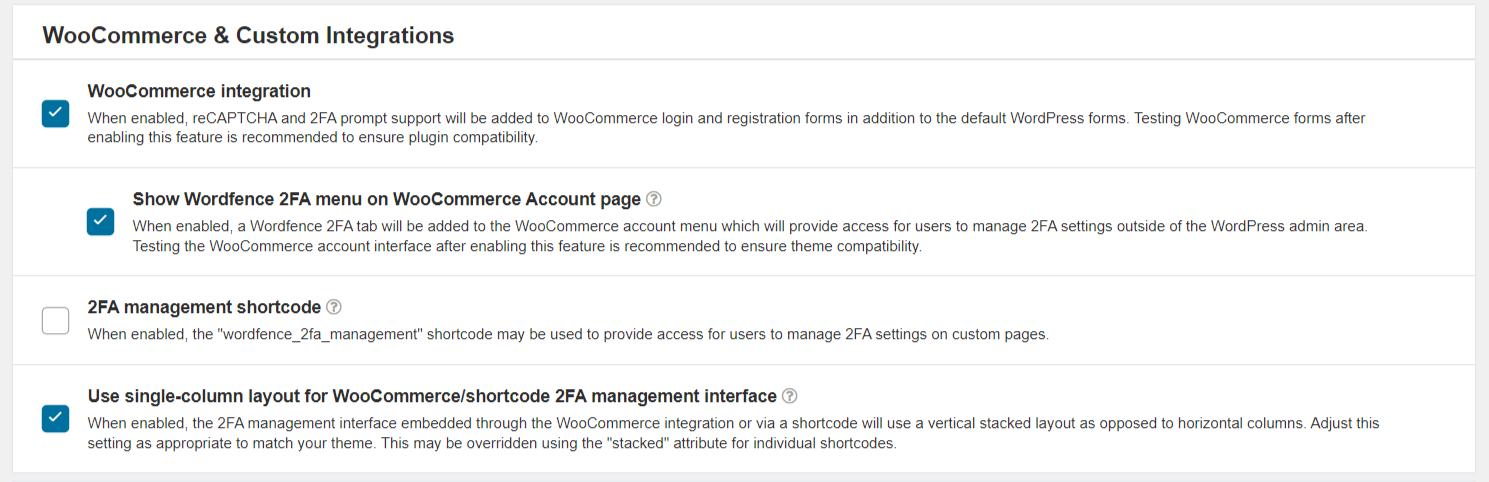
If you are using either the Wordfence plugin or the Wordfence Login Security plugin you can now take advantage of the WooCommerce two-factor authentication feature.
To enable the feature in the Wordfence plugin, navigate to;
Wordfence > Login Security
miniOrange Google Authenticator
Besides Wordfence, miniOrange’s Google Authenticator is another popular plugin to enable two-factor authentication on WooCommerce logins.
After installing the plugin, navigate to:
miniOrange 2-Factor > Two Factor
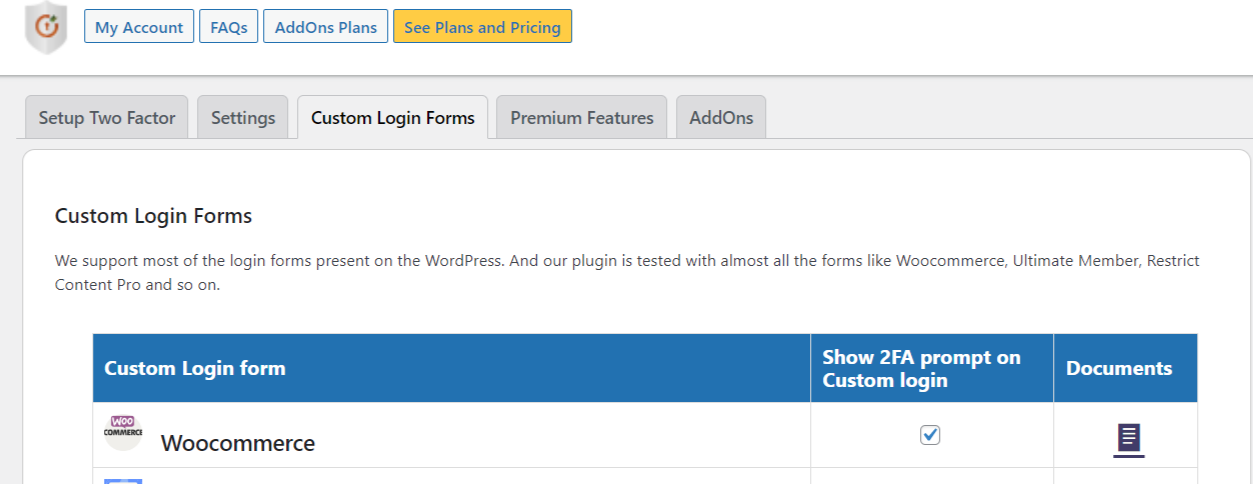
WooCommerce should be enabled by default, but double-check to confirm.
Here are some reasons why 2FA is important to use on a WooCommerce store:
Improved Security: Passwords can be compromised, stolen, or guessed, leaving your WooCommerce store vulnerable to attacks. By requiring a second form of authentication, 2FA makes it much harder for unauthorized individuals to access your site, even if they have your password.
Protection Against Brute Force Attacks: Brute force attacks involve automated bots attempting to guess passwords to gain access to a site. With 2FA enabled, even if an attacker manages to guess your password, they still need the second factor to access your WooCommerce store.
Compliance: Depending on the industry and region you operate in, you may be required by law or regulation to implement two-factor authentication as part of your security measures.
Peace of Mind: Knowing that 2FA protects your store can give you peace of mind and allow you to focus on other essential aspects of your site, such as creating content and engaging with your audience.
In summary, enabling 2FA on your WooCommerce store can significantly enhance your store’s security, protect against brute force attacks, and ensure compliance with security regulations.
Using either the Wordfence or miniOrange plugin options to enable two-factor authentication in WooCommerce will help secure your customer’s experience on your WooCommerce store.
Did You Know? MainWP has a Wordfence Extension that allows you to check the security of all Wordfence-installed Child Sites directly from a centralized MainWP Dashboard.
Useful Links
- https://wordpress.org/plugins/wordfence/
- https://wordpress.org/plugins/wordfence-login-security/
- https://www.wordfence.com/blog/2023/02/wordfence-adds-two-factor-auth-for-woocommerce-customers/
- https://wordpress.org/plugins/miniorange-2-factor-authentication/
- https://plugins.miniorange.com/two-factor-authentication-2fa-mfa-for-woocommerce-login-form

Share


Manage Unlimited WordPress Sites from One Dashboard!
- Privacy-first, Open Source, Self-hosted
- Easy Client Management
- 15+ & 30 + Premium Add-ons
- Bulk Plugins & Themes Management