

How to hide the Gutenberg Banner from your child sites
Published on July 31, 2018 by Bogdan Rapaić in MainWP Blog under Extension Tutorials, MainWP How To's
Heads up: This page may include affiliate links. Read the full disclaimer.

WordPress 4.9.8 release, scheduled for July 31, 2018, will include a banner inviting website owners to try the new Gutenberg editing experience. This banner shows for all users with the back end access and each user needs to dismiss it individually.
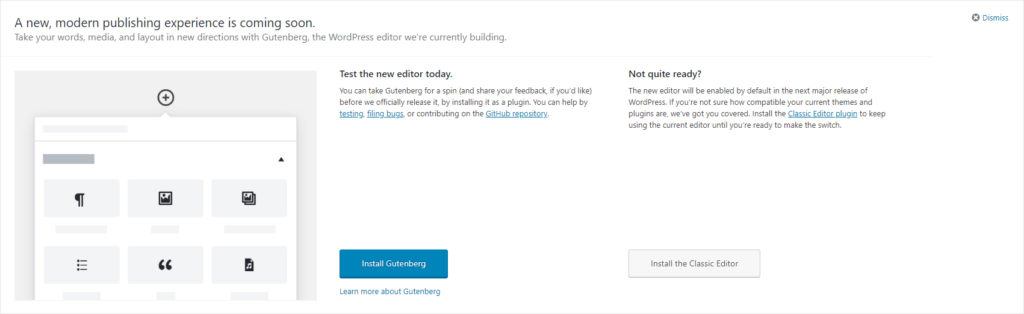
Hiding this banner on multiple sites can take you some time, however, MainWP Code Snippets Extension can come handy and save you some time. With the following snippet, you can hide the banner directly from your dashboard and hide it for all users.
Code for removing Gutenberg Invite Banner
Add the following information to your Code Snippets Extension and then run the snippet. If you haven’t used the Code Snippet Extension before the following help docs will walk you through the steps: Save a Code Snippet and Execute a Code Snippet
Snippet Title: Remove Gutenberg Banner (WP 4.9.8)
Snippet Description: A custom snippet that will hide the Gutenberg banner from the WP 4.9.8 Dashboard page.
Snippet Type: This Code Snippet only returns information from Child Site
Snippet Code (test on a dev site before deploying to your network):
<?php
$users = get_users( array( 'fields' => array( 'ID' ), 'number' => 100 ) );
  foreach( $users as $user ) {
    if ( $user ) {
      update_user_meta( $user->ID, 'show_try_gutenberg_panel', 0 );
    }
  }
?>
Your Snippet should look like the image below before you “Run the Snippet”
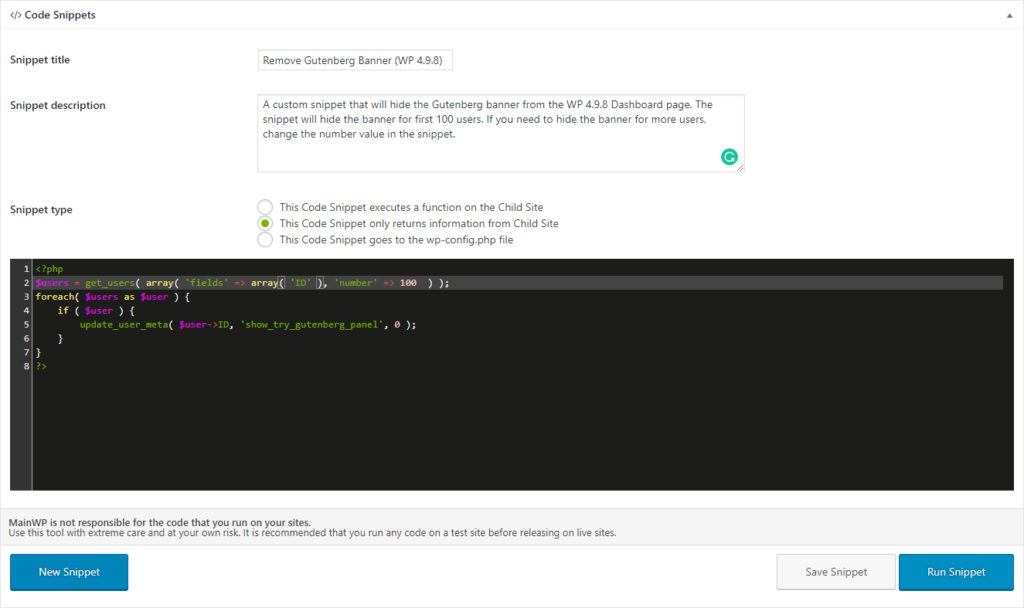
Important note: in our example, we set the snippet to hide the banner for 100 users (100 user accounts on the child site(s)), however, if you have more accounts, you can change the number in the snippet. On sites with a large number of user accounts, please note that the process can timeout or overload the server.
Code for adding back the Gutenberg Invite Banner (reversing removal)
The process is reversible, so if needed, you can simply reverse it by tweaking the snippet to:
<?php
$users = get_users( array( 'fields' => array( 'ID' ), 'number' => 100 ) );
  foreach( $users as $user ) {
    if ( $user ) {
      update_user_meta( $user->ID, 'show_try_gutenberg_panel', 1 );
    }
  }
?>

Share


Manage Unlimited WordPress Sites from One Dashboard!
- Privacy-first, Open Source, Self-hosted
- Easy Client Management
- 15+ & 30 + Premium Add-ons
- Bulk Plugins & Themes Management
1 comment
Greg
Great post, thanks. Perhaps you could share a similar post on installing the classic editor plugin (and setting the option to entirely replace Gutenberg) on all sites.
https://wordpress.org/plugins/classic-editor/
Comments are closed.