

How to Hide the Setup Dashboard Widget in WooCommerce
Heads up: This page may include affiliate links. Read the full disclaimer.

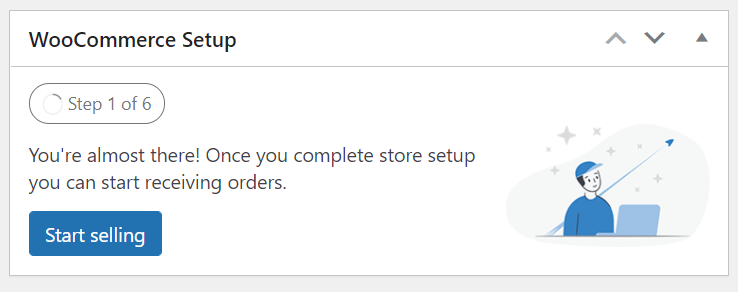
WooCommerce recently added a setup dashboard widget which is loaded in the WooCommerce admin and would display in wp-admin.
If you want to remove the extra dashboard widget bloat from displaying for clients then you can easily remove it using a code snippet. Even in the current version of the WooCommerce 5.7.1 the dashboard widget is added extra dashboard widgets in wp-admin.
MainWP has a solid and easy-to-use extension for code snippets that you can save and execute code snippets to run on all connected child sites. This would be a good code snippet to have enabled on all child sites which are running WooCommerce on them.
The code snippet to use is;
// Disable setup widget in WooCommerce
function disable_woocommerce_setup_remove_dashboard_widgets() {
remove_meta_box( 'wc_admin_dashboard_setup', 'dashboard', 'normal');
}
add_action('wp_dashboard_setup', 'disable_woocommerce_setup_remove_dashboard_widgets', 40);
With the code snippet being executed on all connected child sites it will free up some of the space in wp-admin and keep the default screen clearer for clients. Extra dashboard widgets loading in wp-admin can increase default load times and in the case of the setup, the dashboard widget make it less clear for customers when a site has already been setup and is live.

Share


Manage Unlimited WordPress Sites from One Dashboard!
- Privacy-first, Open Source, Self-hosted
- Easy Client Management
- 15+ & 30 + Premium Add-ons
- Bulk Plugins & Themes Management