

How to Preload Images on Your WordPress Site
Heads up: This page may include affiliate links. Read the full disclaimer.

One of the easiest ways to improve front-end performance is to preload the images which contribute to the largest contentful paint (LCP) of the site.
To find the images that should be set to preload, test your site using popular performance testing tools, or use the MainWP Lighthouse extension, and navigate to the waterfall results to find the image URL.
Head & Footer WordPress Plugin
There are a number of ways to preload images by either using a header and footer plugin and then adding the image URLs that should be preloaded in the header of the site. After the plugin has been installed in wp-admin, navigate to;
Tools > Header & Footer Code
In the head section you should add the desktop and mobile or if you only have one image, then add the image URL to preload.
<link rel="preload" href="https://sitedomain.com/your-lcp-image.jpg" as="image">
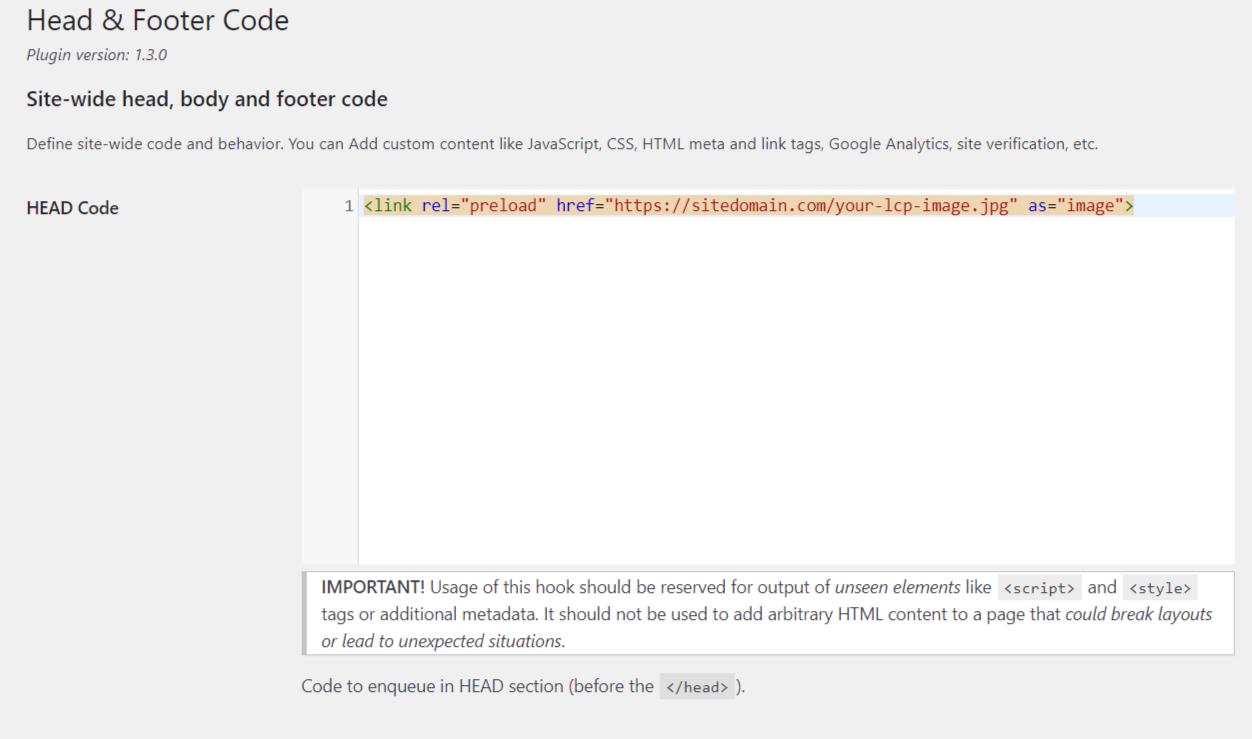
Then save the settings of the plugin and clear all cache to make sure that the image or images are being set to preload.
Preload Images WordPress Plugin

“Preload Images” is another popular plugin to preload images on your WordPress site. After the plugin has been installed and activated in wp-admin, navigate to the Preloads settings menu.
You can add multiple images per line as well as settings if the images should be preloaded on different post types.
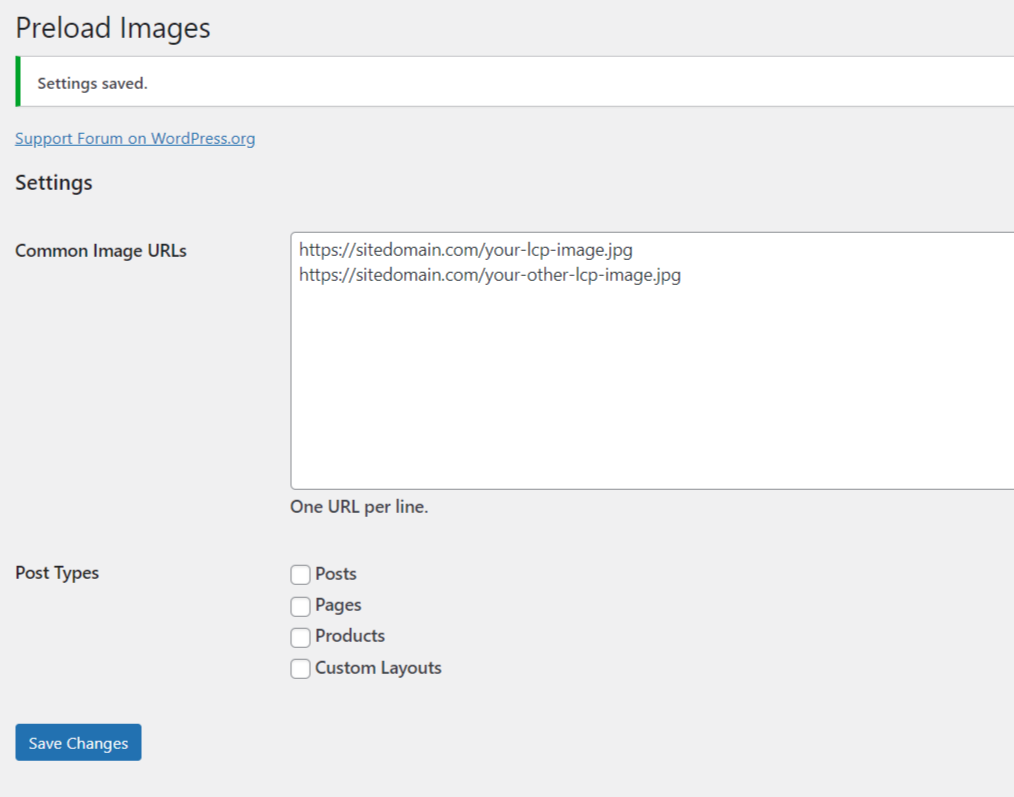
Preloading images that have the largest contentful paint will improve the front-end load time for site users.
Useful Links
- https://web.dev/preload-responsive-images/
- https://docs.wp-rocket.me/article/1494-preload-largest-contentful-paint-image
- https://perfmatters.io/docs/preload/
- https://wordpress.org/plugins/preload-images/
- https://wordpress.org/plugins/head-footer-code/
- https://gtmetrix.com/blog/using-the-gtmetrix-waterfall-chart/
- https://gtmetrix.com/preload-largest-contentful-paint-image.html

Share


Manage Unlimited WordPress Sites from One Dashboard!
- Privacy-first, Open Source, Self-hosted
- Easy Client Management
- 15+ & 30 + Premium Add-ons
- Bulk Plugins & Themes Management