

How to Remove the WPCode Plugin Data on Your Site
Heads up: This page may include affiliate links. Read the full disclaimer.

The WPCode plugin is a commonly used plugin for adding code snippets into the header and footer of your WordPress site but for some reason, you may want to move to a different code snippets plugin.
In that case, you need to export the existing code snippets, add the existing code snippets into site-specific, or import them into the different code snippets plugin.
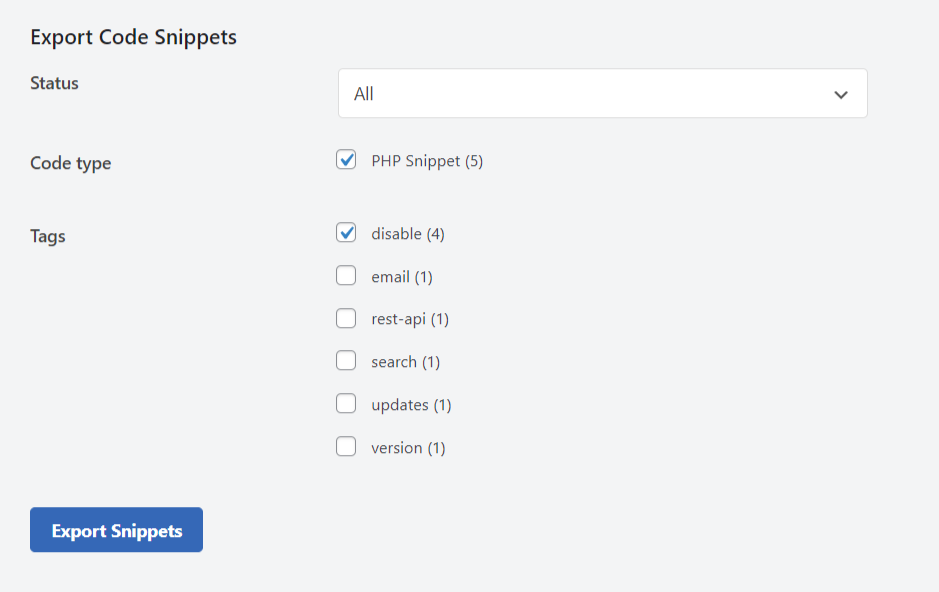
To export existing code snippets, navigate to;
Code Snippets > Tools > Export
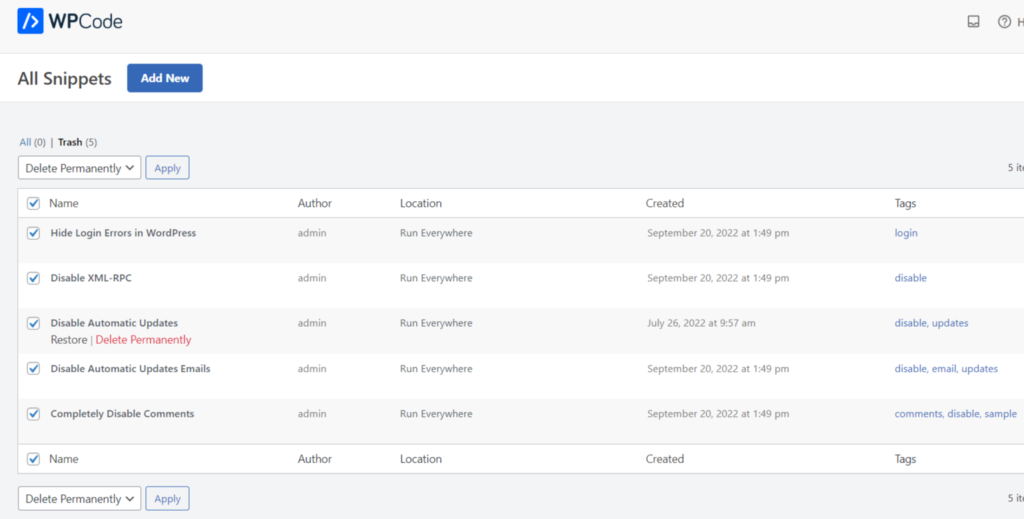
To delete the stored code snippets in the WPCode plugin, you will need to delete those in wp-admin;
Code Snippets > Code Snippets
Additionally, you can also remove them from your website’s database. The stored code snippets are stored as a custom post type named;
wpcode
The options that the WPCode plugin uses are named;
_transient_wpcode_used_library_snippets
wpcode_notifications
Wpcode_snippets
Following these steps will help you remove any of the WPCode data stored in your site’s database and keep your site free of any extra bloat.
Incremental cleanup of plugin data is much easier if you handle each plugin change rather than waiting to make a bigger data cleanup in the site’s database.
Useful Links

Share


Manage Unlimited WordPress Sites from One Dashboard!
- Privacy-first, Open Source, Self-hosted
- Easy Client Management
- 15+ & 30 + Premium Add-ons
- Bulk Plugins & Themes Management