

Customize Tame and Date Format on your Dashboard
Published on April 10, 2015 by Bogdan Rapaić in MainWP Blog under
Heads up: This page may include affiliate links. Read the full disclaimer.
On your Dashboard you will notice that your Dashboard Plugin shows you time and date on various places:
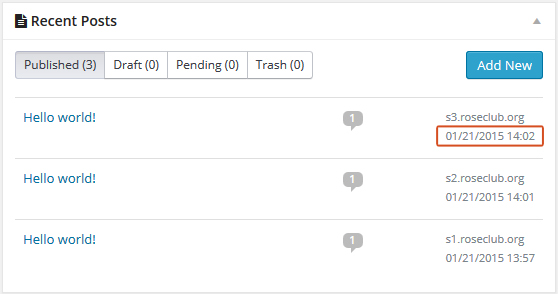
If you want to have custom time and date format in your Dashboard go to WordPress Settings:
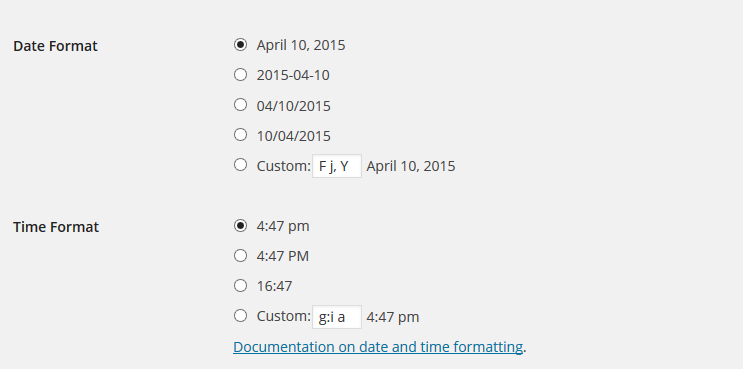
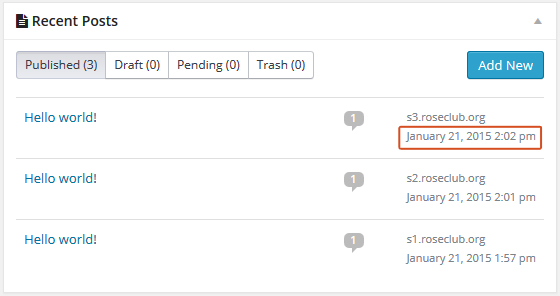
Set your custom settings and click the Save Changes button:

Share
Manage Unlimited WordPress Sites from One Dashboard!
- Privacy-first, Open Source, Self-hosted
- Easy Client Management
- 15+ & 30 + Premium Add-ons
- Bulk Plugins & Themes Management