
How you Can Make Sure That your Dashboard Can Communicate With your Child Site
Heads up: This page may include affiliate links. Read the full disclaimer.
You can use the Test Connection tab to see what response the Main plugin is receiving from a site.
Test Connection
1. Go to Sites from the MainWP Dashboard menu,
2. Click the Test Connection tab,
3. Enter your sites URL,
4. Click Test Connection.
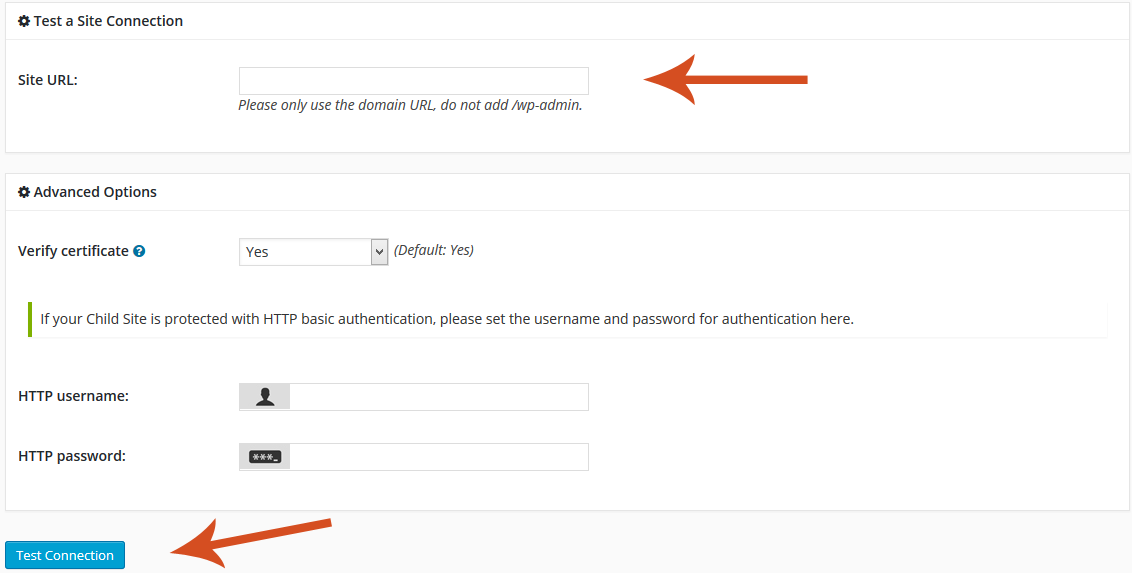
The test will then tell you success or failure and the response received from the server.

Share
Manage Unlimited WordPress Sites from One Dashboard!
- Privacy-first, Open Source, Self-hosted
- Easy Client Management
- 15+ & 30 + Premium Add-ons
- Bulk Plugins & Themes Management