


Dennis Dornon
Hi, I'm Dennis Dornon! As the creator and co-founder of MainWP, my team has helped thousands of web professionals streamline their WordPress maintenance workflow.

Today, I am happy to announce MainWP 4.2, a relatively big release that includes a lot of privacy updates for us, you, and your clients.
Being focused on privacy, we tweaked a few things at our end:
We worked with Donata Stroink-Skillrud of agency attorneys.
Donata is not only an attorney focused on privacy, but she is also a Certified Information Privacy Professional (CIPP).
Along with that, she is the Chair of the American Bar Association’s E-privacy Committee and Vice-Chair of the Chicago Bar Association’s Privacy and Cybersecurity Committee.
Using her knowledge and expertise, we went through both the Dashboard and Child plugins with a fine-tooth comb to ensure no personally identifiable information was collected nor sent back to our servers.
These privacy policies are different from your standard website privacy policies and are laser-focused on the MainWP plugins you install to take care of your client sites.
The privacy policies for both our Dashboard and Child plugins break down to this: we simply don’t collect any personally identifiable information from you.
You can view them by navigating to the MainWP > Info > Plugin Privacy page, on the MainWP website, or in our Github Repository.
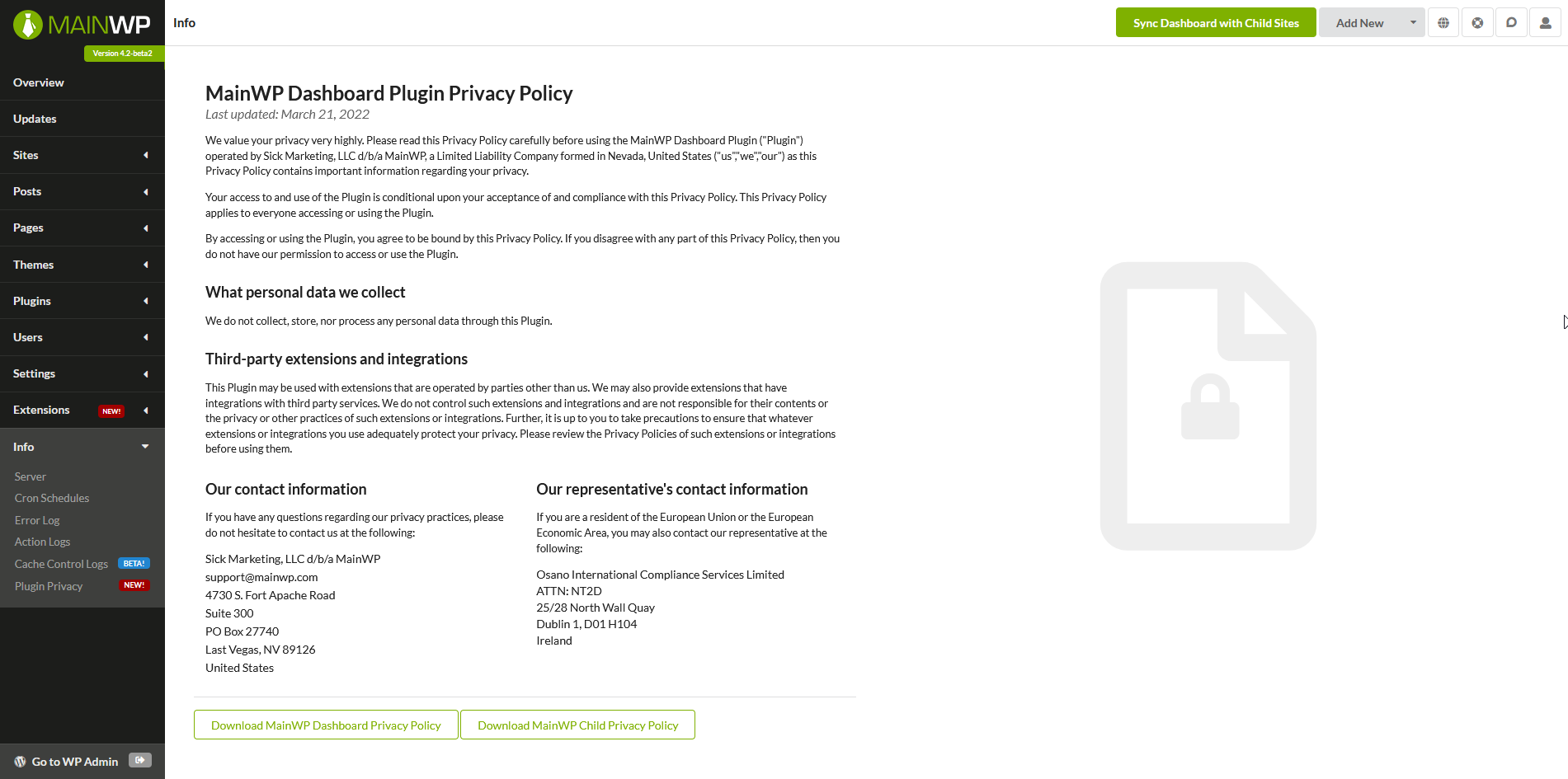
Please, take a moment to read the MainWP Plugin Privacy Policies. They are a very quick read.
The tl;dr version is ONLY YOU have access to your client’s (child site) information.
– In Feb 2022, Google Analytics was found breaching GDPR by a French court, so we switched to Fathom.
– A German court recently found that a website owner violated GDPR by using Google-hosted fonts, so we localized them.
– Not only this, but we also moved our servers from a US data center to a German data center.
This is why we are calling it a “Privacy-first” update!
Besides privacy, we also released a few features and did improvements to the existing ones based on our users’ feedback.
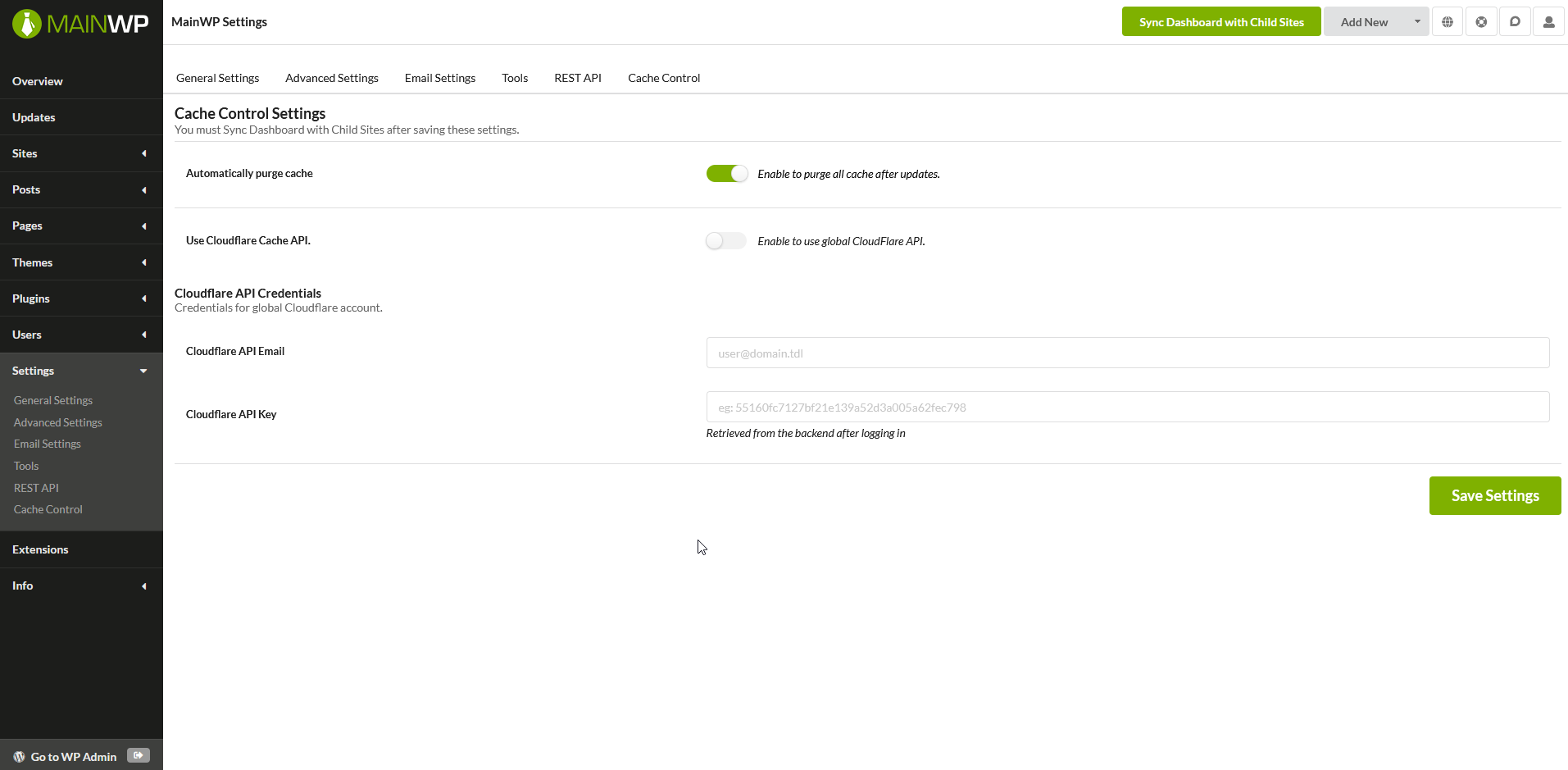
Cache-Control is a new feature that clears all cache from Child Sites automatically after performing updates from your MainWP Dashboard.
To enable the feature:
After the sync process is complete, MainWP will detect the cache plugin that you use and from that point, every time you update plugins or themes on your site, MainWP will clear the cache automatically.
At the moment, supported caching systems are:
Let us know if you have suggestions for additional caching systems to be included.
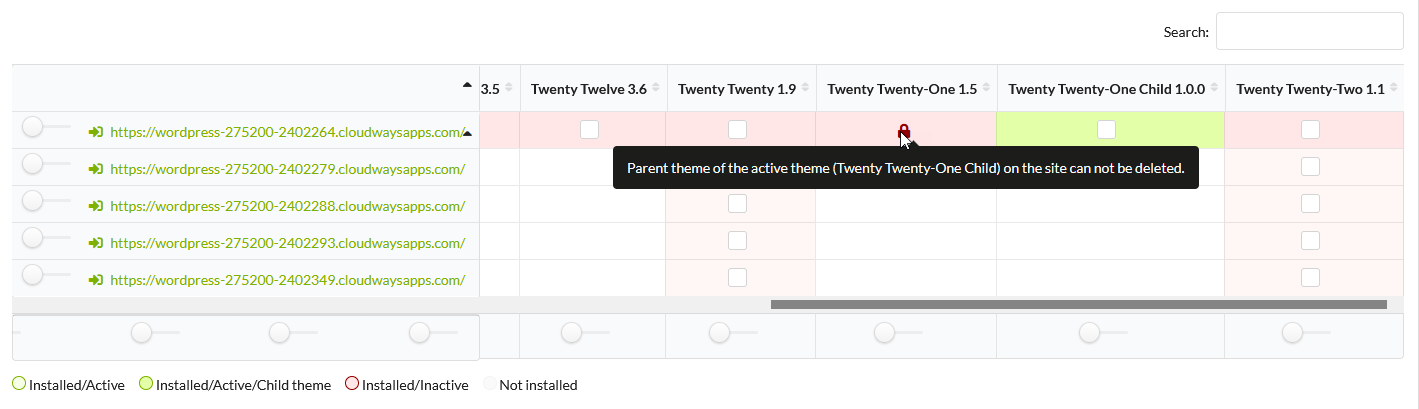
This nifty update for MainWP 4.2 protects you from accidentally deleting a Parent theme when a child theme is actively using it, we call it the “Parent Theme Lock”.
You will see a red lock icon on any parent themes not allowing you to delete it.
Not only this, but the active child themes are also more prominent on the Manage Themes screen.
The “Negative Search” feature will allow you to perform a search, for example, find all sites that DON’T have “plugin x” installed.
In version 4.2, Extensions licensing system has been upgraded.
Changes that were made should improve performance and we believe that problems with updating and activating extensions should be resolved.
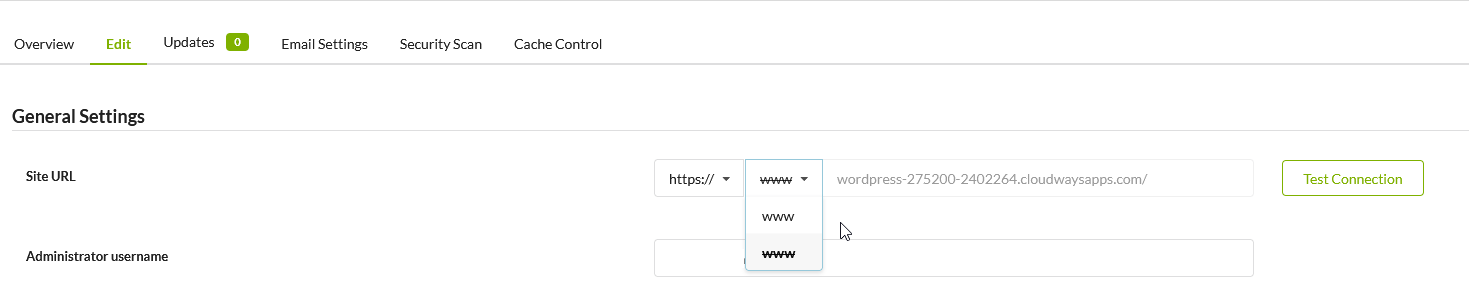
Besides a few more improvements, the site Edit screen will allow you to easily make a change to the Site URL field, to be specific, after adding or removing WWW in the site URL, you will be able to make the corresponding change in the site settings without re-adding the site.
For a complete changelog of MainWP 4.2, head over to our changelog page on the WordPress repository.
We appreciate your trust in MainWP for managing multiple WordPress websites.
If you have a question about anything, feel free to drop your comments below or open a thread in the MainWP Community.
Manage Unlimited WordPress Sites from One Dashboard!


3 comments
welho
Hi,
Nice job with the cache control but you should also include SWIS performance
https://ewww.io/2020/11/03/faster-sites-with-swis-performance/
Alwin
Cache control looks promising!
But I have a habit of updating plugins by plugin type. Example: I update Yoast SEO plugin for 20 websites at once, then Wordfence plugin for 20 websites, then WPforms for 20 websites at once.
With my method, the cache is now purged three times on every website?
mono
Brilliant update as always
Comments are closed.