
MainWP Blog
How to Correctly Fix Mix Content Issues on WordPress
Dealing with mixed content issues on WordPress sites can be a pain. The ideal way to solve mixed content issues is to solve those at the database level, so it does not need another plugin dependency to fix mixed content on the site’s front end. If you want a plugin-only solution, then the Better Search Replace plugin will help run a search and replace any HTTP references in the site’s database and change those to HTTPS. Depending on the number Continue reading the post...
MainWP Roundup: Creating block patterns without code and more

Hey ya’ll, it’s time for another MainWP Roundup! This month we are going to talk about making block patterns without code, look at an interview, and notice a new acquisition. We are also going to talk about Google Web Stories, the difference between strategy and tactics and look at a few upcoming events. Are you ready? Let’s ride. Let’s Ride! Making Gutenberg Block Patterns With No Code! HeroPress Network Screenshot: www.heropressnetwork.com In this WordPress tip by the HeroPress Network, Topher Continue reading the post...
Your Cookie Consent Banner is (Probably) Not Compliant

Cookie consent banners are a feature of websites that inform website visitors of the cookies or trackers that may be placed on that user’s device and ask users to consent to such cookies. There are hundreds of cookie consent banner designs, ranging from asking a user to accept or deny cookies to stating, “by using this website, we assume that you are ok with cookies.” When it comes to these banners, you must follow a particular set of rules to Continue reading the post...
How to Change the debug.log Storage Location

It is beneficial if you temporarily enable debugging on your WordPress site to run down any issues happening with the site from active themes, WordPress core version, or active plugins. The default location to store the debug.log file is /wp-content/debug.log, but if you want to change the path where the debug.log file should be stored, add the following snippet into the wp-config.php file replacing the /tmp/ with your folder preference. define( 'WP_DEBUG_LOG', '/tmp/wp-errors.log' ); If you are uncomfortable editing the Continue reading the post...
MainWP Features: Are you using these (newish) features?

Have you ever been caught off guard with a domain renewal? If you haven’t, has your client? We don’t think about domain renewals that much, perhaps once a year. And if we decide to renew for several years, we certainly don’t think about that domain again for a long time! Once we realize there is a renewal, then there becomes a mad scramble to get it renewed before there is “Downtime” for a client’s website. One of the nicest new Continue reading the post...
How to Remove the All in One SEO Plugin Data on Your WordPress Website
The All in One SEO is a commonly used SEO plugin with 3+ million active installs. If you want to migrate to a different SEO plugin, you should migrate the existing SEO and delete the previous plugin’s stored data. If you are migrating to the Rank Math SEO plugin, it supports the All in One SEO plugin data migration. The All in One SEO plugin uses the following database tables for data storage; wp_aioseo_cache wp_aioseo_notifications wp_aioseo_posts All in One SEO Continue reading the post...
WordPress Security Roundtable: Using backups and updates to keep sites secure

We are back with your WordPress Security Experts Roundtable. In this article, we will discuss backups and updates of your WordPress website. Remember, our first article with our WordPress Security Expert was “Preventing compromises for your WordPress website.” How often should I update? What should my process be to test after updates? Update a few sites first before updating them all? What is your advice? According to our experts, here are 6 important things to remember: Security updates ASAP. Automation Continue reading the post...
How to Remove WPForms Plugin Data on Your WordPress Site
One of the most widely used form plugins is WPForms. The lite version of WPForms crossed over 5 million active installs. The WPForms plugin uses the following custom database tables for data storage; wp_wpforms_entries wp_wpforms_entry_meta wp_wpforms_entry_fields wp_wpforms_tasks_meta wp_wpforms_admin_builder_templates_cache_update wp_wpforms_email_summaries_fetch_info_blocks wp_wpforms_process_forms_locator_save wp_wpforms_process_forms_locator_scan wp_wpforms_admin_addons_cache_update The database prefix will differ depending on the table prefix defined in your site’s wp-config.php file. The WPForms plugin has an uninstall option which can be found in the settings menu in wp-admin; WPForms > Settings > Misc Continue reading the post...
WordPress Security Roundtable: Preventing compromises for your WordPress website
Over the next few weeks, we will engage a group of WordPress security experts in the WordPress space. They will help us sort through good and best practices. Our roundtable includes Robert Rowley of Patchstack, Chris Bourne of Website Managed and MainWP customer, Kathy Zant of Stellar WP, Edward O’Rourke of Jupiter Media, also a MainWP customer, and Erika Vainoras of Hostinger. We will discuss different areas of security, including plugins, hosts, updates, ecommerce, and preventing compromise. Our Roundtable WordPress Continue reading the post...
How to Remove Yoast SEO Plugin Data on Your Site
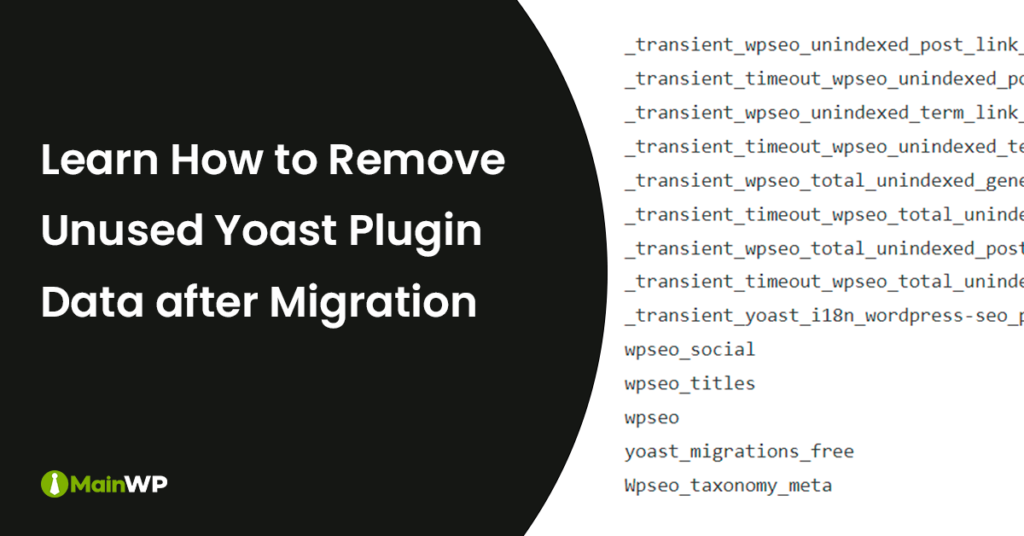
If you want to migrate from the Yoast SEO plugin to alternative plugins, it is also worth making sure that any Yoast SEO plugin data is deleted from the site’s database. The custom database tables that the Yoast SEO plugin creates; wp_yoast_indexable wp_yoast_indexable_hierarchy wp_yoast_migrations wp_yoast_primary_term wp_yoast_prominent_words(note: only available in the Yoast SEO Premium plugin) wp_yoast_seo_links The option names that the Yoast SEO plugin uses; _transient_wpseo_unindexed_post_link_count _transient_timeout_wpseo_unindexed_post_link_count _transient_wpseo_unindexed_term_link_count _transient_timeout_wpseo_unindexed_term_link_count _transient_wpseo_total_unindexed_general_items _transient_timeout_wpseo_total_unindexed_general_items _transient_wpseo_total_unindexed_post_type_archives _transient_timeout_wpseo_total_unindexed_post_type_archives _transient_yoast_i18n_wordpress-seo_promo_hide wpseo_social wpseo_titles wpseo yoast_migrations_free Wpseo_taxonomy_meta If you Continue reading the post...
Share
Manage Unlimited WordPress Sites from One Dashboard!
- Privacy-first, Open Source, Self-hosted
- Easy Client Management
- 15+ & 30 + Premium Add-ons
- Bulk Plugins & Themes Management