

Manage your Plugins from Individual Child Site Dashboard
Published on March 26, 2015 by Bogdan Rapaić in MainWP Blog under
Heads up: This page may include affiliate links. Read the full disclaimer.
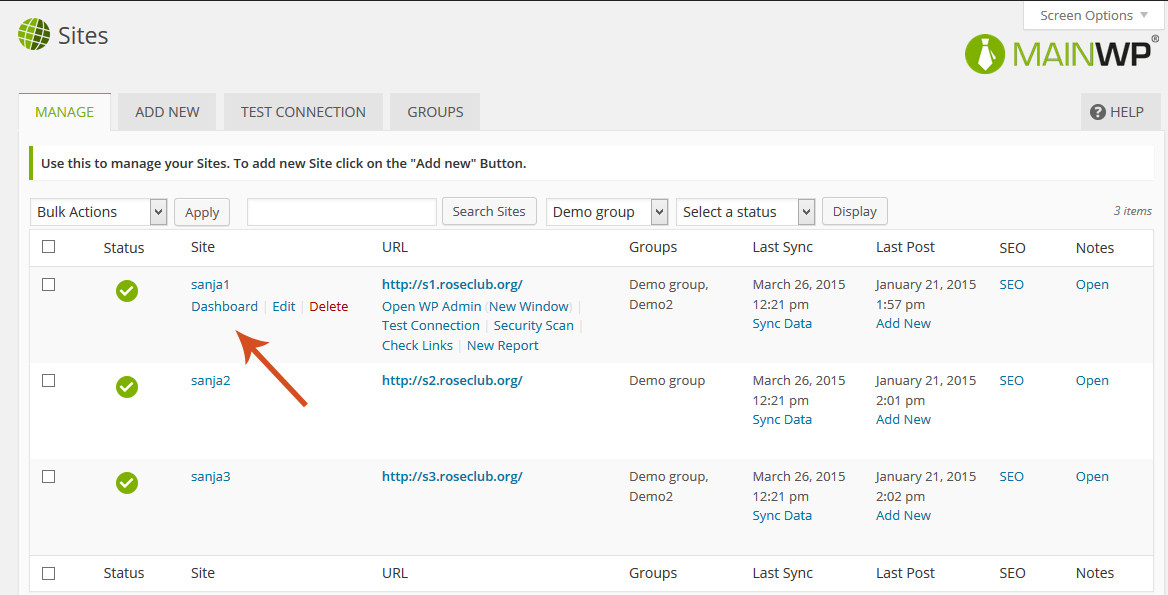
If you want to manage your Plugins from individual Child Site Dashboard go to:
MainWP > Sites and under the site name click the Dashboard button:
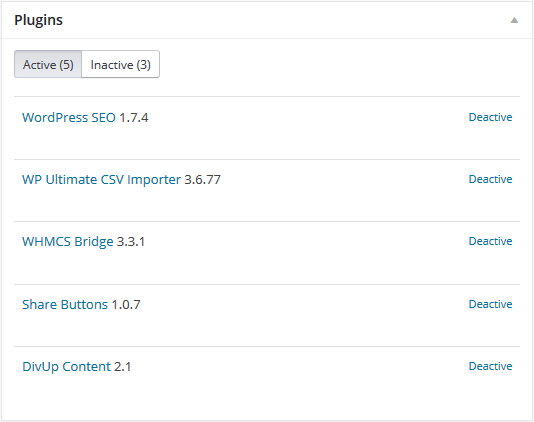
On you Child Site Dashboard you have Plugins widget with two tabs – Active and Inactive.
If you are on Active tab, it will show you a list of your active Plugins and option to deactivate those plugins:
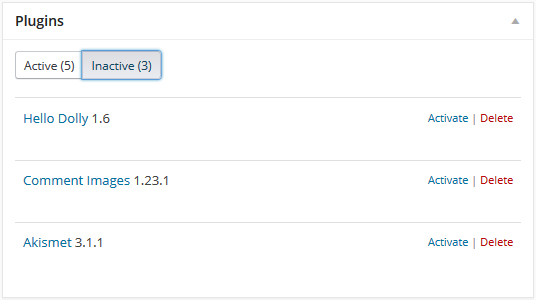
On the Inactive tab, you have a list of your inactive plugins and option to activate or delete those plugins:

Share
Manage Unlimited WordPress Sites from One Dashboard!
- Privacy-first, Open Source, Self-hosted
- Easy Client Management
- 15+ & 30 + Premium Add-ons
- Bulk Plugins & Themes Management