
MainWP Blog
Using WP Search Insights Plugin for Tracking Site Searches
If you are using default search on a child site knowing what terms are being searched for on the site is hard to find unless you are using something like Google Analytics. There is a new plugin that will track search terms on a site and it is called WP Search Insights. After you have installed and activated the plugin it will add a new menu item in wp-admin; Tools > WP Search Insights The first part you will be Continue reading the post...
Using the Suki Theme on Your Child Sites
Knowing which fast and performance-based themes for your child sites is something that can take time to research and test. A more recent theme that is clean lightweight and performance-based but has a number of modules built in even in the free version is the Suki theme. After you have installed and activated the Suki theme on your child site it will add a new admin menu under; Appearance > Suki You will be able to find all of the Continue reading the post...
WPVivid Backup Plugin launches extension for the MainWP dashboard
Earlier this year, WPVivid Backup Plugin, a new WordPress backup plugin, launched an extension for the MainWP dashboard. The extension helps customers who use WPVivid operate their backup system within the MainWP dashboard. Currently, the extension is free. The team at WPVivid plans on releasing a pro version of their plugin this month. The plugin was released in April of 2019 and currently has 121,441 downloads, including 9,470 in the last seven days. The plugin has 131 ratings in the Continue reading the post...
Using Speed Booster Pack Plugin to Improve Your Child Site Performance
WordPress will try to load a number of additional requests, which in most cases are needed, such as emojis and dashicons. There is an easy to use a plugin called Speed Booster Pack, which can be installed on all connected child sites. The settings can be enabled using the MainWP Bulk Settings Manager extension. You can use this key to save the settings in Speed Booster Pack to all child sites where it has been installed and activated. If you Continue reading the post...
Using the Disable Plugin Deactivation Plugin on Your Child Sites
On a number of your managed child sites, it is worth knowing how to disable plugins from being deactivated or delete the plugin. There is an easy to use a plugin called Disable Plugin Deactivation which can be installed on all of your connect child sites and then you can easily set those options. After the plugin has been installed and activated on those sites it will add a new admin menu under the plugins admin menu in wp-admin; Plugins Continue reading the post...
Q&A with WordPress expert Carrie Dils
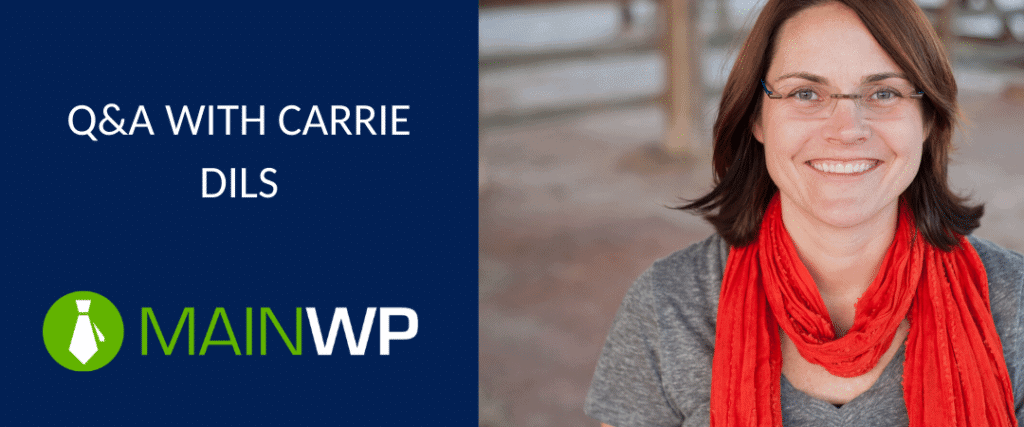
One morning, when I lived in Fort Worth, TX, I was going to work. It was sometime in the late 2000s, maybe in 2008. I needed coffee. The powers to be had built a Starbucks on my way to work, so I swung by for a quick cup of joe. When I walked in, this young lady, one of the baristas, was singing. I called her the “Singing Barista.” She had a fun, energetic personality. A few years later, I Continue reading the post...
Speed Up Your Child Site using the WP Performance Plugin

Options are important when it comes to having plugin options to easily improve the front-end load times of your child sites. It’s also worth knowing which ones work well. One such option is a plugin called WP Performance. After the plugin has been installed and activated, it will add a new admin menu called; WP Performance Plugin tab for settings are broken down as; CACHE CSS JAVASCRIPT IMAGES DATABASE CDN SETTINGS ADD-ONS In the cache settings, you can set cache Continue reading the post...
How to use My WP Customize Admin Plugin on your Child Site
An easy way to clean up wp-admin and remove certain parts from not showing on child sites when clients need to login can be a pain to take care of. But there is an easy to use plugin which will allow you to customize a number of things from not showing in wp-admin. First, you will need to install and active the plugin My WP Customize Admin/Frontend. The plugin when activated will add a new admin menu called; My WP Continue reading the post...
Jan Koch launches the WP Agency Summit to help agency owners scale their business

It’s that time of year. The time of year where we tend to lose focus, and we start to lose motivation to do work. For those of us in the United States, we are stuffed. We will now give ourselves permission to listen to Christmas music and think about the parties that come with the holidays. Before you give up all hope to work, don’t forget we still have a month left! And today, I am going to offer up Continue reading the post...
Using the weMail Plugin for Sending Out Newsletters

There are a number of email marketing options that you can use for sending out a newsletter to your customers who have opted in on the site. One of the most recent self-hosted options for email marketing for your site is weMail plugin from weDevs. After you have installed and activated the plugin on your site it will add a new admin menu called weMail. The first time you use weMail plugin it will guide you through a setup wizard which Continue reading the post...
Share
Manage Unlimited WordPress Sites from One Dashboard!
- Privacy-first, Open Source, Self-hosted
- Easy Client Management
- 15+ & 30 + Premium Add-ons
- Bulk Plugins & Themes Management