
MainWP Blog - WordPress Performance
Built-In Backups Arrive in MainWP 6.4 Early Access
Published on October 27, 2026 by Cameron Dornon under About, Important Updates, MainWP Add-ons, MainWP Updates, WordPress Performance
Product Updates Last week brought a major step forward for MainWP 6.4: three Release Candidate builds for MainWP Dashboard, two for MainWP Child, and an important update to Team Control. The biggest addition is Built-In Backups (beta), bringing backup scheduling, offsite storage, and site restoration directly into MainWP without requiring a separate backup plugin. The Release Candidate builds also include improvements to backup reliability, site connectivity, permissions, and everyday Dashboard workflows. Meanwhile, Team Control 5.2 introduces significant changes to how Continue reading the post...
MainWP 6.3 and Extension Updates
Published on October 20, 2026 by Cameron Dornon under About, Important Updates, MainWP Updates, WordPress Performance
Product Updates Last week’s MainWP releases focus on expanding AI-powered site management, improving security, and making everyday WordPress maintenance more reliable. MainWP Core MainWP Dashboard 6.3 MainWP Dashboard 6.3 introduces Knowledge, a central place for storing agency, client, and site information that connected AI tools can access based on user permissions. New guided setup pages simplify connecting Claude Code, Cursor, and VS Code through MainWP MCP. AI-assisted updates now support previews and confirmation before execution, while improvements to Team Control Continue reading the post...
MainWP 6.3 Early Access: Give AI the Context to Manage WordPress Your Way
Published on October 7, 2026 by Cameron Dornon under About, Important Updates, MainWP Updates, WordPress Performance
AI can already answer questions about WordPress. Giving it access to manage your sites is the easy part. The harder part is making sure it understands how your agency wants those sites managed. Which updates should be avoided? Are there special instructions for a particular client? Does one site have a maintenance requirement that doesn’t apply anywhere else? And before an AI tool makes a change across several sites, can you see exactly what it intends to do? Those are Continue reading the post...
MainWP Child 6.2.2 Security Update
Published on October 6, 2026 by Cameron Dornon under About, Important Updates, MainWP Updates, WordPress Performance
We have released an important security update for MainWP Child that affects its Clone/Restore functionality. The issue was responsibly reported by Rafie Muhammad through MainWP’s security program on Patchstack. We thank them for following responsible disclosure practices. At the time of publication, we are not aware of any active exploitation of this vulnerability. What Was the Issue? During a Clone/Restore operation, MainWP Child processes stored database values so site URLs can be updated correctly. Under specific conditions, specially crafted content Continue reading the post...
More Reliable Site Health and Update Tracking in MainWP
Published on October 5, 2026 by Cameron Dornon under About, Important Updates, MainWP Updates, WordPress Performance
Product Updates Last week’s core releases focused on more reliable monitoring, clearer update reporting, and fewer inconsistencies between the MainWP Dashboard and connected Child sites. MainWP Core MainWP Dashboard 6.2.1 MainWP Dashboard 6.2.1 improves uptime monitoring across the site lifecycle. Enabling monitoring globally now restores affected monitors, missing primary monitors are repaired automatically, and removing a website also clears its related monitoring data. Dashboard 6.2.1 also provides clearer plugin, theme, and translation upgrade status reporting, along with more consistent update Continue reading the post...
Safer Changes, Clearer Results Across MainWP
Published on September 28, 2026 by Cameron Dornon under About, MainWP Add-ons, MainWP Updates, WordPress Performance
Product Updates Last week’s add-on updates focused on safer cache management, clearer Google Search Console workflows, and better control over custom code. The result is more reliable maintenance with fewer surprises across your connected sites. MainWP Add-on Updates Cache Control Integration 5.3 Cache Control Integration 5.3 improves bulk cache purging with stronger authorization, site validation, separate per-site results, and retry options when outcomes are mixed or unsuccessful. Cloudflare credential handling is also safer during encrypted-storage migrations and failed save or Continue reading the post...
Fine-Tune Your MainWP Setup: Security, Automation, and Backups
Published on September 22, 2026 by Cameron Dornon under About, Important Updates, MainWP Add-ons, MainWP Updates, WordPress Performance
Product Updates Last week’s add-on releases focus on more reliable security monitoring, backups, and day-to-day site management. The updates improve data accuracy, reduce unnecessary processing, and make larger MainWP Dashboards easier to review. MainWP Add-on Virusdie Integration 5.1 Virusdie Integration 5.1 improves scan synchronization and report accuracy, with corrected Dashboard columns, clearer firewall and autocleanup indicators, and consistent file-size formatting. Connection handling, manual scan validation, account entitlement checks, and database updates are also more reliable. Stronger input validation keeps sensitive Continue reading the post...
MainWP 6.2: Clearer Oversight, Broader Management, Smoother Workflows
Published on September 15, 2026 by Cameron Dornon under About, Important Updates, MainWP Updates, WordPress Performance
Product Updates MainWP 6.2 brings better system monitoring, broader remote management capabilities, and more predictable API workflows. The updates give agencies clearer oversight of their connected sites while reducing friction during routine maintenance. MainWP Dashboard 6.2 MainWP Dashboard 6.2 adds a new Database section to Server Information, bringing database version, size, prefix, privilege status, and table health into one view. Database size notices now include clearer spacing and context on the Operations and Client Overview pages. A new System Monitor Continue reading the post...
Connect Your AI Assistant to MainWP in One Conversation
Published on August 11, 2026 by Cameron Dornon under About, Important Updates, MainWP Customization, WordPress Performance
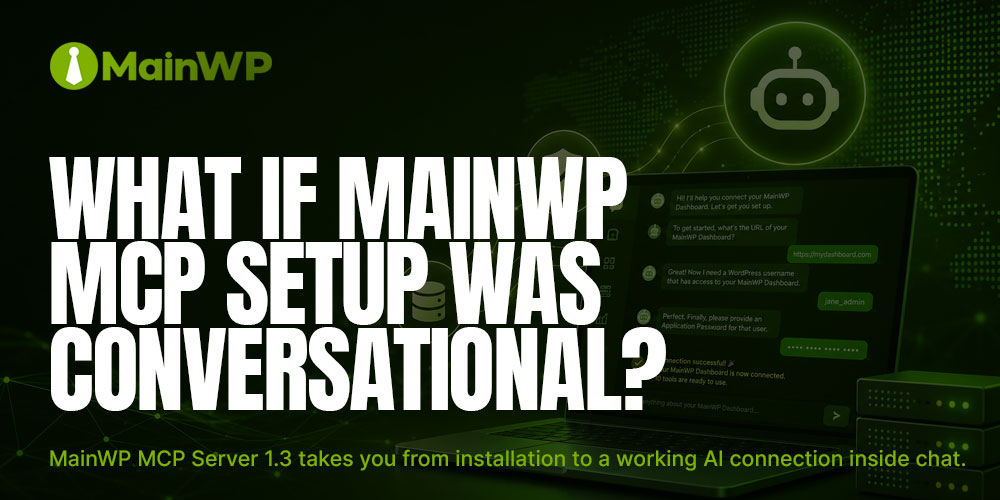
Here is what connecting your MainWP Dashboard to an AI assistant looks like now: Install the MainWP MCP Server, open a chat, and say, “Set up my MainWP connection.” The assistant asks for your Dashboard URL, WordPress username, and Application Password, checks the credentials against your Dashboard, and saves them. Your MainWP tools appear, and your next question can be as simple as: “Which sites have updates waiting?” There is no configuration file to edit during initial setup and, in Continue reading the post...
Bring AI to Your WordPress Workflow with the MainWP MCP Server
Published on July 21, 2026 by Cameron Dornon under About, Important Updates, MainWP News, MainWP Updates, WordPress Business, WordPress Performance
Managing a fleet of WordPress sites involves a steady stream of questions and operational work: which sites need updates, which child sites are disconnected, what changed after a maintenance window, and where a remediation should begin. MainWP MCP (Model Context Protocol) gives compatible AI clients a structured way to work with that information. You can ask in natural language while the server converts the selected action into a defined MainWP ability call. The positioning is simple: AI interprets intent. MainWP Continue reading the post...
Share
Manage Unlimited WordPress Sites from One Dashboard!
- Privacy-first, Open Source, Self-hosted
- Easy Client Management
- 15+ & 30 + Premium Add-ons
- Bulk Plugins & Themes Management